

Customers often require access to documents such as Purchases, Sales, Orders, Requisitions, Payments, Receipts, and Journals at a detailed, line-item level. Unfortunately, this level of detail is not available directly through the standard document screens.
However, this information can be accessed in an alternative way via the ‘Document Detail’ Enquiry.
To address this need, we recommend using the authored enquiry titled “Document Detail.” Unlike the standard document finders, this enquiry provides a comprehensive view of any document type, including line-level details relevant to each document.
How to Access the Document Detail Enquiry
Navigate to the Enquiries screen.
Search for or select “Document Detail.”
Apply filters as needed (see recommendation below).
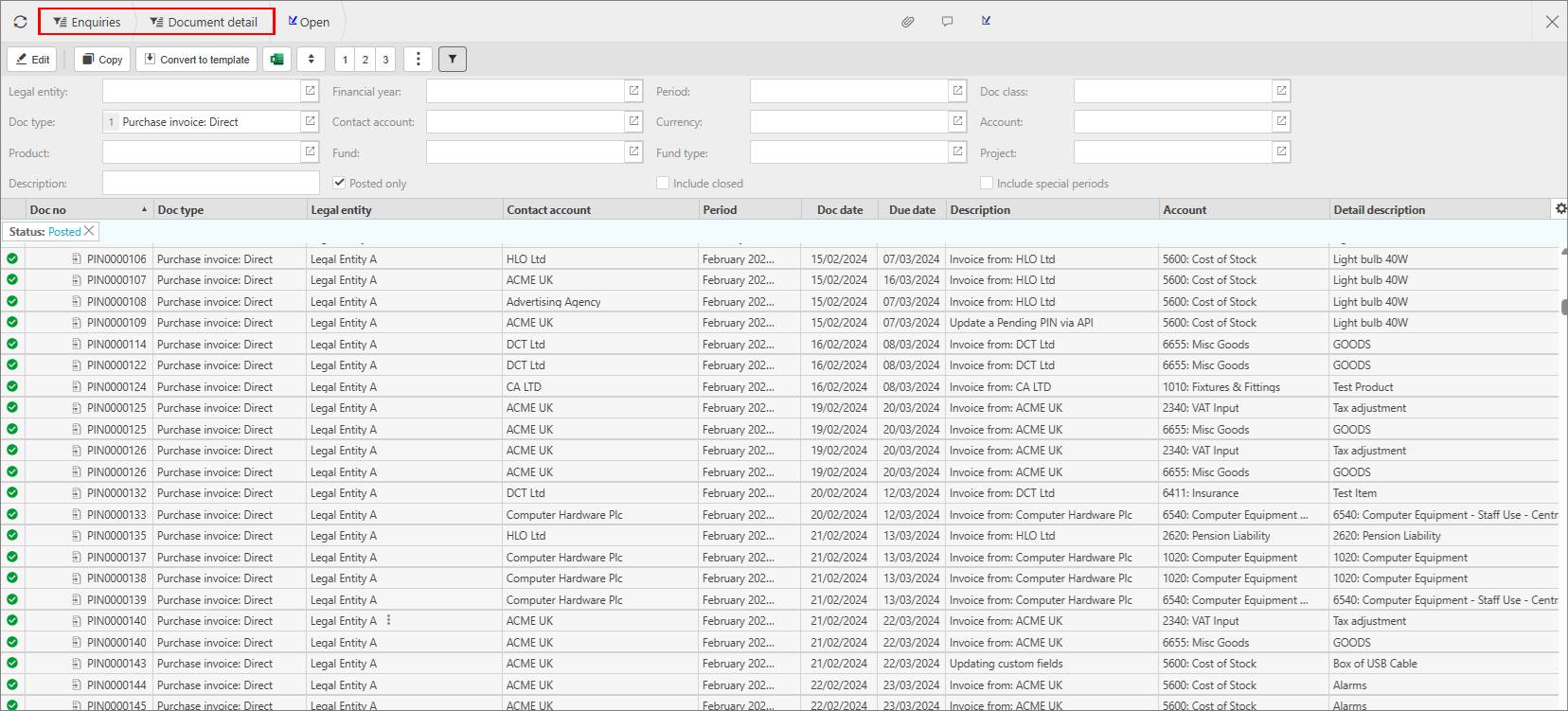
Note: For best performance and quicker response times, we strongly advise filtering by document type at a minimum.
This enquiry can be resource-intensive, particularly when documents contain multiple lines, so applying filters will help reduce server load and improve efficiency.
Reporting lines on documents
Document breakdown
Finer details on document
_______________________________________________________________________________________