

This article explains why the Depreciated column shows zeros in the Asset Movements tab in iplicit's Fixed Assets module. This is expected behaviour when multiple months of depreciation are run at the same time for an asset – it is not an error.
Why the Depreciated column shows zeros in Asset Movements
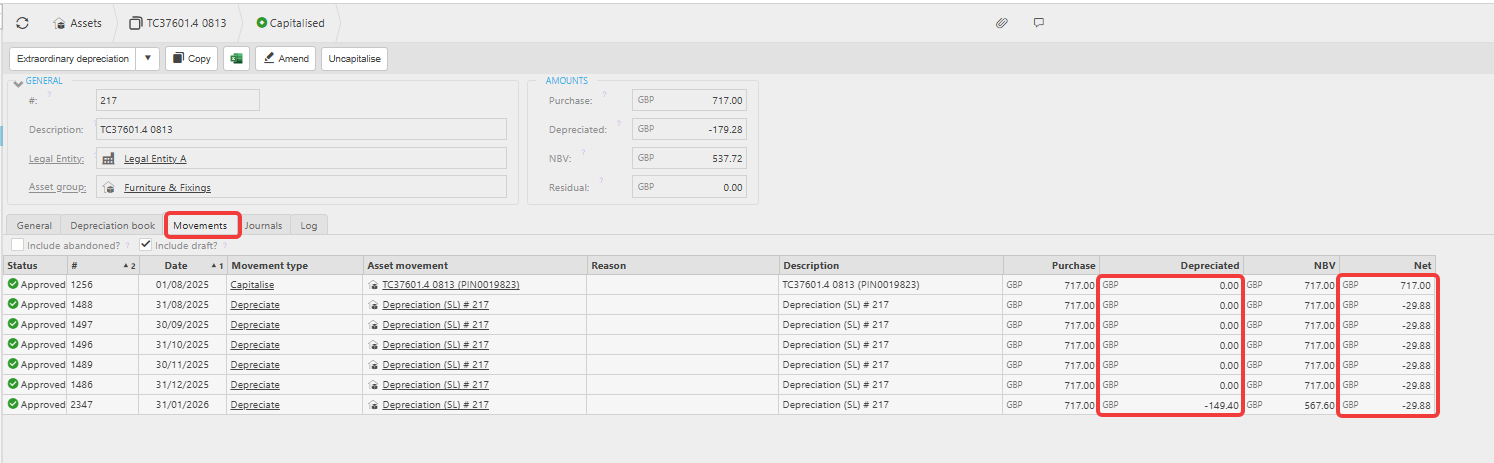
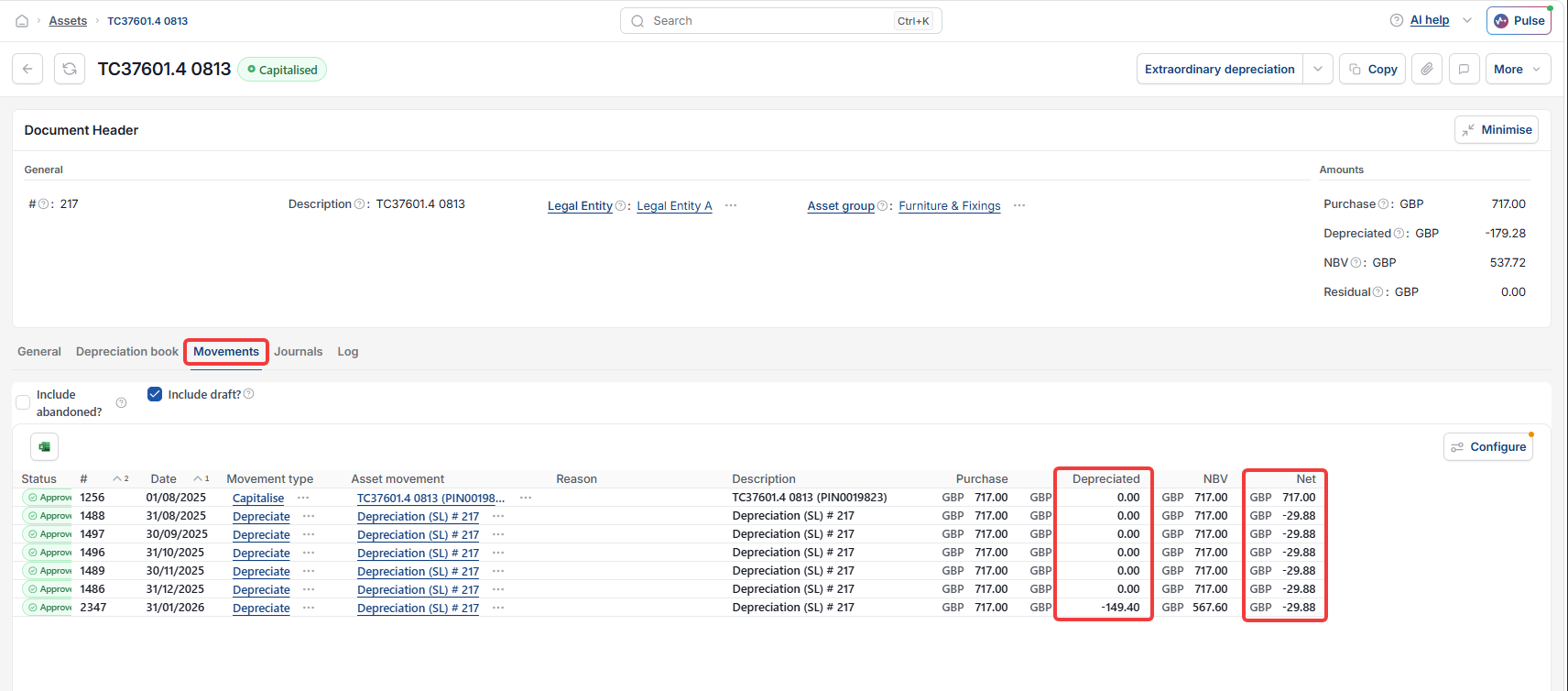
When multiple months of depreciation are run simultaneously for an asset, the individual movement lines in the Movements tab will show zeros in the Depreciated column. This is because the accumulated depreciation total updates the ledger as a combined figure rather than per individual month.
Once the total accumulated depreciation has posted to the ledger, the Depreciated column updates to reflect the full accumulated depreciation total.
What to check when the Depreciated column shows zeros
If the Depreciated column is showing zeros and you are unsure whether depreciation has posted correctly:
- Select the 'Journals' tab on the asset record and confirm the depreciation journals have been posted
- Select the 'Depreciation book' tab to view the full depreciation schedule and confirm the values are updating as expected.
See 'What do the Net and Depreciated columns show in the Asset Movements tab in iplicit' for further detail on how both columns work.
Depreciated column incorrect
Zero balance on depreciated
Asset movement not right
Blank depreciation information