There are a couple of different approaches that you can do to stop certain users from seeing confidential information.
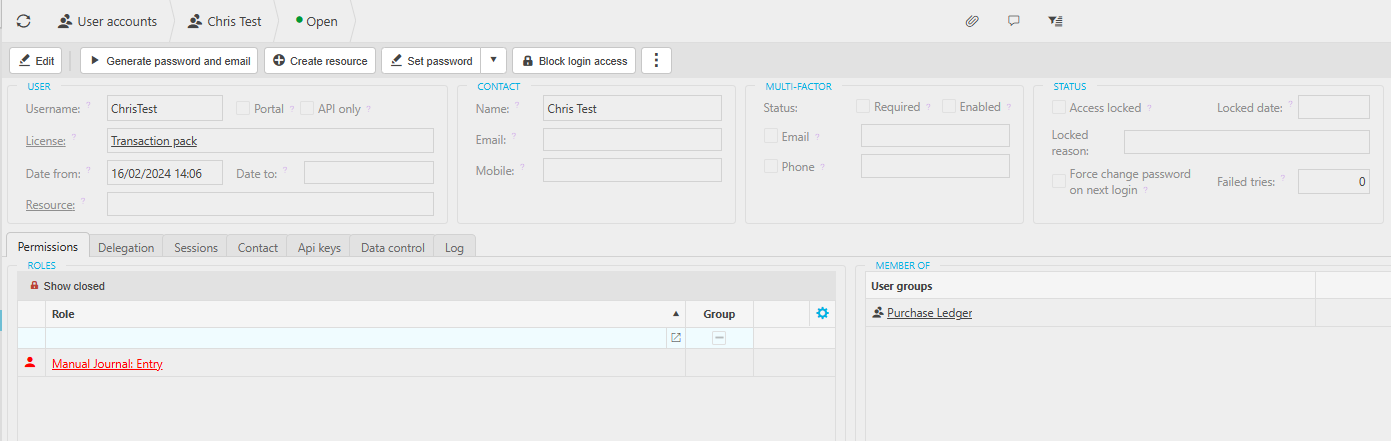
- Firstly, check the User accounts in iplicit to establish if they have the appropriate permissions If they work in purchase ledger administration, they likely will not need permissions that relate to manual journals.
And so you would go to the User account in question and review the permissions - individual permissions not intended for an applied license will appear in red and please be aware if user still has access.
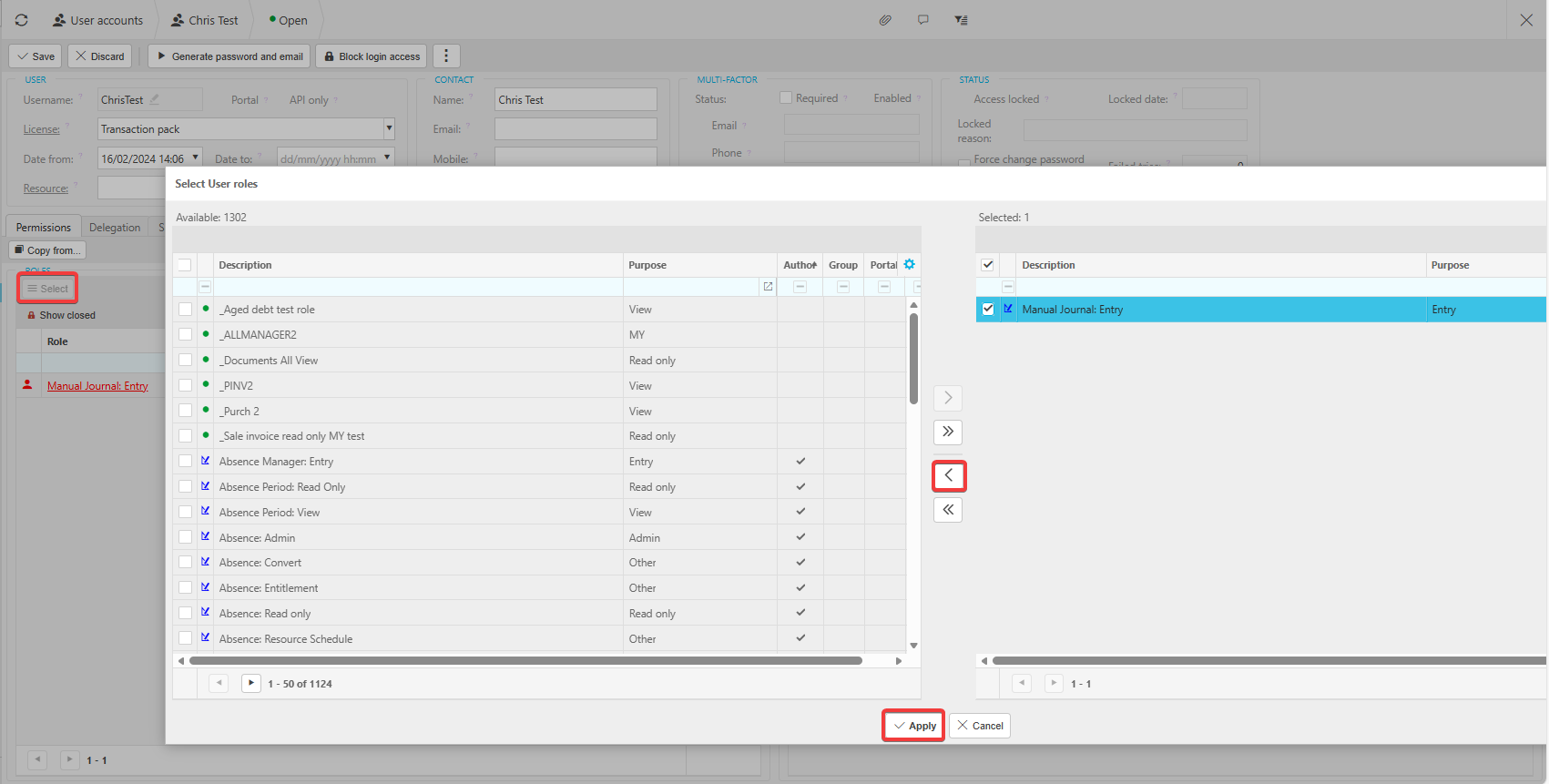
Click on the Select button under the permissions tab under the Role, then tick the relevant permissions on the right hand side and double click to remove them from the Selected section.
Then click the Apply button and then click Save on the user account.
- Another option is you can use Data Access Control (DAC) to which you assign users to be able to see certain Legal entities if you have multiple legal entities and/or Custom Data Access Controls (CDAC) Which will limit the ability to view certain documents based on an attribute that is entered on that document such as department, cost centre or team.
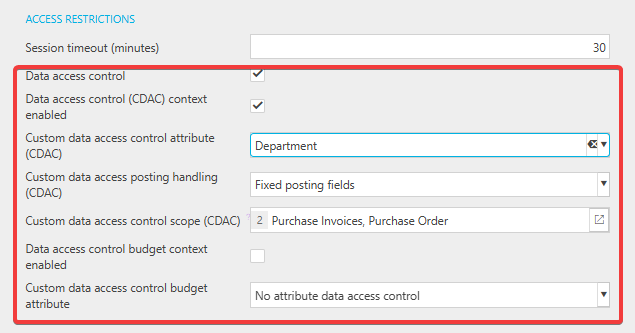
In environment defaults, under the access restrictions heading you would need to enable CDAC, set an attribute, and the scope relating to which documents the CDAC will be enabled against.
You would then proceed to set up the required parameters of the data access control on the screen of the same name.