

This article covers a purchase invoice not appearing in the disbursement selection on a sales invoice. This is usually caused by either a missing user permission or a document type not included in the disbursement automation.
Checking the disbursement permission on your user account
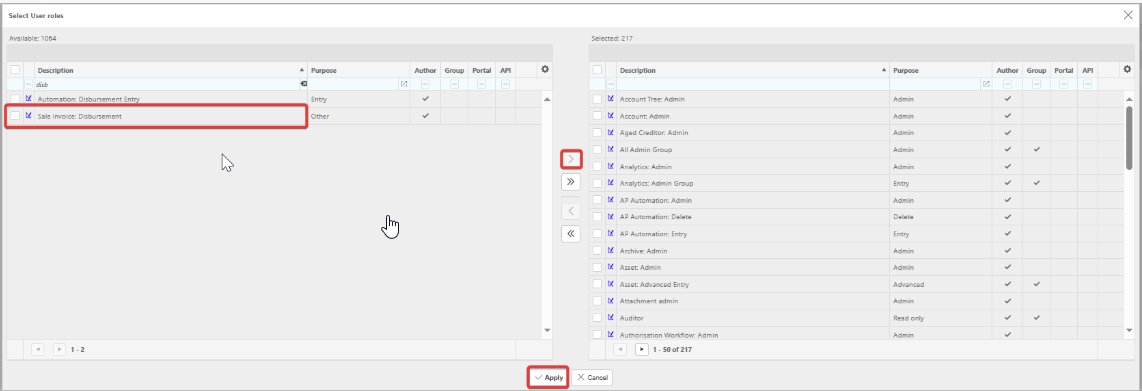
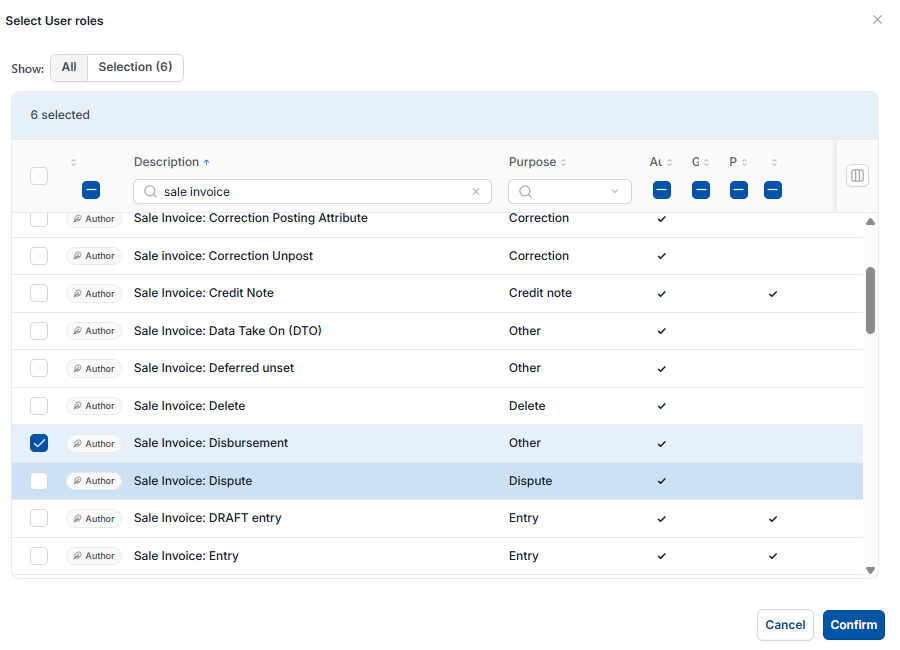
The 'Sale Invoice: Disbursement' user role needs to be allocated to your account to see disbursements in the selection. To check this, go to the user roles section of your user account and confirm 'Sale Invoice: Disbursement' is ticked or listed as selected. If it isn't, an administrator needs to enable it and save the change.
Checking the disbursement automation includes the correct document types
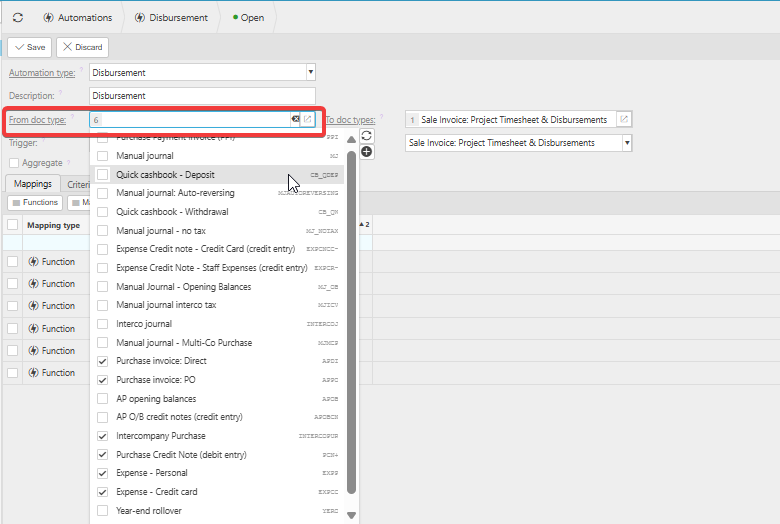
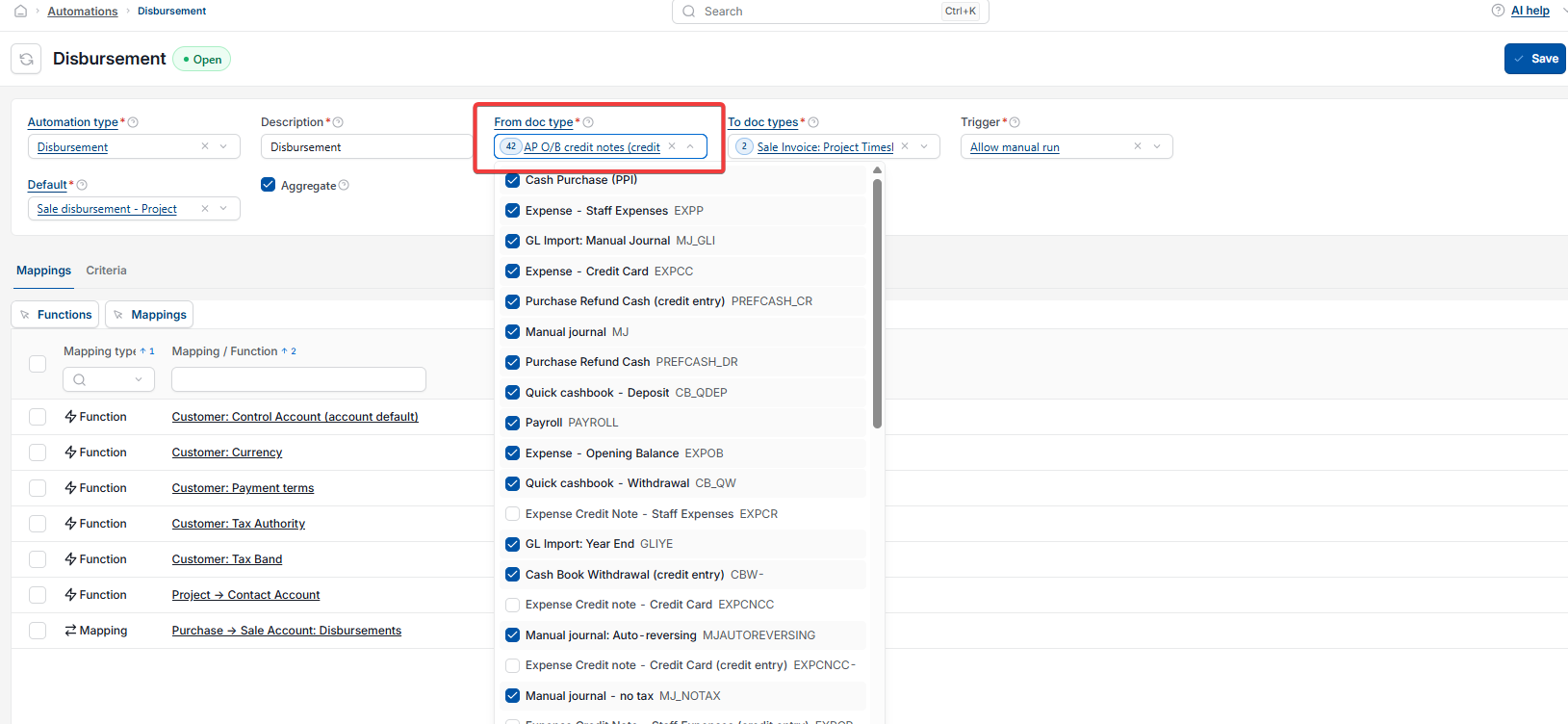
If the permission is already in place, the purchase invoice's document type may not be included in the disbursement automation. To check this:
- Go to 'Automations' and open 'Disbursement'
- Under 'From doc type', check whether the relevant document type, for example 'Purchase invoice: Direct' or 'Purchase invoice: PO', is ticked
- If it isn't ticked, tick it and select 'Save'.
Why existing purchase invoices may still not appear in the disbursement selection
Adding a document type to the disbursement automation only applies going forward. It does not apply retroactively to documents that already exist. If a purchase invoice was created before its document type was added to the automation, it will not appear in the disbursement selection. To fix this, you'll need to recreate that purchase invoice so it's picked up correctly.
Purchase invoice not showing in disbursements
Disbursement selection missing invoice
Recharge purchase invoice to customer
Sale Invoice: Disbursement role
Disbursement automation document type
Can't see disbursements on sales invoice