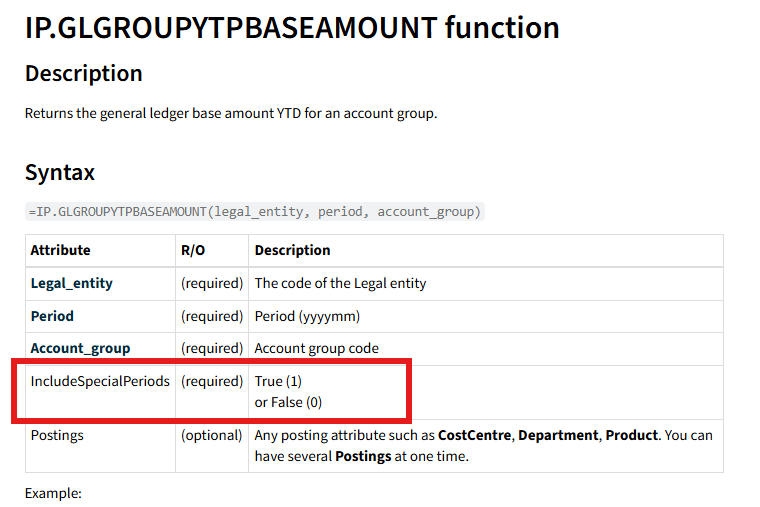
Some iplicit Excel add-in functions provide the capability to incorporate brought-forward (b/f) and special/adjustment periods into your totals. If these figures are absent, it is generally due to the parameter that governs this behaviour not being activated.
Review the function you are utilizing in your Excel sheet.
- For instance, IP.GLGROUPYTPBASEAMOUNT has the option to include b/f and special periods.
- Find the parameter named IncludeSpecialPeriods within the function.
- Input into IncludeSpecialPeriods = 1
This activates the inclusion of brought-forward and special/adjustment period figures in the total returned.
- Recalculate the sheet to verify that the updated total now incorporates these values.
Please note: If IncludeSpecialPeriods is set to 0 (or left out), b/f and special period values will not be counted.
- Make sure the function syntax is complete and includes all required parameters.
- Related Articles - Excel Add-In | iplicit