

This article covers finding the Enquiry ID inside iplicit, for use when calling the Enquiries API. Every enquiry has a unique ID – sometimes called a GUID – that you'll need to reference it through the API.
Finding the Enquiry ID
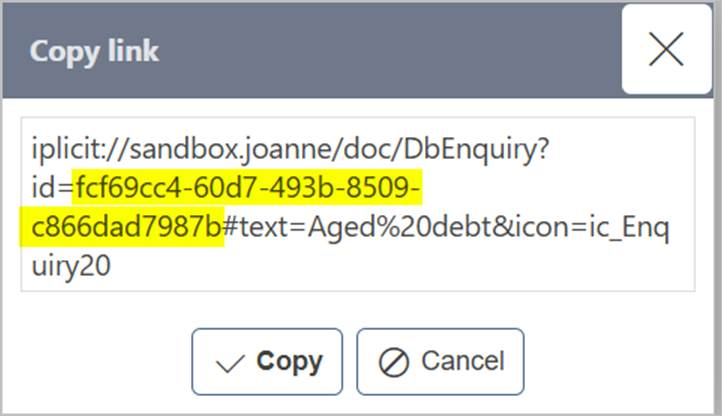
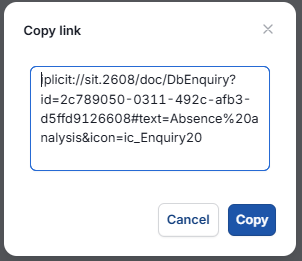
- Open the enquiry you need the ID for, then press 'ctrl + alt + c' together. A 'Copy link' window opens, showing a link starting with
iplicit:// - Inside that link, after
id=, is a long code made up of numbers and letters separated by dashes – for example,fcf69cc4-60d7-493b-8509-c866dad7987b. This is the Enquiry ID - Select 'Copy' to copy the whole link, including the Enquiry ID within it, or copy just the ID portion if that's all you need.
The rest of the link – the parts after the ID, such as the enquiry name or icon – isn't needed for the API call itself.
Screenshots for Legacy UI (before October 2026)
Screenshots for New UI (post October 2026)
Customer search terms
Enquiry ID
Find Enquiry ID
Copy Enquiry ID
API Enquiry ID
Enquiry link iplicit
Enquiry GUID
Enquiry unique identifier