
.png)
The reason why you cannot view other users’ timesheets is because you don’t have the User delegation setup on your iplicit user account. To enable this, do the following :-
- Go to the User Delegations.
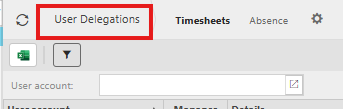
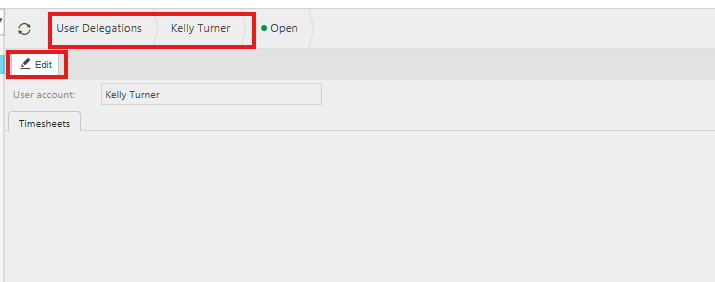
- Select the relevant name on the list i.e you. And click the Edit button.
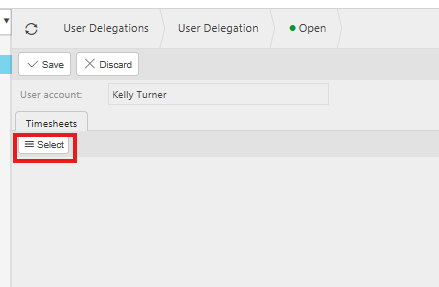
- Now click the Select button.
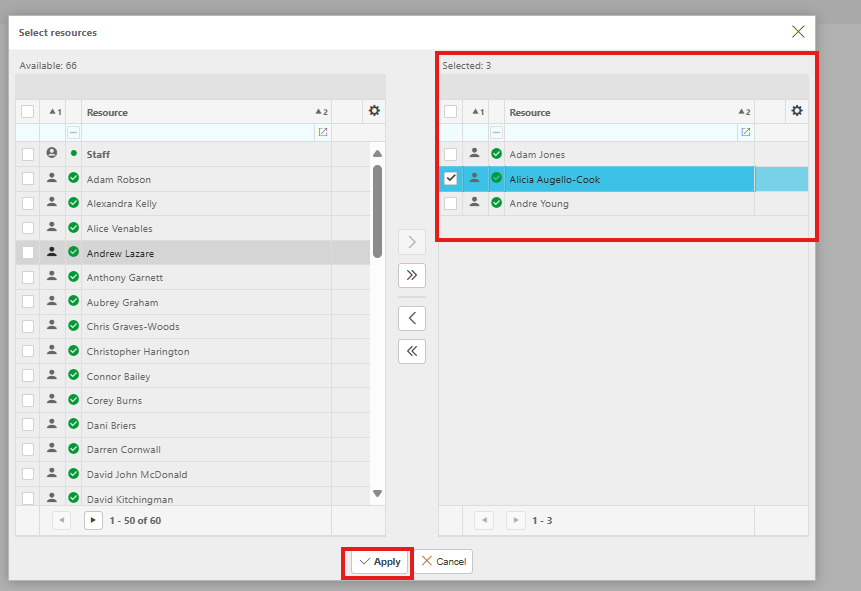
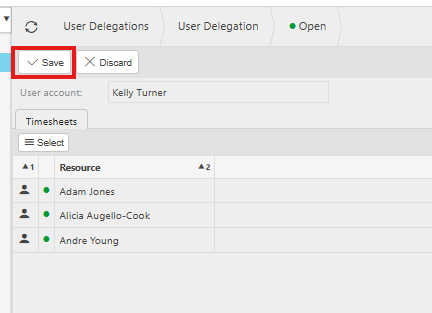
- Now select the relevant users and double click to put them in the right-hand column. And click Apply button.
- Now click the Save button
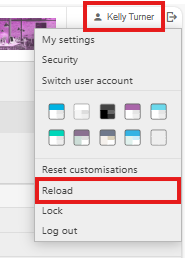
- Finally click the Reload button under your Login in the top right-hand side of iplicit screen.
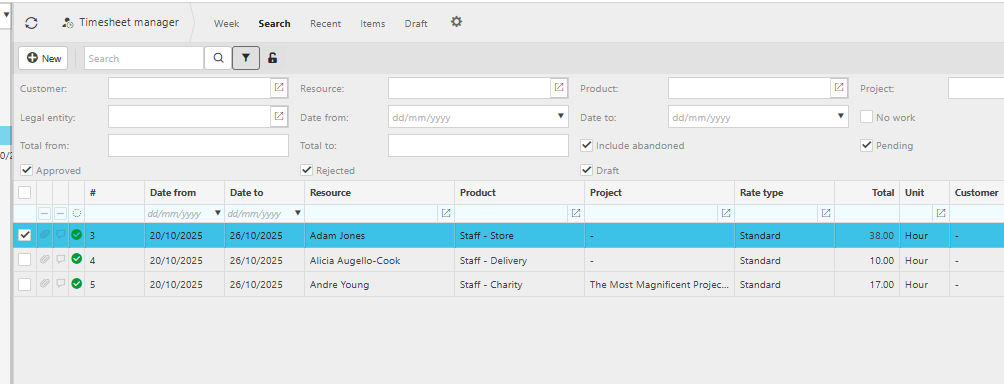
- Now you should be able to see their timesheets in the Timesheet manager finder screen.
Please note - Appropriate users that will require user delegation will need one of the following user roles assigned to their user account
Timesheet Manager: Entry
Timesheet Manager: Read Only