

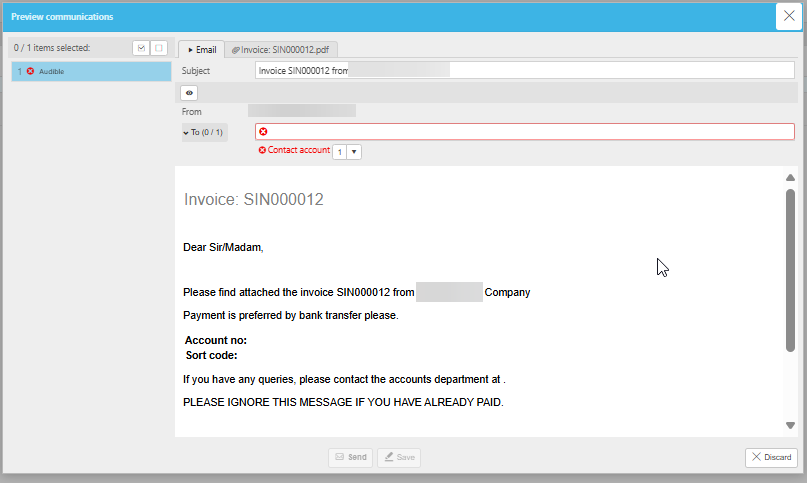
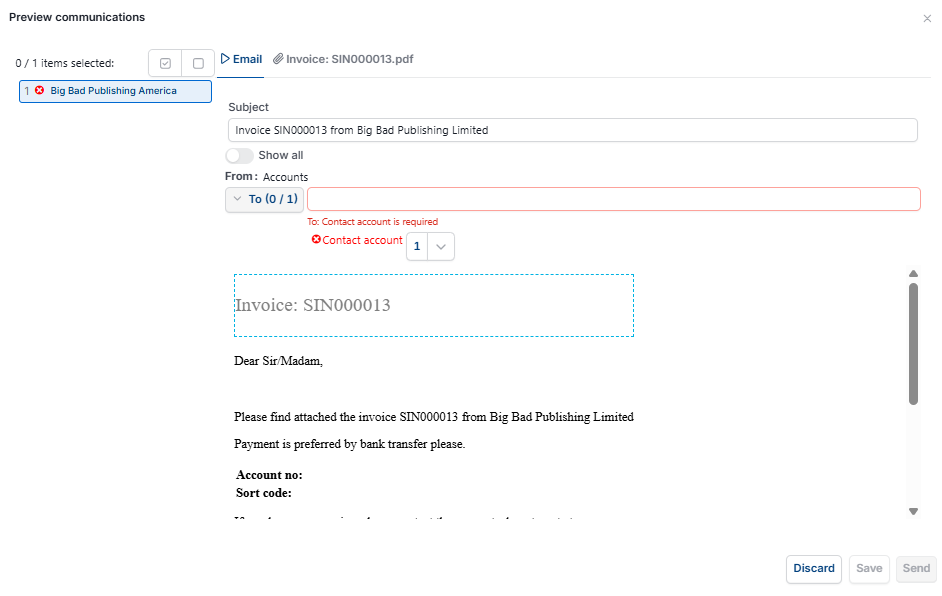
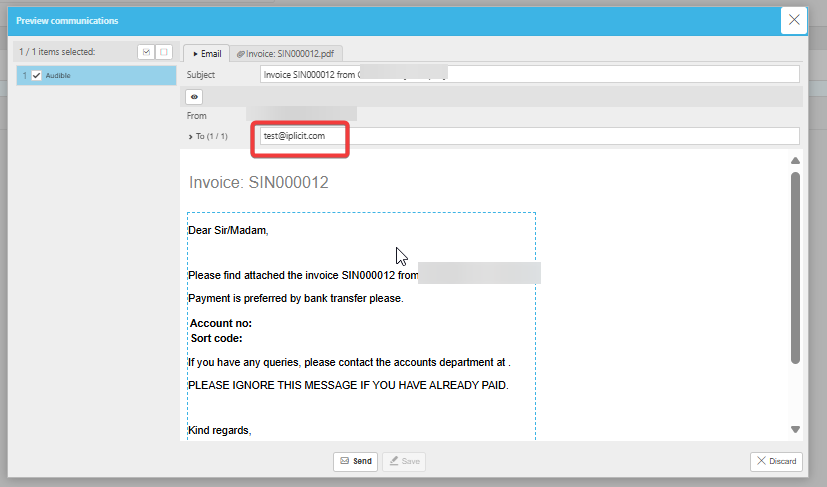
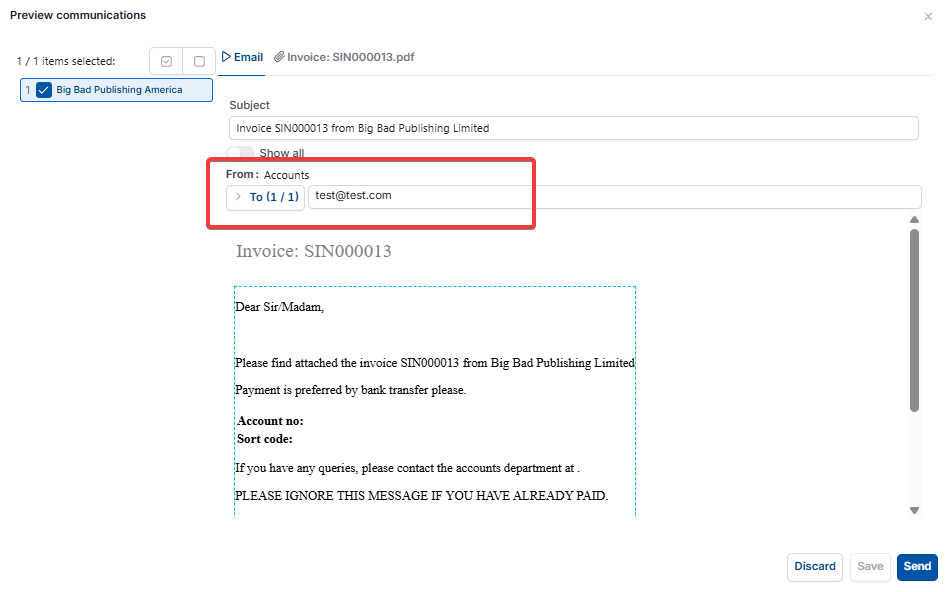
This article covers a missing 'To' email address in the 'Preview communications' window when sending customer or supplier communications, such as a 'Customer Invoice'. This happens within 'Communication setup', where the 'To' field on a communication is configured to pull from a specific email type on the contact account – for example, 'Registered' or 'Office' – and it will only work if that exact type exists on the contact account being emailed.
Why the email address doesn't appear in the preview
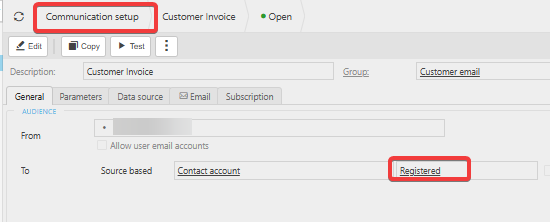
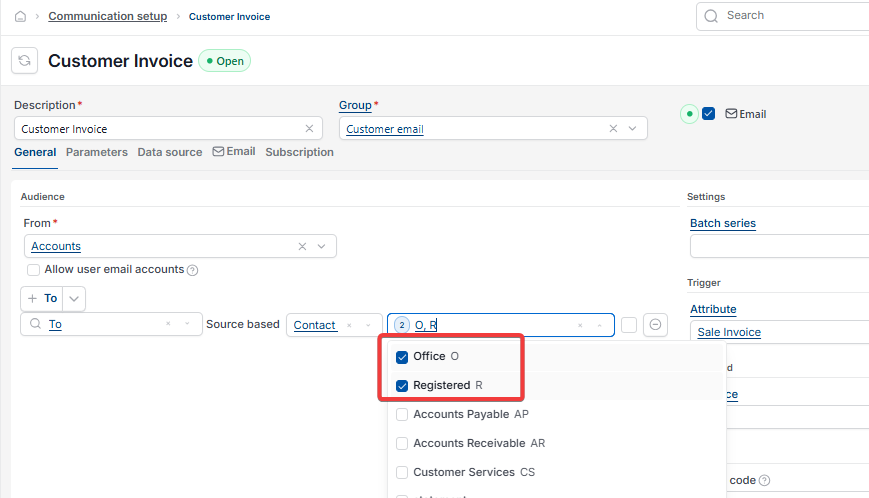
The 'To' field on a communication doesn't hold an email address directly. Instead, it's set to pull from a named email type on the contact account, shown under 'Source based' as 'Contact account'. If the communication is set to pull from 'Registered' but the contact account only has an 'Office' email address saved against it, iplicit has nothing to match, so the 'To' field is left blank and the preview shows an error.
Checking which email type a communication pulls from in Communication setup
- Navigate to 'Communication setup'
- Select the affected communication – for example, 'Customer Invoice'
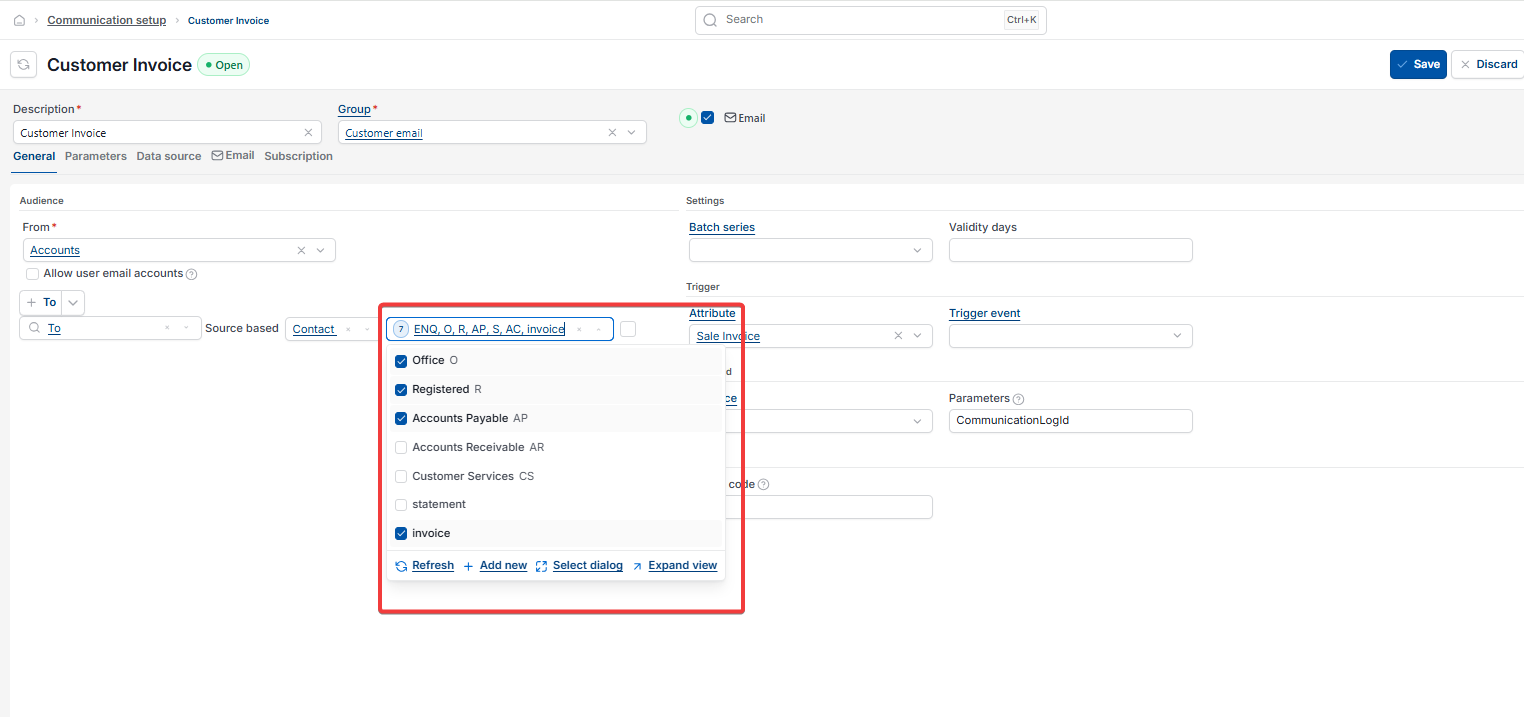
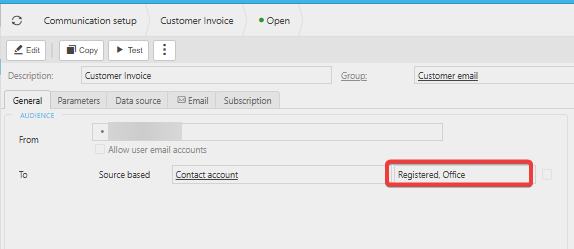
- On the 'General' tab, look at the 'To' row under 'Audience'
- Note which email type or types are listed next to 'Source based' – 'Contact account', such as 'Registered'.
Checking which email type exists on the contact account
- Navigate to 'Customers' (or 'Suppliers') and open the relevant account
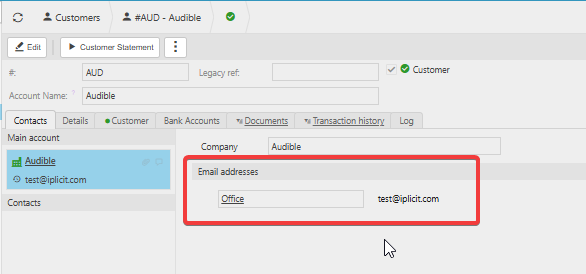
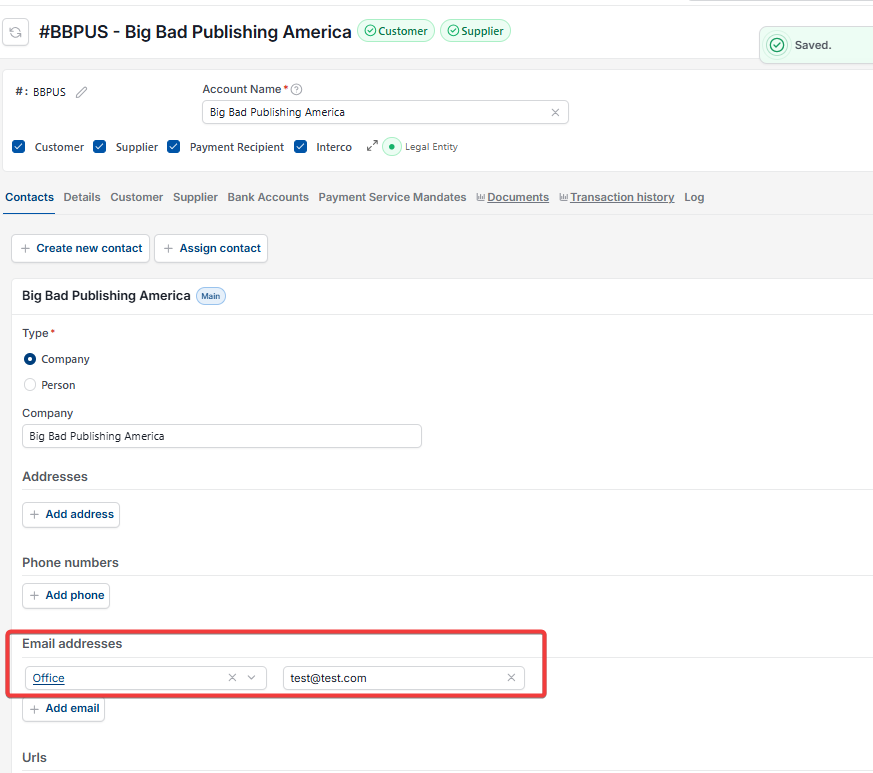
- On the 'Contacts' tab, check the 'Email addresses' section
- Note the email type shown here – for example, 'Office'.
If the type shown on the contact account doesn't match the type set on the communication, the email address will not populate in the preview.
Fixing a mismatched email type on Communication setup
- Return to 'Communication setup' and open the affected communication
- Select 'Edit'
- On the 'General' tab, next to 'Contact account', add the missing email type alongside the existing one – for example, changing 'Registered' to 'Registered, Office' by multi-selecting
- Select 'Save'.
Once the communication includes the same email type as the contact account, the address populates correctly in the preview.
Email address missing from preview
Customer email not showing in preview
To field blank on communication preview
Contact account email type not matching
Registered email vs office email iplicit