

This article covers correcting the VAT rate on a posted cashbook journal that has already been matched in bank reconciliation. Because the journal is posted and matched, you can't edit it directly – the recommended approach is to reverse the original document and recreate it with the correct VAT rate.
Permission needed to reverse a cash journal
To reverse a posted cash journal, your user account needs the 'Cashbook: Reverse' permission. If you don't see 'Reverse' as an option on the document, ask an administrator to add this permission to your account.


How to correct the VAT rate on a posted cashbook journal
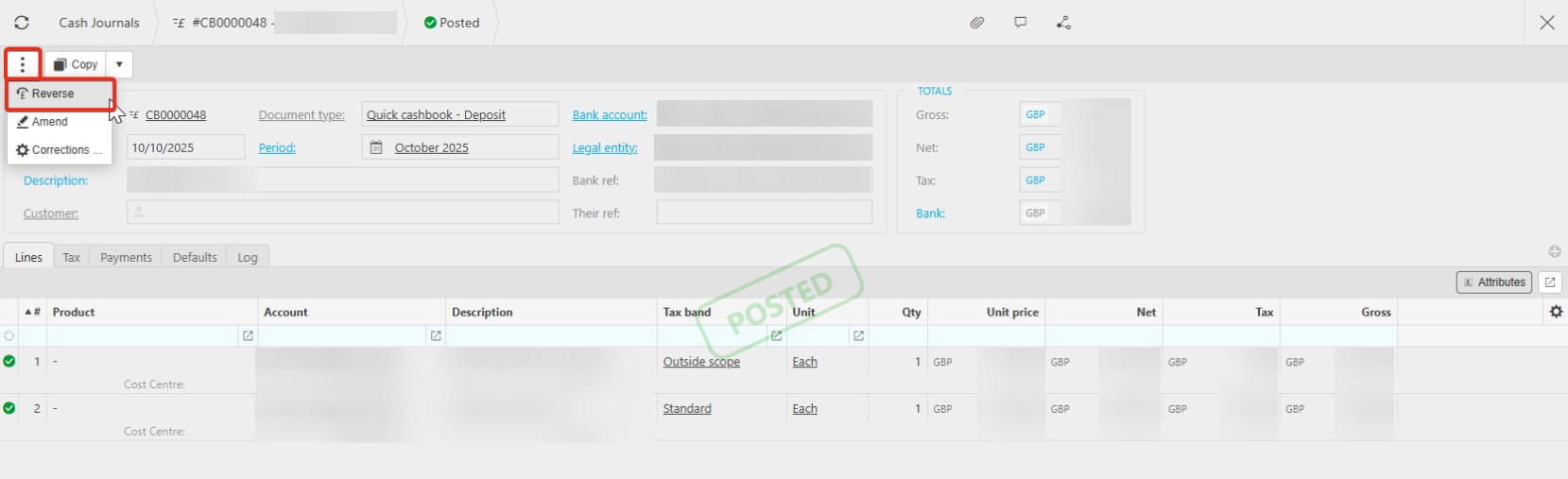
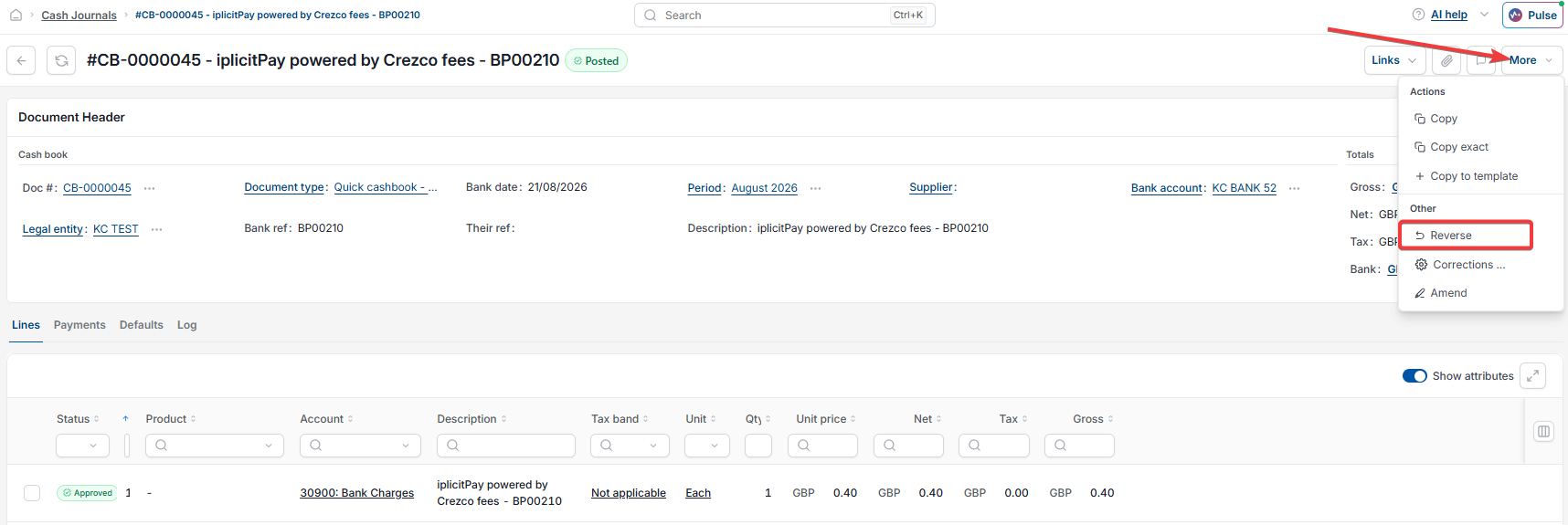
- Open the cash journal, select the ellipsis menu or the more button depending on your screen, then select 'Reverse'. This 'Reverse' function reverses the cash journal itself – it's separate from unmatching an item in bank reconciliation
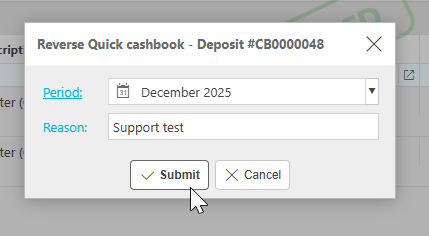
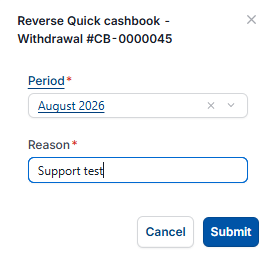
- Select the period you want to reverse into. If you need to reverse into an earlier period, you may need to unlock it first. Enter a reason, then select 'Submit'
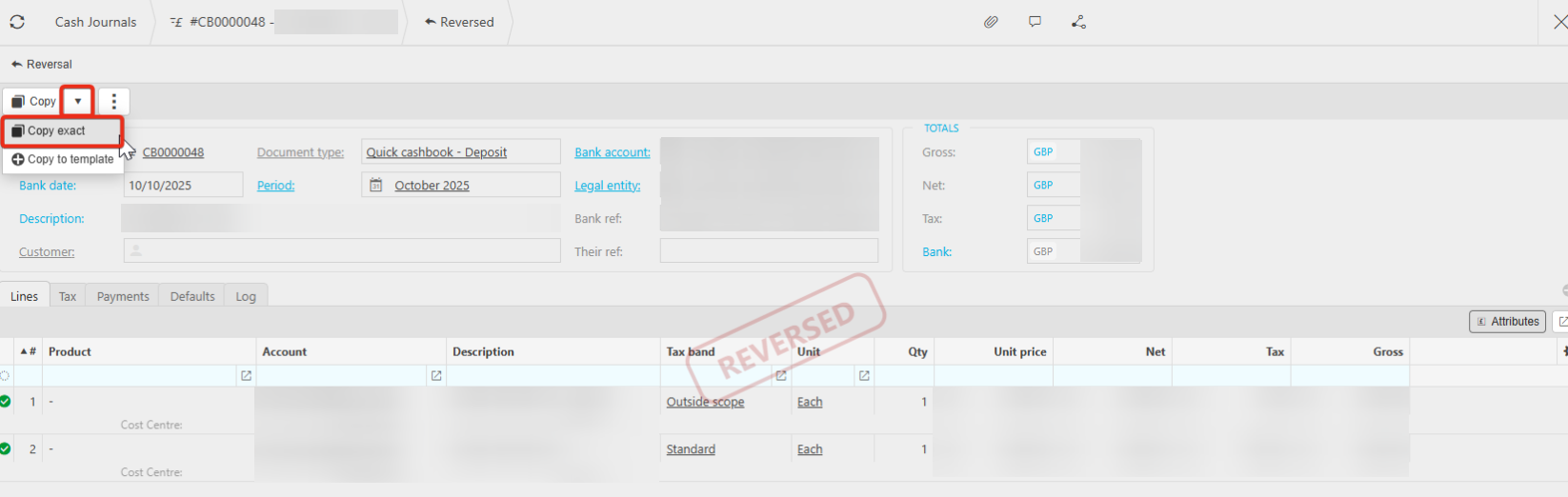
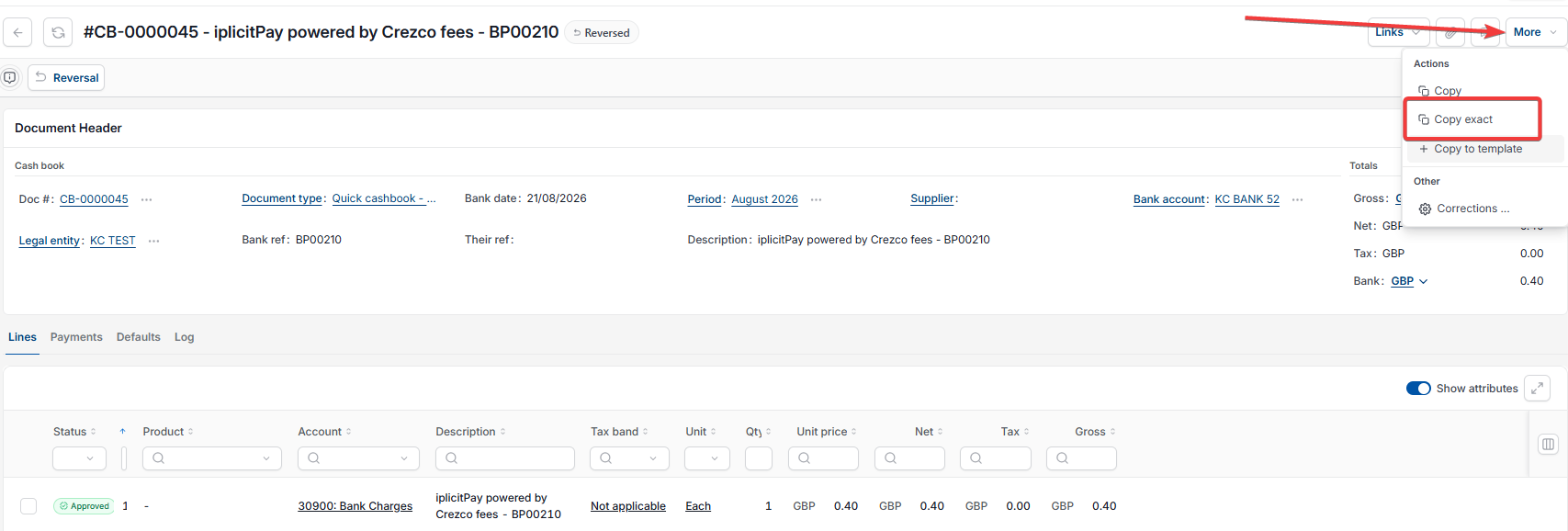
- Once the document shows as reversed, select the dropdown next to 'Copy', then select 'Copy exact'
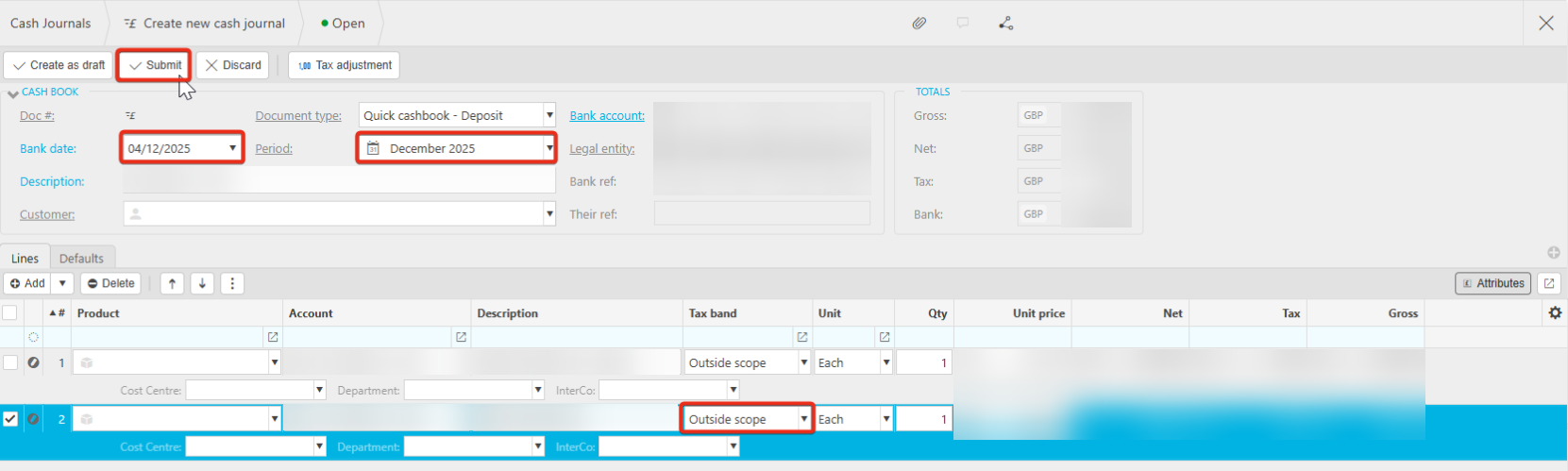
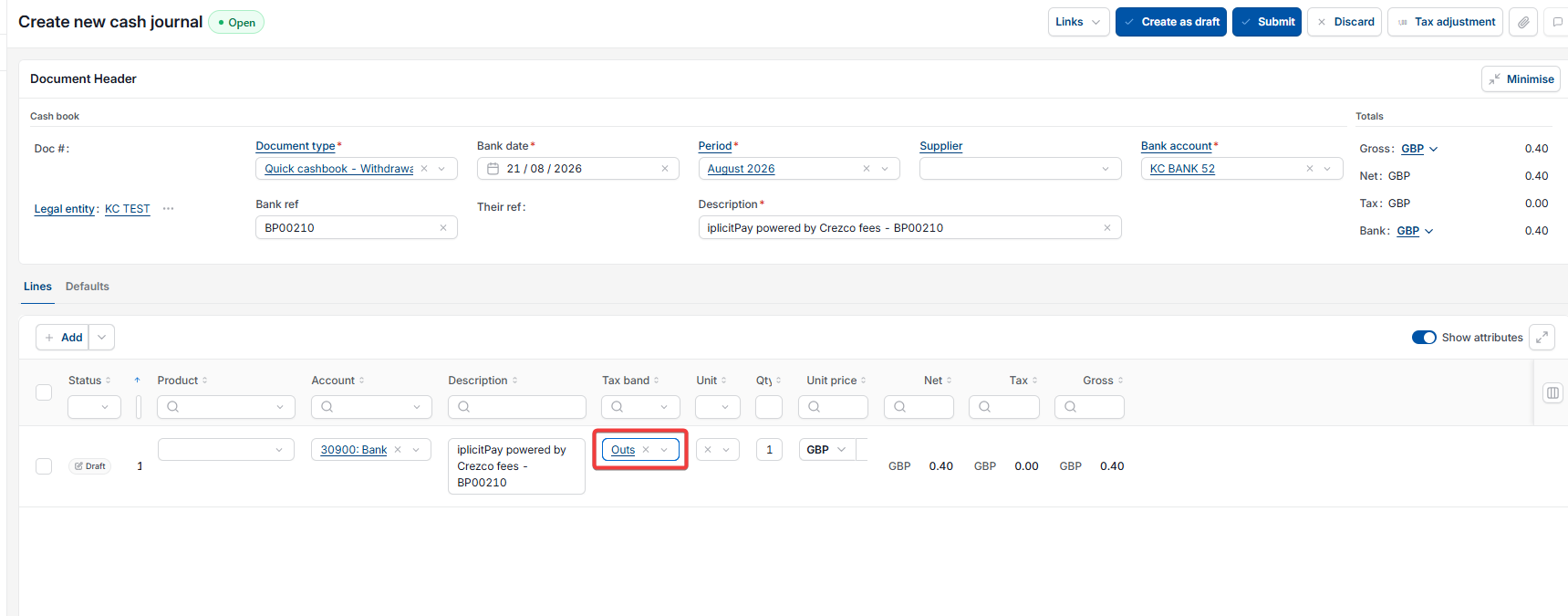
- On the new document, enter the date and select a period, it needs to be an open period, ideally the same period as the reversal. Amend the VAT rate on the relevant line, then select 'Submit'
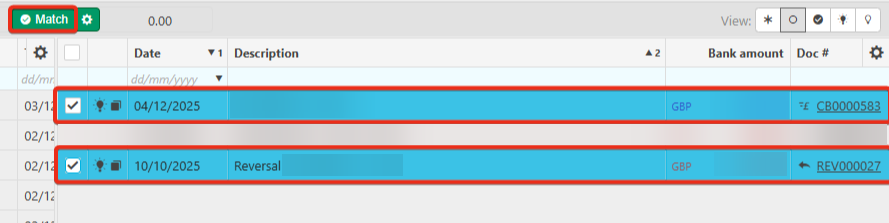
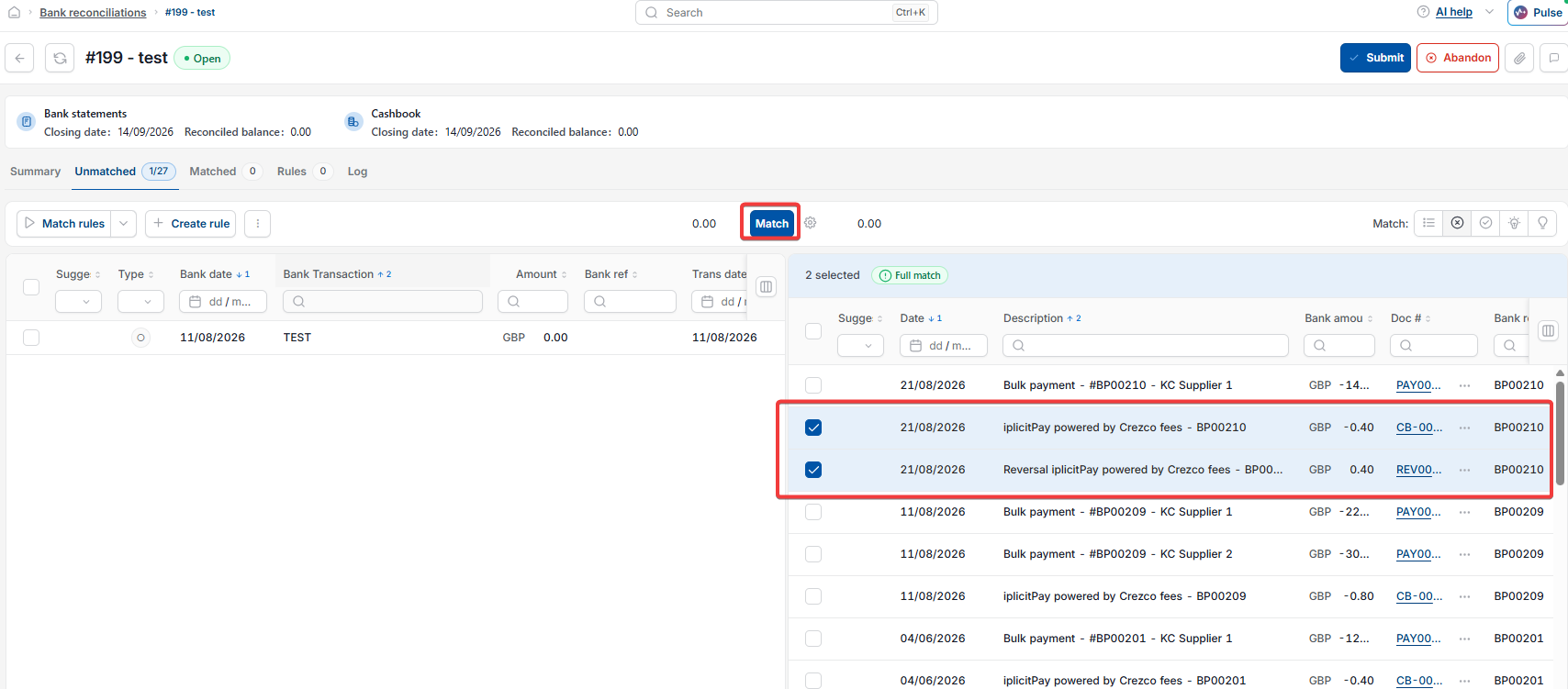
- Match the reversal and the new corrected document together in the current bank reconciliation.
If the incorrect VAT code has already been submitted on a VAT return
The same reverse-and-recreate approach is worth considering if a document with the wrong VAT code was included in a VAT return that's already been submitted.
Amend VAT rate posted cashbook journal
Change tax band after bank reconciliation
Reverse a cash journal
Correct VAT on a matched transaction
Cashbook Reverse permission