

This article covers a document in iplicit that's stuck in an authorisation workflow (sometimes described as not routing or not sent for approval). This happens when the workflow needs a user role that had no user assigned when the document was submitted. It applies to any document type with an authorisation workflow.
Why a document is stuck waiting for an unassigned approval role
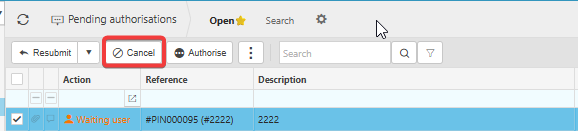
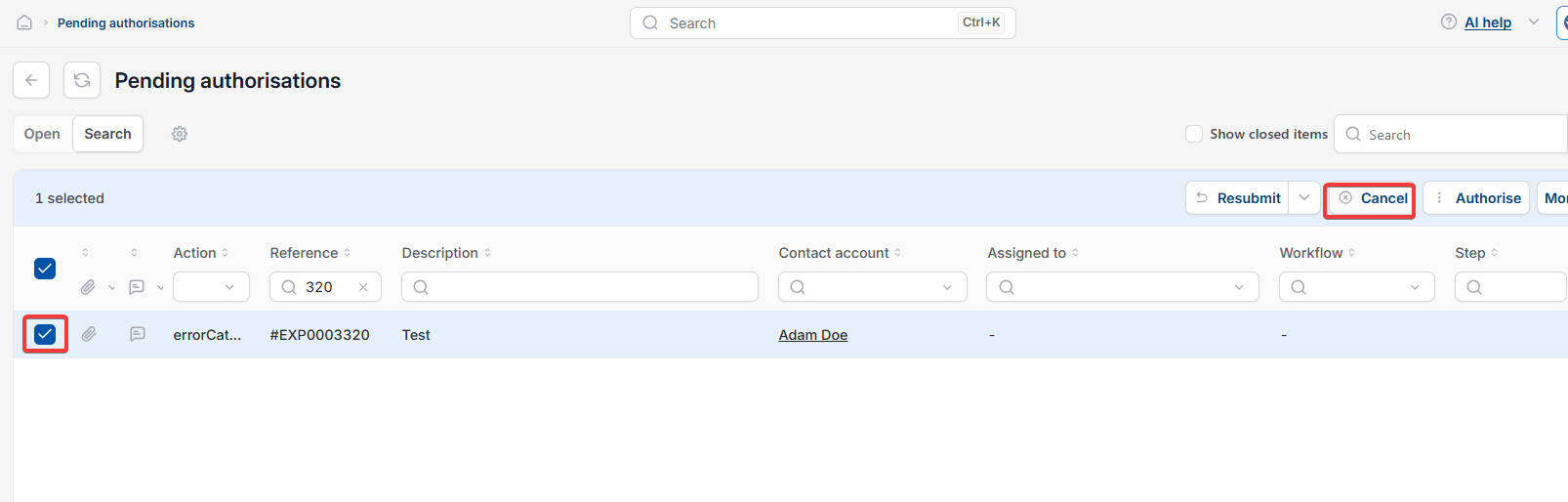
If an authorisation workflow needs approval from a specific user role, and no user has that role when the document is submitted, the document isn't sent to anyone. The document shows as 'Pending authorisation'. On the 'Pending authorisations' screen, its action shows as 'Waiting user'.
Assigning a user to the role afterwards doesn't release the stuck document on its own. The document keeps the routing it had when it was first submitted, so it has to be cancelled and resubmitted.
Fixing a document stuck waiting for an unassigned approval role
- Assign a user to the role the authorisation workflow needs
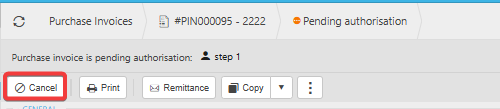
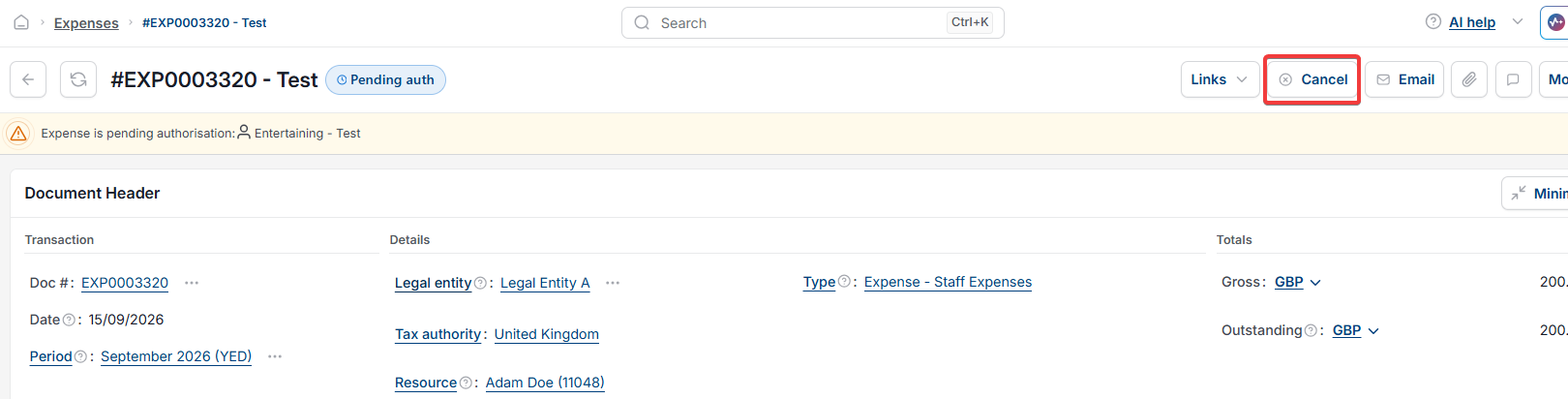
- Cancel the document's current authorisation – see 'Where to cancel a stuck authorisation on a document' below
- Resubmit the document for approval.
When you resubmit, the authorisation workflow uses its current setup, including the user you've just assigned, so the document goes to the right approver.
Where to cancel a stuck authorisation on a document
You can cancel a document's authorisation in either of two places:
- On the document, select 'Cancel'
- On the 'Pending authorisations' screen, select the document, then select 'Cancel'.
Document stuck pending authorisation
Document stuck in approval
No user assigned approval role
Waiting user authorisation
Approval not sent
Cancel authorisation and resubmit
Pending authorisations screen cancel
Pending authorization stuck