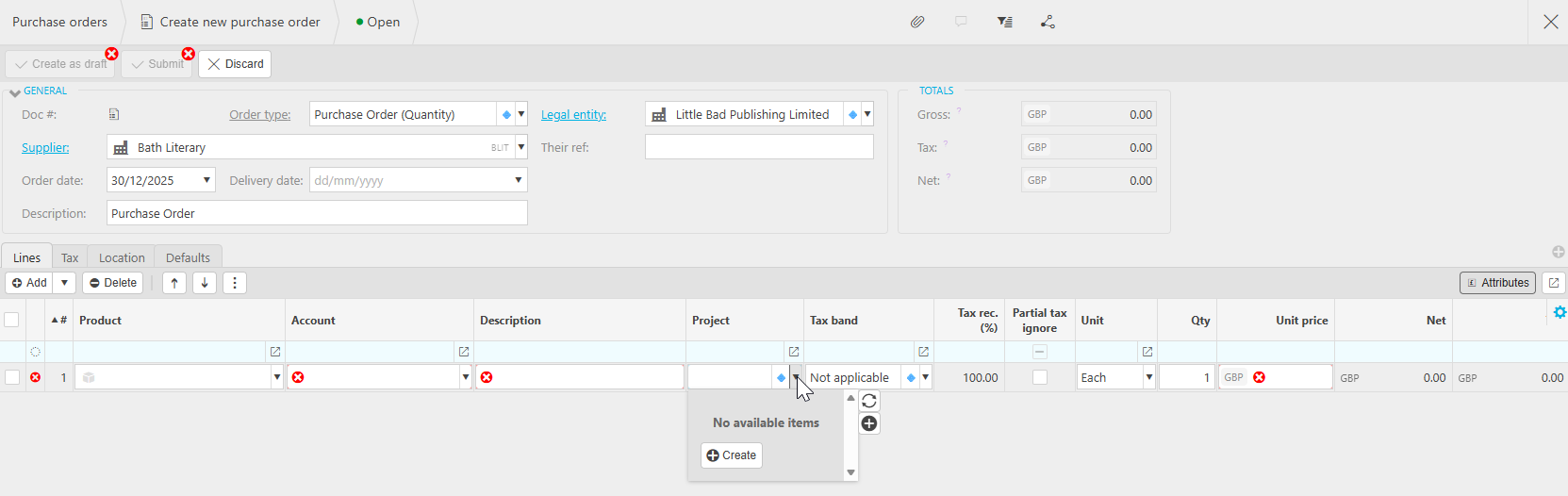
If you have recently added a new project but it doesn't appear on documents, it could be due to Data Entry Control (DEC) enabled in your environment.
In the below example, there are no available items for this Purchase Order
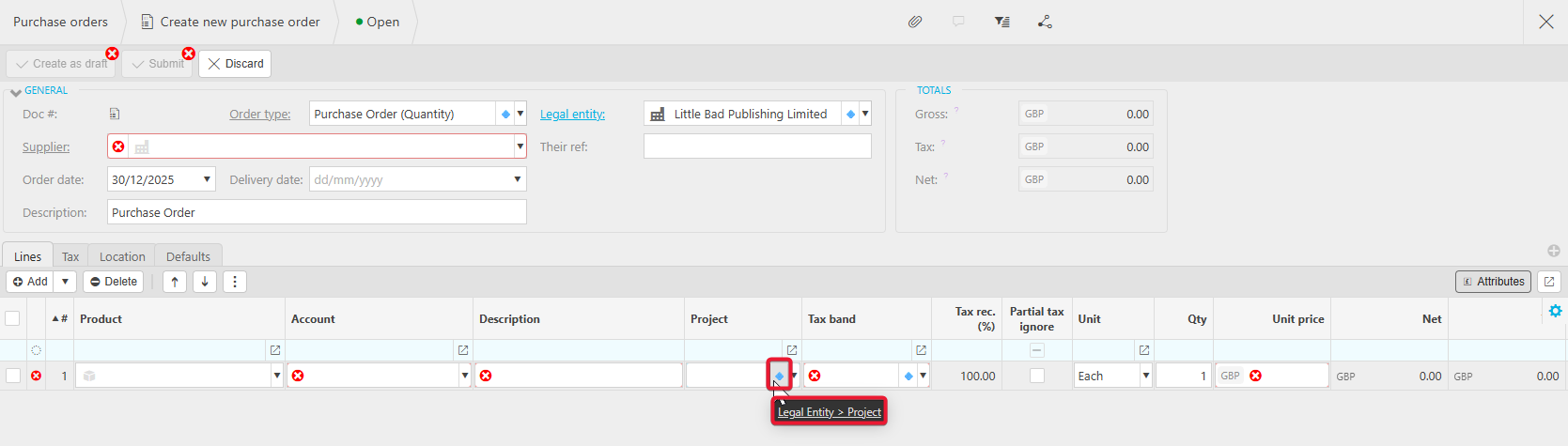
When checking the project, we can see the DEC enabled is Legal Entity>Project, which will control which projects are available to a LE.
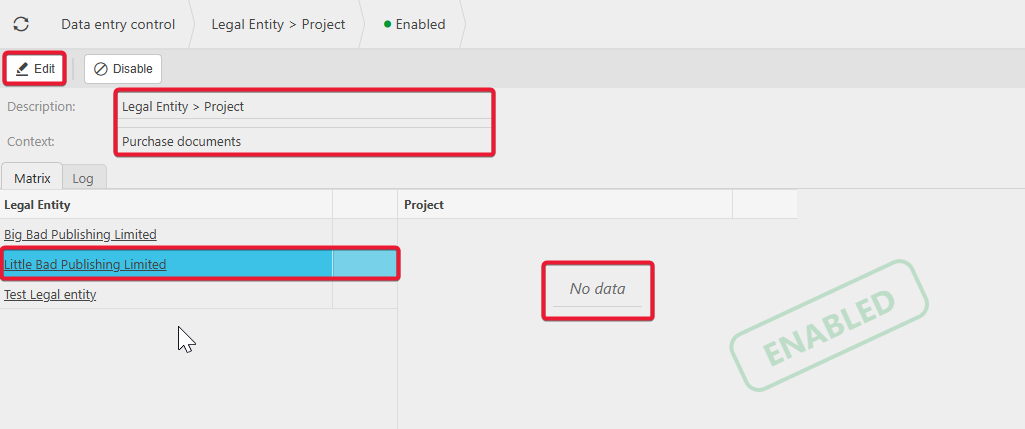
To make the project available for the Legal Entity, navigate to Data Entry Control and drill into the relevant DEC in this case, Legal Entity>Project.
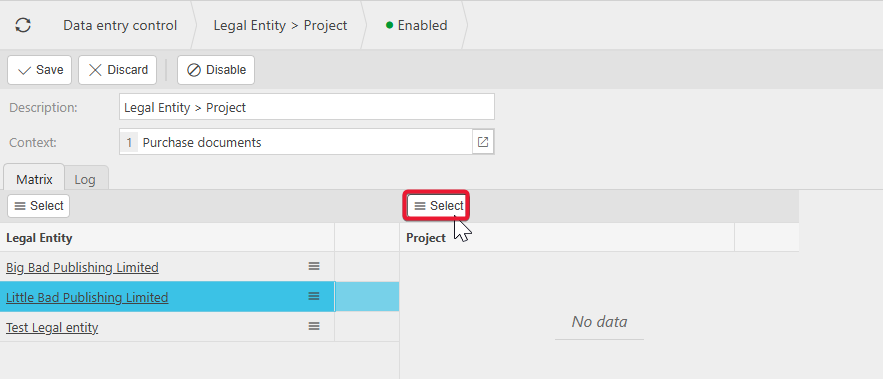
The Context will display which documents the DEC affects, and when the LE is selected, it will display which Projects are available for that LE. To add the project select Edit.
With the LE selected, drill into the selector above the Project section.
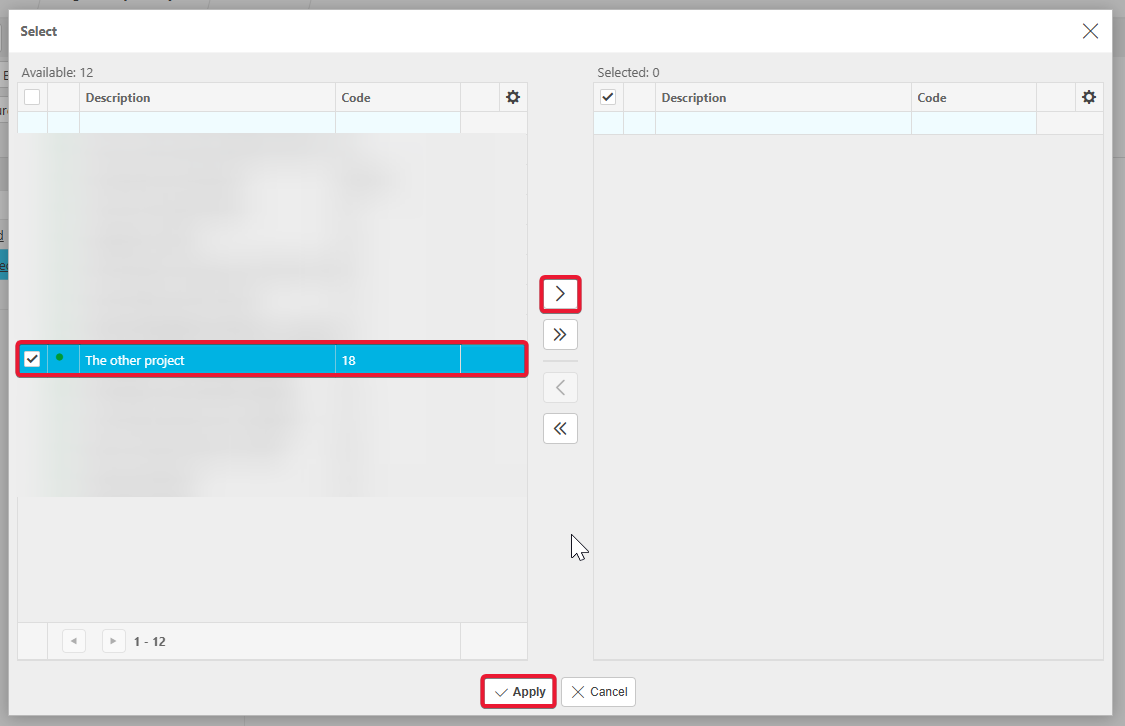
Projects on the left have not yet been added and will not be available. Projects on the right are currently available. Select the relevant project, move to the right and Apply. Save the changes.
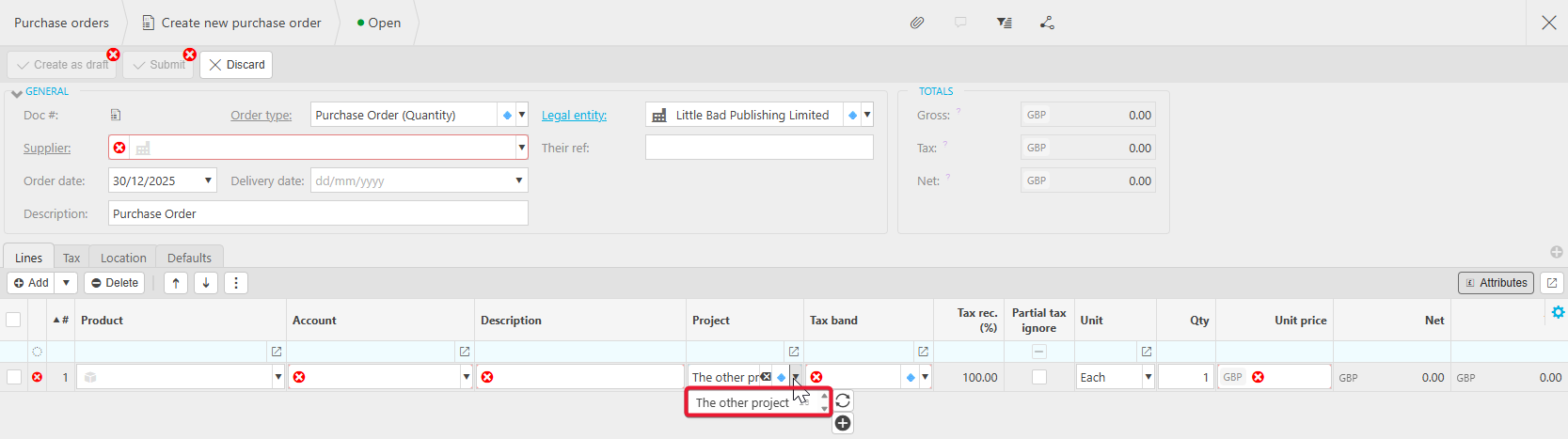
Now, when creating a document, the project is available.
This will need to be done for any new projects added in the environment.
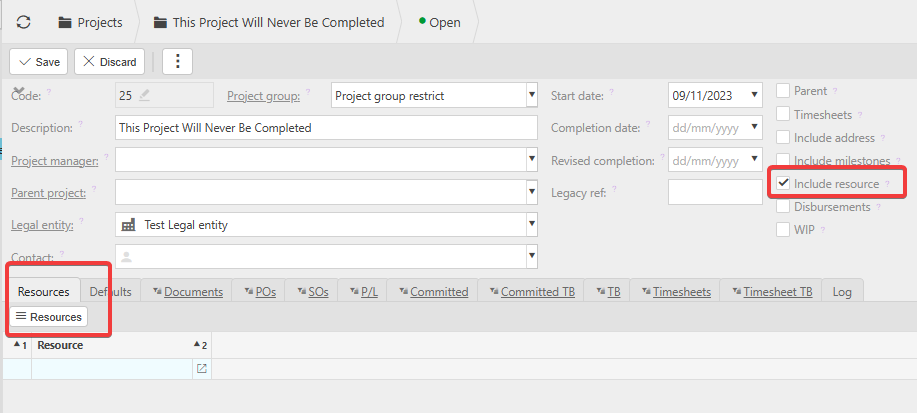
Further to this if you have ticked 'include resource' on the project then, user resources will need to be added to the resource tab that appears on the project in order for them to be able to select it in documents.
If no resources are added on the project, then the project will not be restricted from any user.