

This article covers missing bank details on customer documents, such as a sale invoice, within the 'Bank accounts' tab of the relevant 'Legal entity'. Bank details only populate on a document once a default bank account has been set for that document type.
Setting a default bank account on the Legal entity
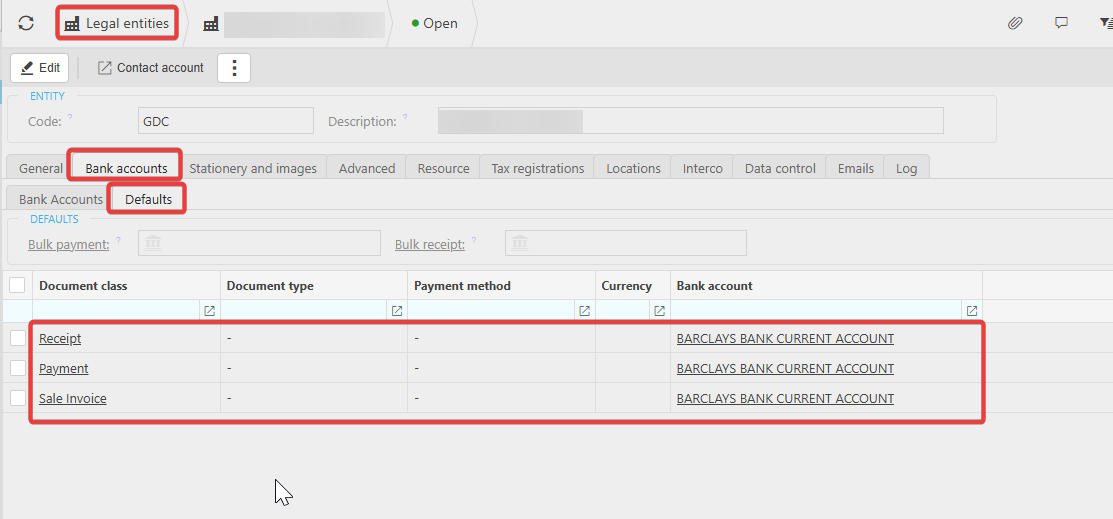
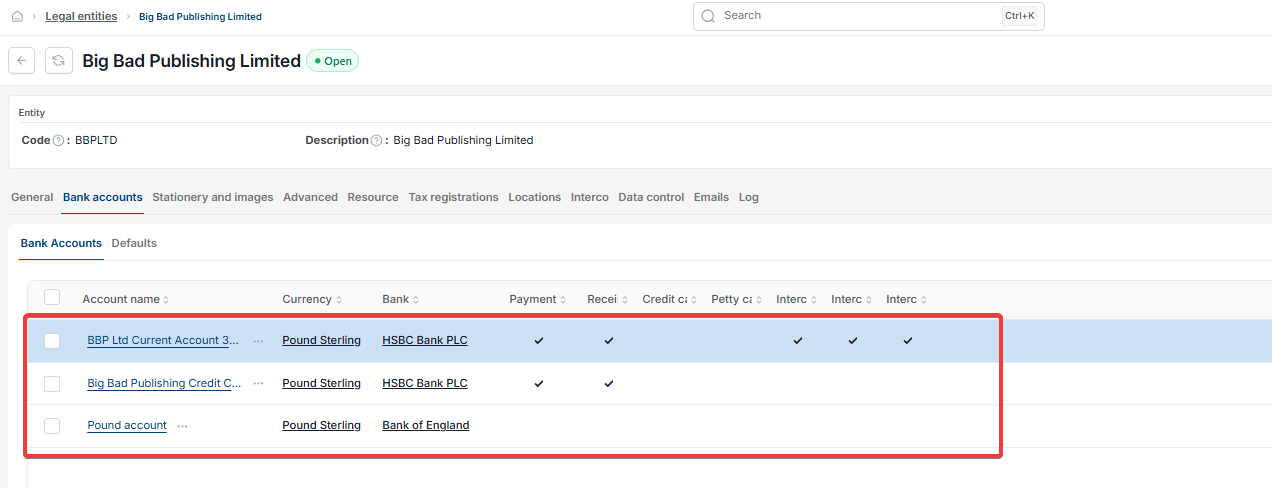
- Navigate to 'Legal entities' and open the relevant entity
- Select the 'Bank accounts' tab
- Select 'Defaults'
- Against the document classes you need, such as 'Receipt', 'Payment' and 'Sale Invoice', select the bank account to use – for example, 'BARCLAYS BANK CURRENT ACCOUNT'
- Select 'Save'.
Once a default is set, the chosen bank account's details populate automatically on the corresponding customer documents.
Screenshots for Legacy UI (before October 2026)
Screenshots for New UI (post October 2026)
Customer search terms
Bank details missing from invoice
No bank account on customer document
Set default bank account for invoices
Bank details not showing on sale invoice