

When iplicit sends a communication - such as a remittance advice email - it generates a unique reference.
This reference is used to identify potential duplicates if another communication of the same type is sent to the same contact in the future.
By default, this unique reference is created using:
- The Contact ID the email was sent to
- The Date the communication was generated
How Duplicates Are Displayed
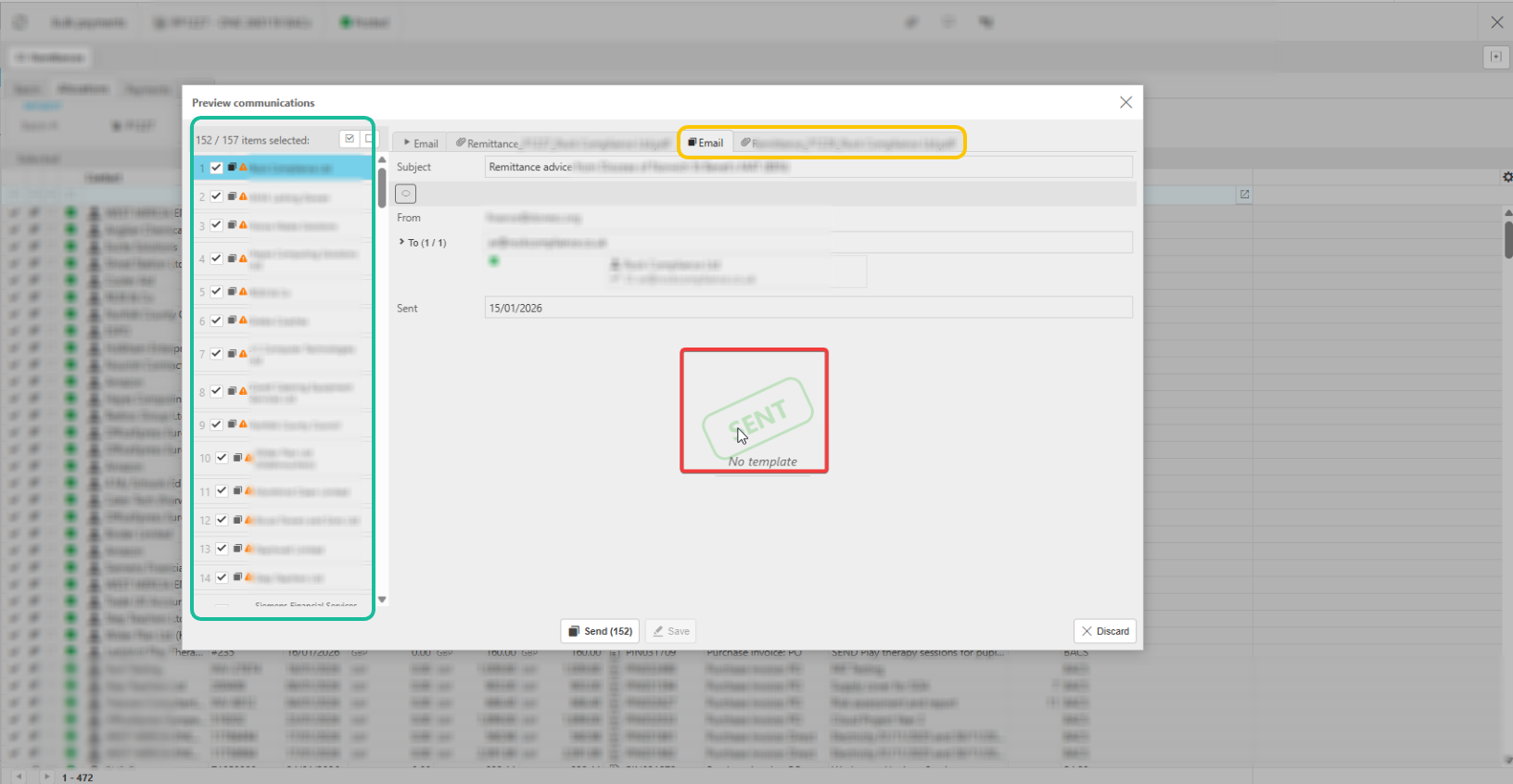
When you open the Communication Preview window, iplicit checks for any previous remittances that match the same criteria.
You may see:
• Green‑highlighted items (top left)
These represent potential duplicates detected by the system.
• Yellow‑highlighted items (right‑hand tabs)
These show the specific communication that iplicit believes may be a duplicate of the one you are about to send.
These entries are shown for information only.
Will These Remittances Be Sent Again?
No.
Any items flagged as potential duplicates will not be resent.
They are displayed simply to make you aware that a similar remittance has previously been issued to the same contact.
What Should I Do?
You can safely proceed with sending the new remittance advice as normal.
Only the current remittance will be sent; the highlighted duplicates will be ignored.
Multiple Remittance
Duplicate communication
_______________________________________________________________________________________