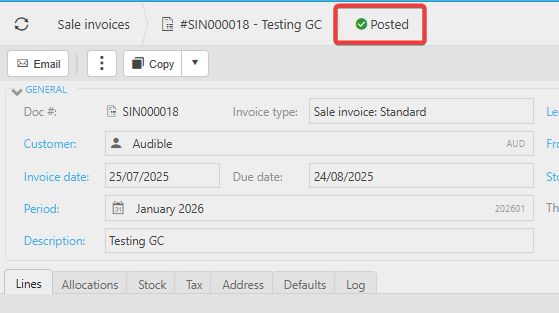
There are several reasons why a stock quantity may not increase or decrease after a sales or purchase invoice has been processed. Use the checks below to identify the cause.
Things to check
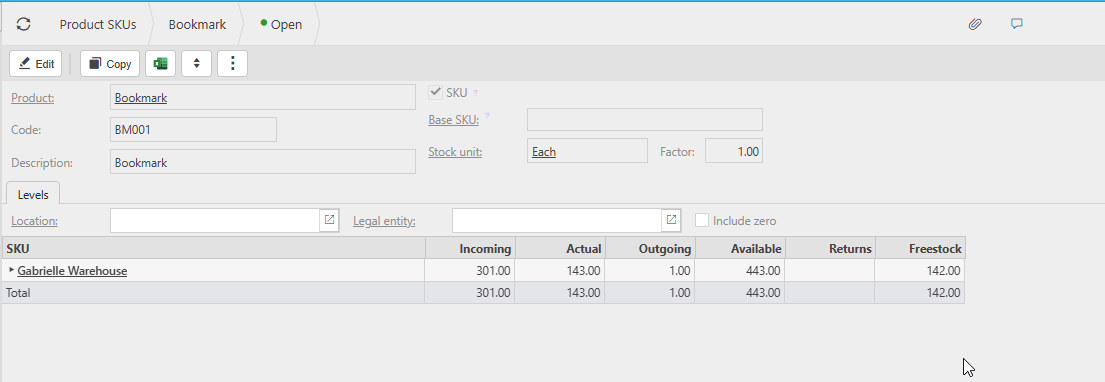
1. Are you looking at the correct Stock Product?
Ensure you are viewing the correct product record when checking stock levels.
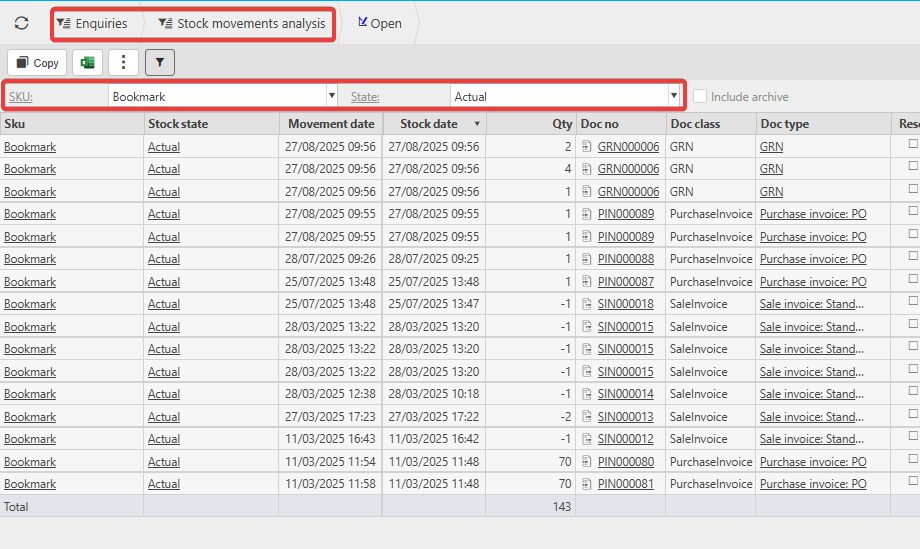
2. Is the invoice visible in Stock Movement Analysis Enquiry?
Open Stock Movement Analysis Enquiry and confirm that the sales or purchase invoice appears in the list of transactions.
Check the Actual figure to see the breakdown of transactions that make up the current stock quantity.
Verify whether this matches your expectations.
3. Are you using Stock Locations?
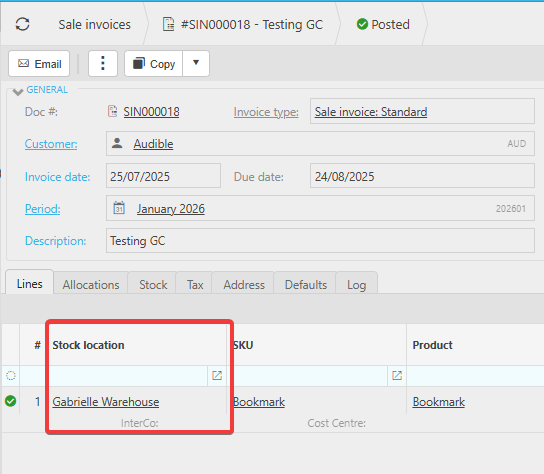
If Stock Locations are enabled:
- Check which Stock Location is selected on the invoice.
- Confirm that the invoice is using the correct location for the product.
Incorrect locations can make it appear as though stock has not moved.
4. Is the invoice posted?
Only posted invoices update stock levels.
If the invoice is still in Draft, stock quantities will not change.