

This article covers checking which bank export file (also called a BACS export file) iplicit will create after processing a bulk payment. The export file used is determined by the payment method set up against the relevant bank account, not by the bulk payment itself.
How to check which export file a bank account's payment method will produce
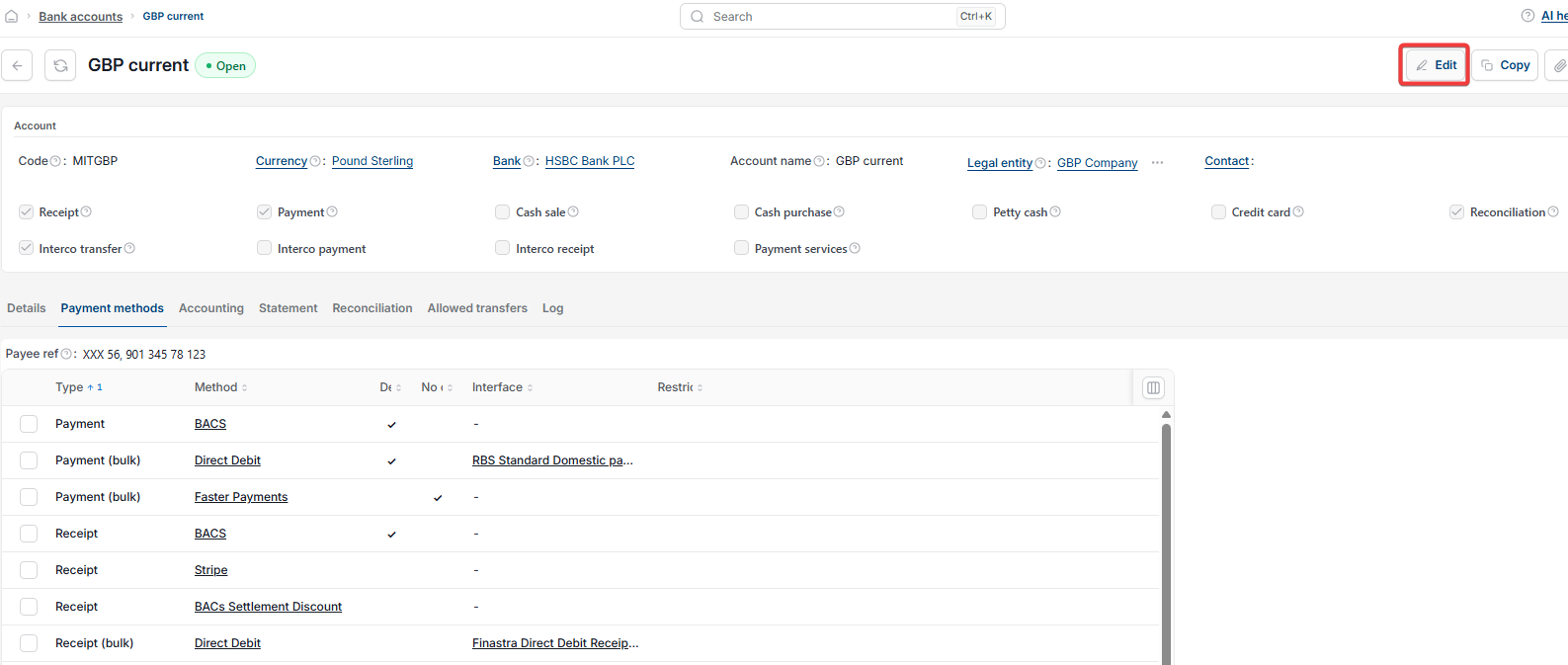
- Go to 'Bank accounts' and open the relevant bank account
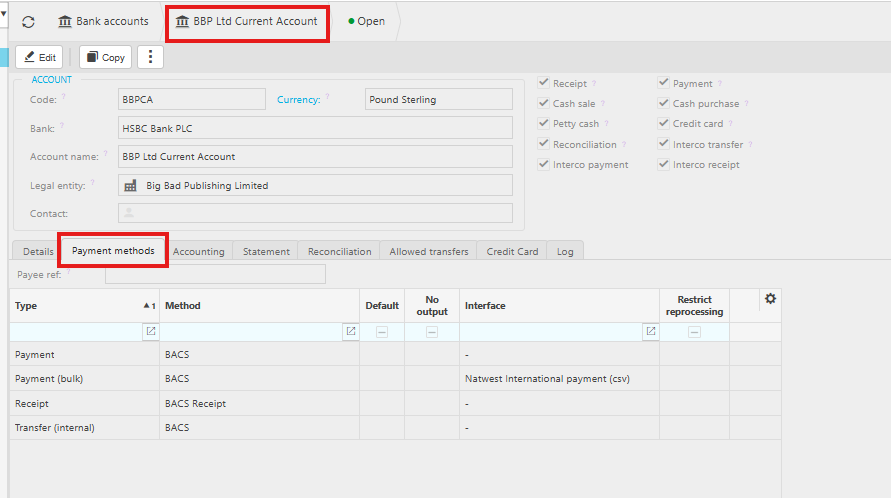
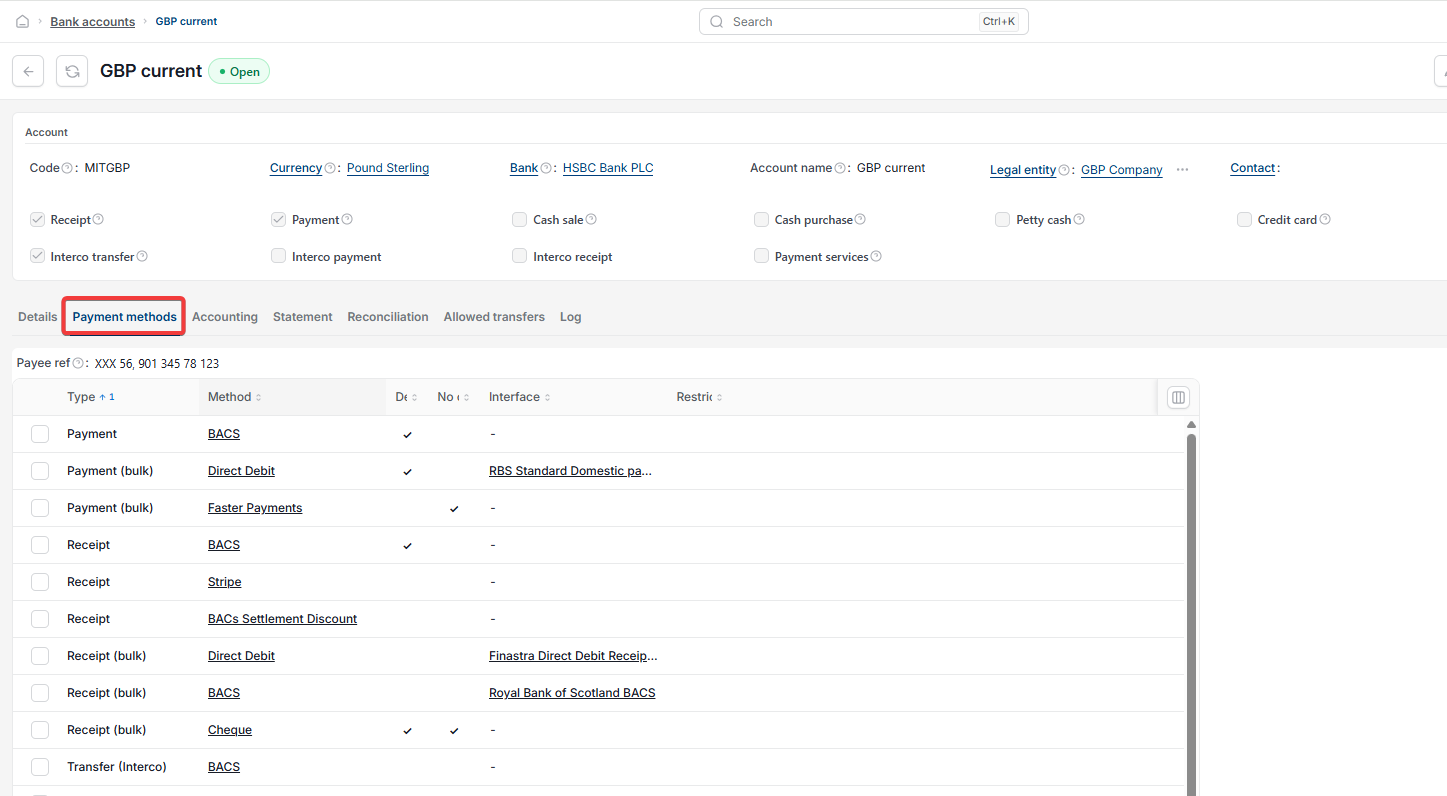
- Select the 'Payment methods' tab.
This lists each payment method on the bank account and shows whether it has an interface, in other words a BACS export file format, attached to it. For example, a payment method might be set up to produce a file in a specific bank's format, such as a CSV file for international payments.
How to add or change the export file on a payment method
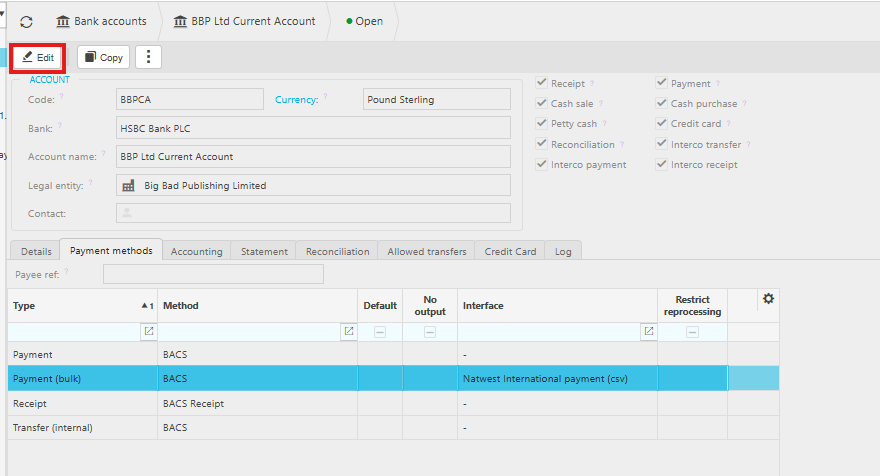
- On the bank account, select 'Edit'
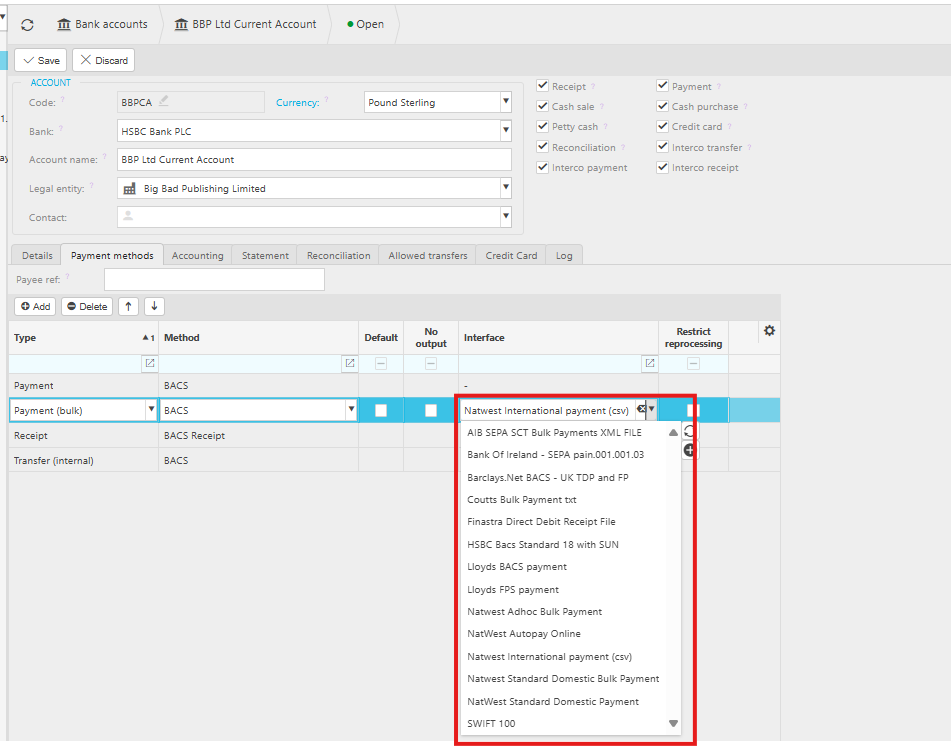
- Add a new payment method, or select an existing one to adjust which BACS export file it's linked to.
If you don't want a payment method to produce an export file, and instead want to use the bulk payment function without one, tick 'No output' on that payment method.
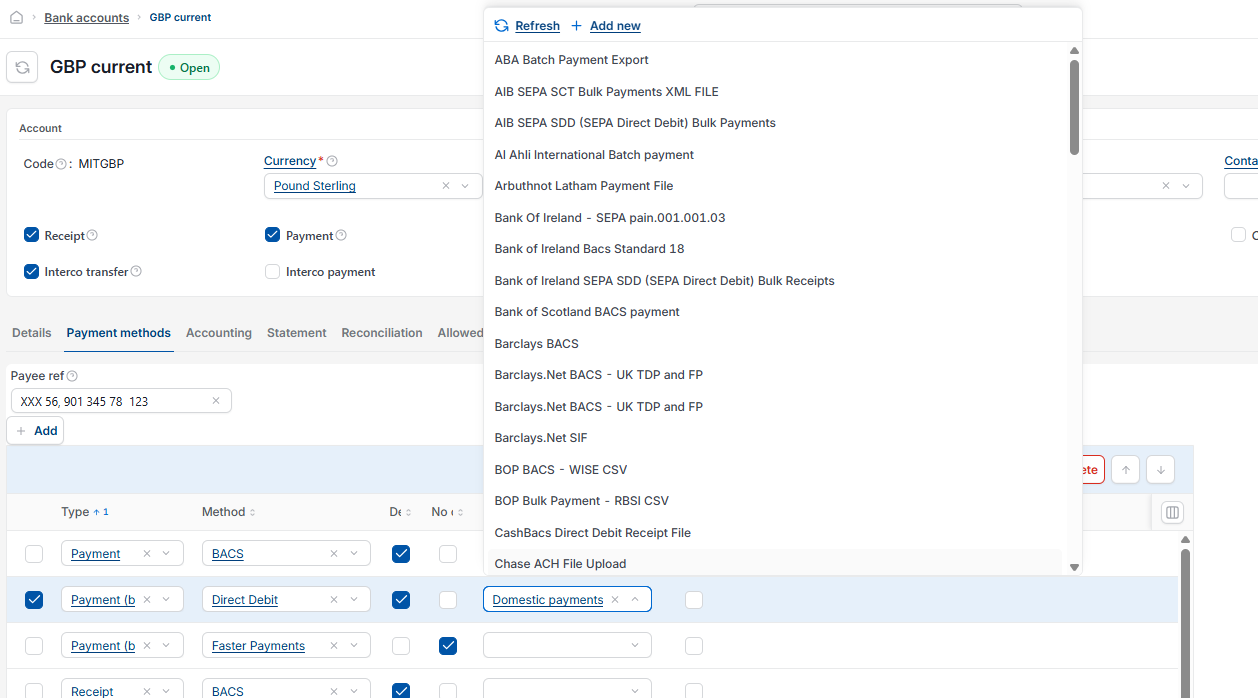
Where to find the available BACS export file formats
Go to 'Interface Definitions' and use the 'Search' menu to see the export file formats currently available in iplicit. If you want to use one of these formats, it needs to be set up as an interface first, so it can then be selected on the payment method. This is what allows a file to be produced once a bulk payment is processed.

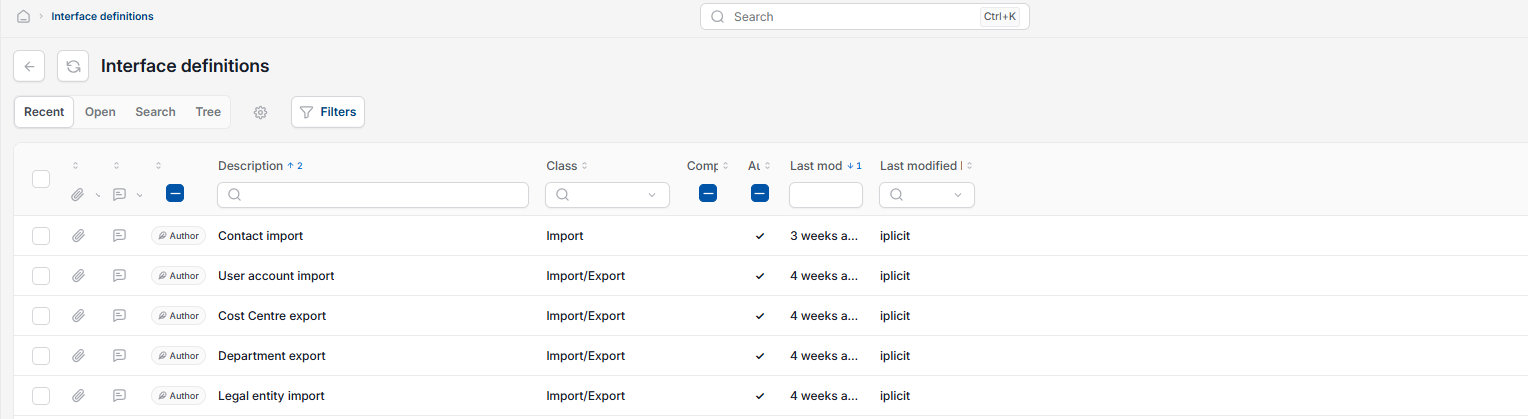
If your bank's export format isn't listed
If you can't find an interface definition for your bank, send a copy of your bank's specification, including what each field represents, along with an example export file, to the iplicit support team.
Check bank export file bulk payment
BACS export format
Payment method interface
No output bulk payment
Interface Definitions iplicit
Bank file not available