

This article covers why revaluation journals do not appear on the ledger straight after running the Revaluations routine, and how to post them. It applies to cashbook, debtors, and creditors revaluations run through the Revaluations screen.
Why revaluation journals do not appear straight away
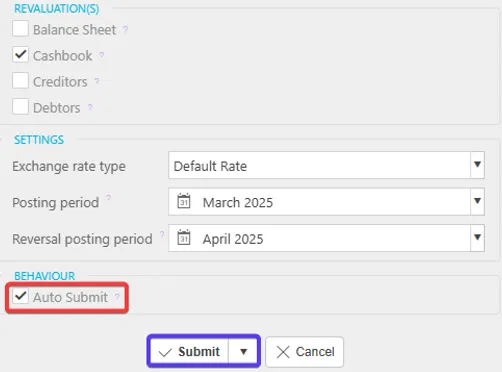
Revaluation journals only appear on the ledger once they have been submitted. What happens when you run the Revaluations routine depends on one setting: Auto Submit.
- If Auto Submit is not ticked, running the routine creates the revaluation journals as Draft
- If Auto Submit is ticked, the journals post automatically, subject to any approval workflows that apply.
Finding draft revaluation journals
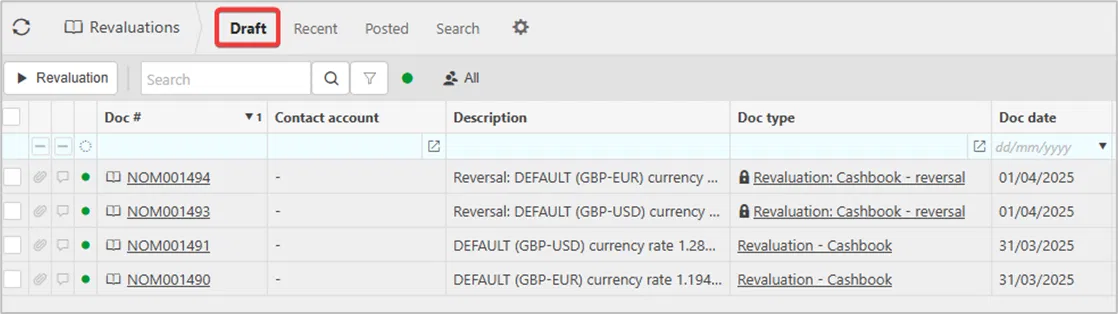
If Auto Submit was not enabled, your revaluation journals are sitting in Draft rather than missing. To find them:
Go to Revaluations → Draft.
Submitting draft revaluation journals
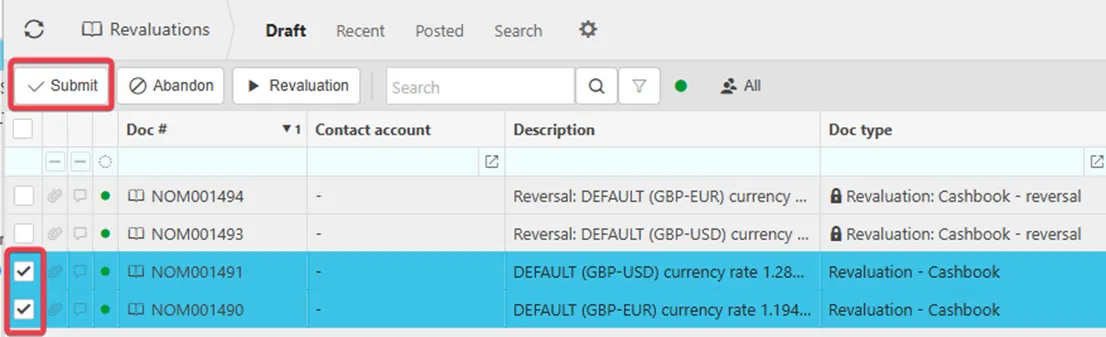
To post the journals so they appear on the ledger:
- Tick the lines you want to post
- Select 'Submit'.
Why reversal lines cannot be submitted manually
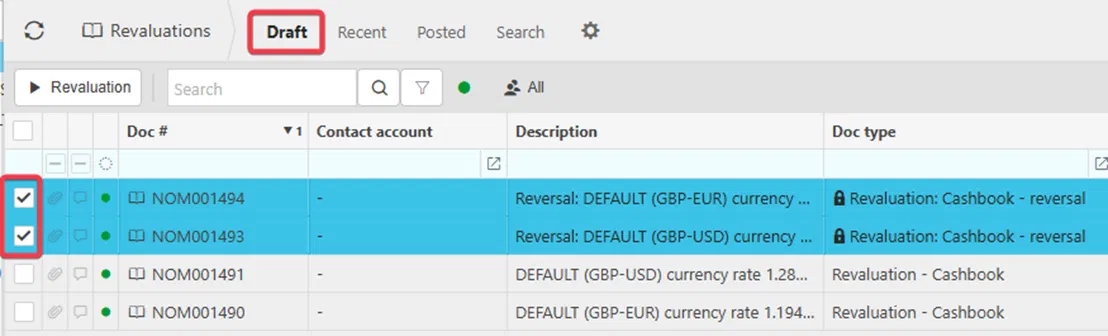
Reversal lines – such as those with the document type 'Revaluation: Cashbook – reversal' – behave differently to the main revaluation journal. They post automatically when the related revaluation journal is submitted, so they do not have a 'Submit' option and cannot be posted on their own. The same principle applies to the reversal lines for debtors and creditors revaluations.
Viewing posted revaluation journals
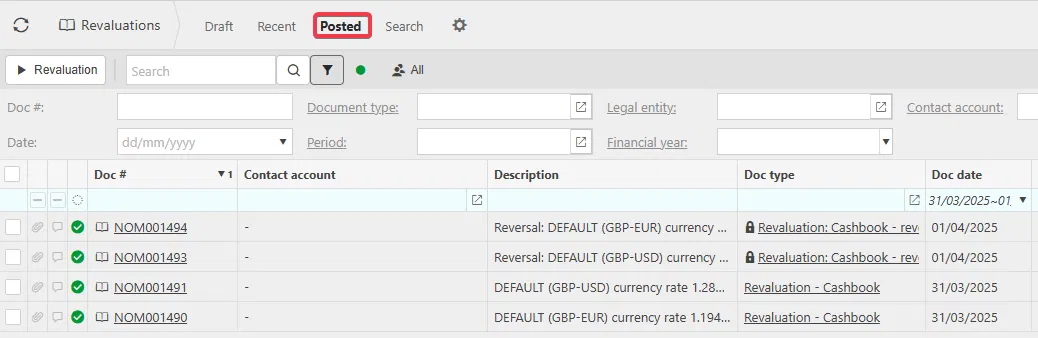
Once a draft revaluation journal has been submitted, it moves out of Draft and onto the ledger. To view it:
Go to Revaluations → Posted.
Revaluation not appearing
Revaluation journal missing
Why can't I see revaluation journals
Revaluation stuck in draft
Auto submit revaluation journals
Revaluation reversal not posting