

This article covers how to manually refresh a Bank Feed in iplicit so it pulls in the latest transactions immediately, rather than waiting for the next automatic update. If your Bank Feed has stopped bringing through transactions altogether, refreshing won't fix that – see 'Why has my bank feed stopped pulling through transactions'.
Bank Feeds refresh automatically several times a day, so you shouldn't normally need to do this. It's most useful straight after connecting a new bank account, when you don't want to wait for the next scheduled update to see your first transactions come through.
Refreshing a Bank Feed manually
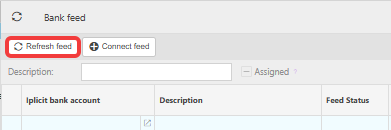
- Go to the Bank Feeds screen
- Highlight the Bank Feed you want to refresh
- Select 'Refresh feed', then confirm by selecting 'Refresh'.
iplicit checks for any transactions not already present and brings through only those – it does not re-import transactions that are already there.

If refreshing doesn't bring through new transactions
A refresh only checks your bank for new activity – it can't fix a feed whose consent has expired or a feed that isn't linked to an iplicit Bank Account. If nothing changes after refreshing, see 'Why has my bank feed stopped pulling through transactions'. If transactions do appear on the Bank Feeds screen but still don't show in Bank Reconciliation, see 'Why are transactions appearing on bank feed, but nothing is present within the bank statement or Bank Reconciliation'.
Refresh bank feed
Force bank feed update
Bank feed not updating
Manually update bank feed
Latest transactions not showing on feed