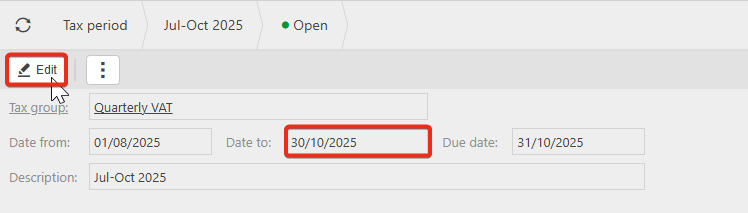
If you have followed the Synchronise and Reauthorise steps and are still experiencing the 'No MTD periods available' error, this could be due to a date discrepancy in the VAT return.
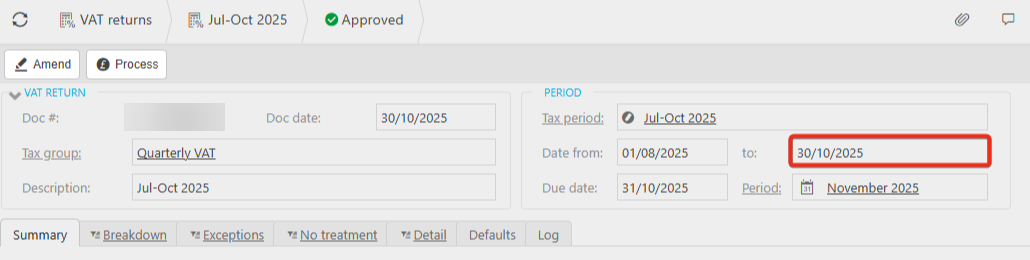
Looking at the below VAT return example, the To date is set to 30/10/2025
However looking at the below MTD Tax periods example, the To date is set to 31/10/2025.
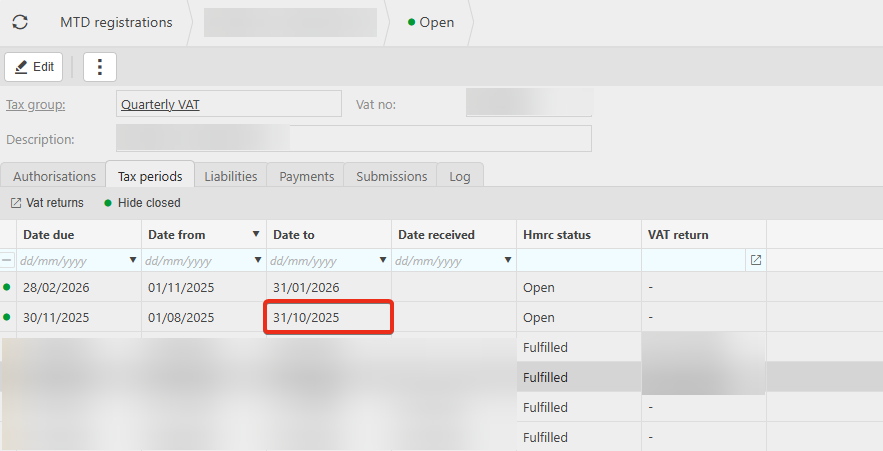
This means the system can't find a period that matches exactly, therefore displaying the error message that no periods are available.
To resolve this, navigate to the Tax period, Edit, and amend the to date to match the MTD tax period.