

This article covers why a bank transaction you've deleted keeps reappearing on Bank Reconciliation in iplicit – for how populated transactions move from a Bank Feed into a statement in the first place, see 'Why are transactions appearing on bank feed, but nothing is present within the bank statement or Bank Reconciliation'.
Why the transaction keeps coming back
If you delete a bank transaction from a statement but don't also ignore it on the Bank Feeds screen, iplicit still sees it as an active transaction on the feed. The next time the statement populates, the feed brings it straight back through, and it reappears on Bank Reconciliation.
How to stop a deleted transaction from reappearing
The transaction needs to be removed in two places: the statement, and the Bank Feed itself.
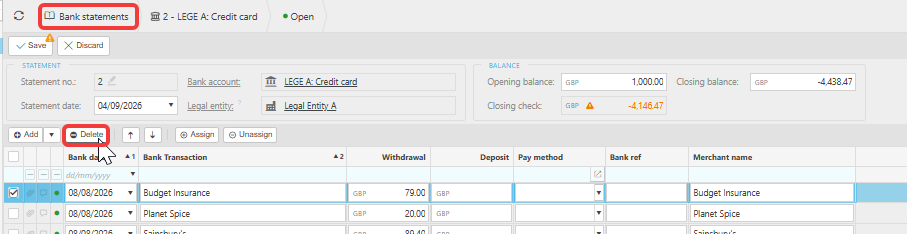
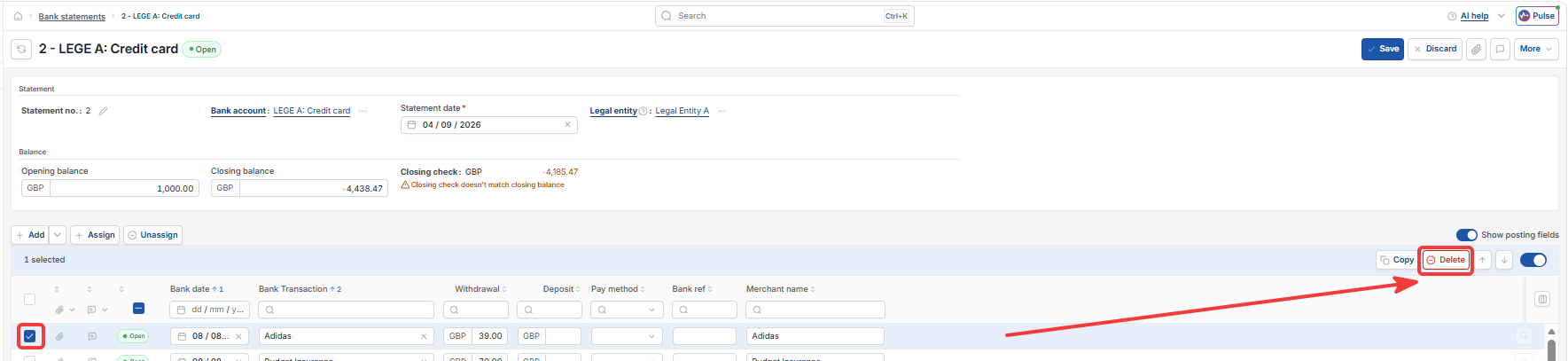
- Delete the transaction from your bank statement, as usual
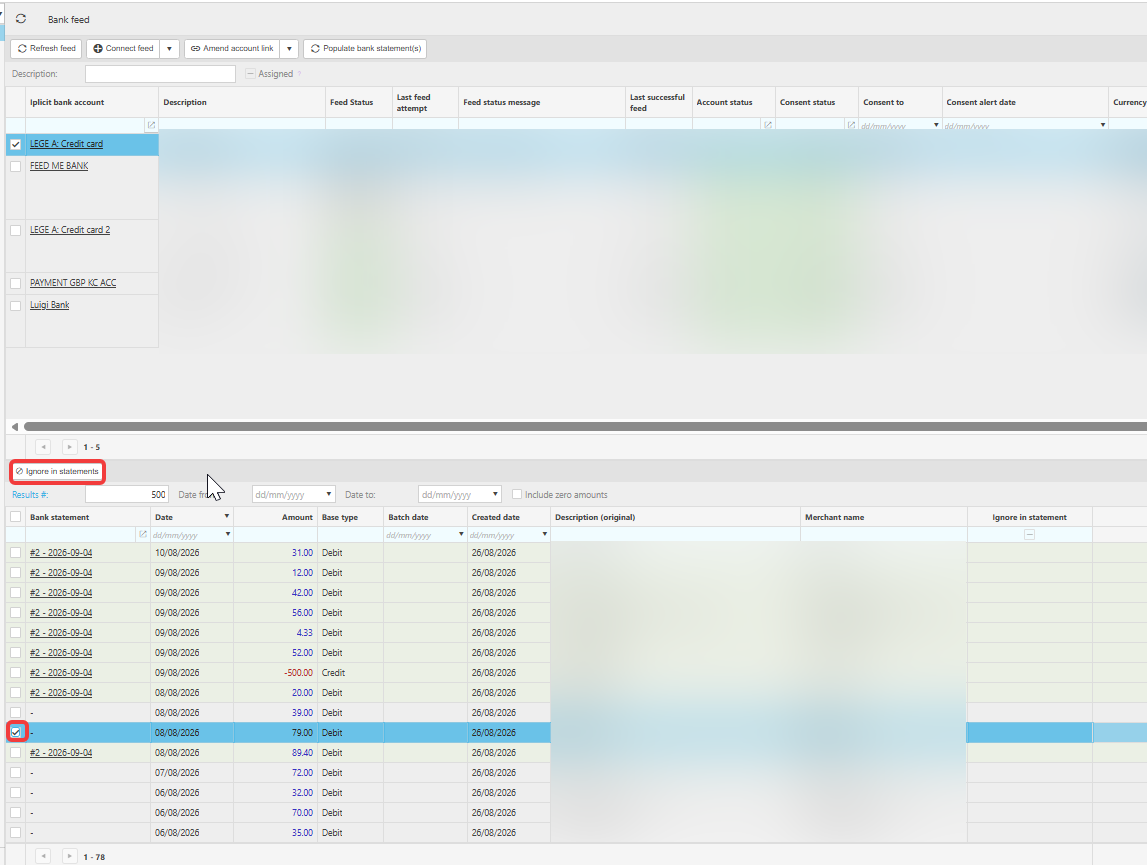
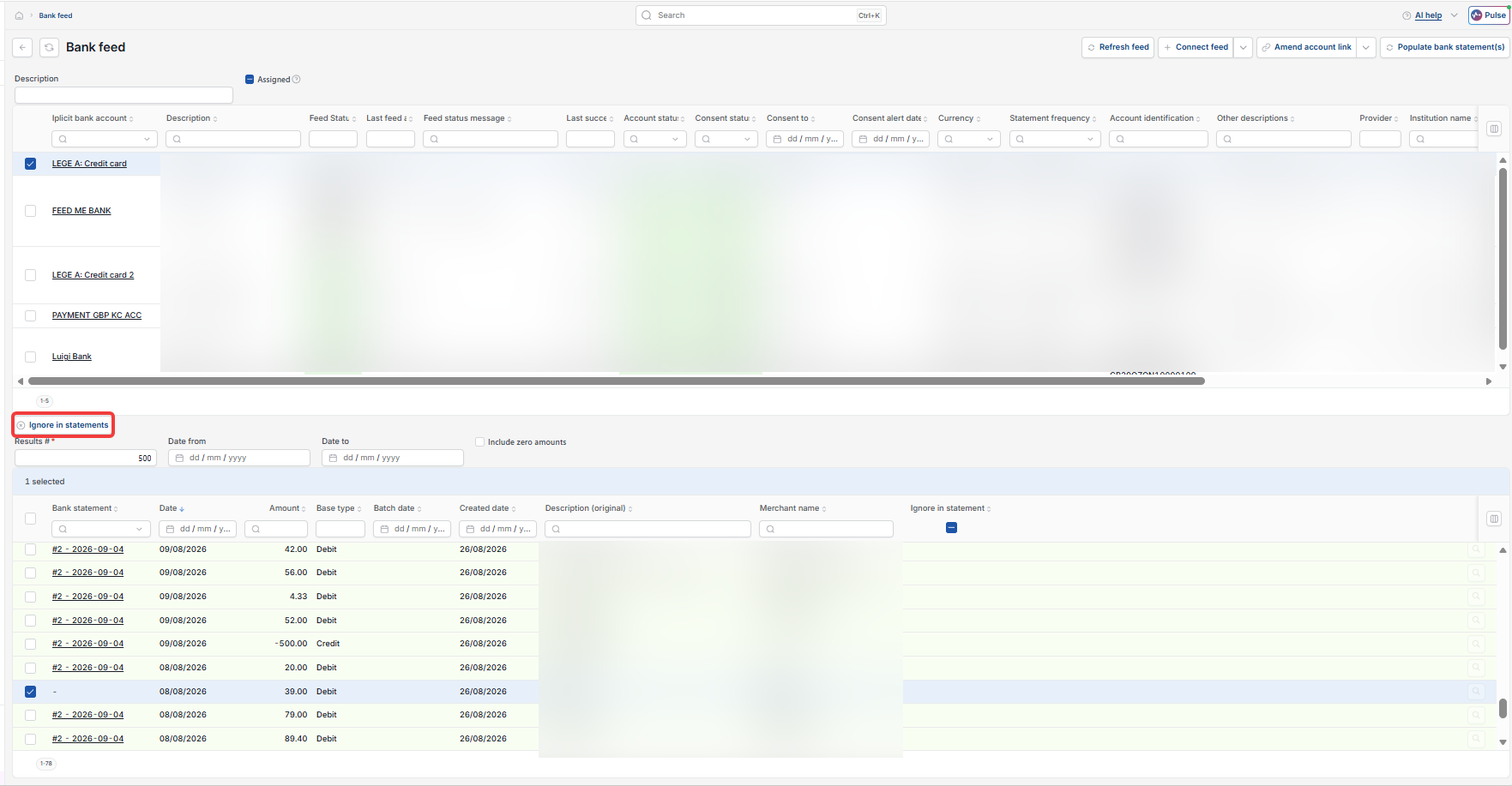
- Go to the Bank Feeds screen and find the same transaction
- Check the 'Bank statement' column – it should now show a dash, meaning it's no longer linked to any statement
- Highlight the transaction – an 'ignore in statements' button will appear
- Select it.
Once a transaction is ignored, iplicit stops pulling it through from the Bank Feed, so it won't populate into a statement again and won't reappear on Bank Reconciliation.
If you ignore or delete a transaction by mistake
Go back to the same screen and select 'include in statement' instead. The transaction becomes available again and will populate into your bank statement and Bank Reconciliation the next time the scheduler runs, or immediately if you select 'Populate bank statement(s)'.
Deleted transaction reappearing
Bank reconciliation transaction keeps coming back
Ignore bank feed transaction
Delete bank transaction permanently