

This article covers why a bank account doesn't appear in the available list when creating a bank transfer. The most common cause is that Allowed Transfers hasn't been set up between the two accounts – and it needs setting up in both directions.
Checking and fixing Allowed Transfers
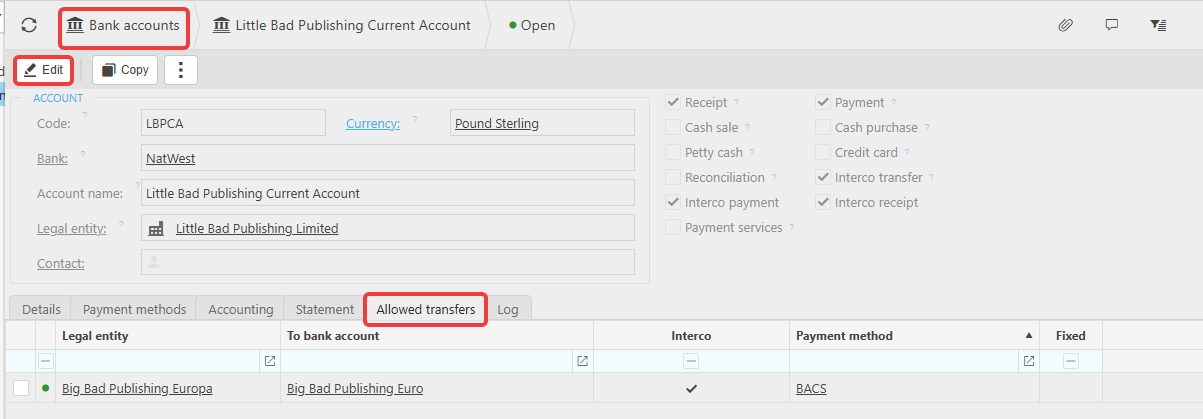
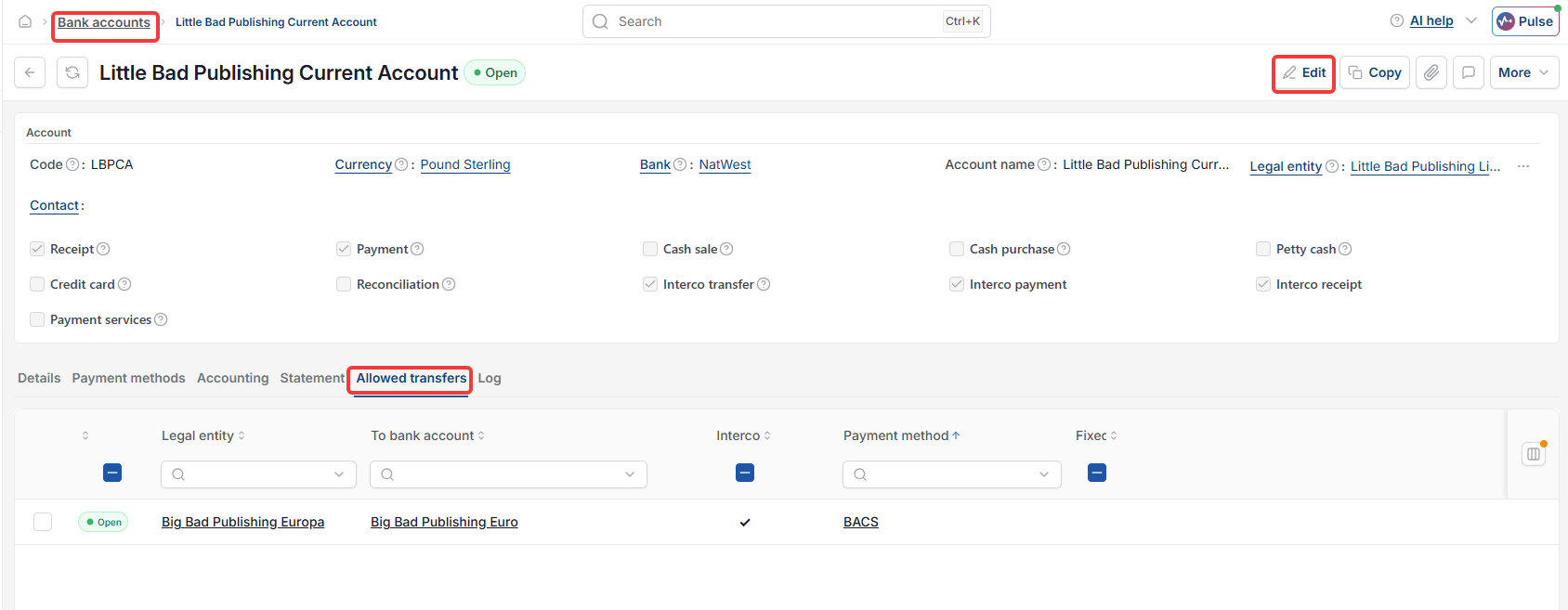
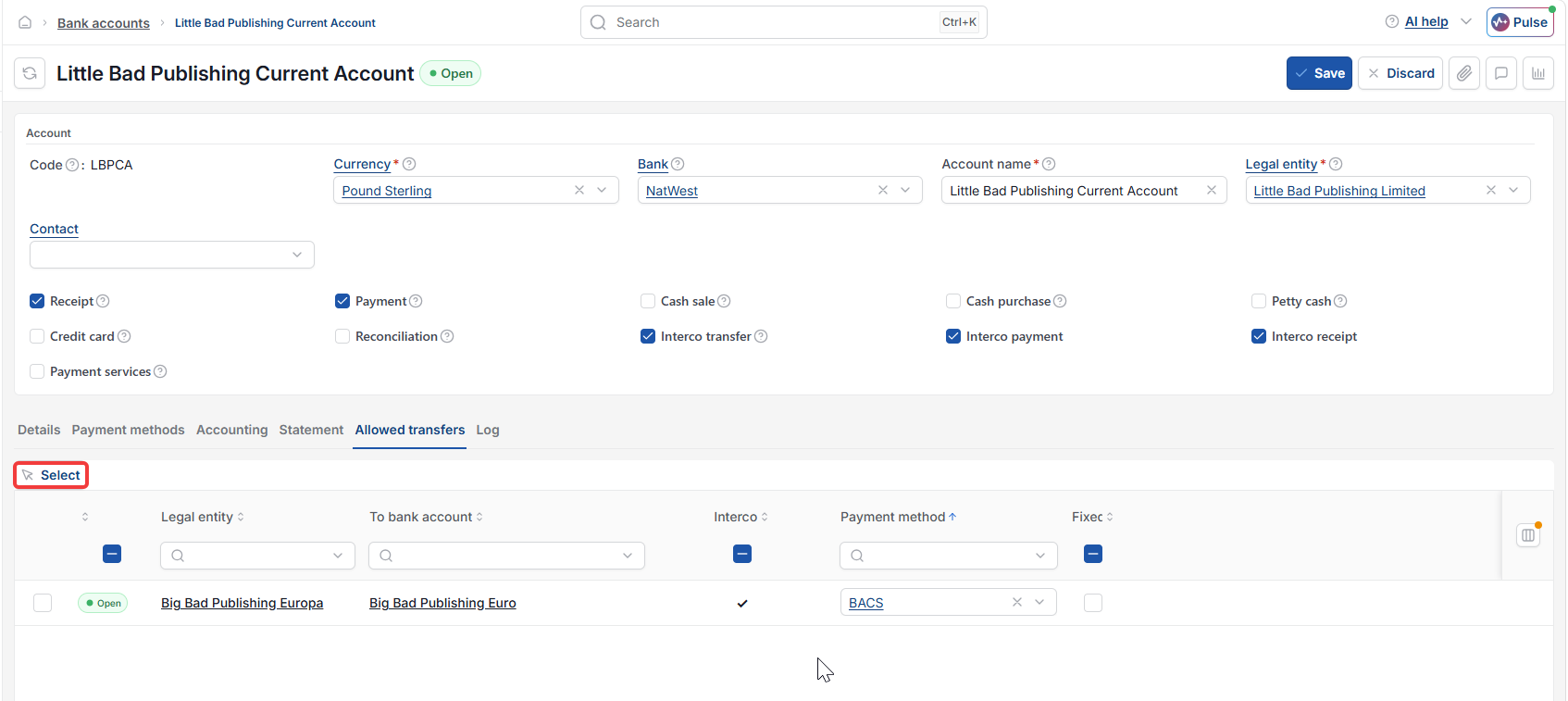
- Go to Bank accounts and open the account you want to transfer from
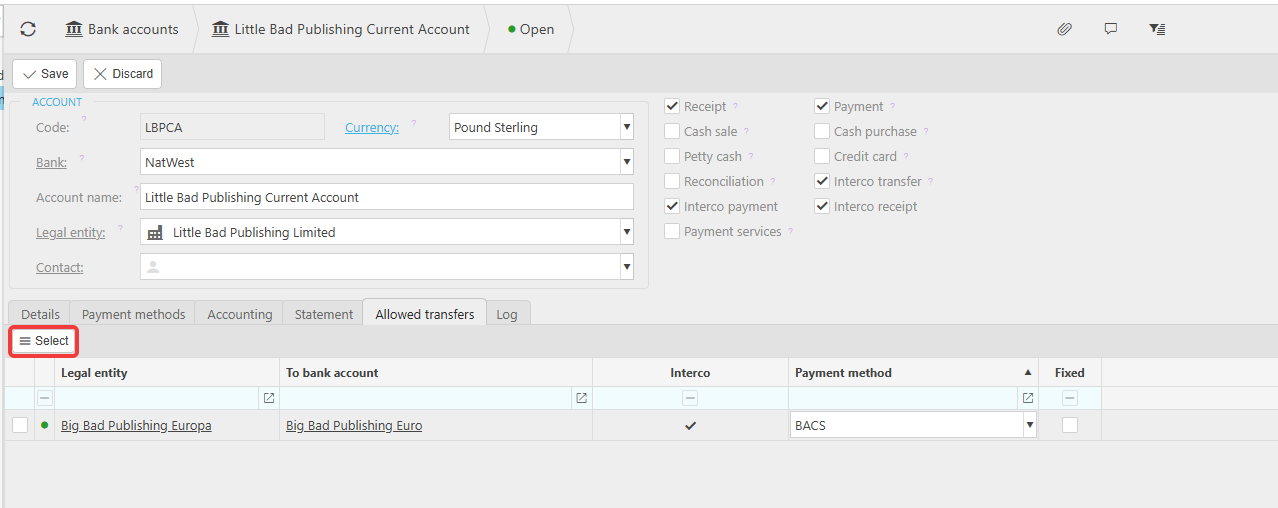
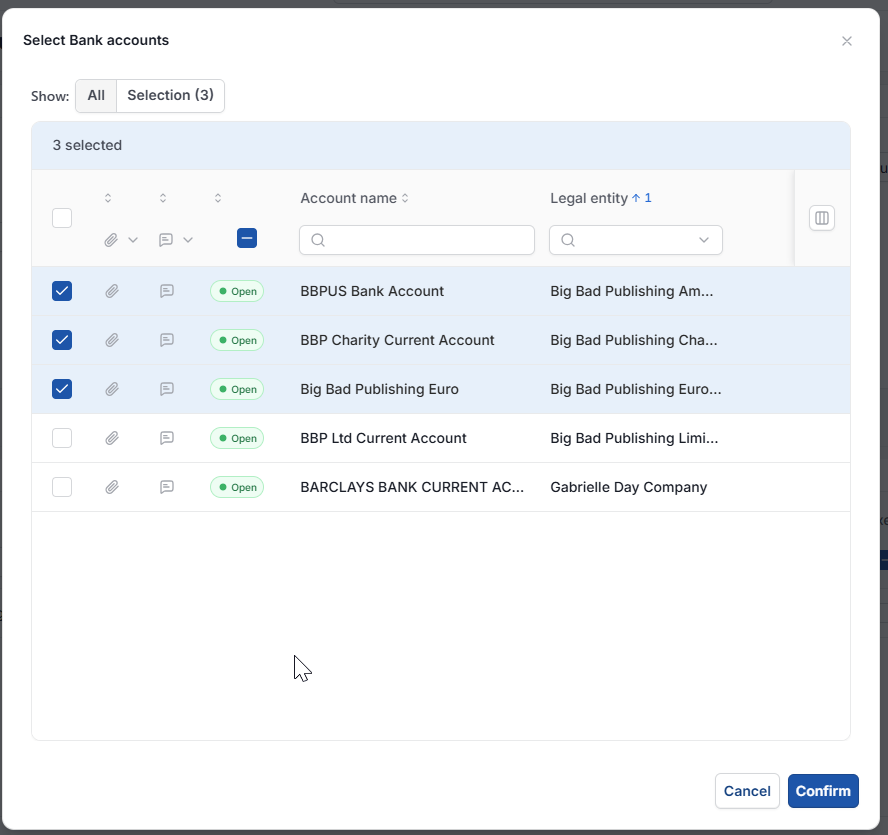
- Go to the Allowed Transfers tab and check whether the account you want to transfer to is listed – if not, select 'Edit'
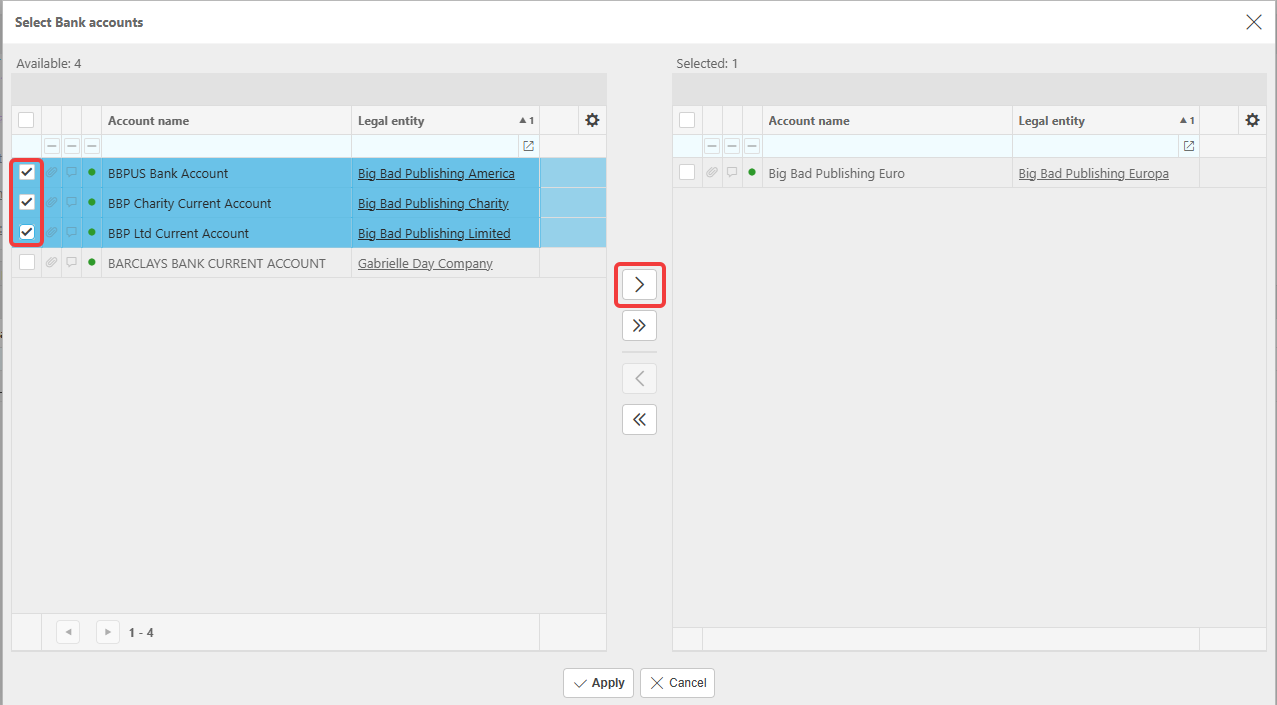
- Select the relevant bank accounts, then select 'Apply'
- Save the changes
- Repeat the same process on the receiving bank account, adding the account you're transferring from
- Reload your session.
The bank account should now be available for transfers. Transfers are created from within Bank Reconciliation.
If the bank account still isn't available
Allowed Transfers only works if the payment method on the bank account is also set up for internal or Interco transfer, and, for transfers between legal entities, both legal entities need to be set up to allow Interco documents between each other. For setting up a bank account from scratch, including its payment methods, see 'How to set up a new bank account'.
Bank account not available for transfer
Allowed transfers not working
Cant transfer between bank accounts
Bank transfer account missing
Set up allowed transfers