

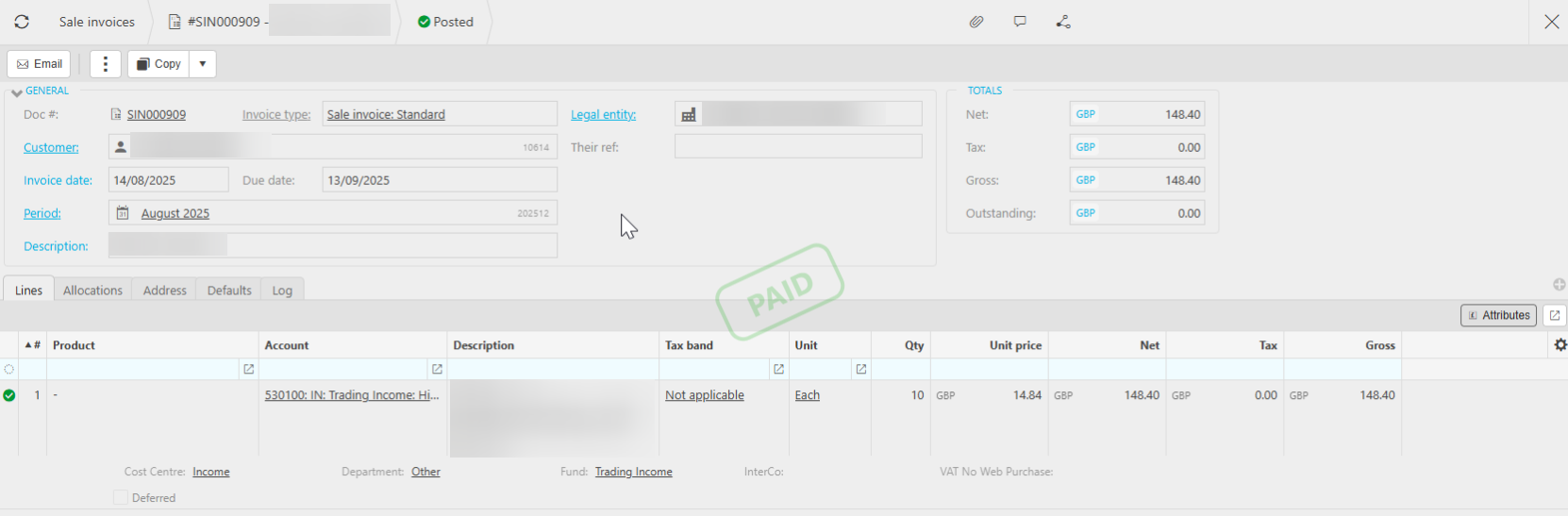
To eliminate the deferred income tick box from a sale invoice that has been posted and paid, it is necessary to first unallocate and unpost the document prior to creating an exact duplicate and reallocating the payment.
If the document is included in a VAT return, it must be reversed. Both the reversal and the new document can be processed in the current period, ensuring that the closed period remains balanced, with adjustments made in the current period.
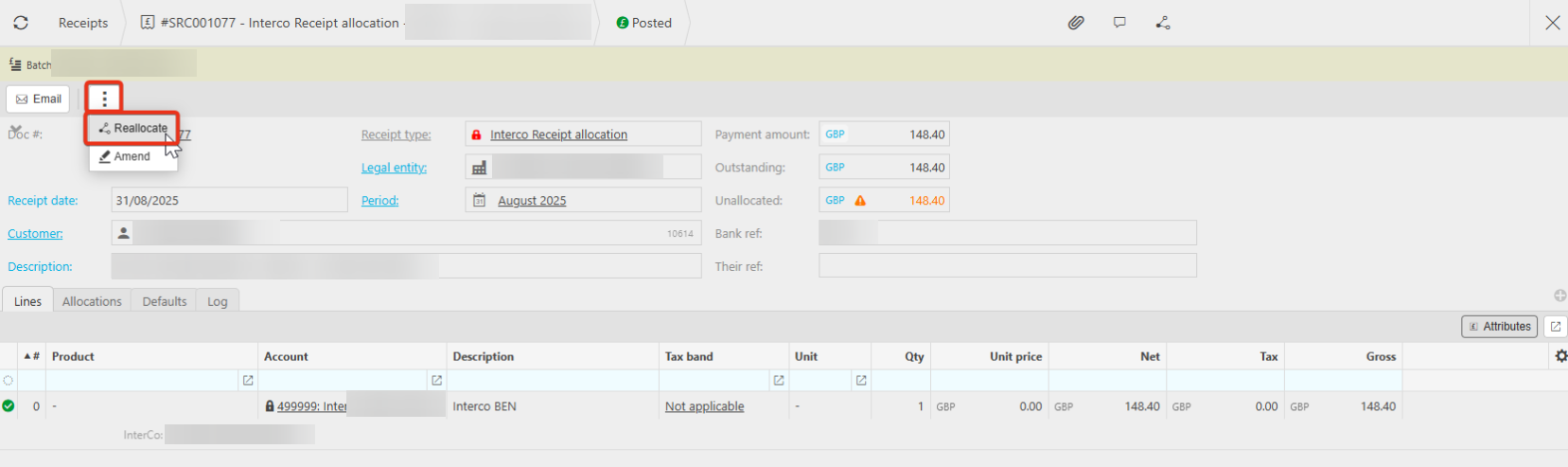
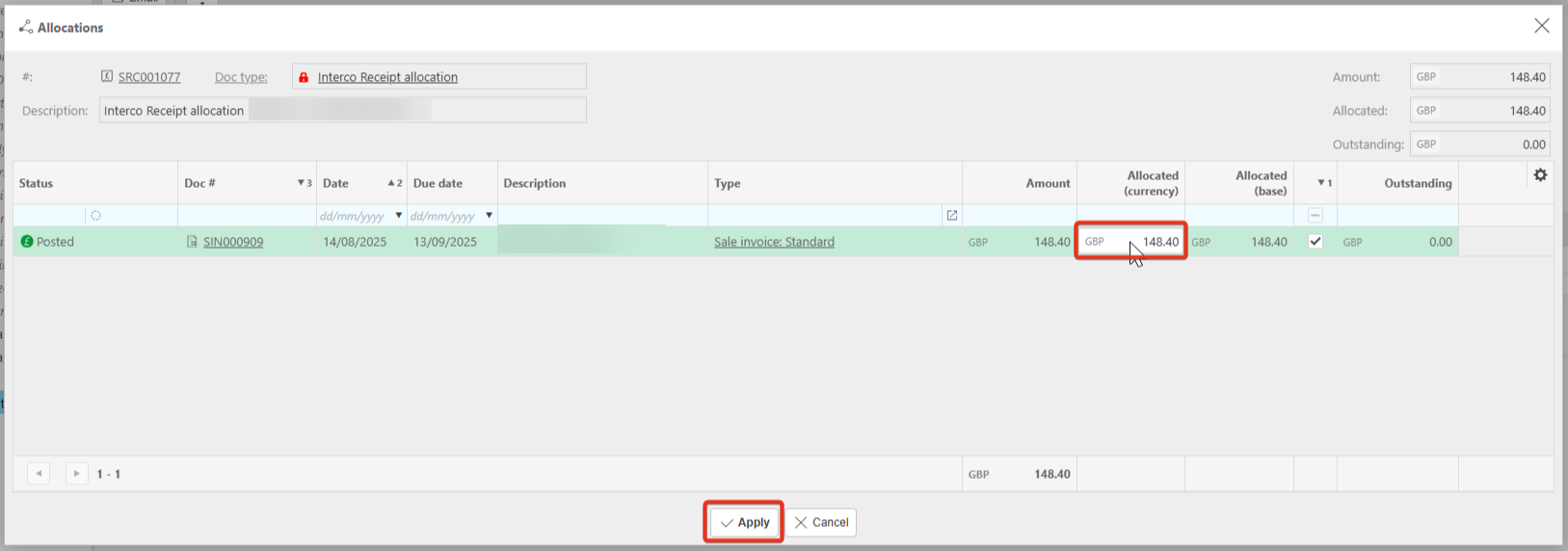
1. Go to the relevant document.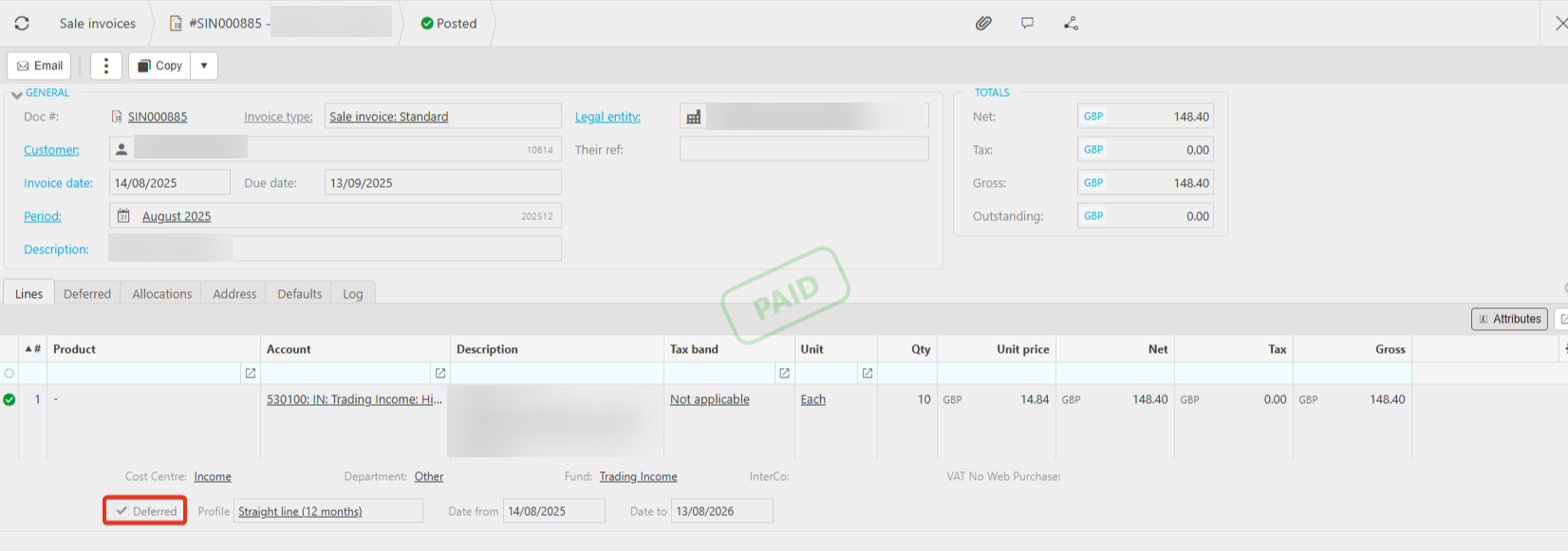 2. Since this invoice has already been settled, the allocation needs to be removed before proceeding with the next steps. Click the ellipsis, then choose reallocate.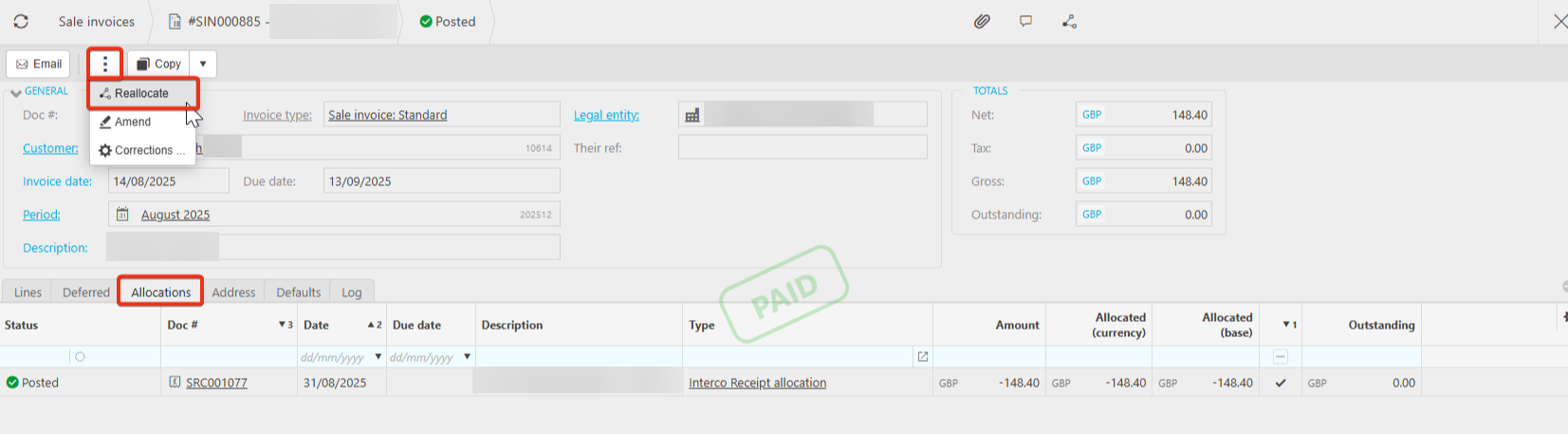
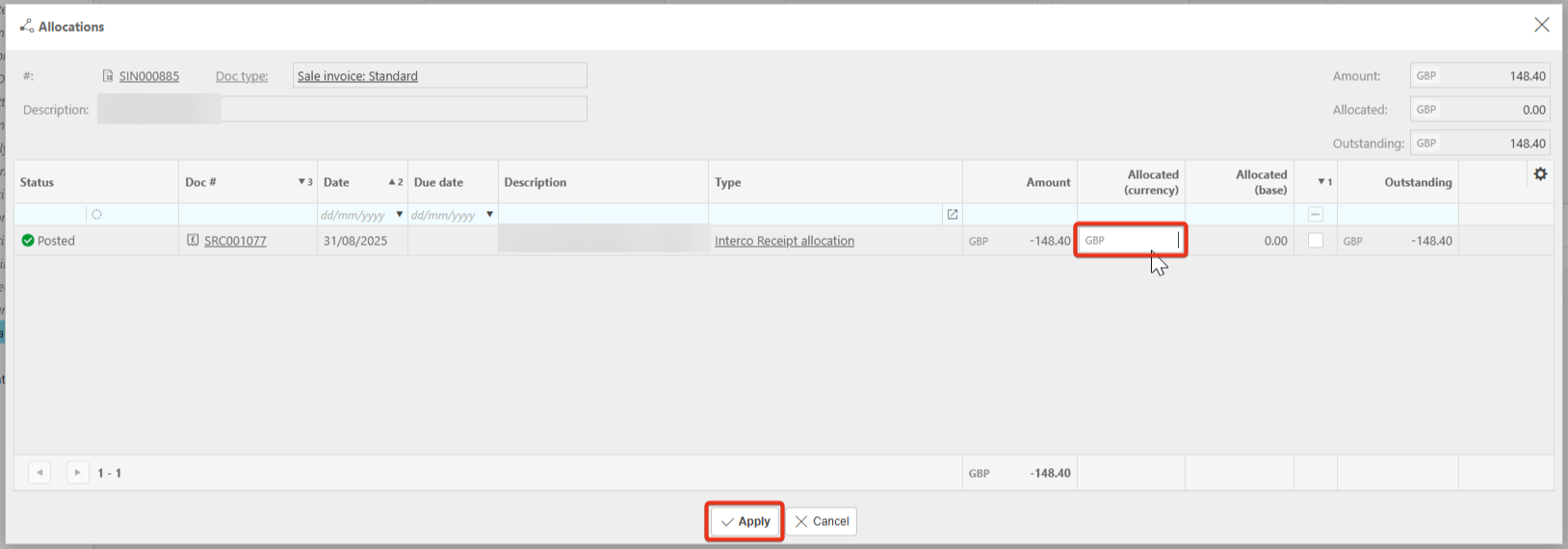
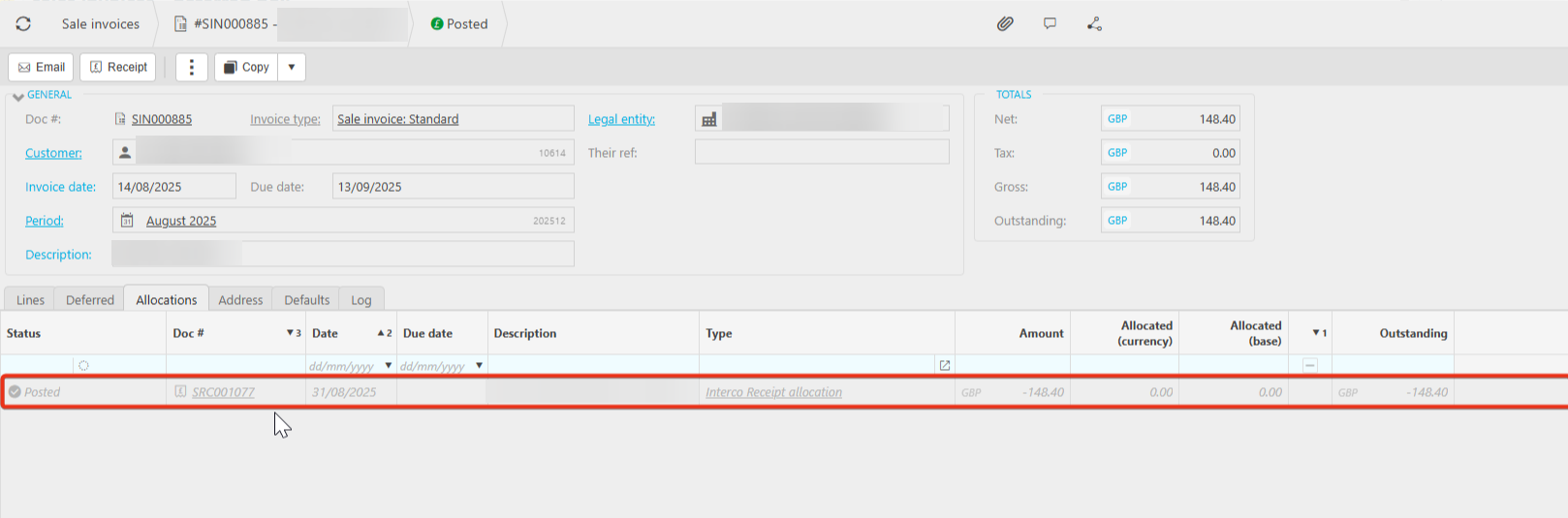
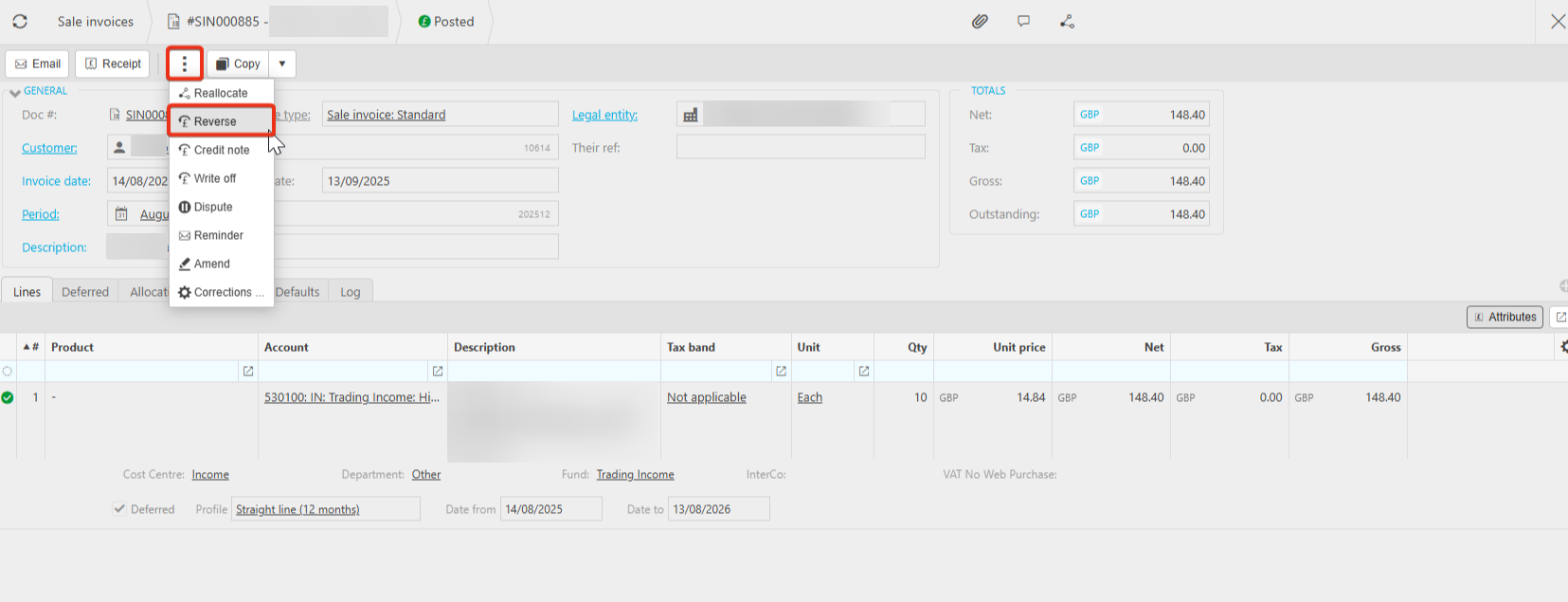
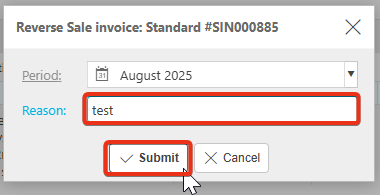
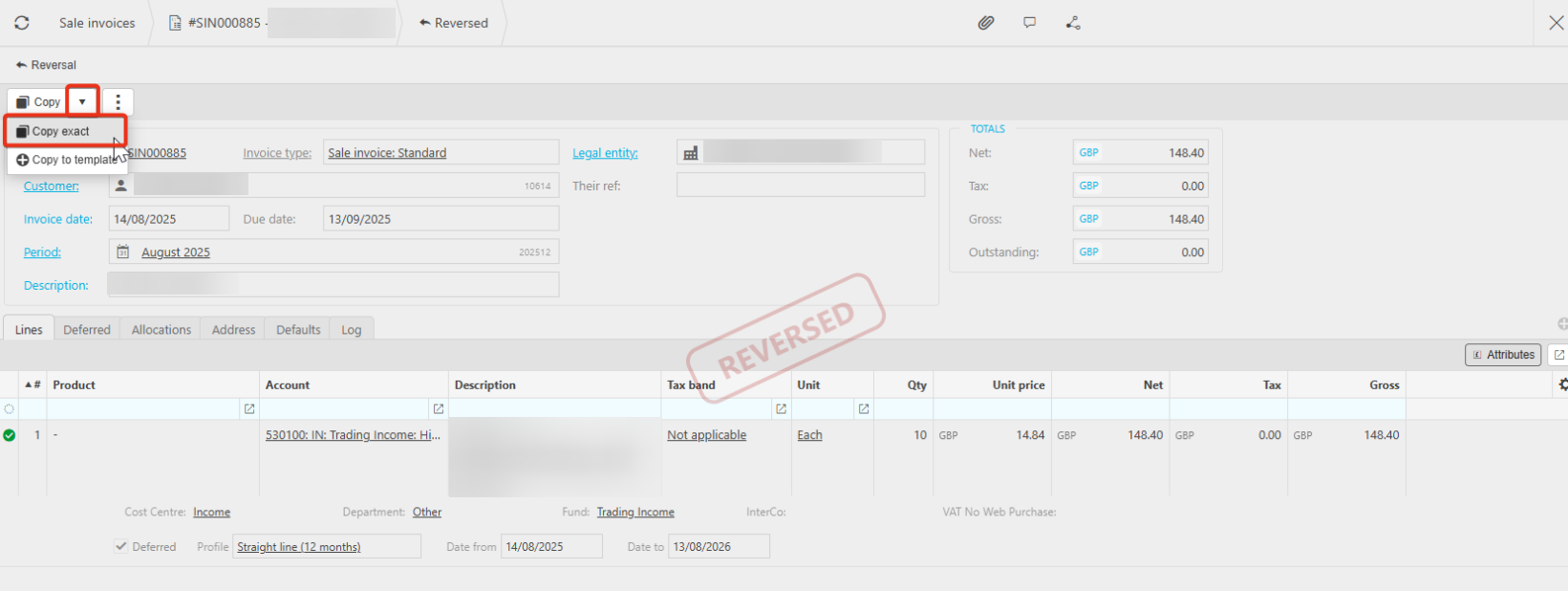
7. Now that the document has been reversed, it needs to be recreated and corrected. Do this by clicking the arrow next to Copy, then select Copy Exact.
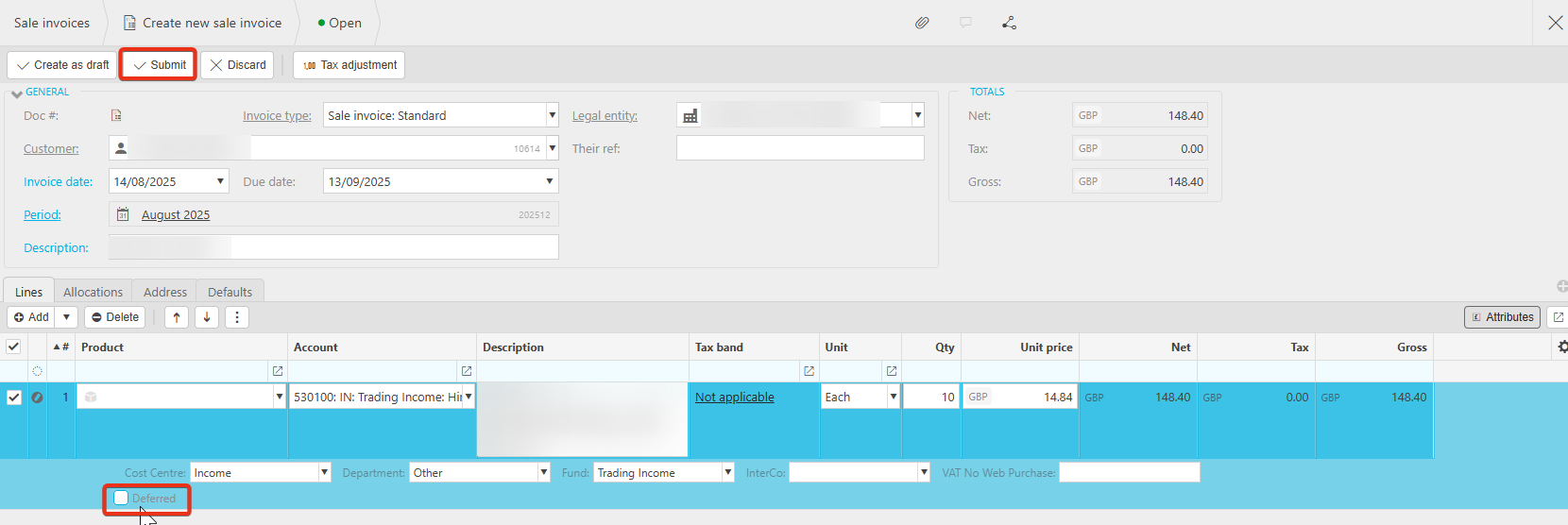
The same principles can be applied for purchase invoices and prepayments.