

This article covers why a purchase invoice can't be unposted. There are three likely causes: the invoice is allocated to another document, the invoice sits on a VAT return that's already closed or the invoice has been matched on a bank reconciliation.
Cause one: the purchase invoice is allocated to another document
If the purchase invoice is allocated to another document, for example a payment, it can't be unposted until that allocation is removed. To check and fix this:
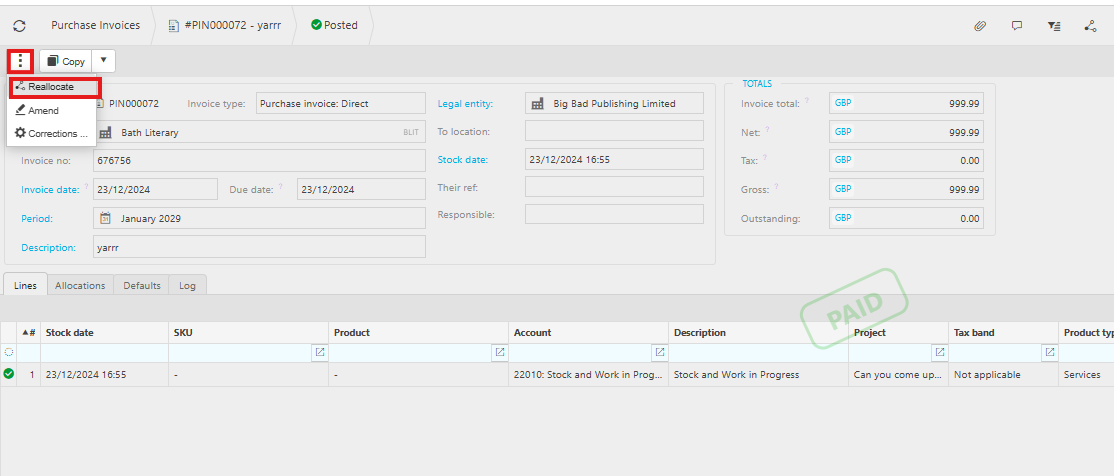
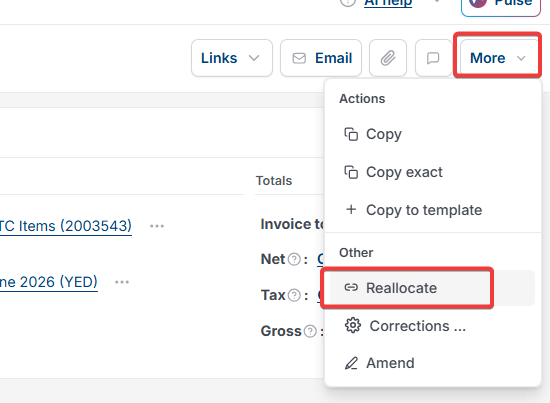
- Open the purchase invoice. Depending on your screen, select the ellipsis or the 'More' drop-down, then select 'Reallocate'
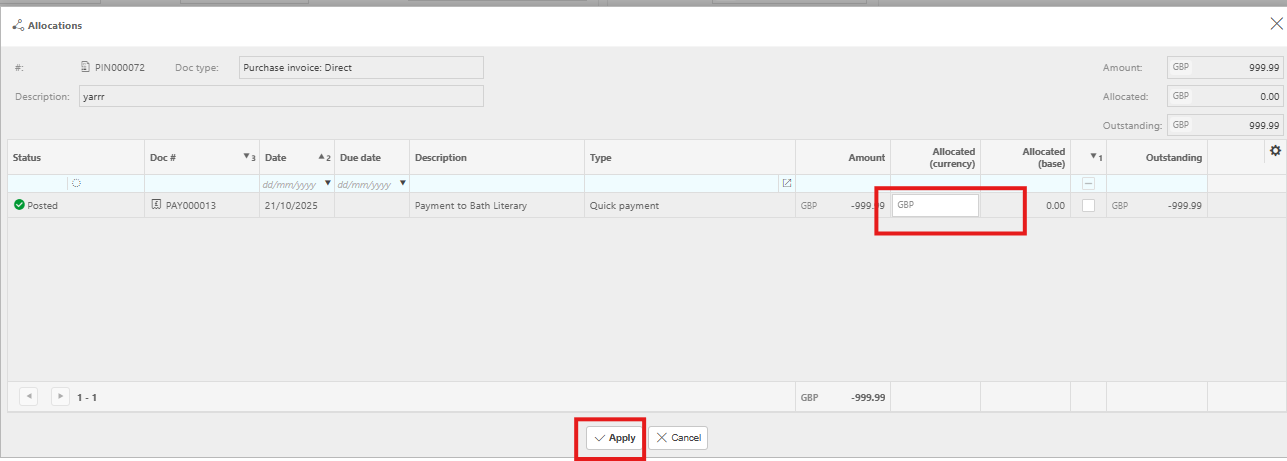
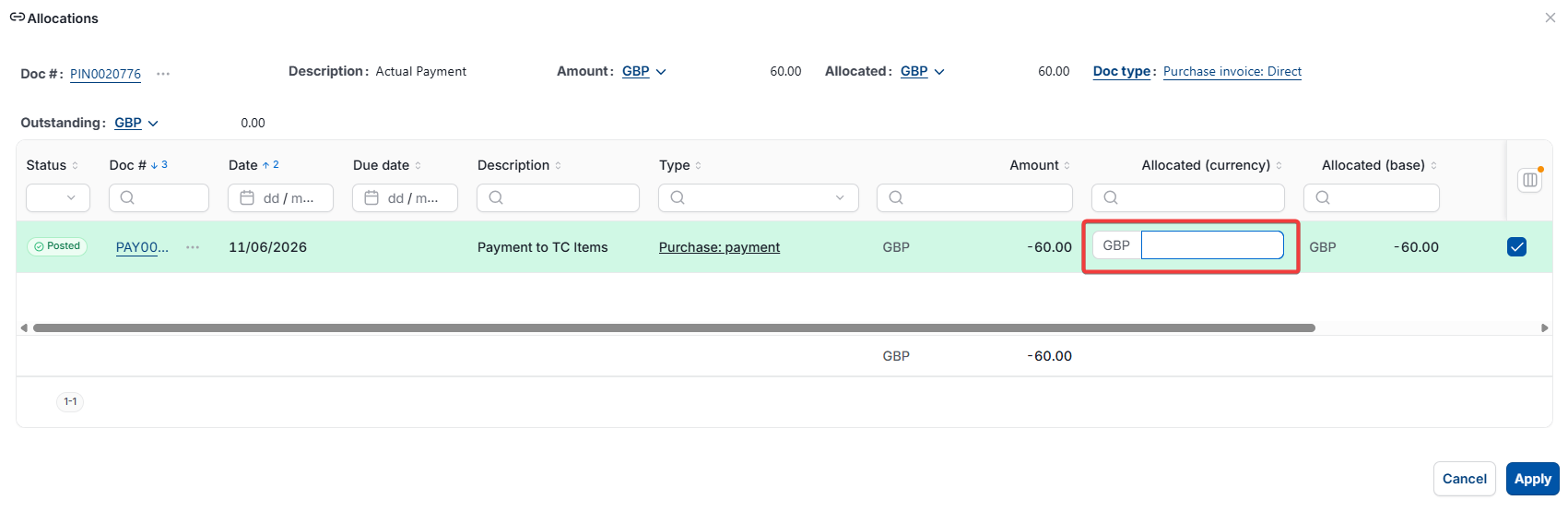
- In the 'Allocations' window, find the linked document and clear the value in its 'Allocated (currency)' column down to zero
- Select 'Apply'.
Once the allocated value is cleared, the invoice should be available to unpost.
Cause two: the purchase invoice is on a closed VAT return
If the invoice is included on a VAT return that's already been closed, it can't be unposted. In this case, depending on your screen, select the ellipsis or the 'More' drop-down, then select 'Reverse' instead.
Cause three: the purchase invoice has been matched on a bank reconciliation
If the invoice has already been matched on a bank reconciliation, it can't be unposted either. As with a closed VAT return, the only option here is to reverse the document.
If none of these causes apply to your purchase invoice
If the invoice still can't be unposted and none of the above match your situation, contact iplicit support for further assistance.
Cannot unpost purchase invoice
Unpost invoice not available
Purchase invoice allocated cannot unpost
Reverse instead of unpost
Invoice on closed VAT return