

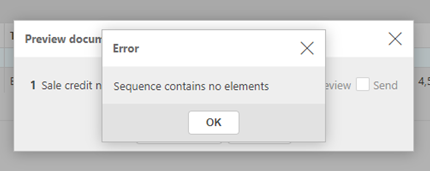
This error appears when the Document settings does not have a Communication Definition assigned.
Without a communication definition, iplicit does not know which layout or template to use when printing or emailing the document, which triggers the error.
How to Fix the Error
1. Open the Document
Navigate to the Document that is generating the error.
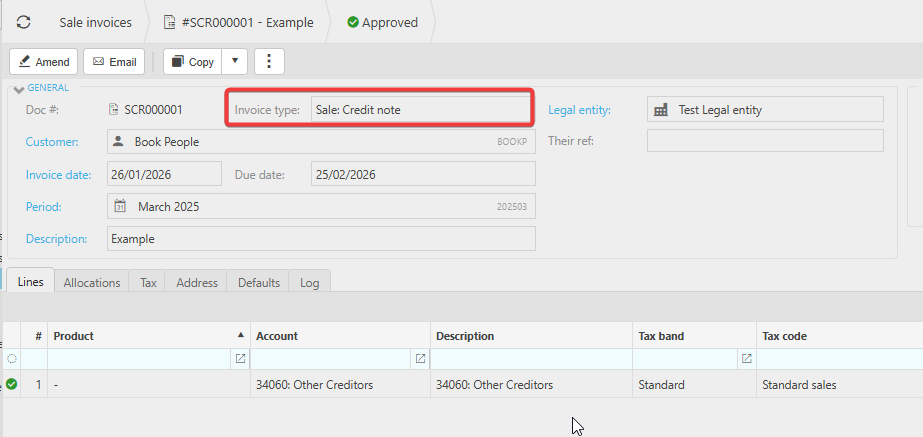
2. Drill into the Document Type
Hold Ctrl and click on the Invoice Type field.
This opens the configuration screen for that specific document type.
3. Check the Print/Email Set-up
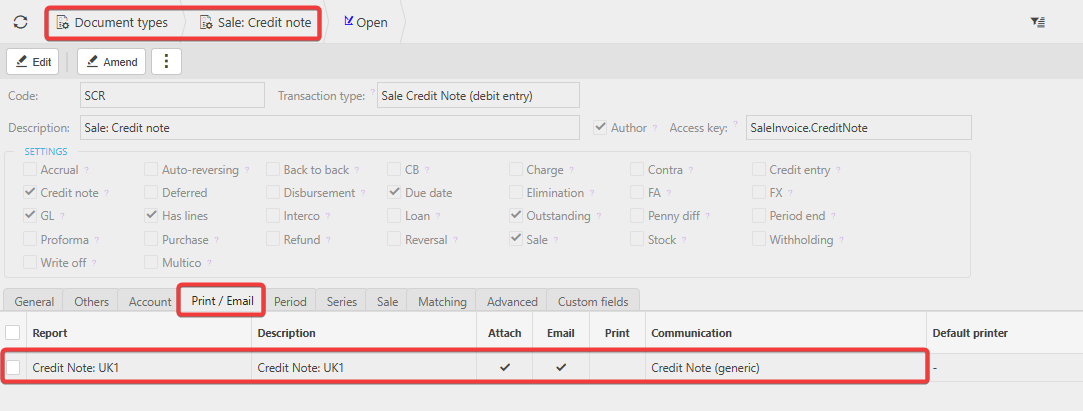
You will see a screen showing the setup for the Print/Email.
- If this page is blank, this is the cause of the error.
4. Add the Missing Communication Set-up
- Click Edit.
- Select the appropriate Report & Communication (e.g., your standard Credit Note layout in this example).
- Click Save.
5. Return to the Document and print again
Once the set-up is saved, go back to the Document and try printing or emailing again.
The error will now be resolved.
Document print failure
Sequence error
Error when printing a Document
Document will not print
_______________________________________________________________________________________