

How to enable Users for SSO in bulk
Using the attached template Export for SSO Wizard:
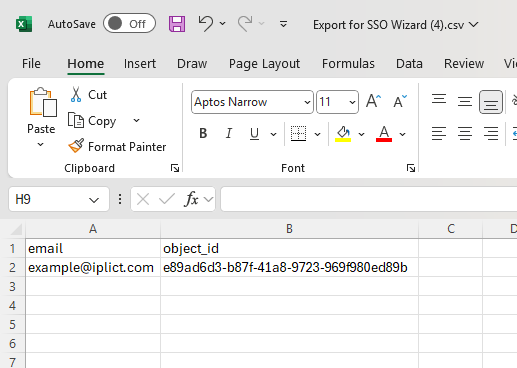
- column A needs to be populated with the email address associated with all Users that is linked to their iplicit login.
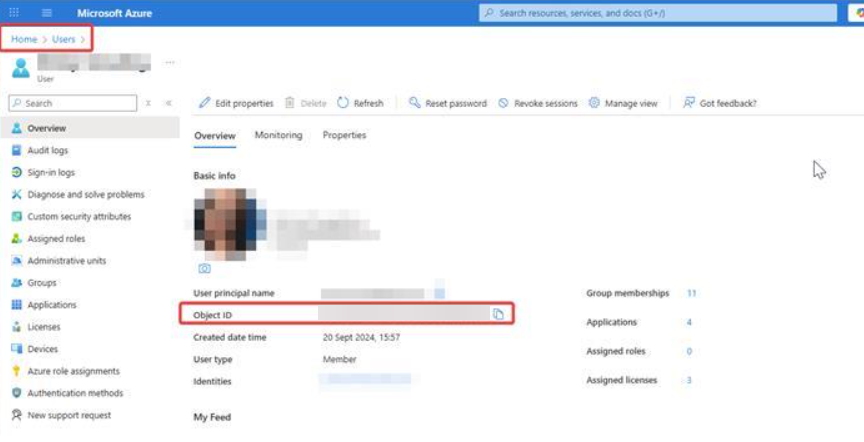
- Column B needs to be populated with an Object ID which is linked to the SSO provider and will be obtained externally.
The ObjectID is unique to each User - example below taken from Microsoft Azure:
- update the file for all Users you need to enable SSO against in iplicit - example of how this would look below:
- Go to User Accounts, click the three dots (ellipsis) followed by SSO link wizard.

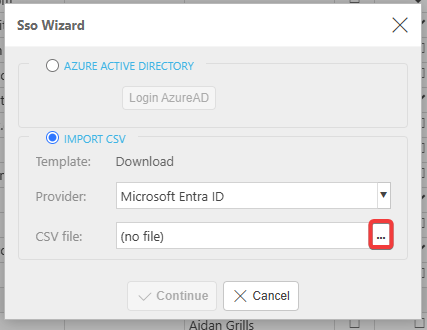
SSO Wizard screen will pop-up as per the below:
- select the IMPORT CSV button, select ... to upload your file and hit Continue
- you will see a new screen allowing you to enable the link against each User - you will need to tick each box individually as there is no option to bulk select:
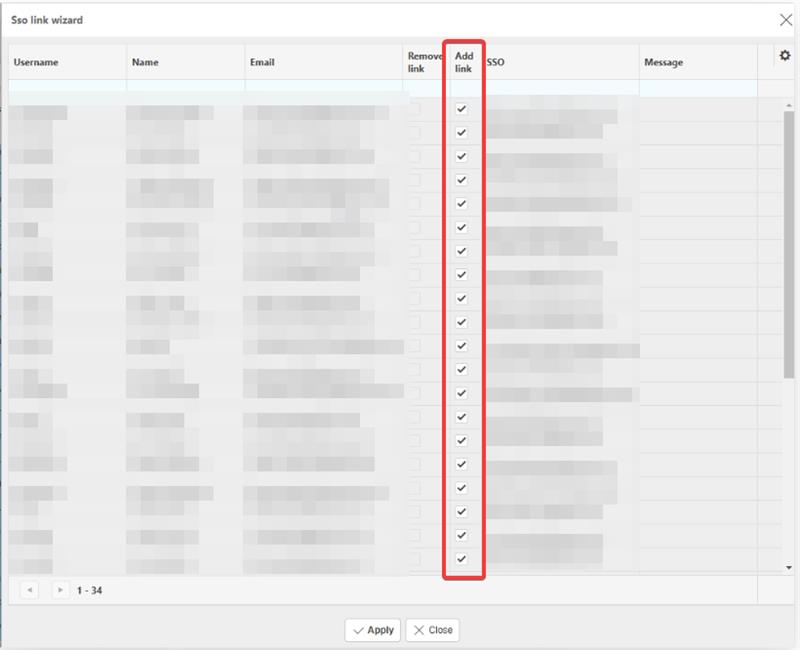
Once you Apply on the above screen, the process is complete and the SSO link should be enabled.
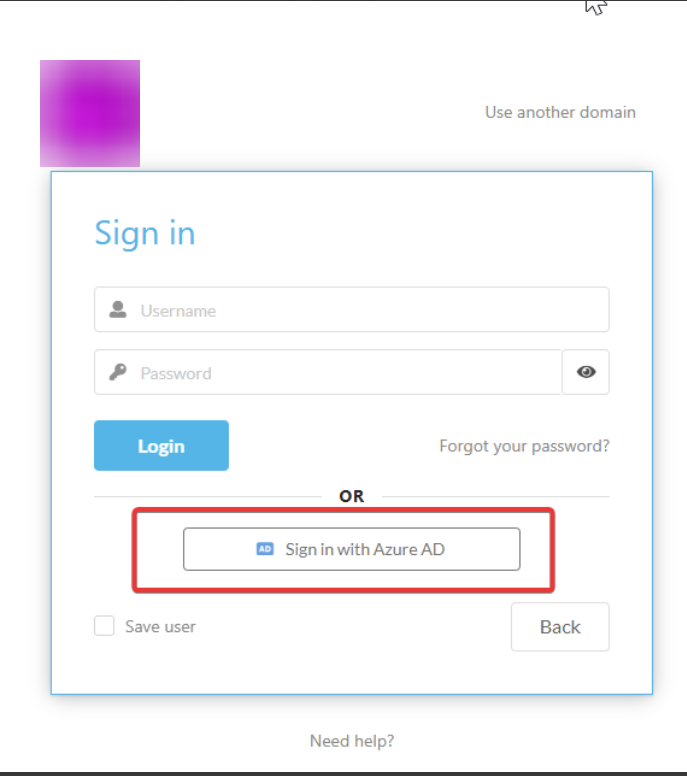
After a User logs out of their current session, when they next attempt to login to iplicit they will be able to select the SSO sign-in button and will not need to use their Username and Password to access:
End of process.