

This article covers setting up controlled, read-only access for an auditor in iplicit. Creating a dedicated user account and assigning the Auditor user group ensures an auditor can review the required information without the ability to make changes.
Creating the auditor's user account
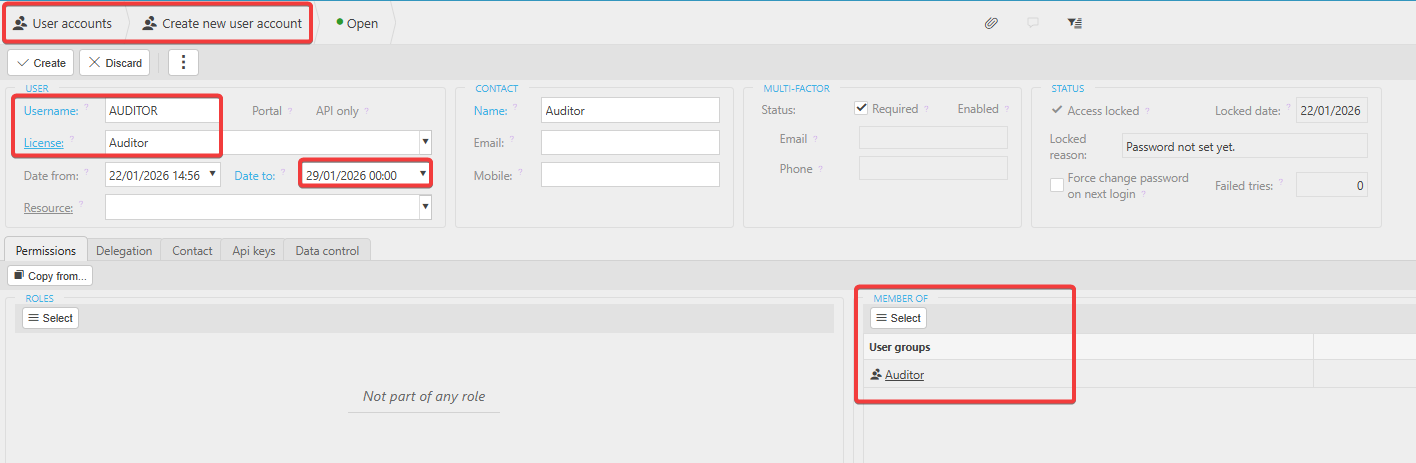
- Create a new user account for the auditor. The username can be generic or follow your usual naming format, for example, initial and surname. Set the licence to 'Auditor' - this licence is free of charge
- If the audit period has a defined end date, set a 'Date to' on the user account
- Assign the user to the 'Auditor' user group. This group provides read-only access to most areas of iplicit. If the auditor needs additional permissions, add them individually and ensure they remain read-only
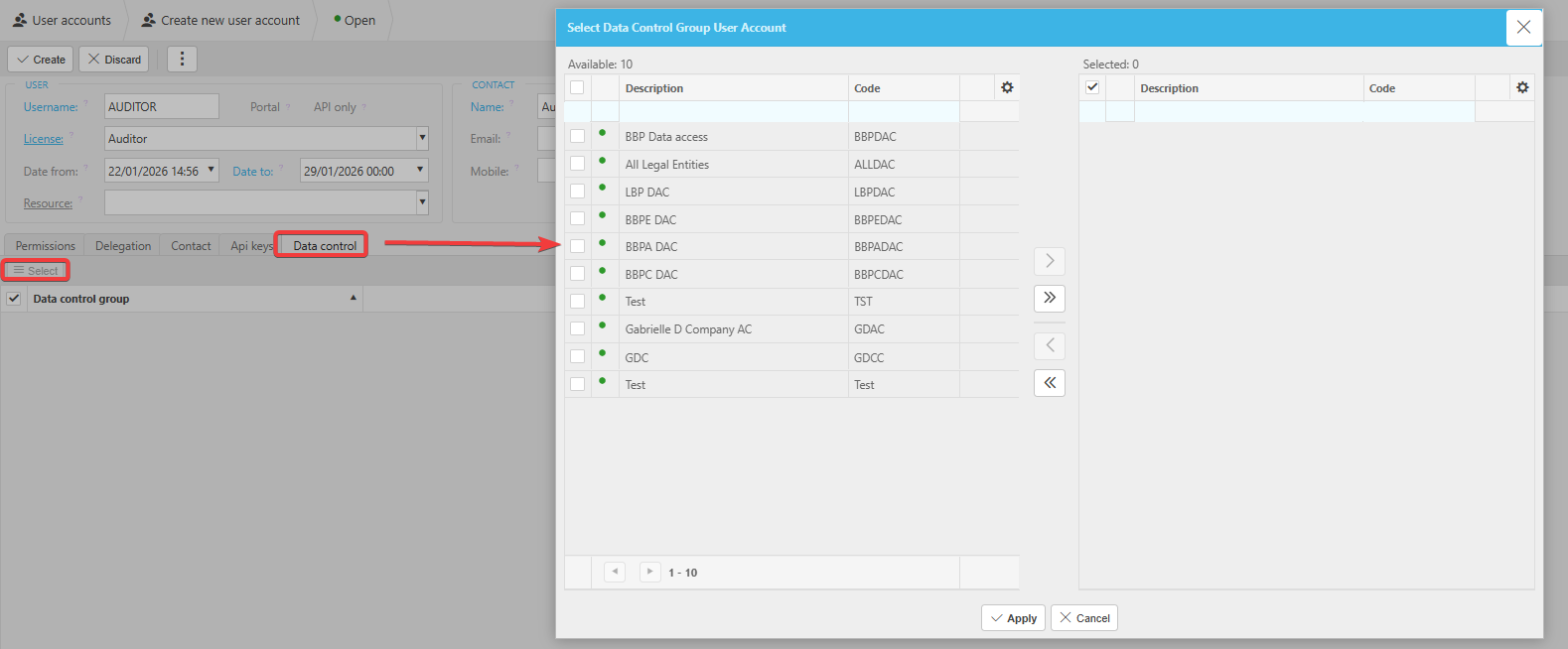
- On the 'Data control' tab, select the relevant Data Control group to restrict the auditor's access to the correct Legal Entities, Cost Centres, or Departments
- Save the user account. Set a password or provide account access to the auditor following the same process used for other users.
Customer search terms
Set up auditor access
Auditor user account
Auditor read only access
Give auditor access to iplicit
Auditor user licence