

This article covers setting up the intercompany movement automation so journals post automatically after each VAT return. This involves two parts: unlocking the 'Interco Tax' document type, then configuring the 'Interco Tax' automation. For what causes duplicate lines if this automation is run incorrectly, see 'Why is Intercompany Tax Automation creating duplicate journal lines?'
How to unlock the Interco Tax document type
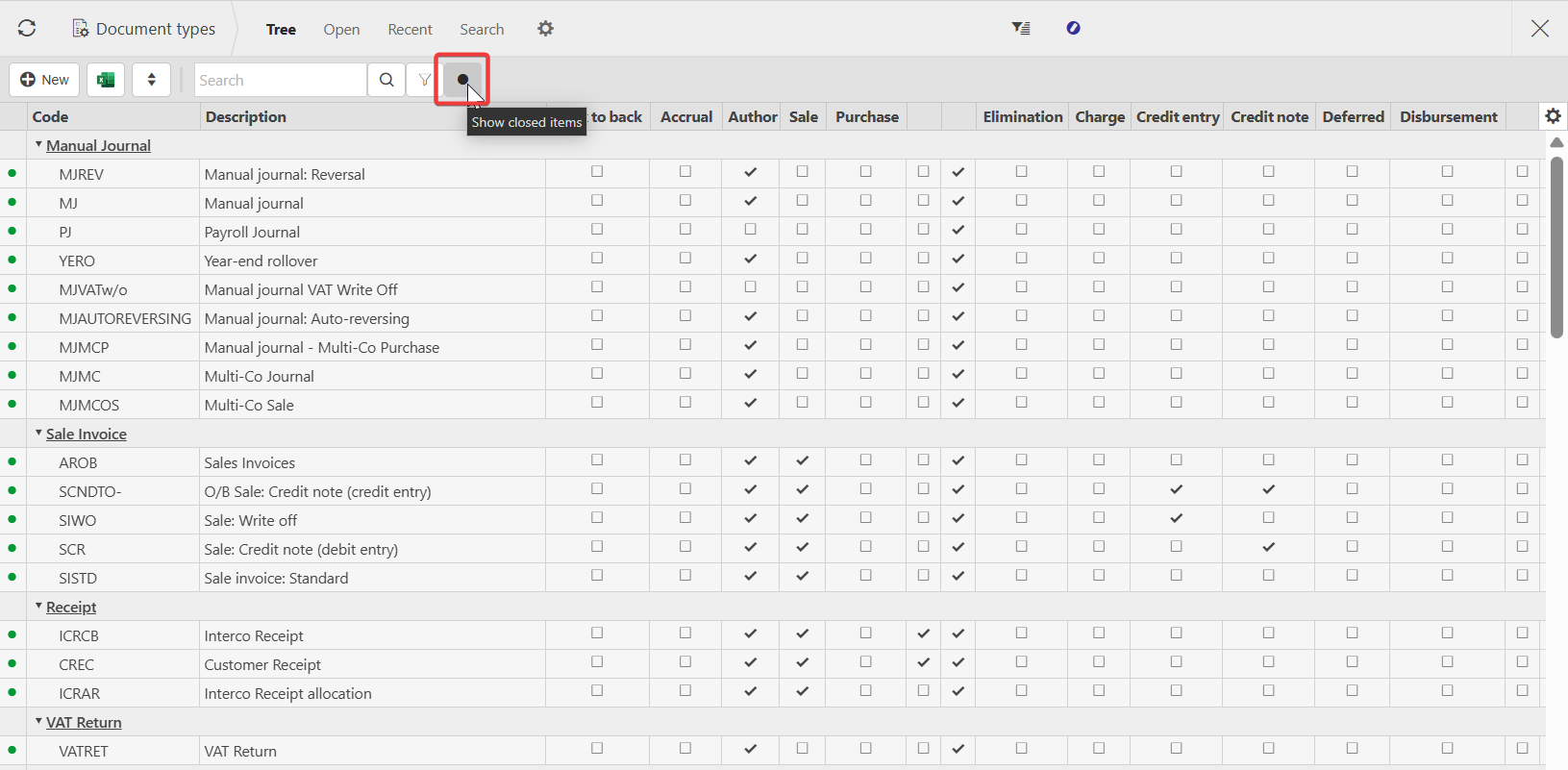
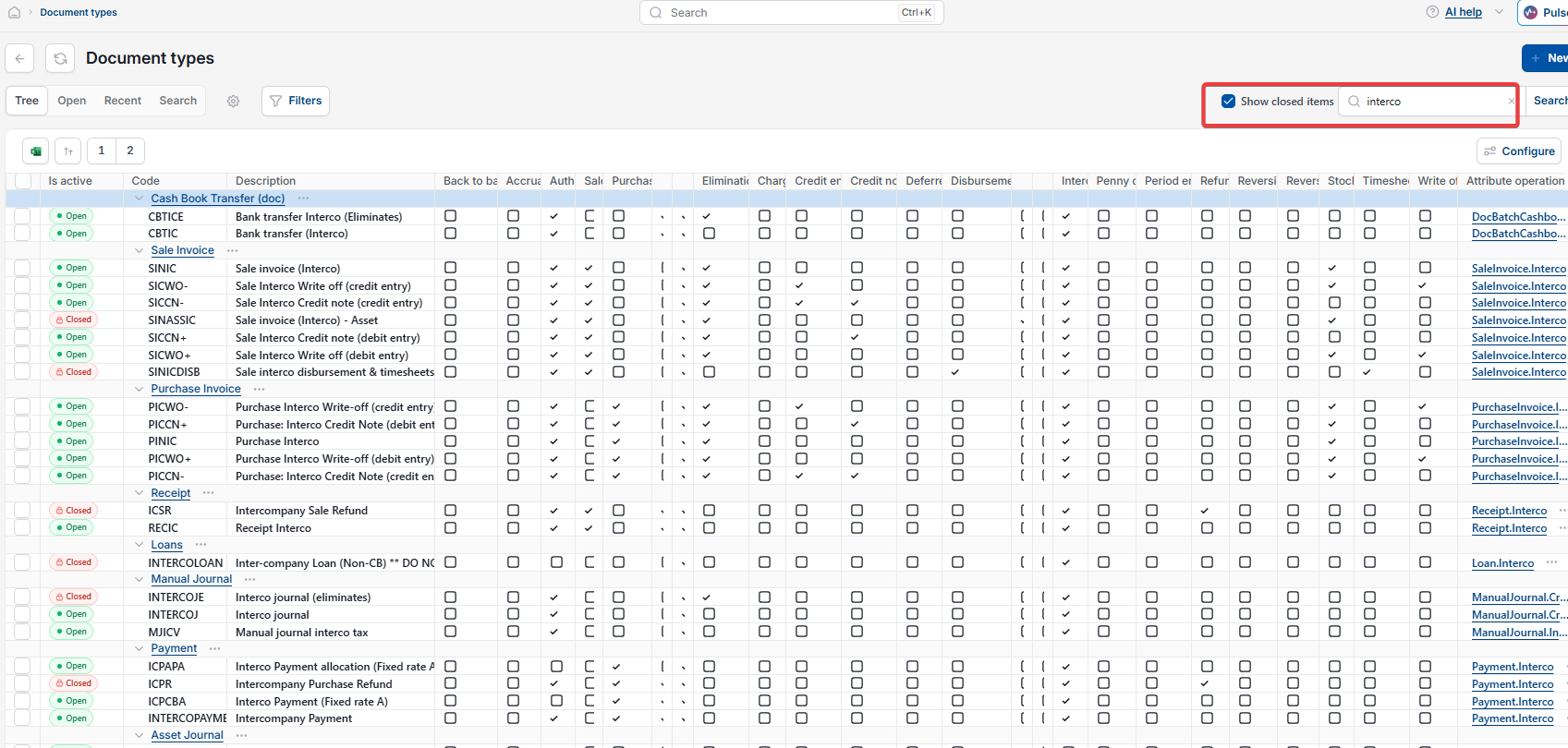
- Search for 'Document Type' in the left-hand search bar, then select the green dot or tick the 'Show closed items' box to display locked documents
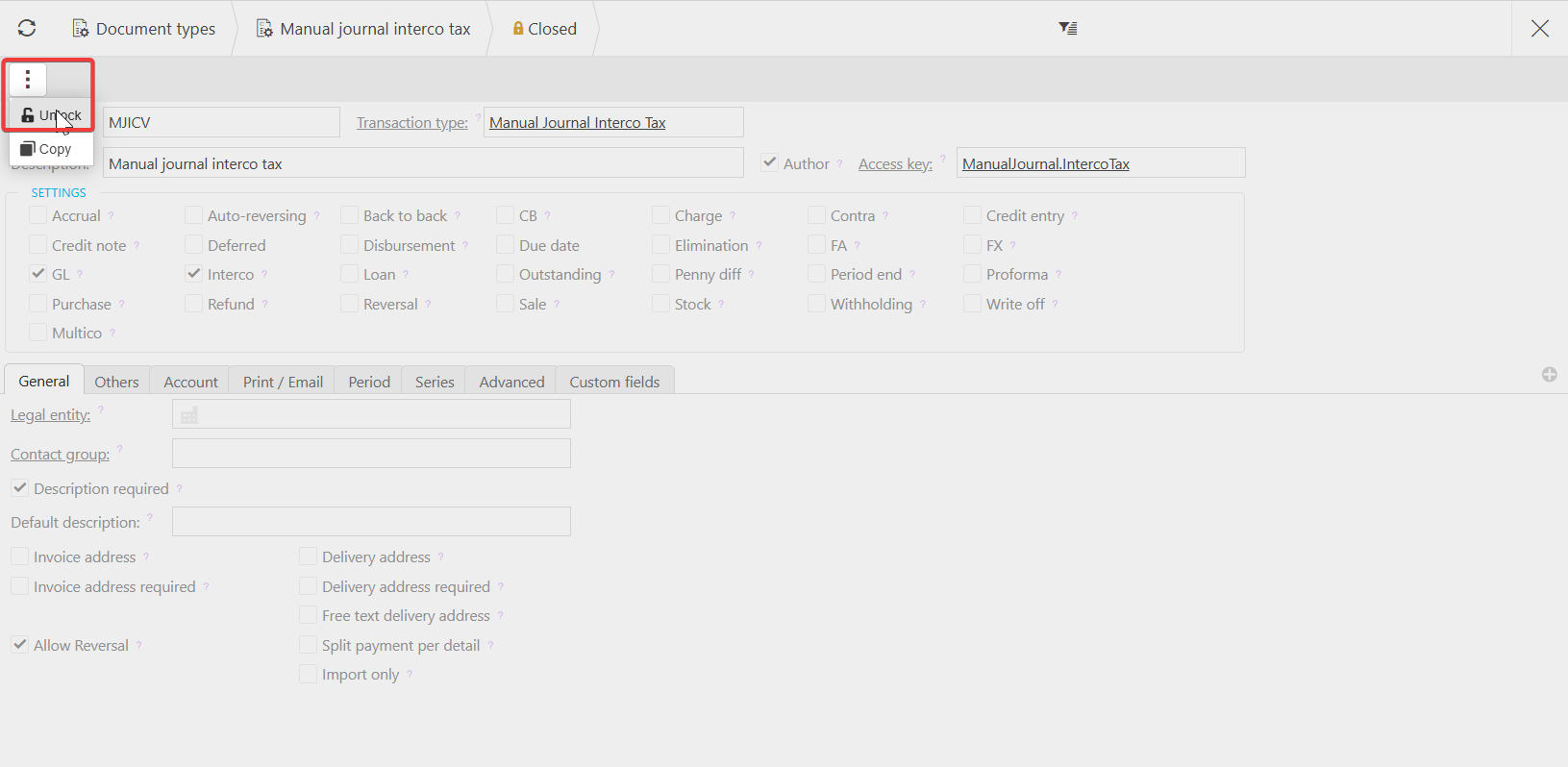
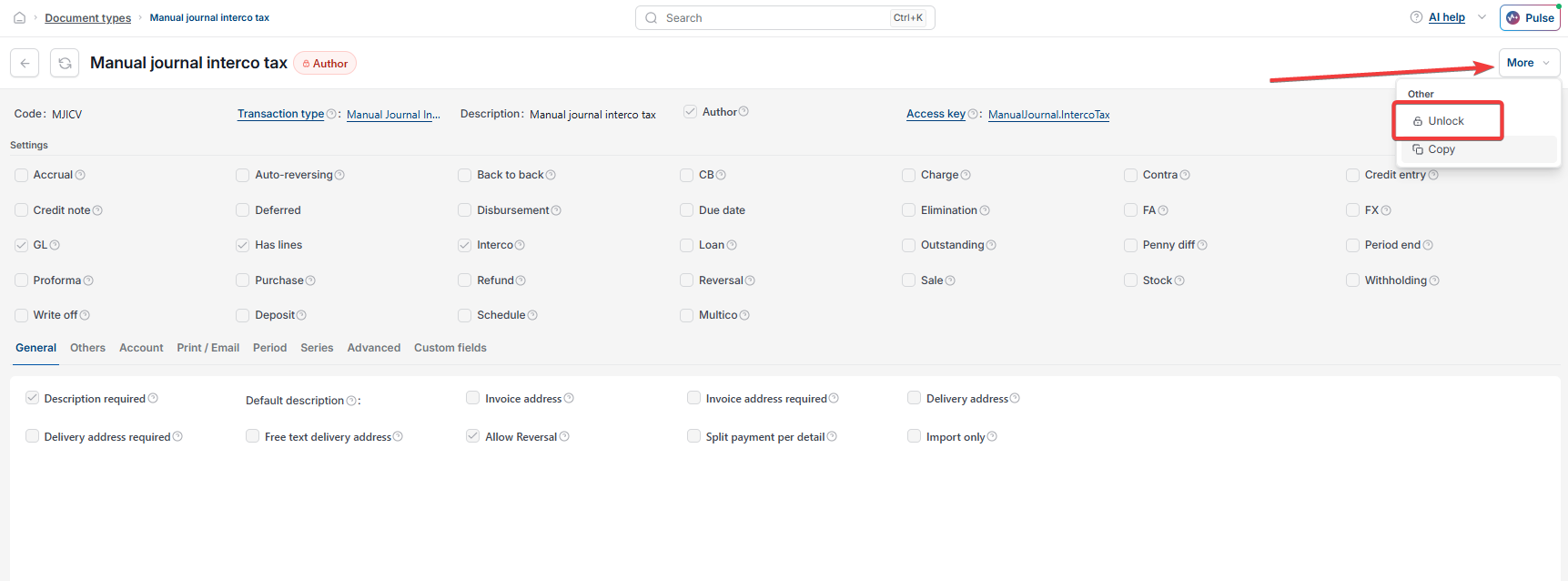
- Search for 'Interco Tax', open the document type, select the ellipsis menu (the three dots) or the more option, then select 'Unlock'
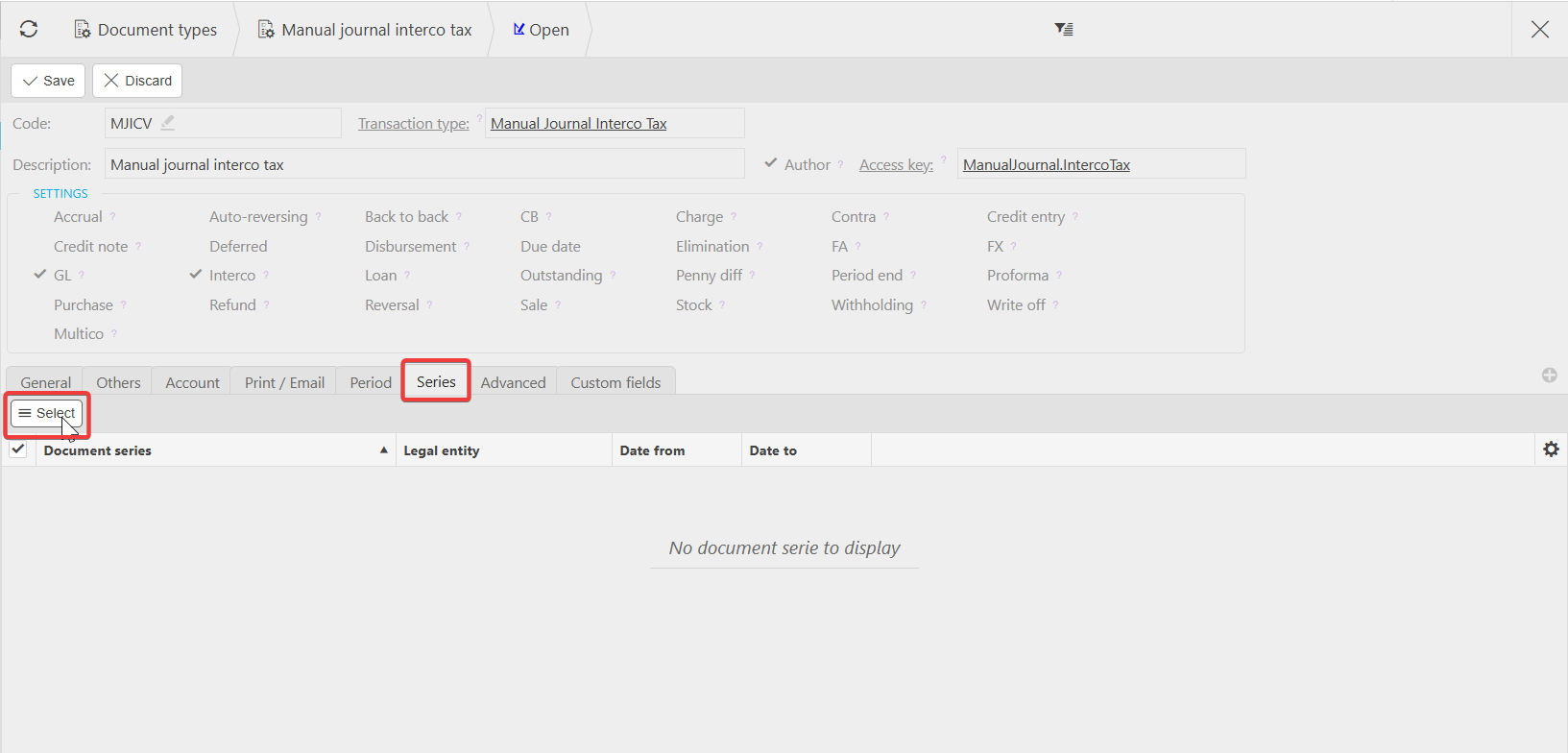
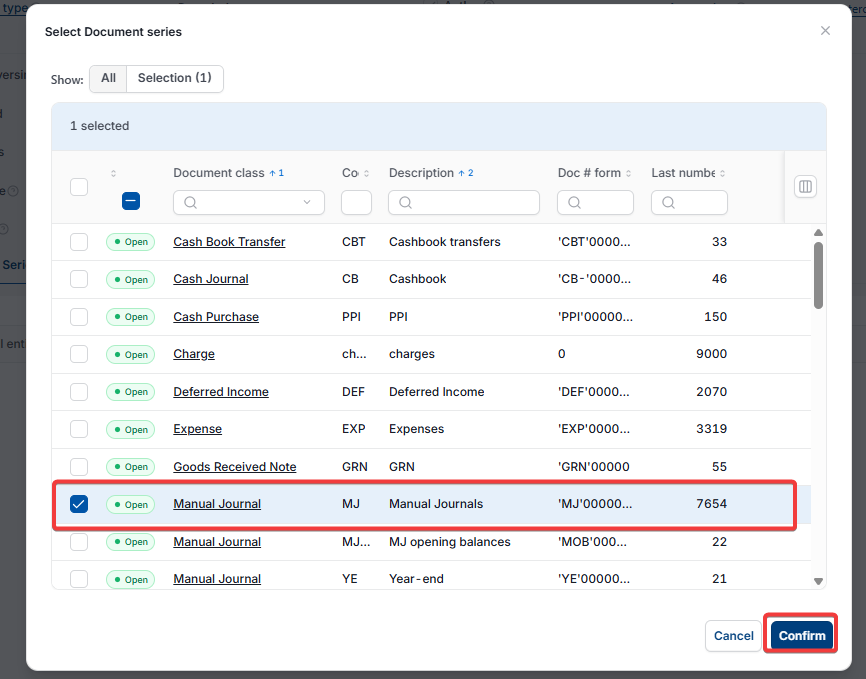
- Select 'Edit', then 'Select'
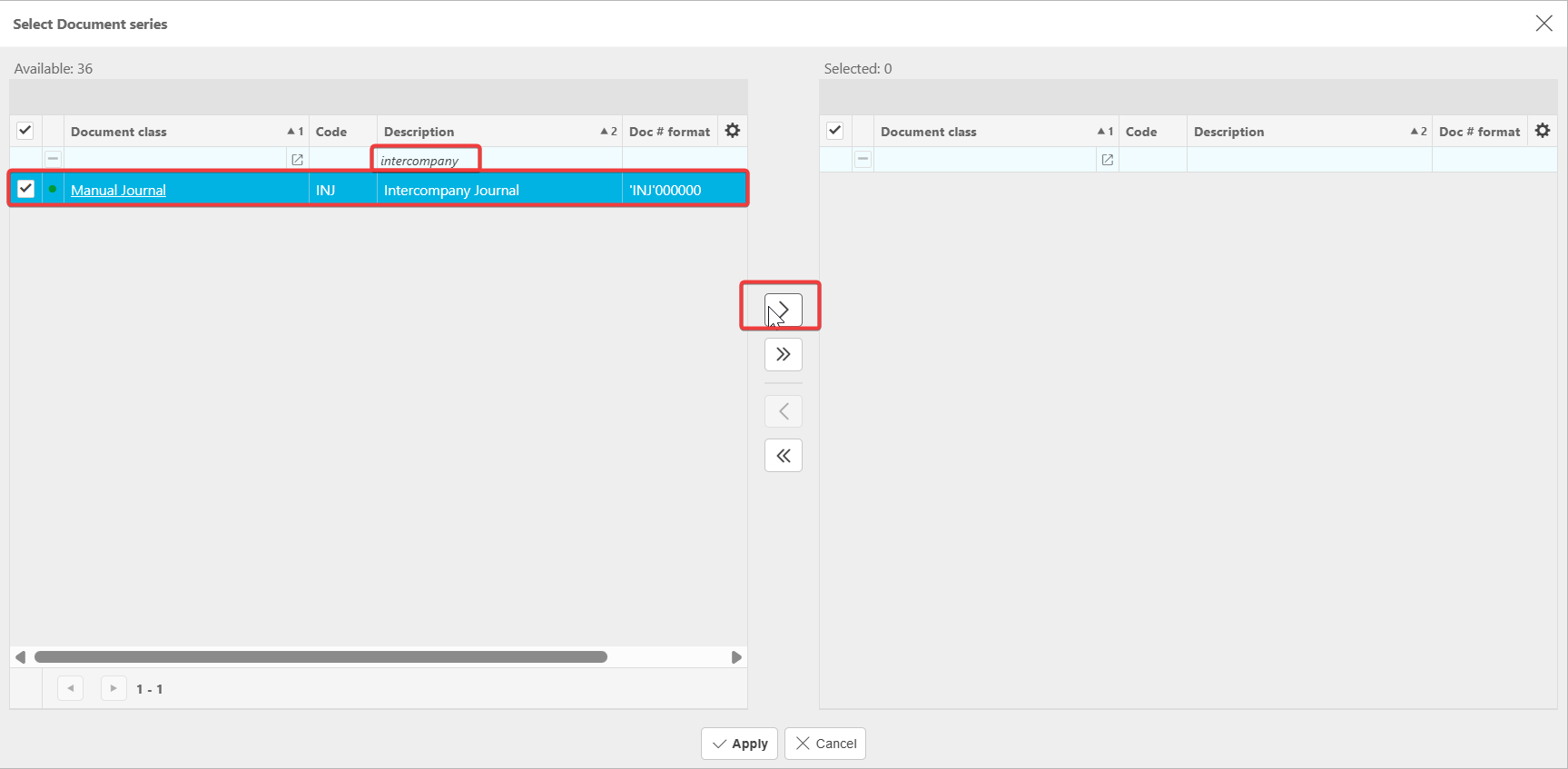
- Drag 'Intercompany Journal' to the right-hand side, then select 'Apply'
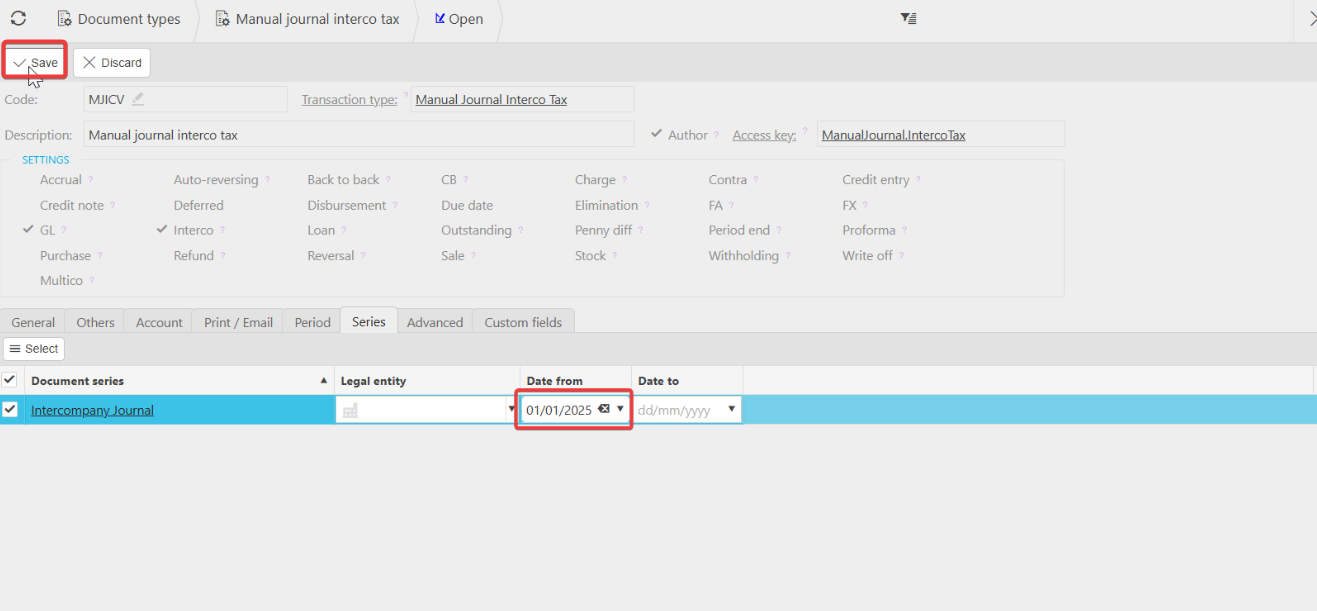
- Set the 'Series Date' from 01/01/2025 for example
- Select 'Save'.
Screenshots for Legacy UI (before October 2026)
Screenshots for New UI (post October 2026)
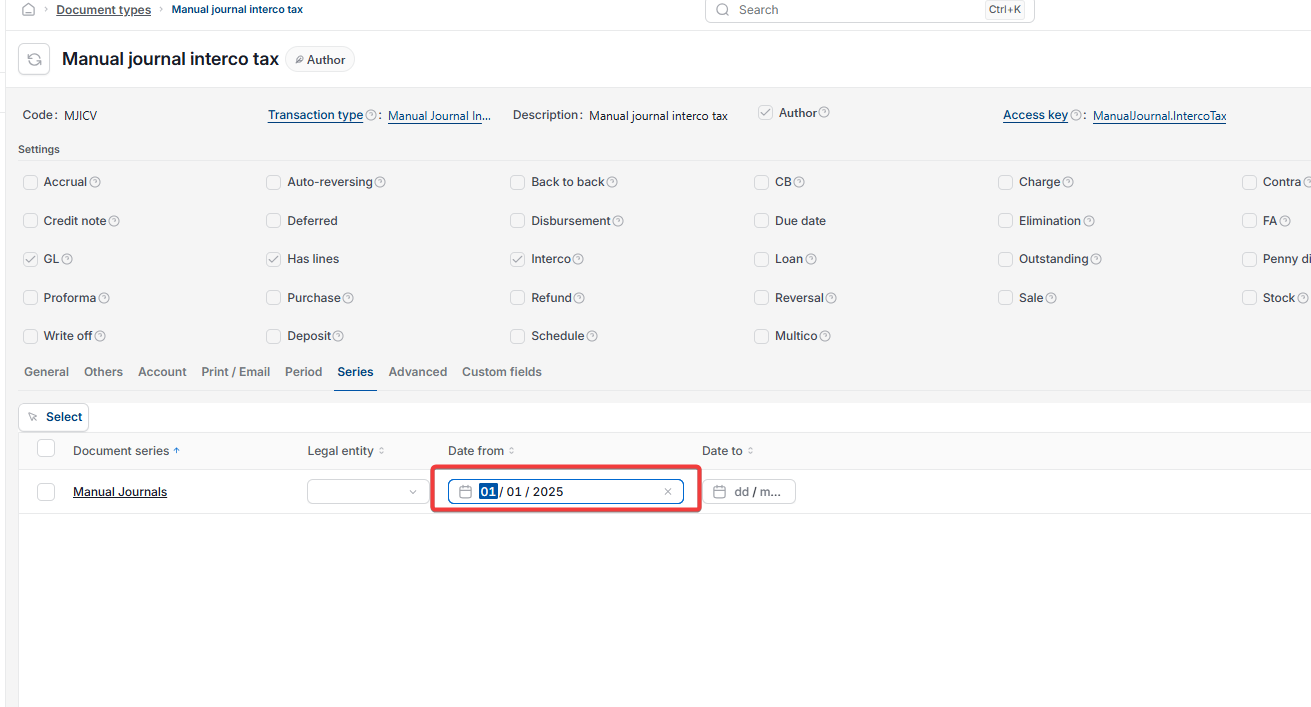
How to set up the Interco Tax automation
- Go to 'Automations', open 'Interco Tax', then select 'Edit'
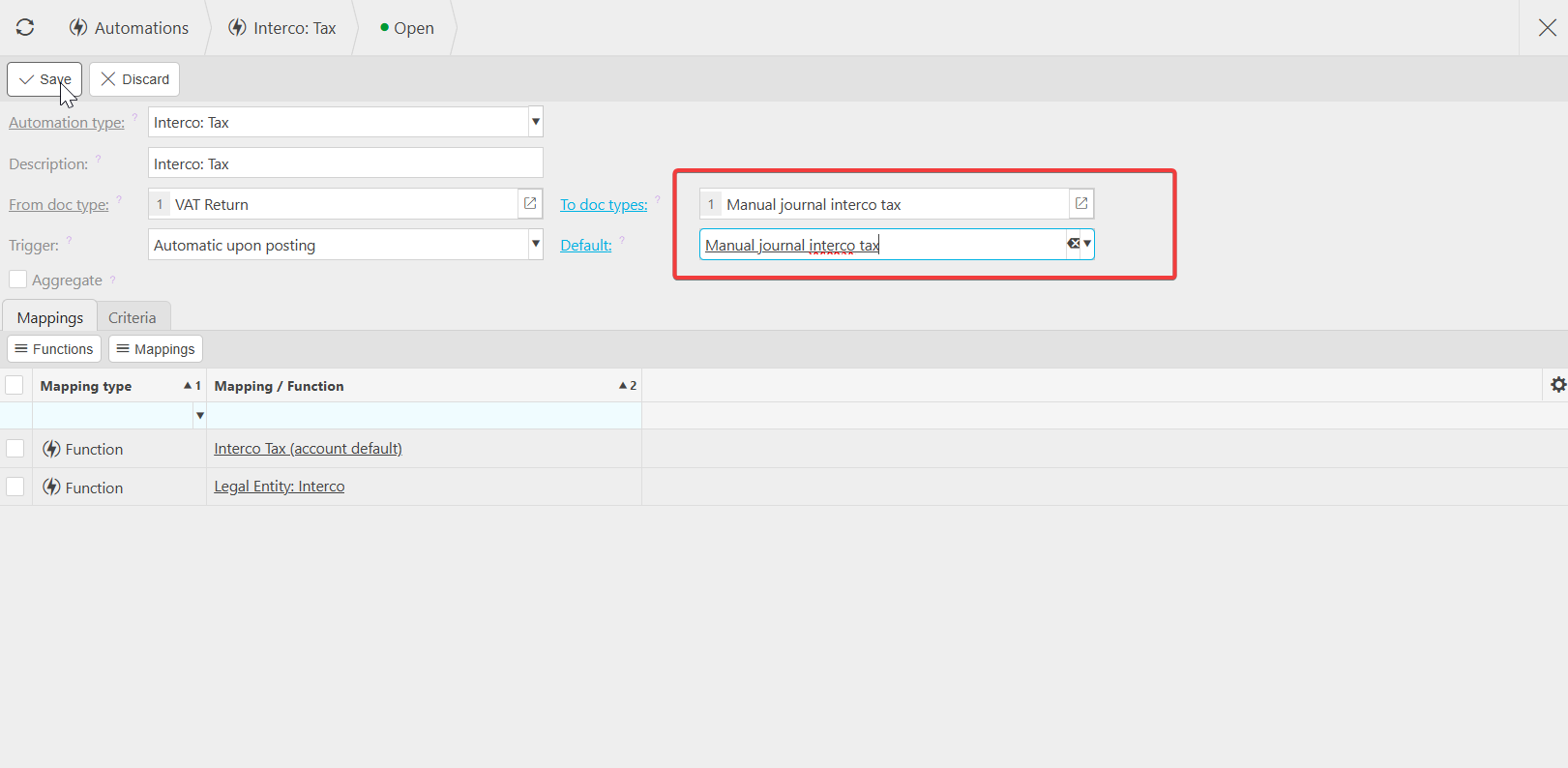
- Update the automation's fields
- Select 'Save'.
Once both parts are complete, journals post automatically with your next VAT return.
Screenshots for Legacy UI (before October 2026)
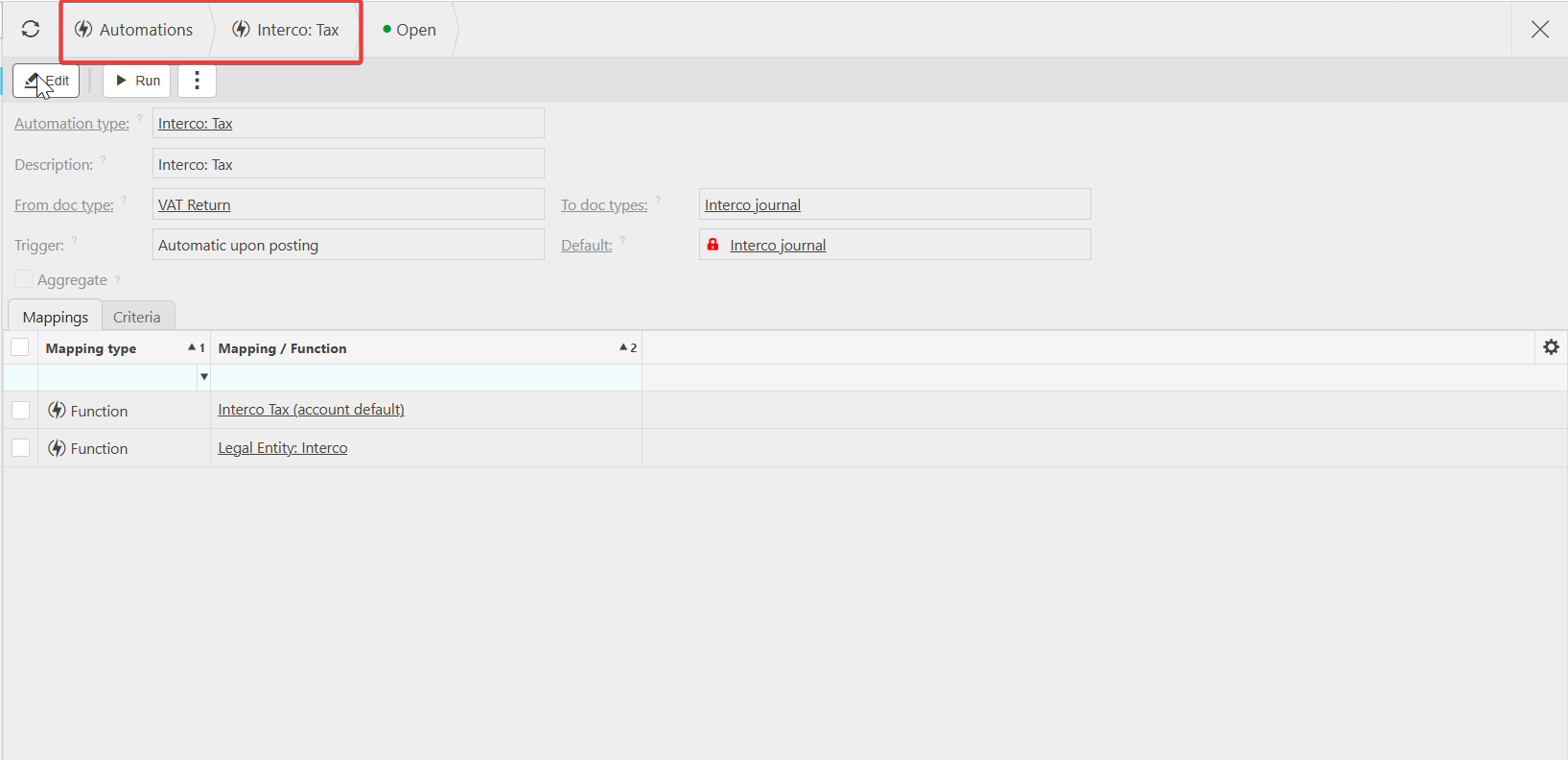
Screenshots for New UI (post October 2026)
Customer search terms
Automate intercompany movement
Interco tax automation setup
Automatic intercompany journal after VAT
Unlock Interco Tax document type
Intercompany automation VAT return