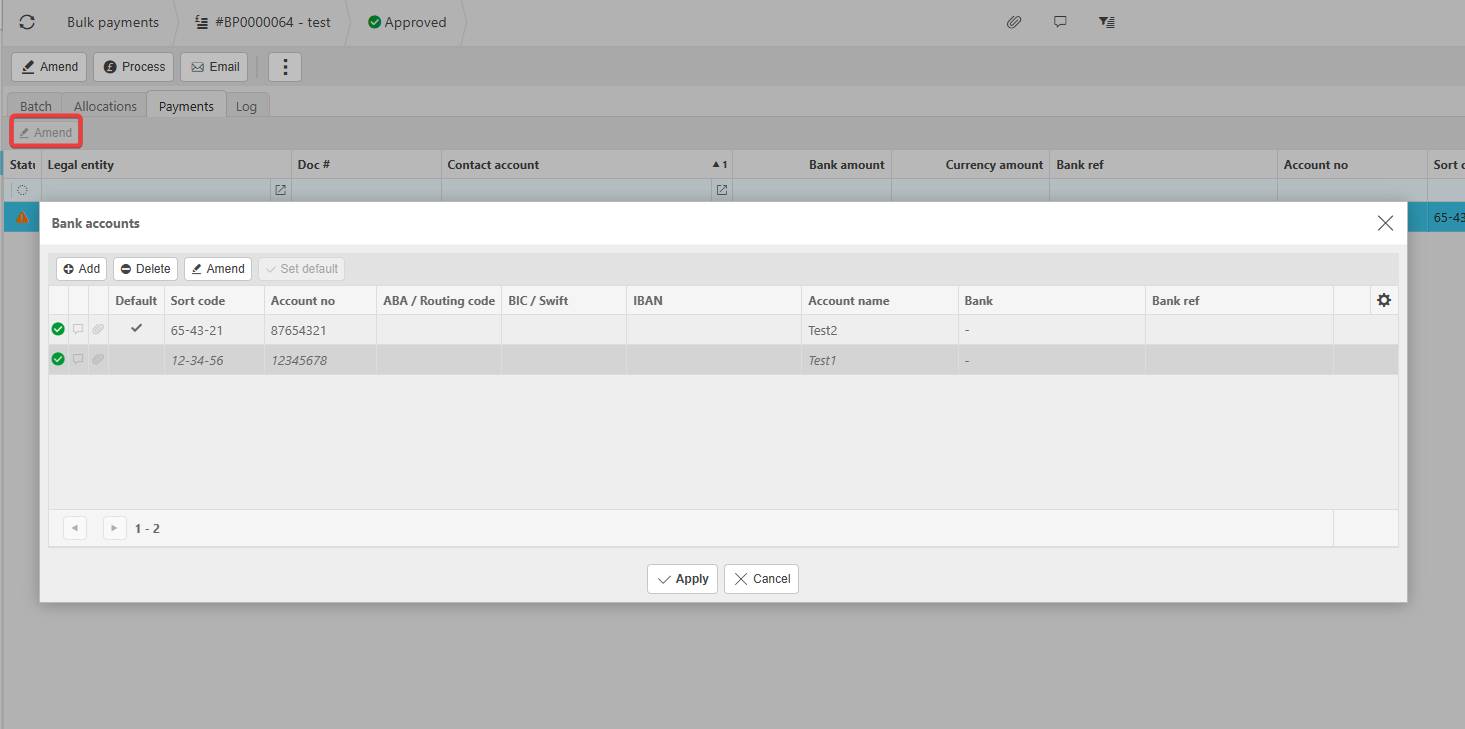
When a supplier has more than one bank account saved, iplicit only allows you to choose the correct account after the Bulk Payment has been submitted. Follow the steps below to ensure the payment is allocated to the right bank account.
- Go to the Bulk Payment screen
Locate the invoice you want to allocate an amount against.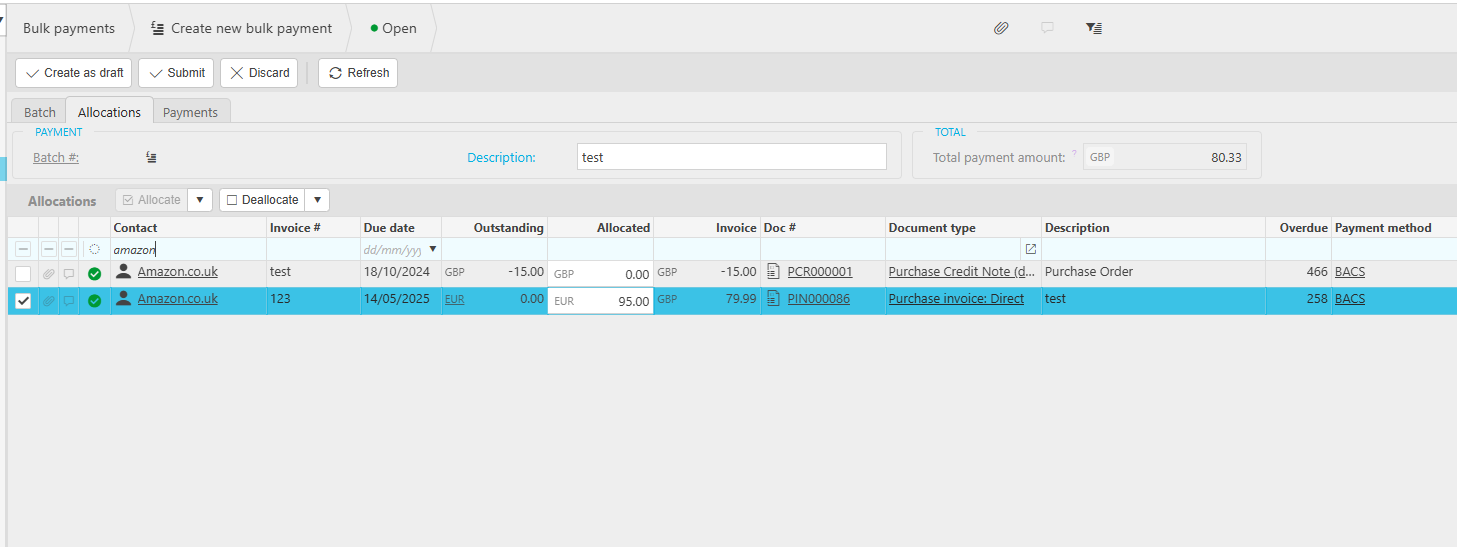
- Submit the Bulk Payment first
The system does not allow you to choose a bank account before submission. - Open the Payments tab
Here, you'll see a warning on the supplier indicating they have multiple bank accounts.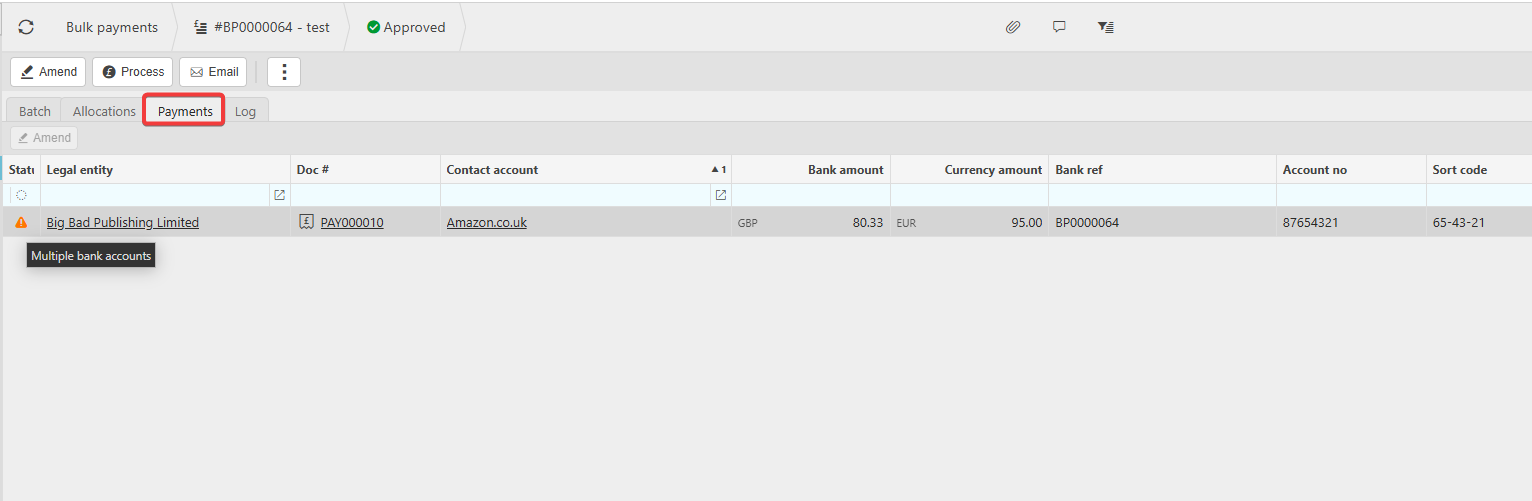
- Amend the payment to select the correct bank account
- Highlight the payment in the list
- Click Amend
- Choose the correct bank account from the dropdown
- Save the changes