

This article covers setting up a supplier to use multiple tax authorities. Once set up, you can select the relevant tax authority on individual documents raised against that supplier, rather than being limited to one fixed authority.
How to set up a supplier for multi tax authorities
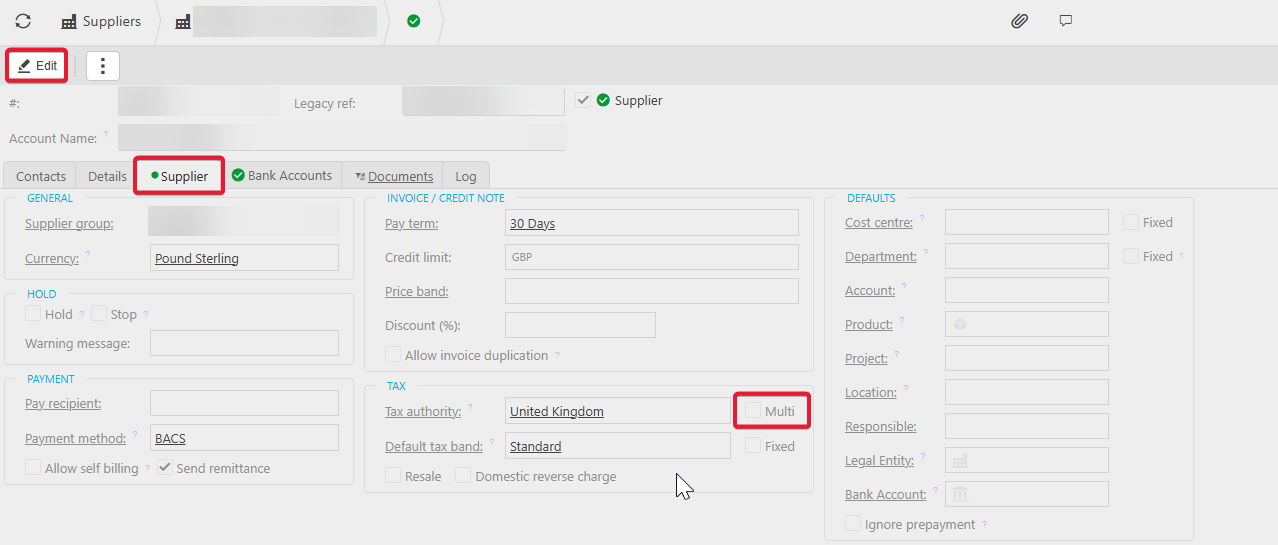
- Go to 'Suppliers' and open the relevant supplier, then select 'Edit'
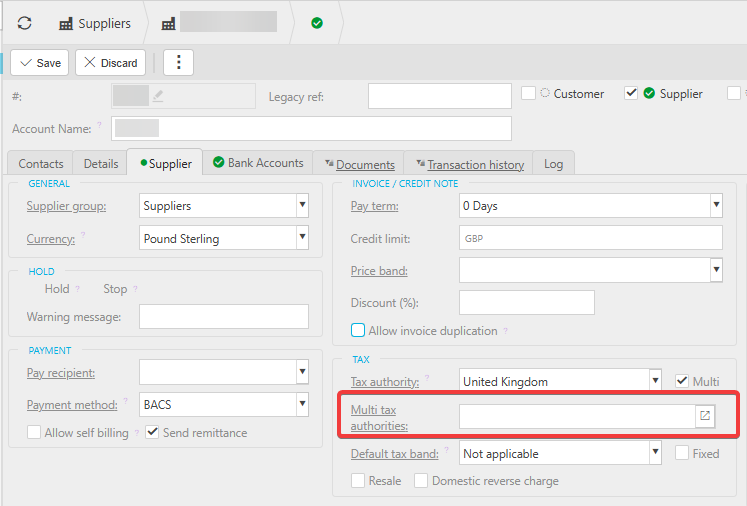
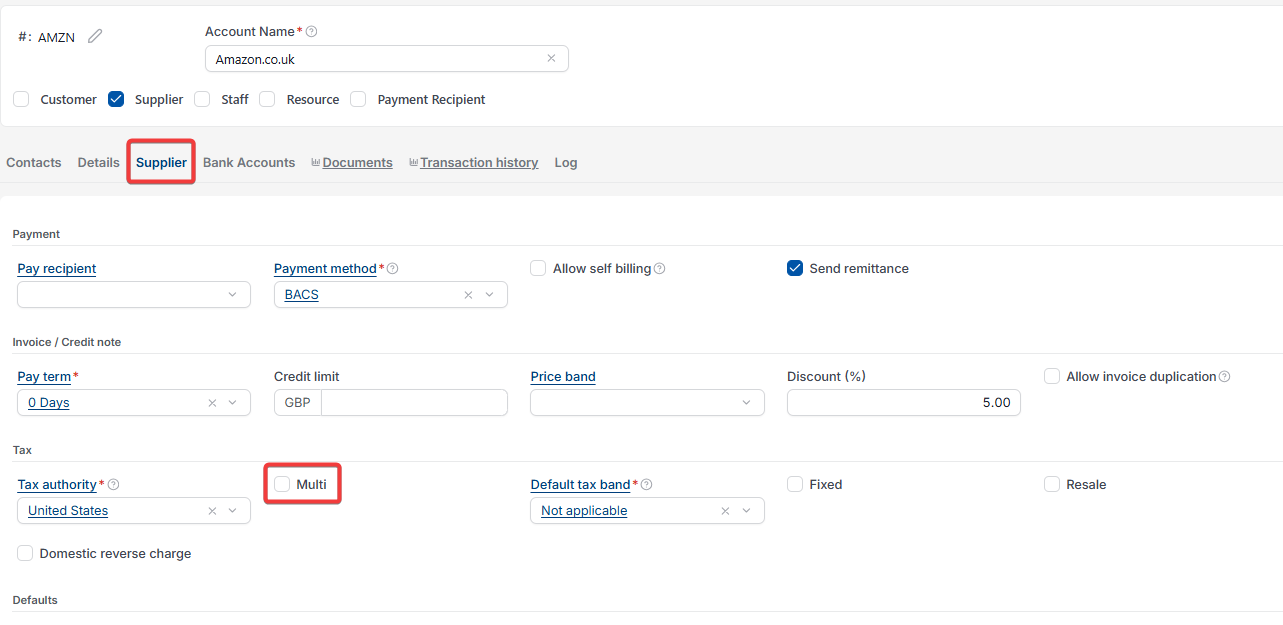
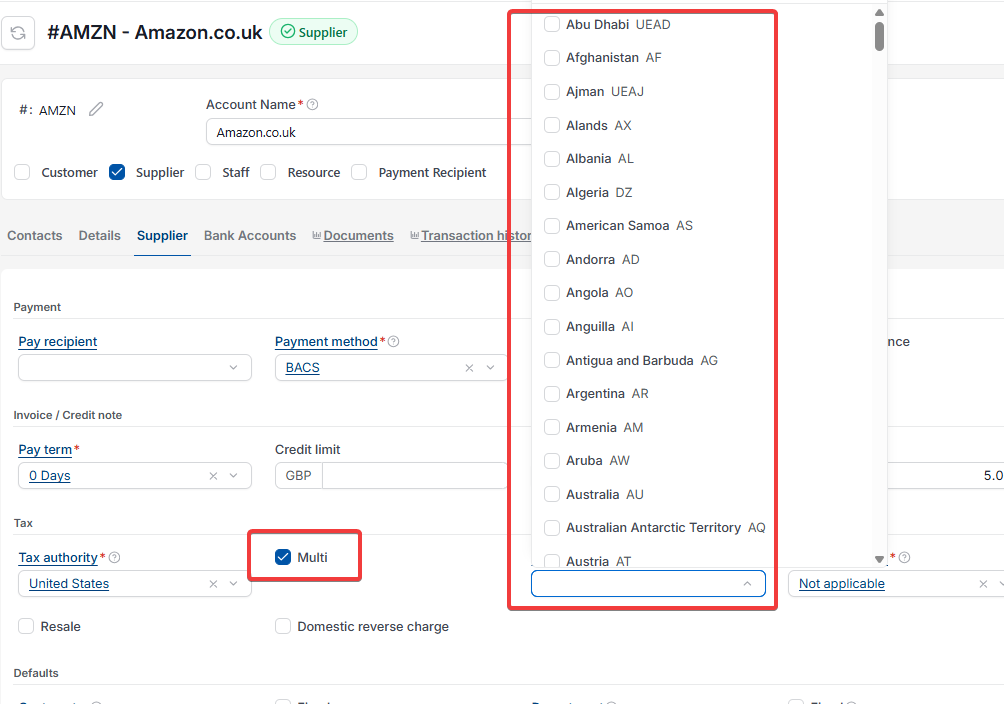
- On the 'Supplier' tab, under 'Tax', tick 'Multi'. This adds a 'Multi tax authorities' field, and clears 'Default tax band' to 'Not applicable'
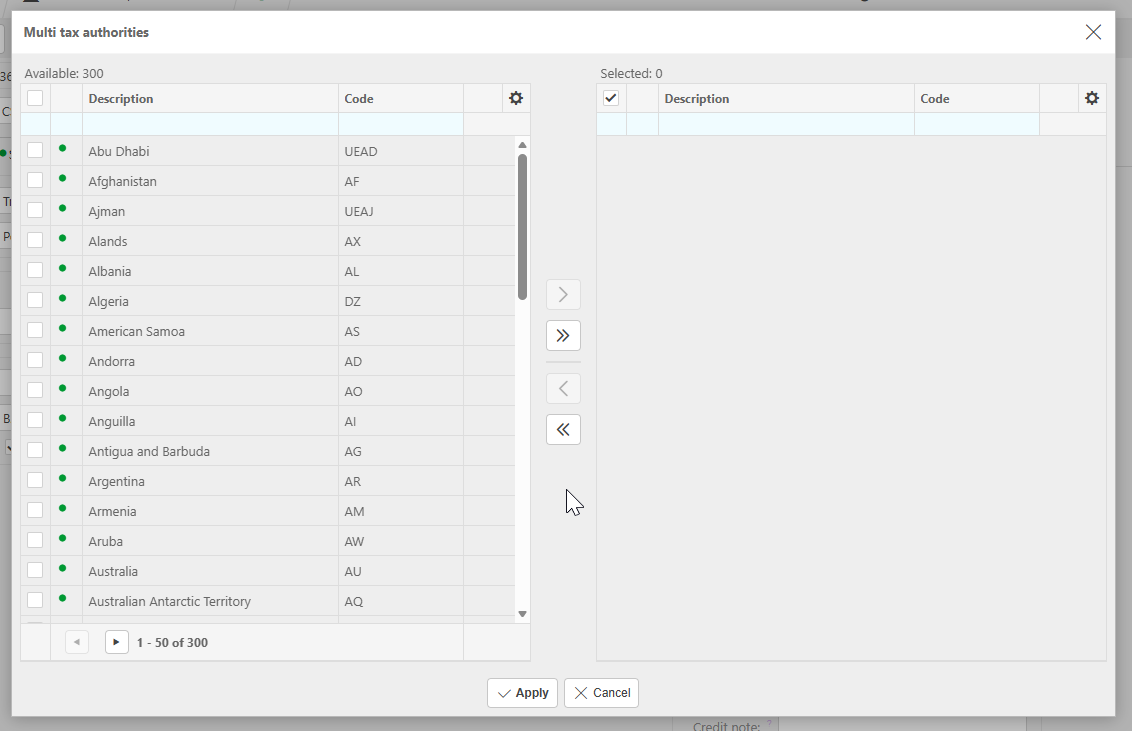
- Select the 'Multi tax authorities' field to open the selector, tick the tax authorities you want to use, then select 'Apply'. Ensure you also include the primary tax authority shown in the 'Tax authority' field above
- Select 'Save'.
Once saved, you can select the relevant tax authority from the drop-down on each document you raise for this supplier.
Screenshots for Legacy UI (before October 2026)
Screenshots for New UI (post October 2026)
Customer search terms
Multi tax authorities supplier
Set up supplier multiple tax authorities
Tax authority selector document
Supplier tax authority dropdown
Multi tax band not applicable