

If you are presented with a screen as shown below when attempting to set up the Deferred income automation, the necessary changes have likely have not been set up in the environment to allow the automation to be set up successfully.
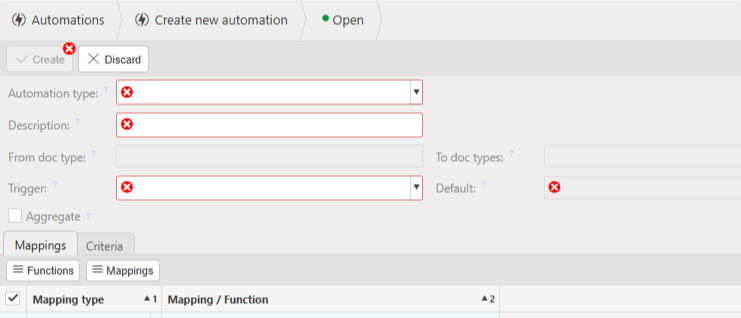
To have the ability to add this automation successfully, there are a few things that need to be set up in the environment.
1. Whoever sets up the automation will need to have the permissions Deferred Income: Entry and Deferred Income: Read Only added to their user as well as the automations permissions.

2. The deferred income document type will likely need to be unlocked. Navigate to Document Types, search and drill into Deferred income. Ensure the lock icon shows if this document type is locked.
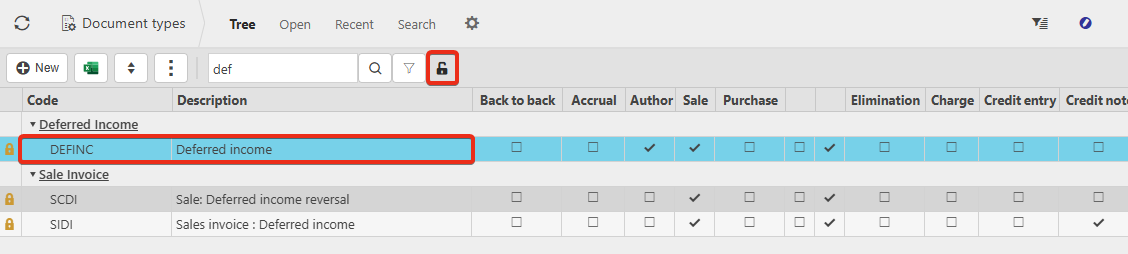
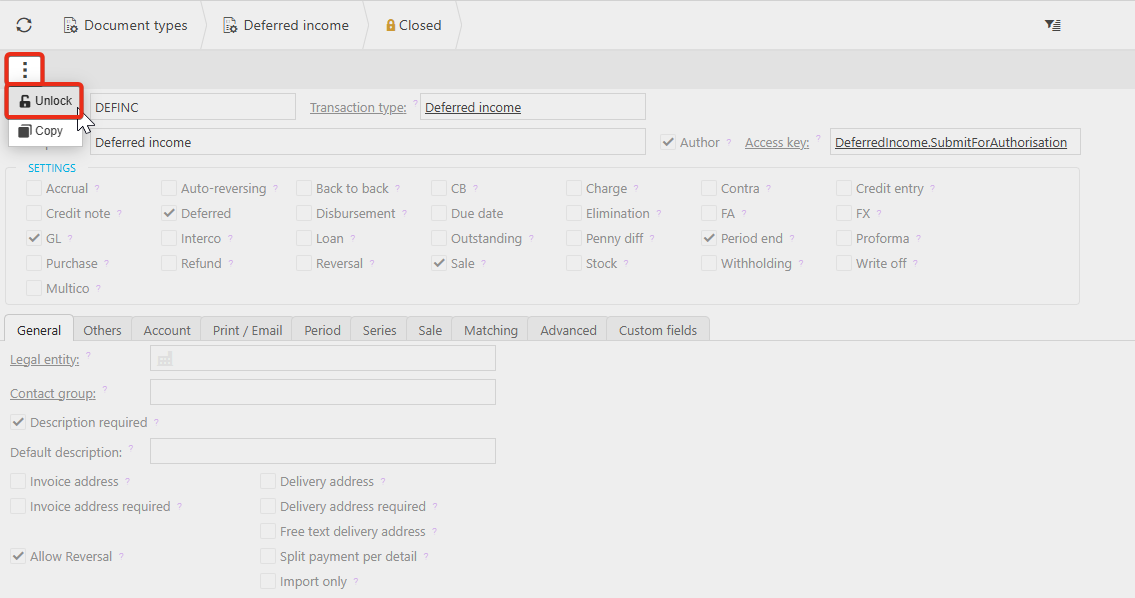
Select the ellipsis, and Unlock. Please also check whether a document series is required to allow a document reference to be assigned when posting.
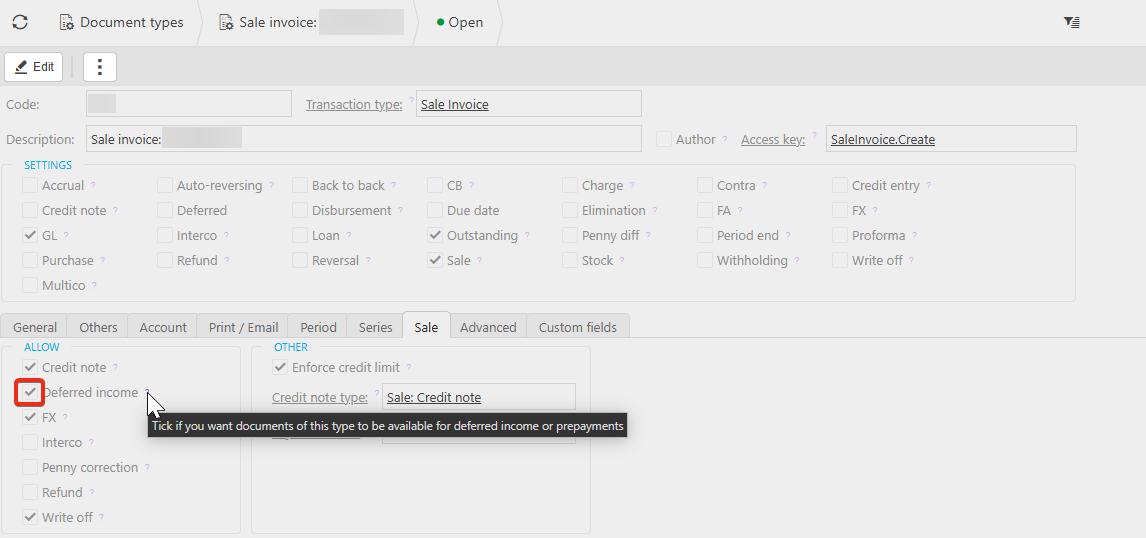
Ensure the Deferred income is set on any sale documents you would like to use.
3. Navigate to Environment defaults > Sales and select the Deferred income document from the dropdown. Save.
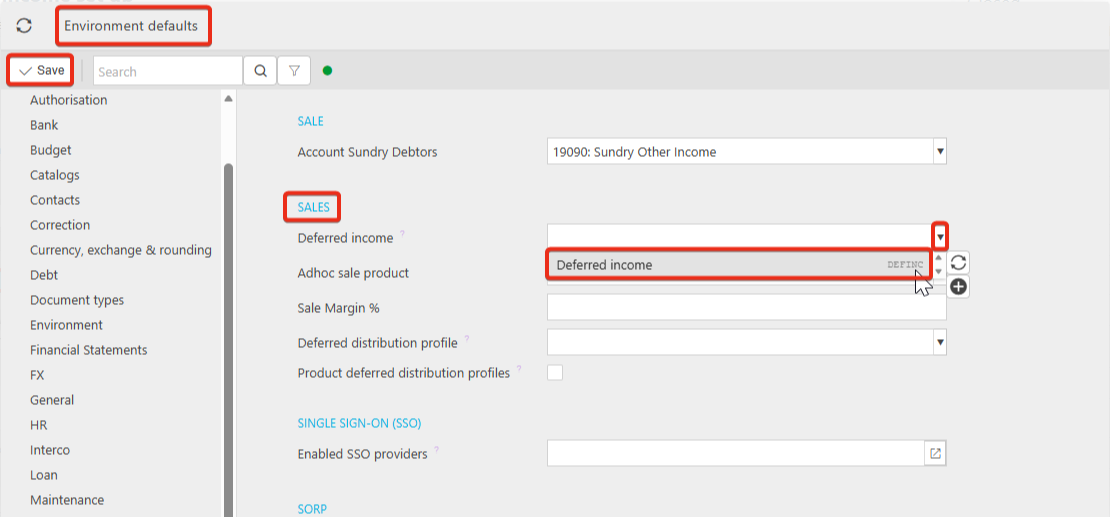
We would recommend you reload your session after these changes have been made to ensure they update in the environment correctly.
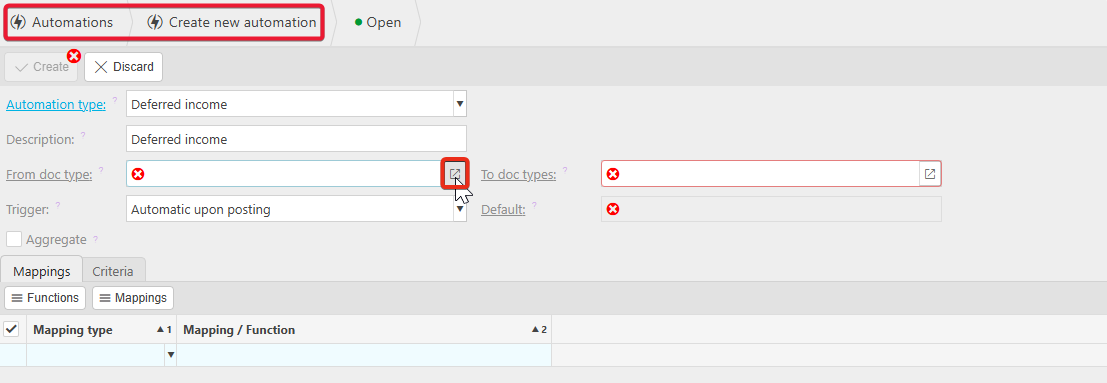
4. Now when creating the Deferred income automation and entering the Description, the necessary fields would be populated. Drill into the selector on the From doc type.
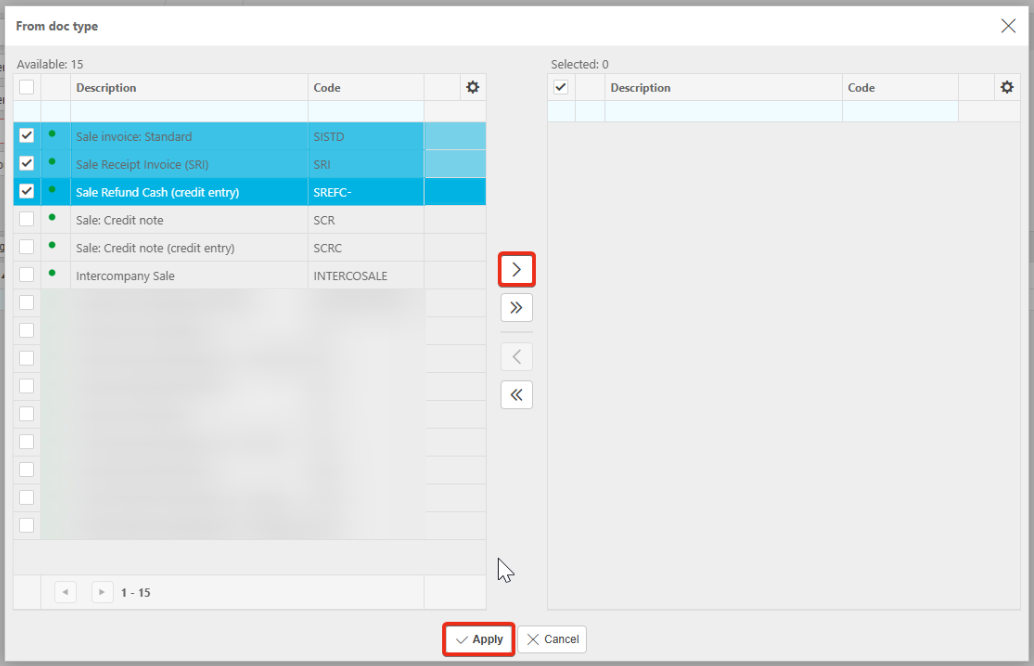
Select any of the documents you would like to use deferred income on.
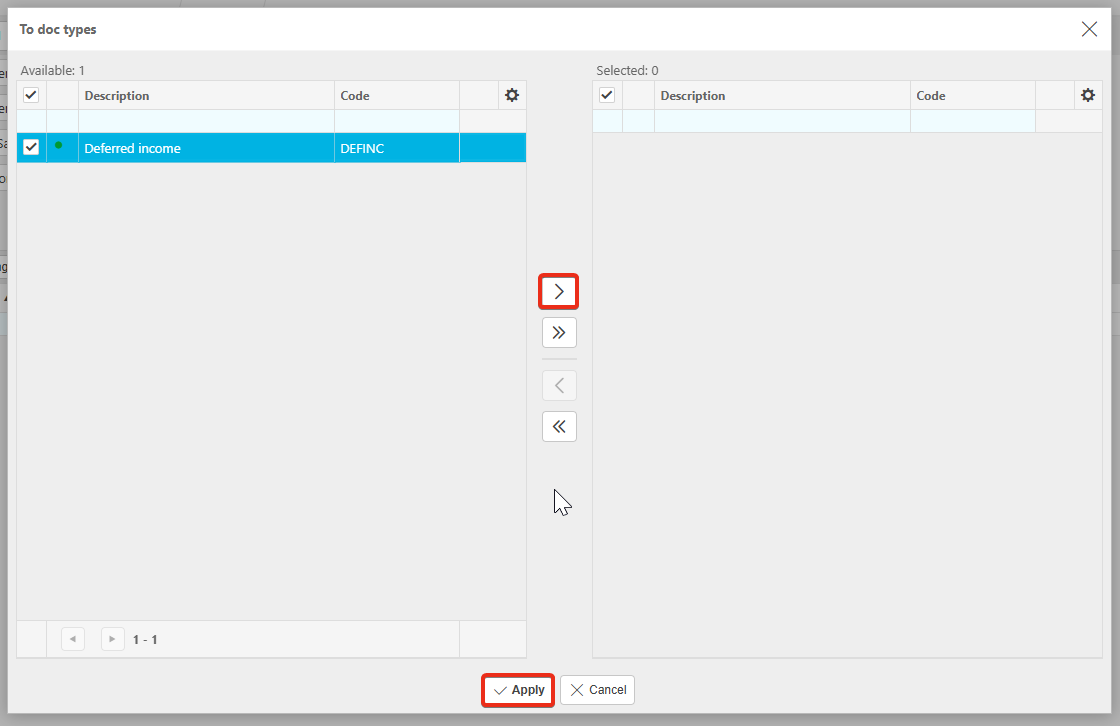
Drill into the selector on the To doc type.
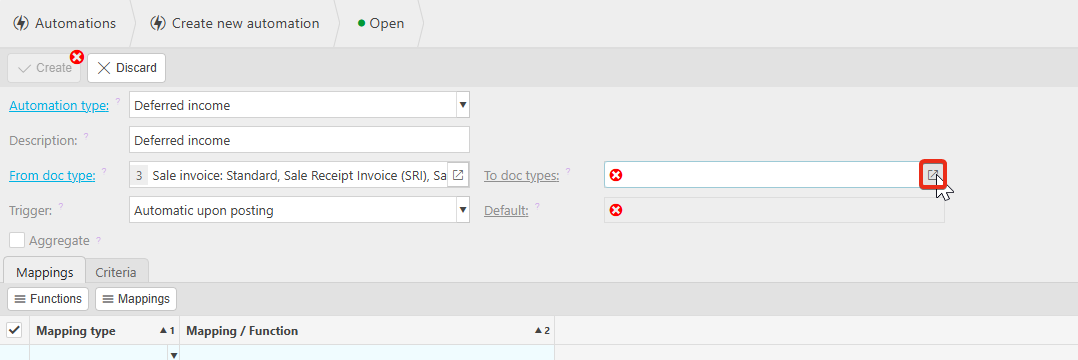
Select the Deferred income document.
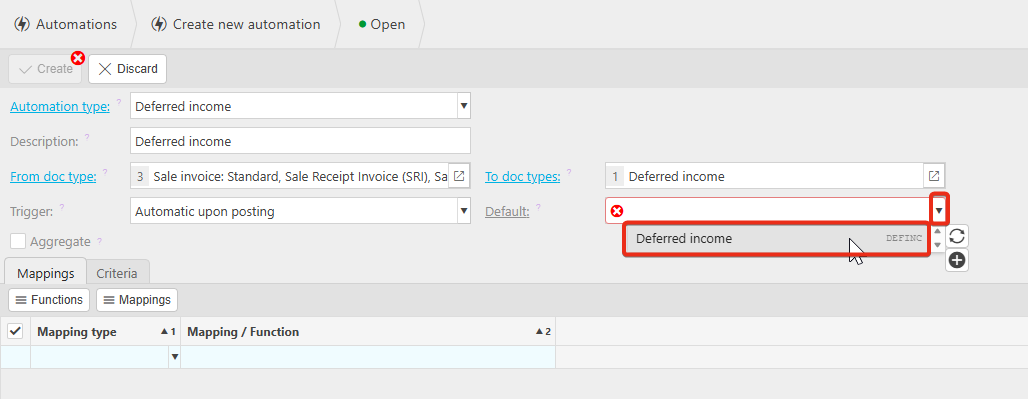
Select the Deferred income from the Default dropdown.
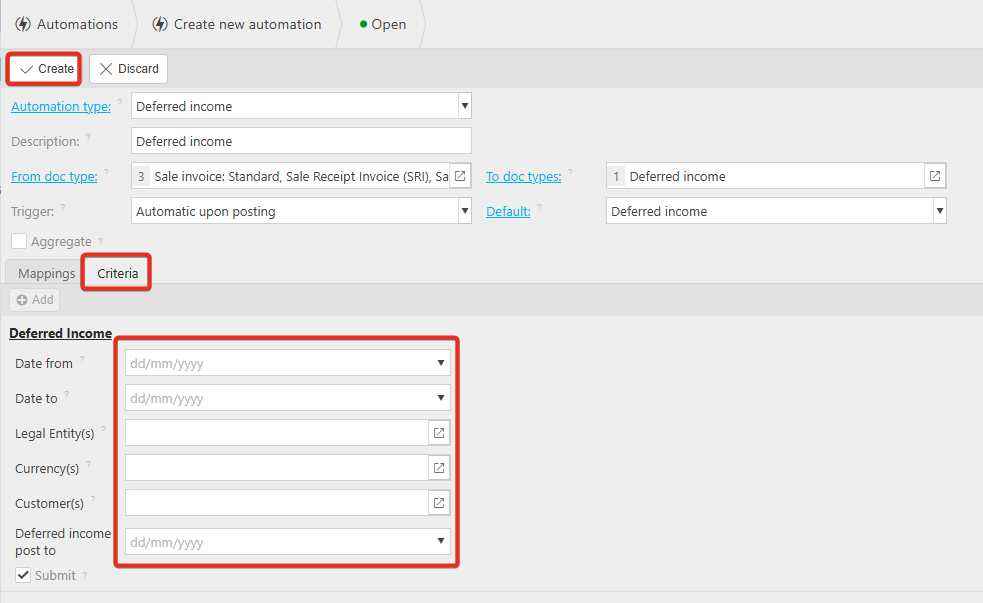
Lastly, add any parameters you would like to be considered in the Criteria tab. Once all changes have been made, Create.
Once you have created the automation, you can move onto setting up a scheduler which is recommended you have so that future deferred income journals in the schedule are created without having to run the automation manually.
The trigger 'automatic upon posting' will only create any related deferred income journals prior to the date the sale invoice is posted. Any future journals will not be created unless the automation is run regularly.