

This article covers running a stock take in Stock Tracking. You can create a stock take manually, or import one from a template using Document Imports.
Creating a stock take manually
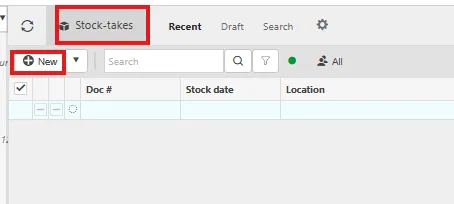
- Navigate to 'Stock-takes' and select 'New'
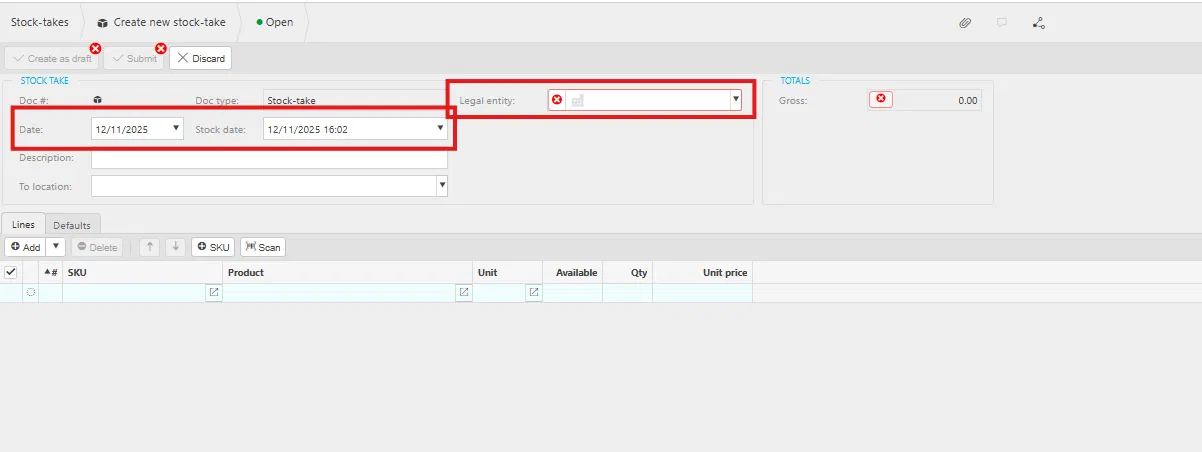
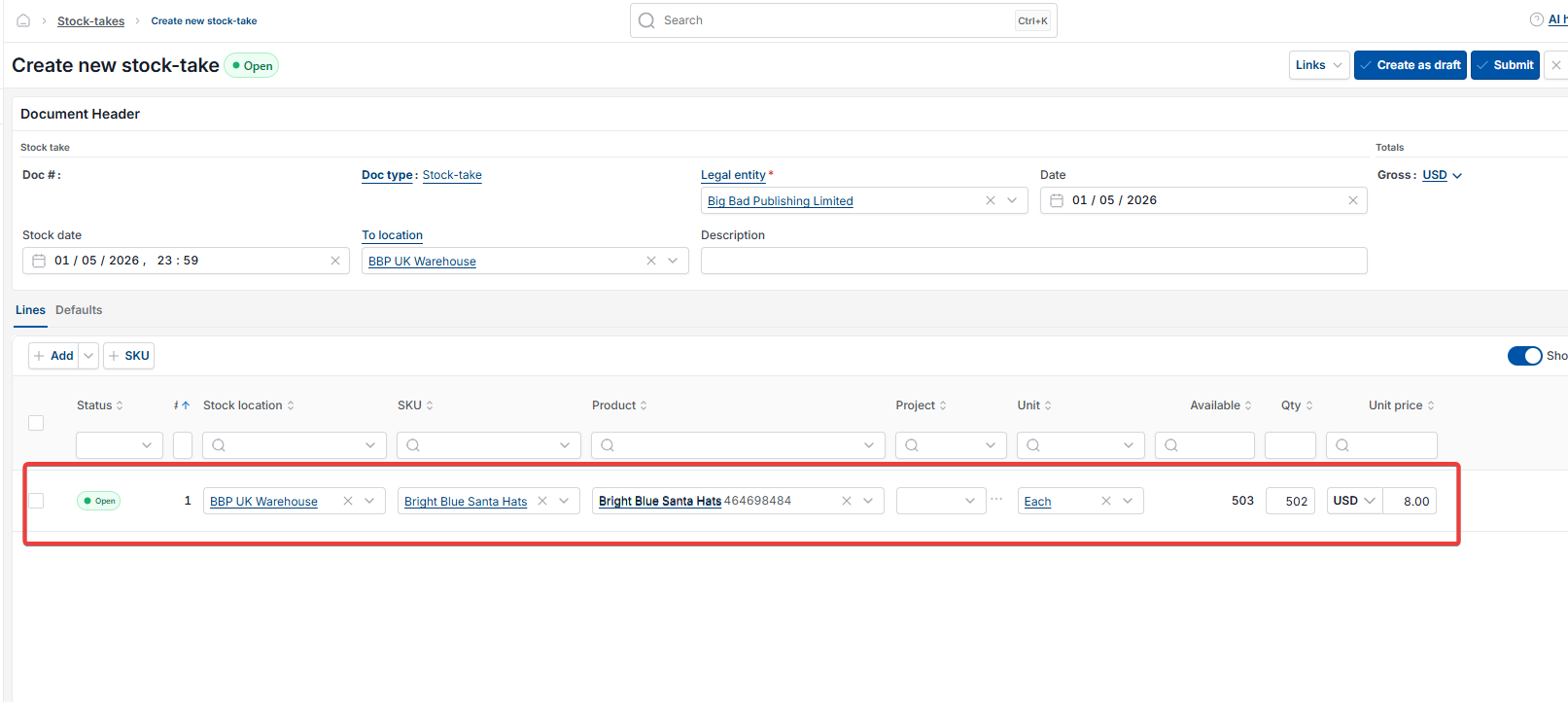
- Select the 'Legal entity'. 'Date' and 'Stock date' default automatically to today, and you can add a description
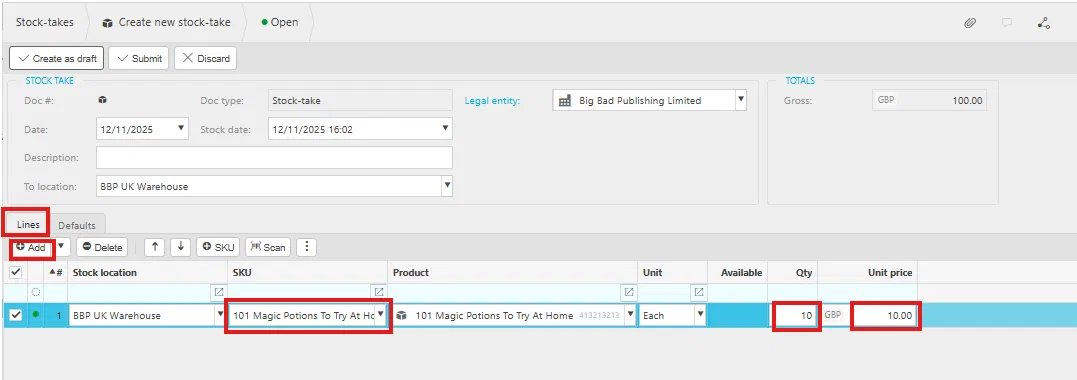
- On the 'Lines' tab, select 'Add' and enter the SKU and quantity ('Qty') for each product. Enter a negative quantity if the actual count is lower than the quantity currently shown in stock
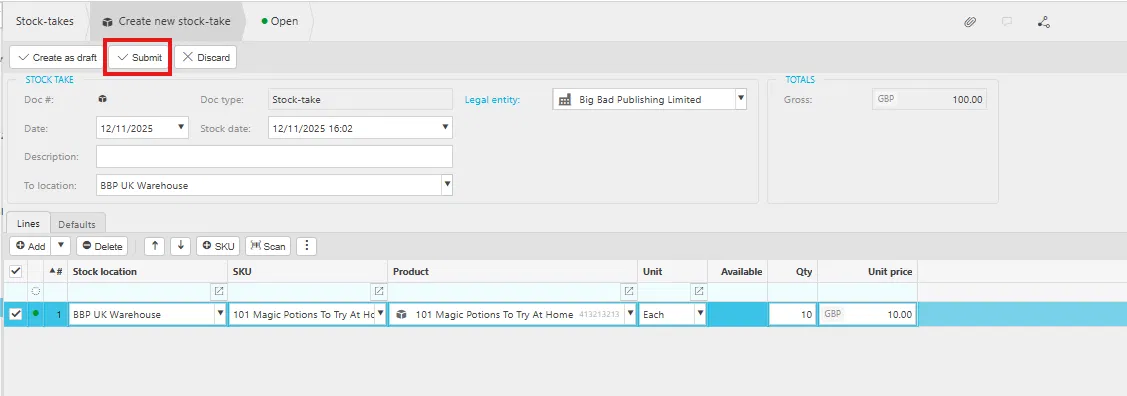
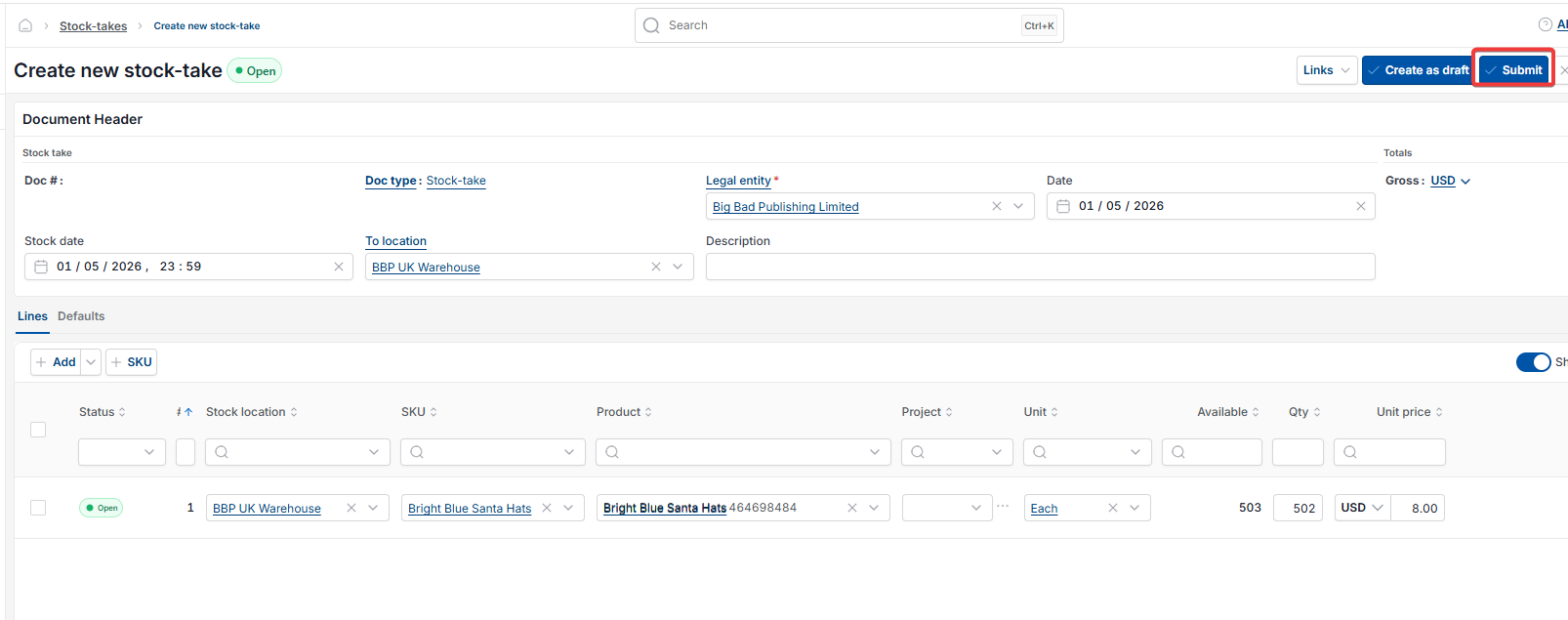
- Select 'Submit' once the stock take is complete.
Screenshots for Legacy UI (before October 2026)
Screenshots for New UI (post October 2026)

Importing a stock take using a template
As an alternative to creating a stock take manually, generate one by importing a template through Document Imports.
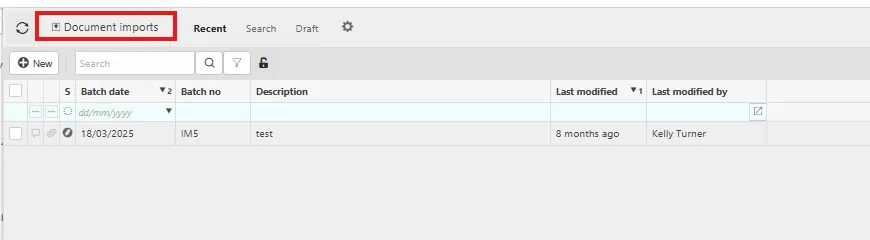
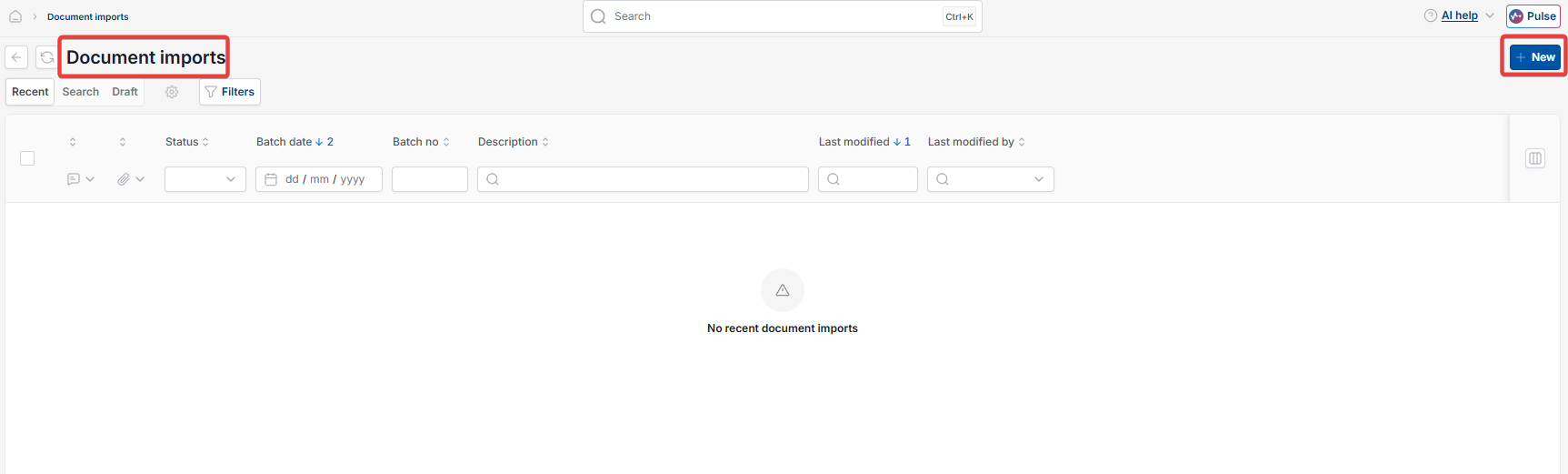
- Navigate to 'Document imports' and select 'New'
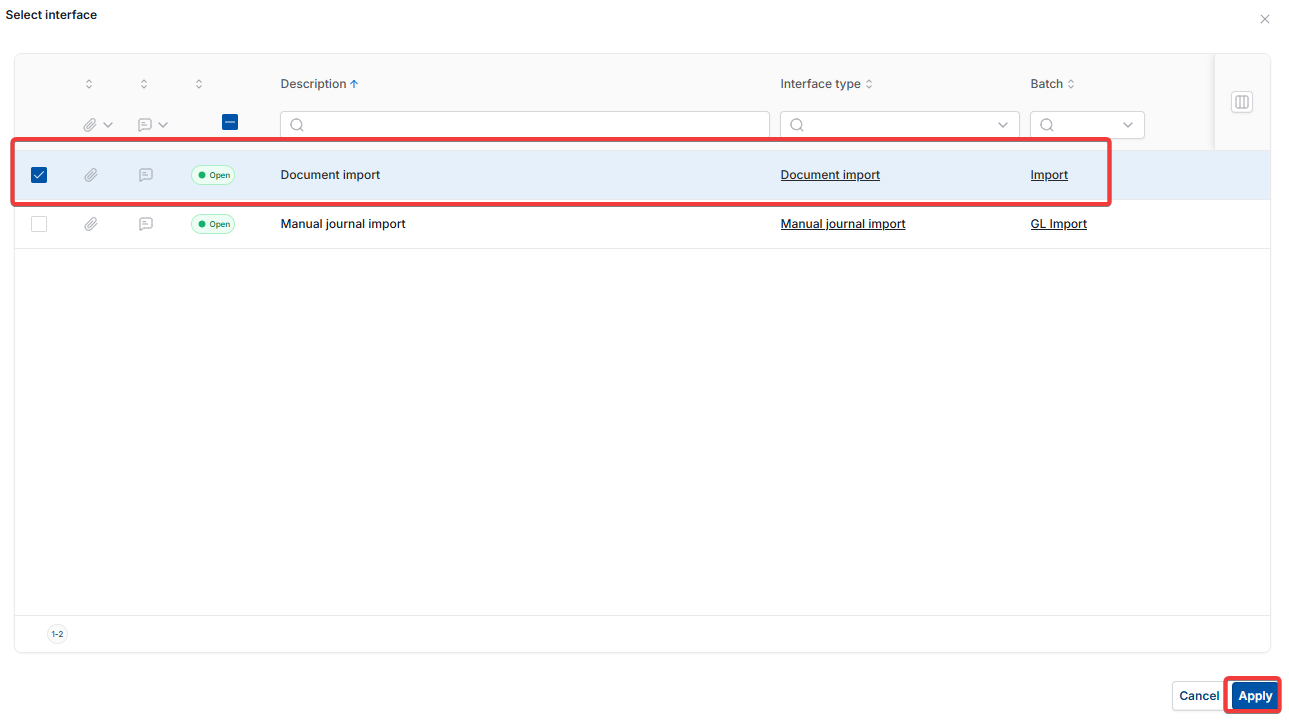
- Select 'Document import' from the 'Select interface' window, then select 'Apply'
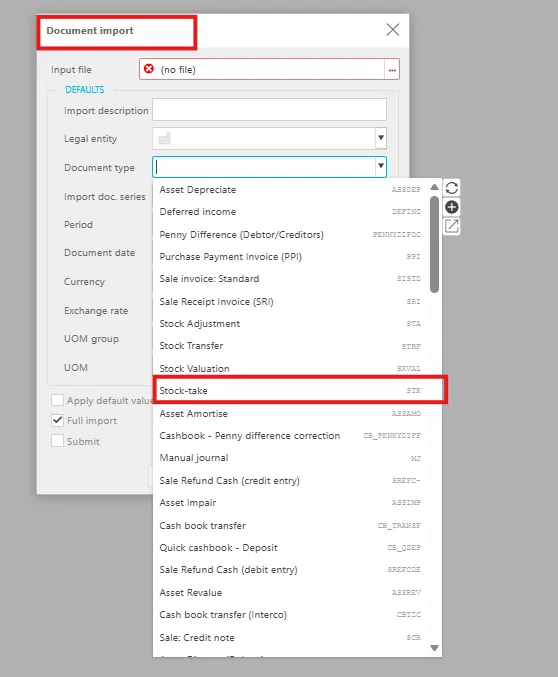
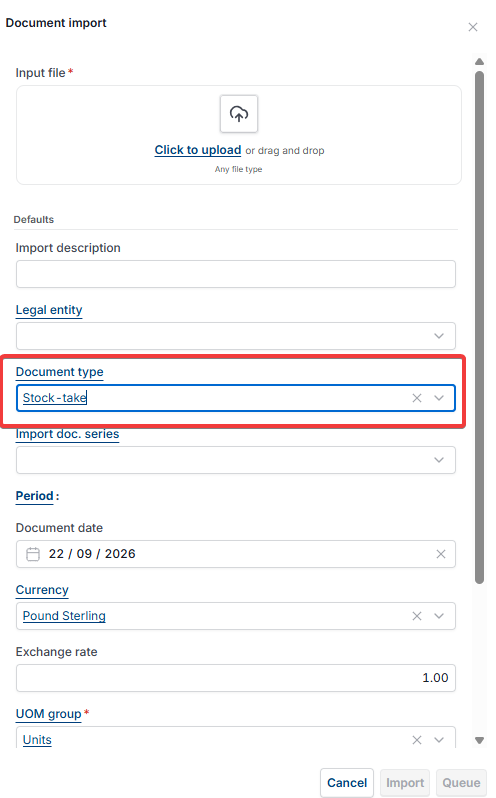
- In the 'Document import' window, select 'Stock-take' from the 'Document type' dropdown
- Complete the remaining import fields, such as 'Legal entity' and 'Input file'.
Screenshots for Legacy UI (before October 2026)
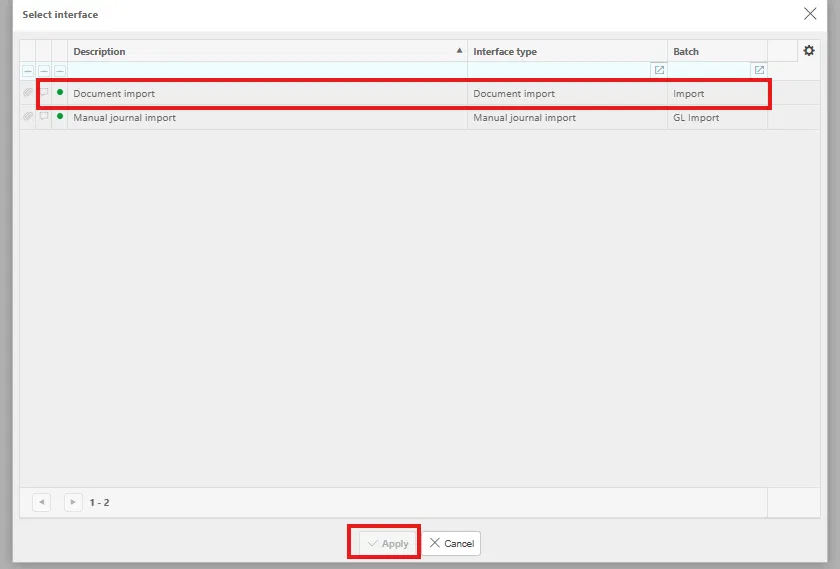
Screenshots for New UI (post October 2026)
Customer search terms
Do a stock take
Create a stock take
Stock take import
Stock-take SKU quantity
Import stock take template
Reduce stock quantity stock take