

To allow a VAT return to be unposted and resubmitted without being sent to HMRC a second time you will need to reverse the original return and then remove the HMRC interface within the tax group.
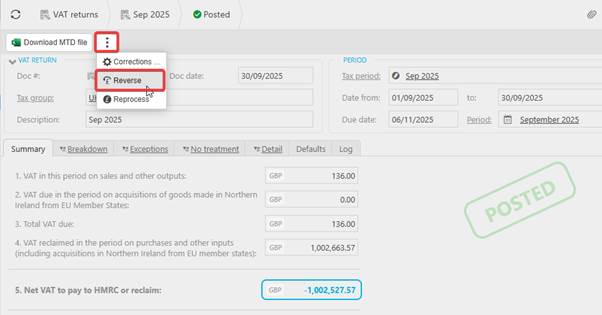
To reverse the return navigate to the return and click the ellipsis and select ‘reverse’:
Go to the tax group and remove the HMRC MTD Interface so the field is blank and click 'Save':
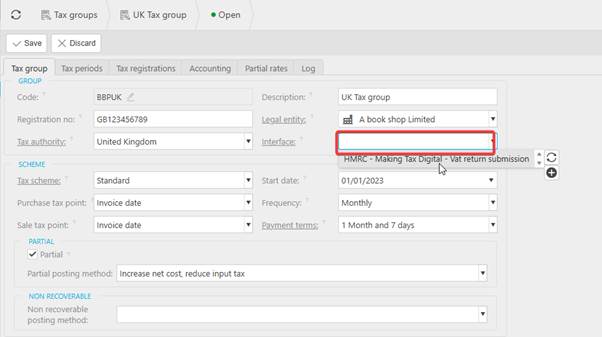
This will remove the connection between iplicit and HMRC, this will need to be re-added once the VAT return has been reposted.
Create the return again and make the necessary changes you require. Once done click ‘estimate’ and then ‘submit’ and the return will be approved. Process and post to complete and re-add the interface to the tax group to finish.
A similar approach will need to be taken if you are setting up MTD for the first time in iplicit and you have already posted documents with tax bands/codes in iplicit. Removing/not adding the interface, creating and posting tax returns, the add the interface to commence with posting VAT returns to HMRC following successful authorisation of MTD on the MTD registrations screen