

When you run the year end button from the financial year that you are trying to close, there is a setting called Finalise year end rollover.
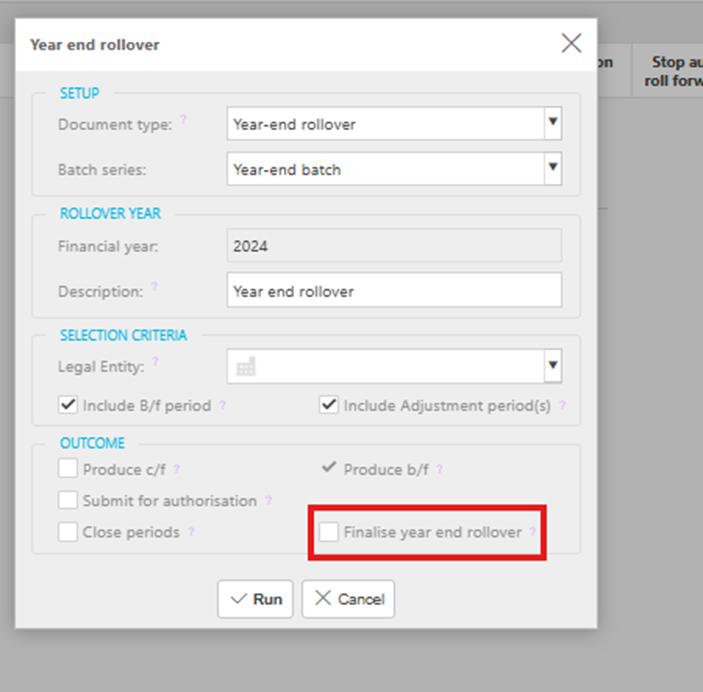
If that option isn’t ticked, iplicit will treat your balance sheet figures as still pending—even if you’ve already created and submitted your year-end rollover manual journal.
Ticking the box locks the balances into the brought-forward period of the financial year being closed. Without it, the rollover journal will include both the previous year’s and the current year’s balance sheet totals, which can cause confusion.
If you have posted a Year end rollover that has got two financial year balances on your balance sheet g/l codes. We would recommend using the corrections option (providing you have the relevant user permissions) and select Unpost.
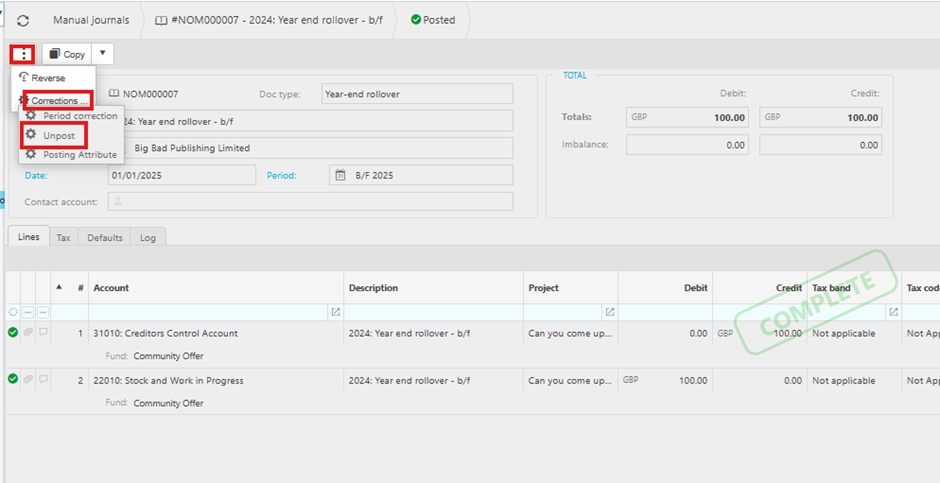
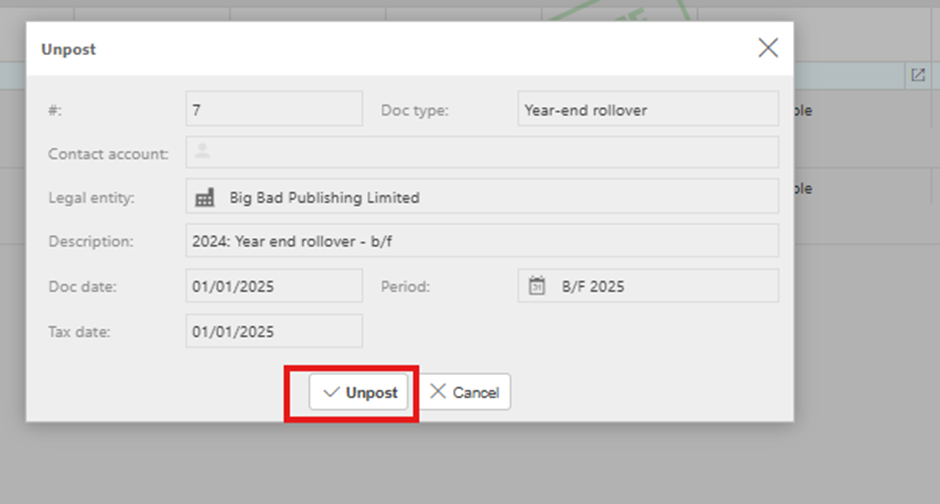
Now select unpost button within the pop-up.
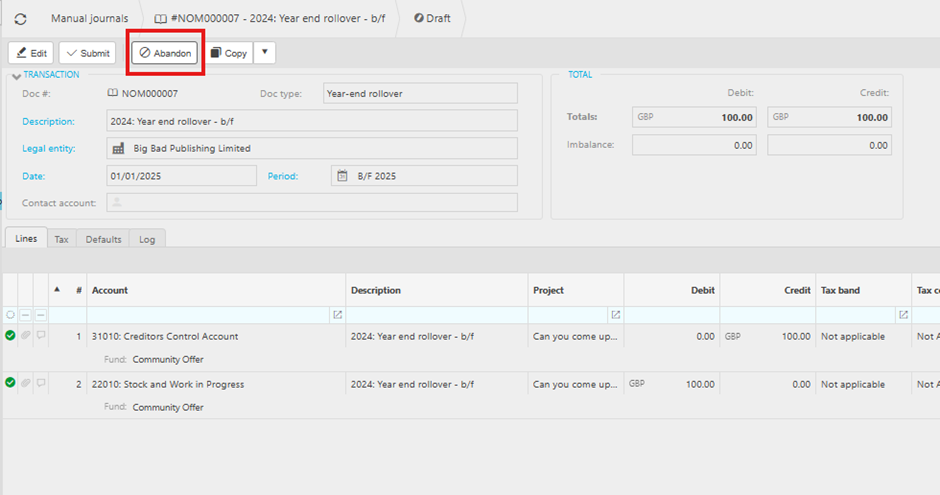
Select Abandon
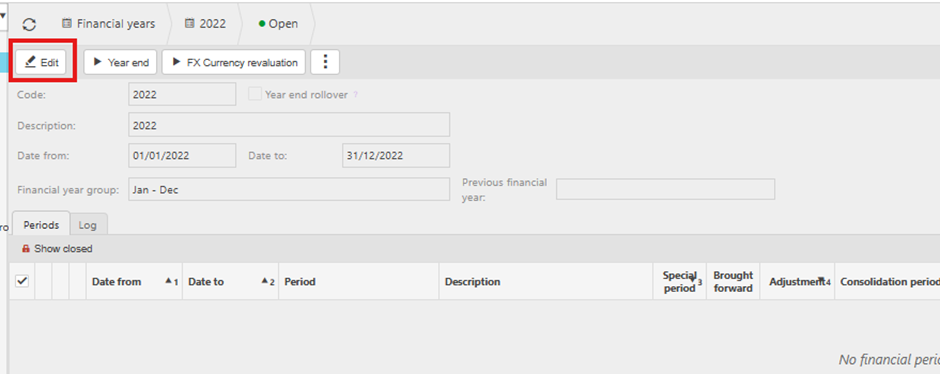
Now back to the financial year screen and double click into the relevant previous financial year and click the Edit button.
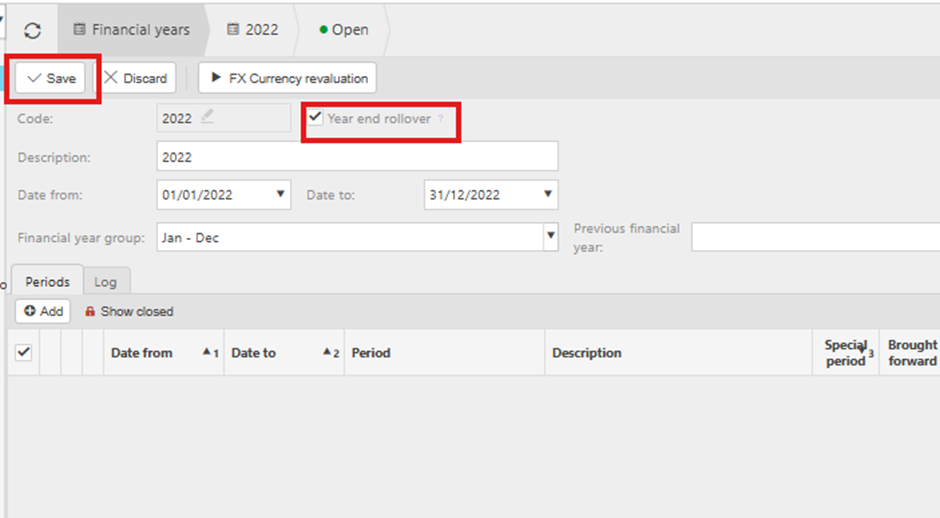
Click onto the Year end rollover and it will tick the Year end rollover option and click the Save button.
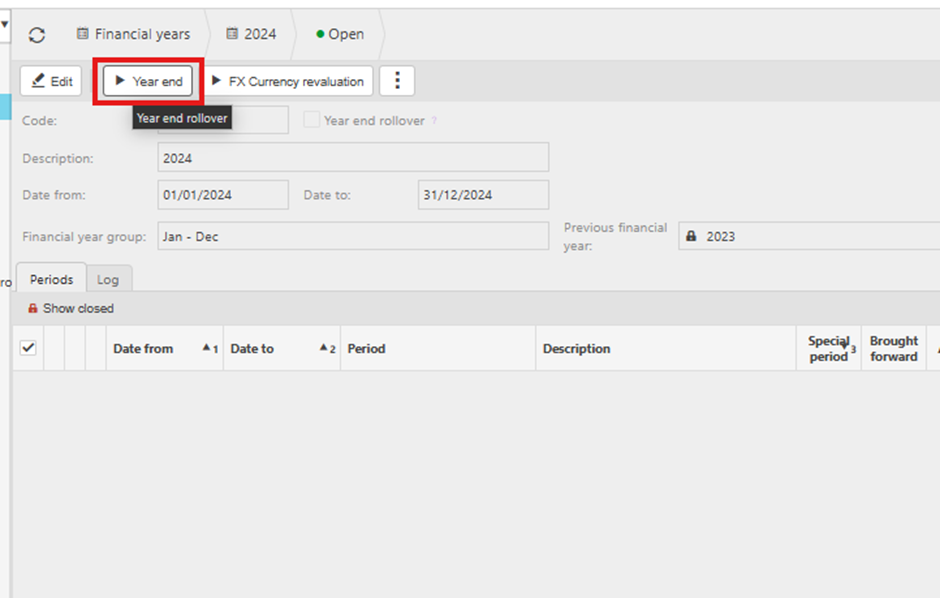
Now go back to the current financial year and click the Year end button to regenerate your year-end rollover manual journal/s and it will generate one per legal entity depending on how many legal entities you have, or your desired selection.
Rerun YERO
Rerun the year end rollover
How to redo the year end
Abandon year end documents
Duplicate year end figures
Carry forward
Brought forward
b/f
Finalize year end
Fi
_______________________________________________________________________________________