

This article covers stock quantities not updating after a document, such as a GRN, has been entered in Stock Tracking. This is most commonly caused by the document not being fully submitted.
Checking the document has been submitted
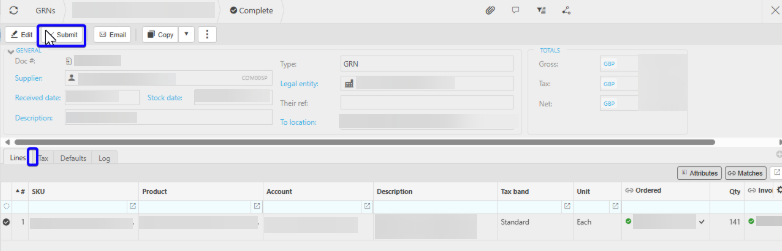
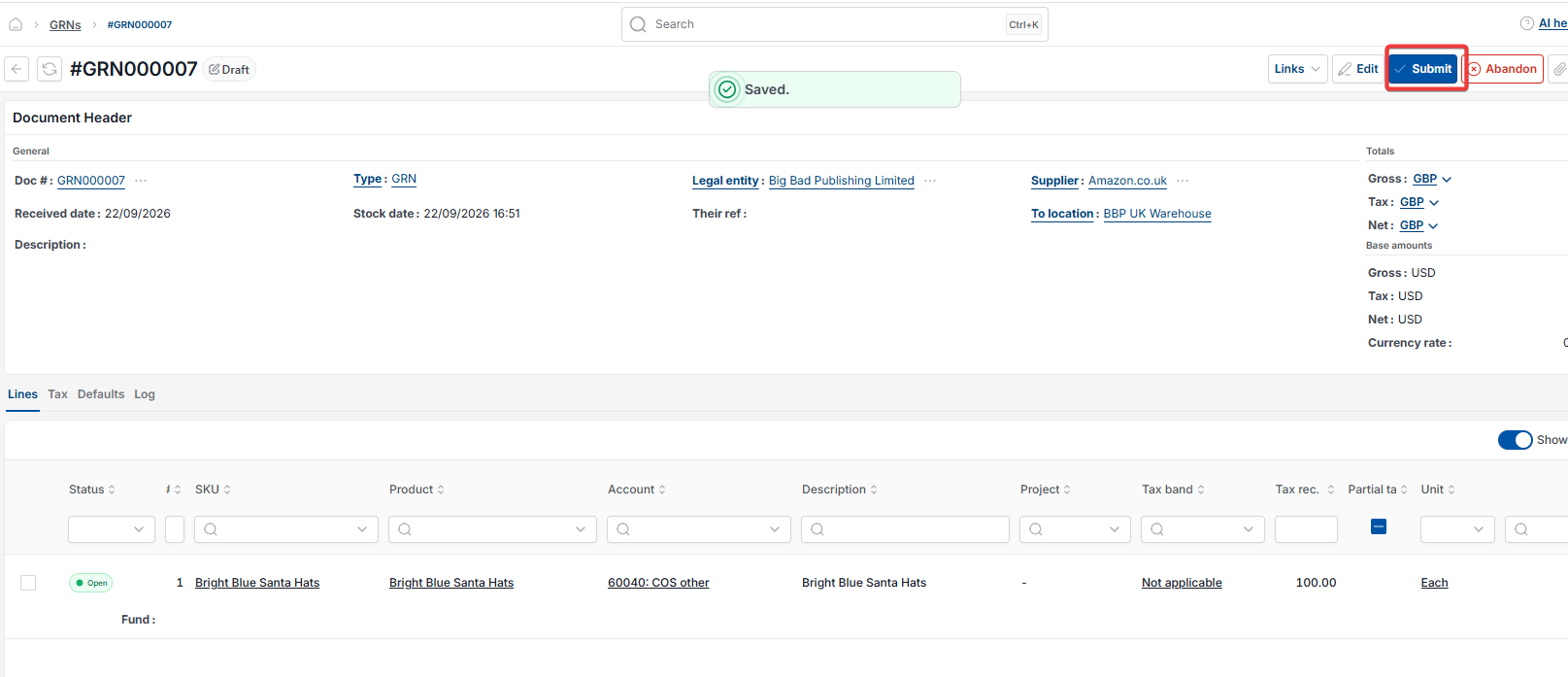
If stock isn't updating as expected, first check the document has been fully submitted. An unsubmitted document will not affect stock, even if it shows as 'Complete'.
Checking a missing Stock tab on the document
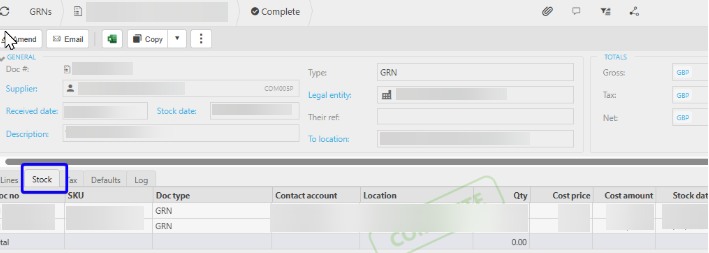
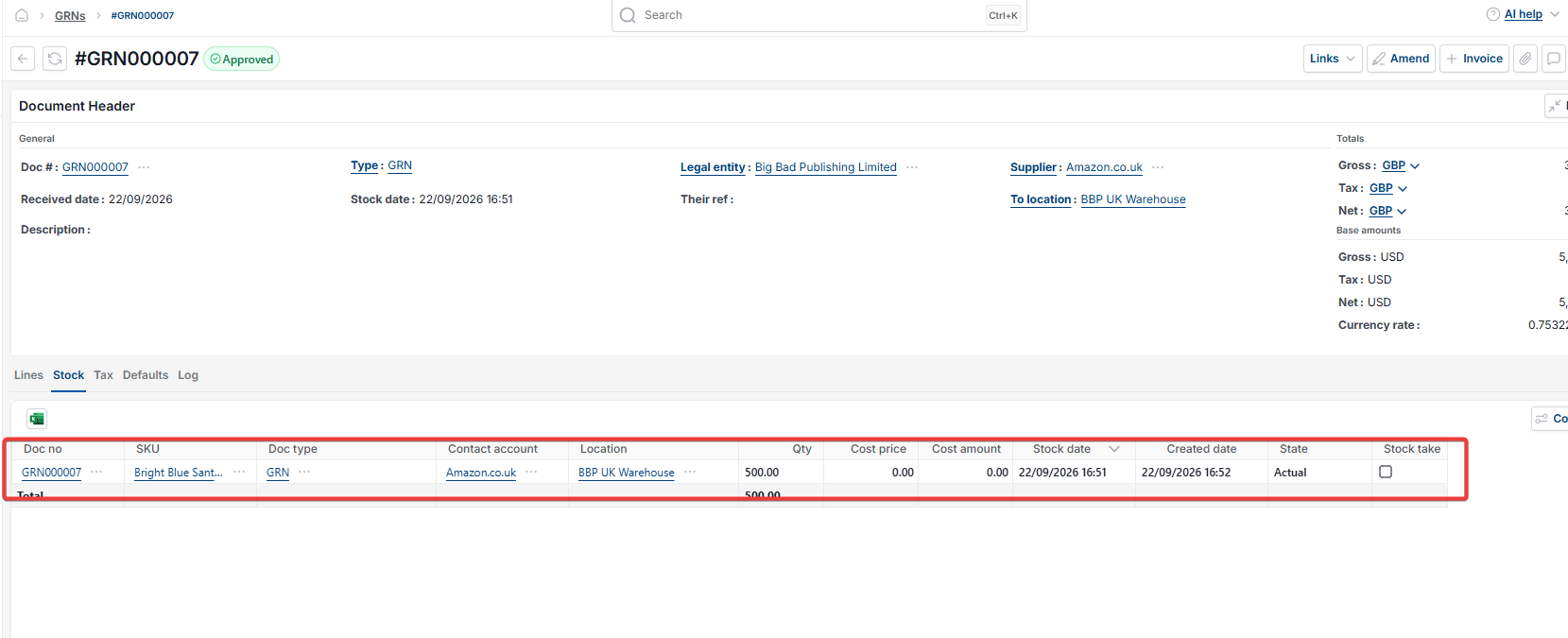
If the 'Stock' tab doesn't appear on the document, stock hasn't posted. This is usually caused by one of the following:
- The document hasn't been fully submitted
- An SKU or product hasn't been applied to the document
- The document type doesn't affect stock as expected – check its settings to confirm stock is enabled.
Example: a document showing as complete but not submitted
A document, such as a GRN, can show a 'Complete' status while still being unsubmitted. Select 'Submit' on the document to submit it. Once submitted, the 'Stock' tab appears, stock updates to the correct balance, and the document shows the 'Completed' watermark.
Stock not updating after entry
Stock tab missing document
GRN not updating stock
Document not affecting stock
Unsubmitted document stock
Stock not posting