

If the prepayment option is not appearing on your invoice, there are two key areas to check in iplicit.
1. Check the Invoice Type Configuration
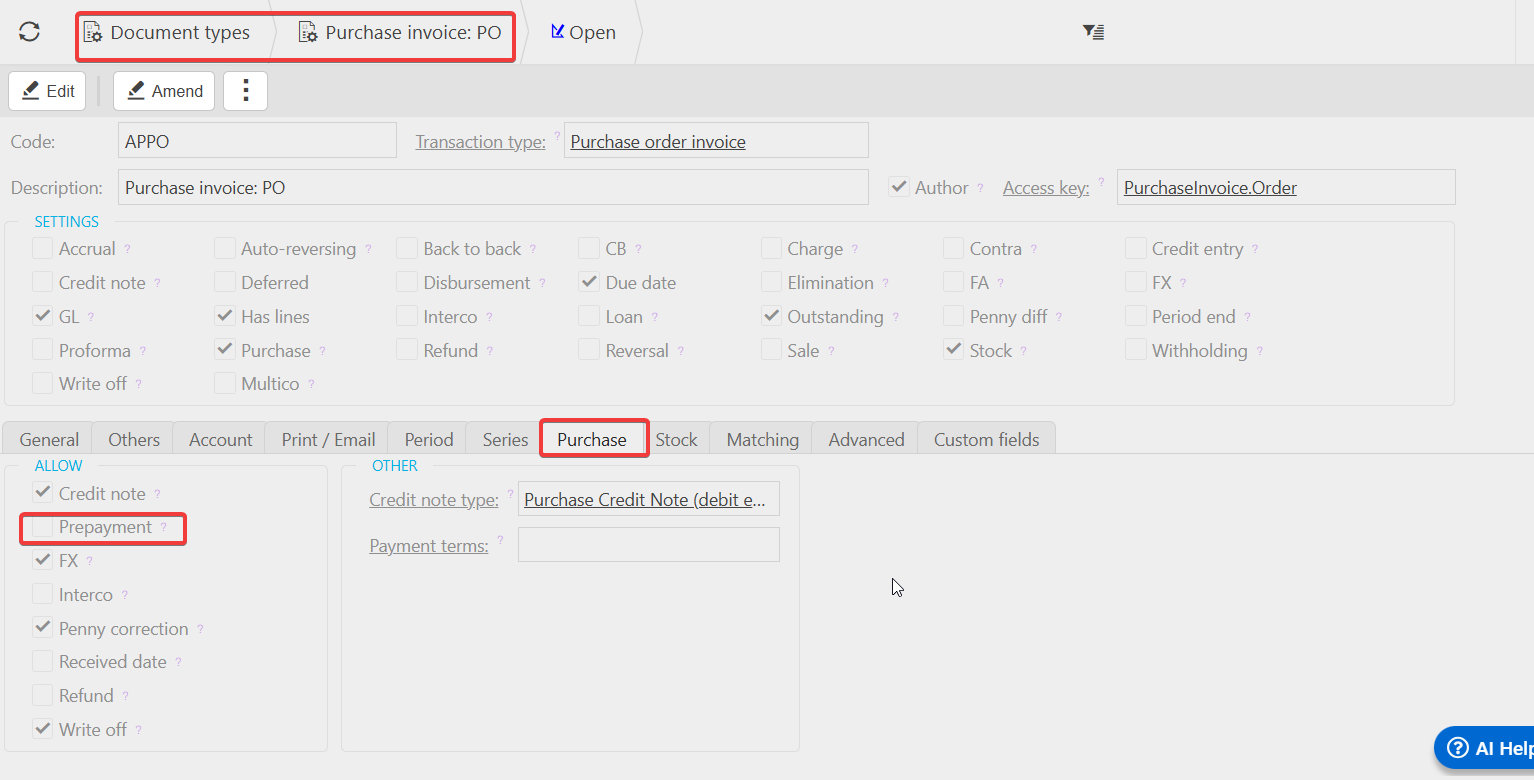
- Go to Document Types.
- Select the relevant Invoice Type.
- Open the Purchase tab.
- Make sure the Prepayment option is ticked.
If this setting isn’t enabled, the system won’t allow prepayments for that invoice type.
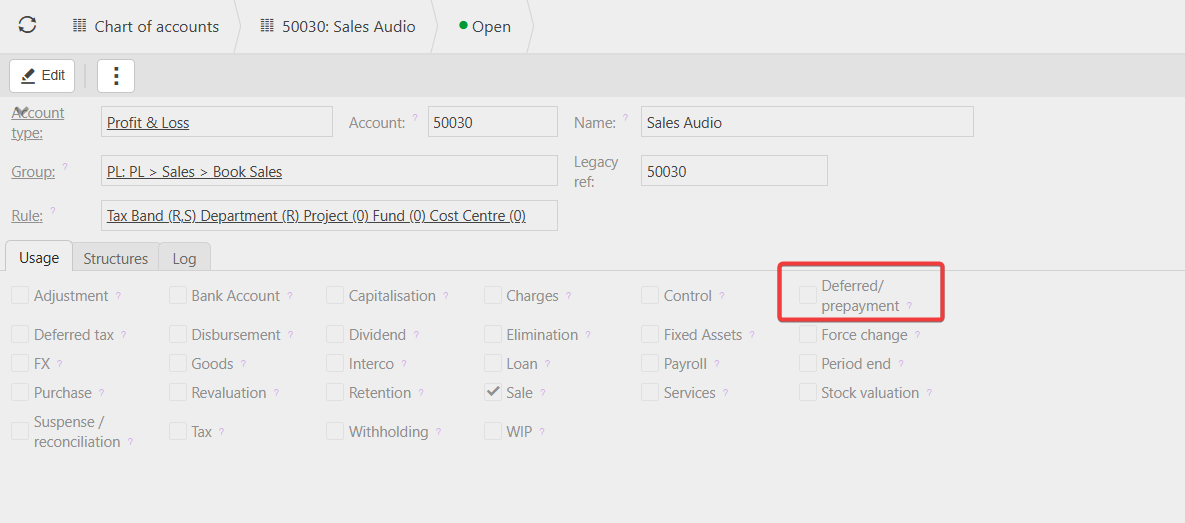
2. Check the GL Account Settings
The GL account used on the invoice must also be enabled for prepayments.
If the account is not set up to allow prepayments, the option will not appear even if the document type is configured correctly.
Please be aware prepayment settings are not available on Cash Journal document types.
Customer search terms
Prepayment settings
Document set up for prepayments
GL account prepayments
_______________________________________________________________________________________