

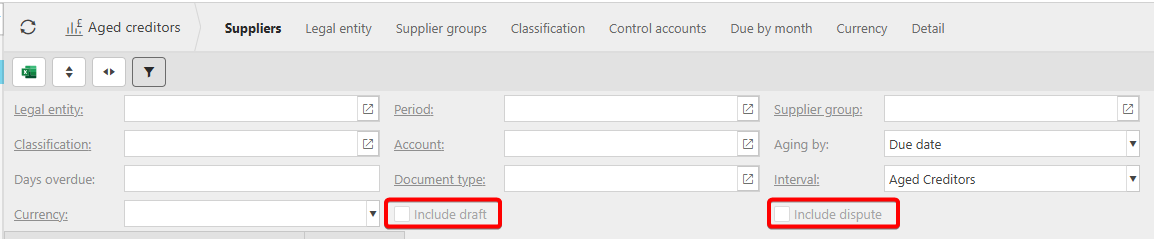
By default, the Aged Creditor Report excludes Draft and Disputed transactions. However, these can be included when generating the report by selecting the appropriate options. Within the report settings, there is a tickbox for Draft transactions and another for Disputed transactions.
To include these in the report, please follow the below steps:
1. Navigate to the Aged Creditors Report.
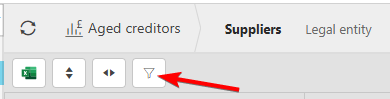
2. Click on the Filter button to bring up the available filters.
3. Ensure that the relevant tick boxes have been ticked.
4. Click refresh to update the data in the report.
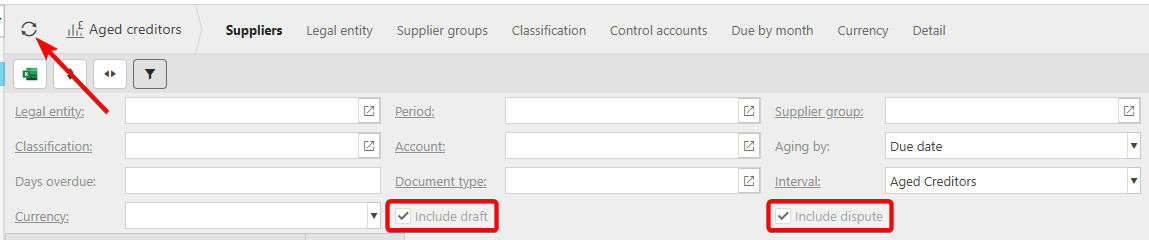
Once these have been enabled and the report refreshed, the Draft and Disputed transactions will also be included in the report.
If there is any difference between your aged creditors report and the creditors control account, this may be for other reasons, such as difference in filters on each screen, settings on the control account or errors with posting.