

This article covers creating a custom sale invoice type within the Sales Ledger – for example, a Donation invoice used alongside your standard sale invoice. A sale invoice type controls how the transaction behaves; a document series is a separate, optional numbering sequence used to group and distinguish documents. This article shows how the two work together.
Permissions needed to create a custom Sale invoice type
To create a document series yourself, your user needs the 'Document Type: Admin' permission. If you don't have this permission, or don't need a separate numbering sequence, you can skip document series creation entirely and use an existing sale invoice series instead – go straight to 'Copying an existing Sale invoice type to create your custom type' below.
A document series isn't required to create a custom sale invoice type, but it does make it easier to tell your custom invoices apart from standard ones, both on screen and on reports.
Creating a document series for your custom Sale invoice type
If you want a dedicated series (for example, one named 'Donation Invoice'), create this first. See 'How do I create a new document series' for the full steps. Name the series to match your custom sale invoice type so the two are easy to identify together.
If you're using an existing series instead, skip this step.
Copying an existing Sale invoice type to create your custom type
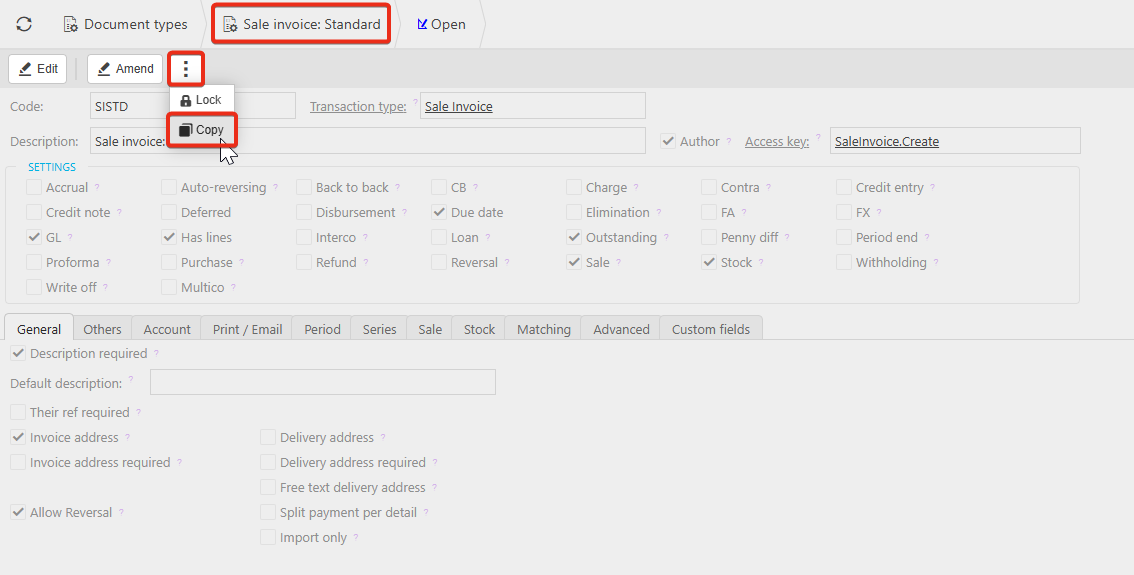
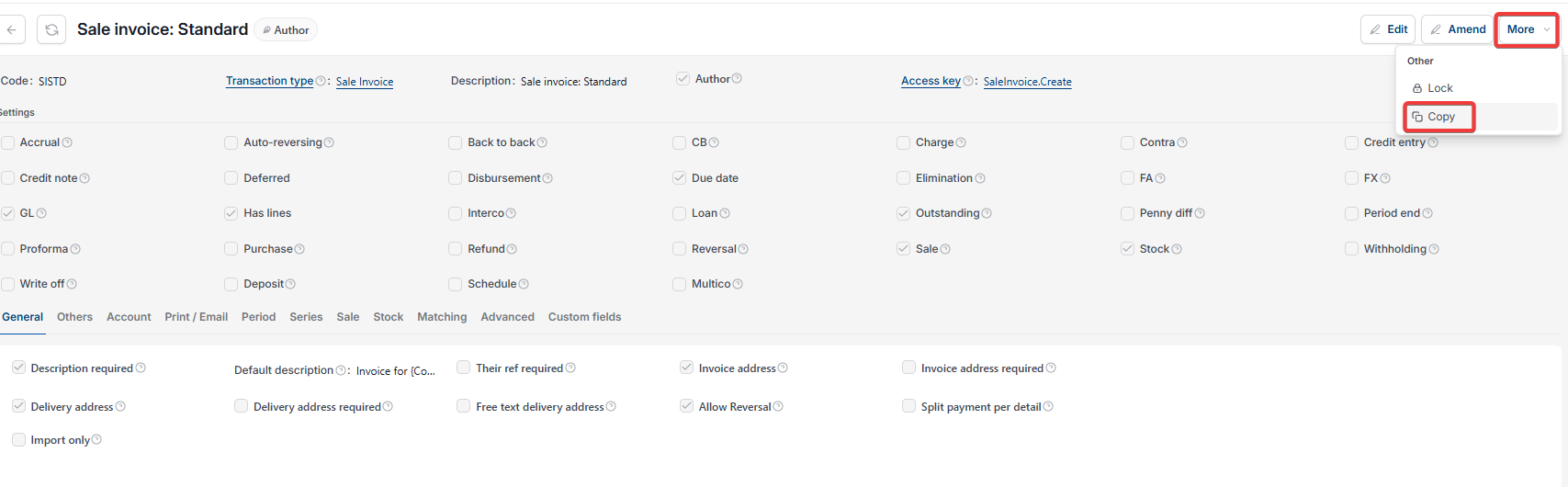
- Navigate to 'Document types', locate 'Sale invoice: Standard' and open it
- Depending on your screen, select the ellipsis or the 'More' menu, then 'Copy'
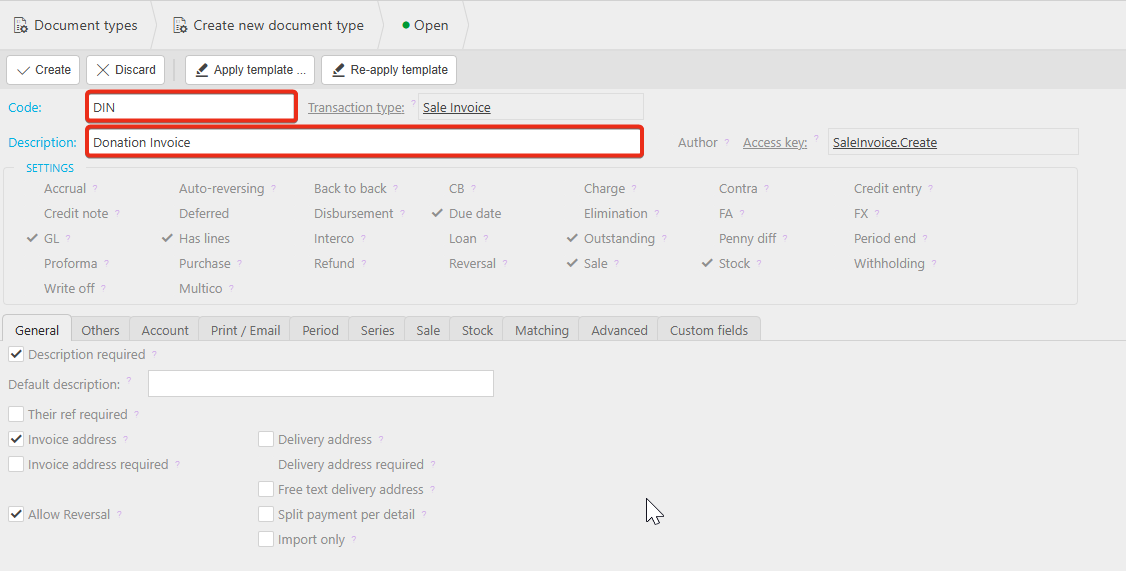
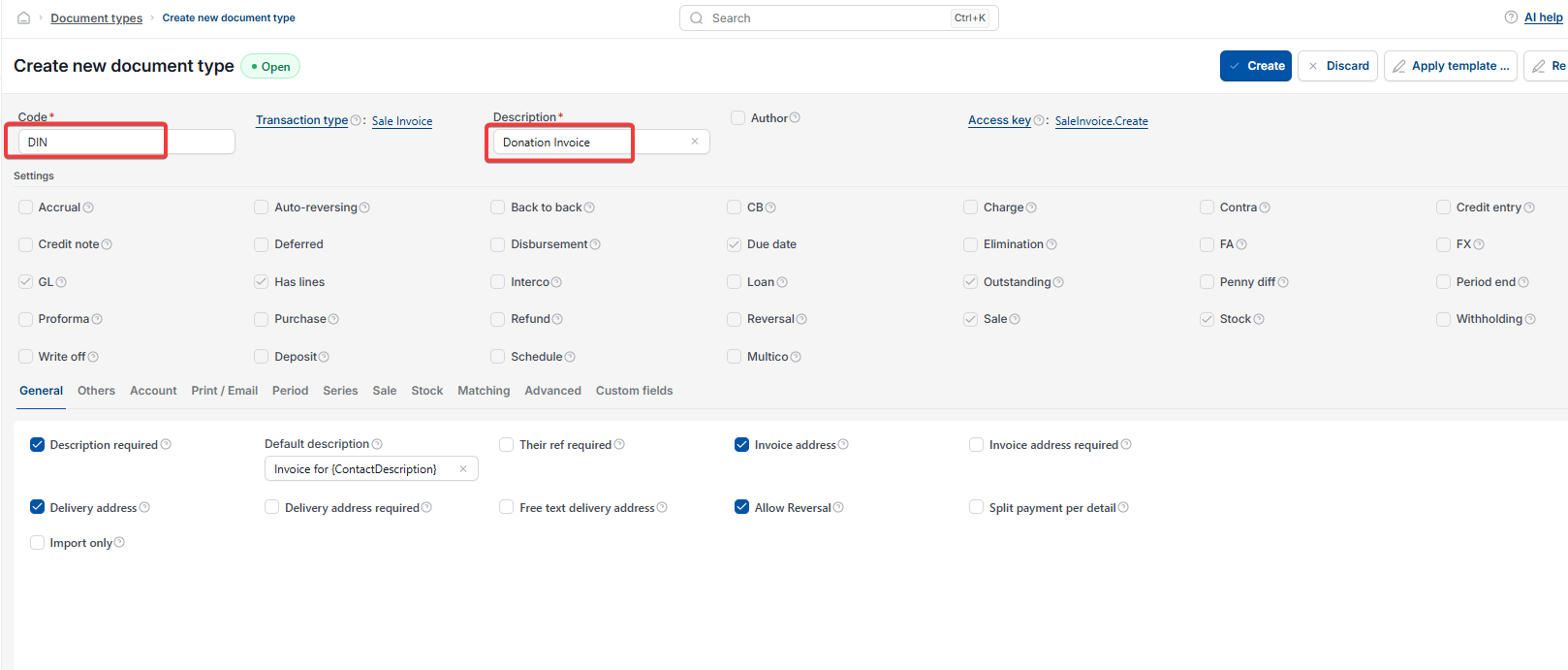
- Enter a code and description for your custom Sale invoice type – for example, 'Donation Invoice'.
Linking your document series to the custom Sale invoice type
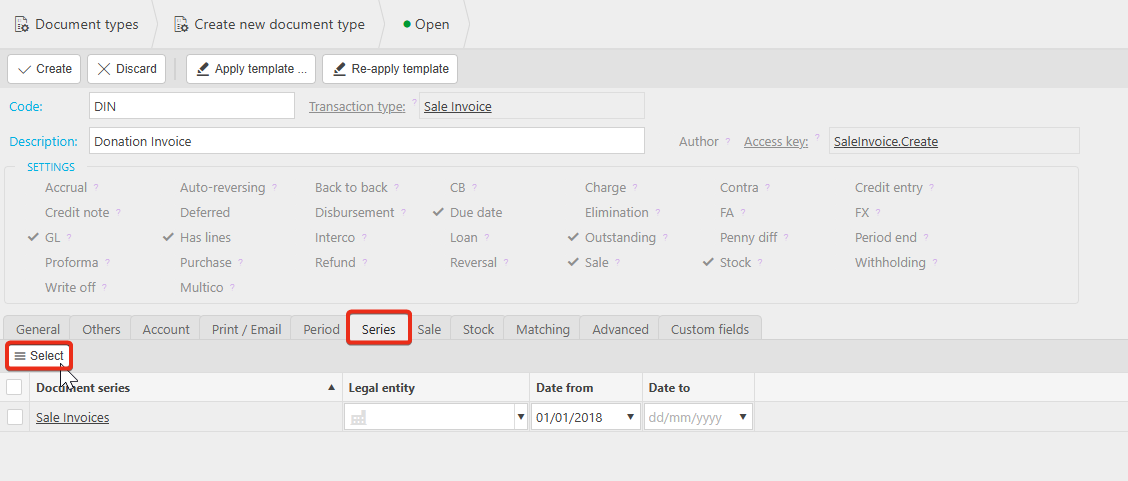
If you created a document series, link it to your new sale invoice type now:
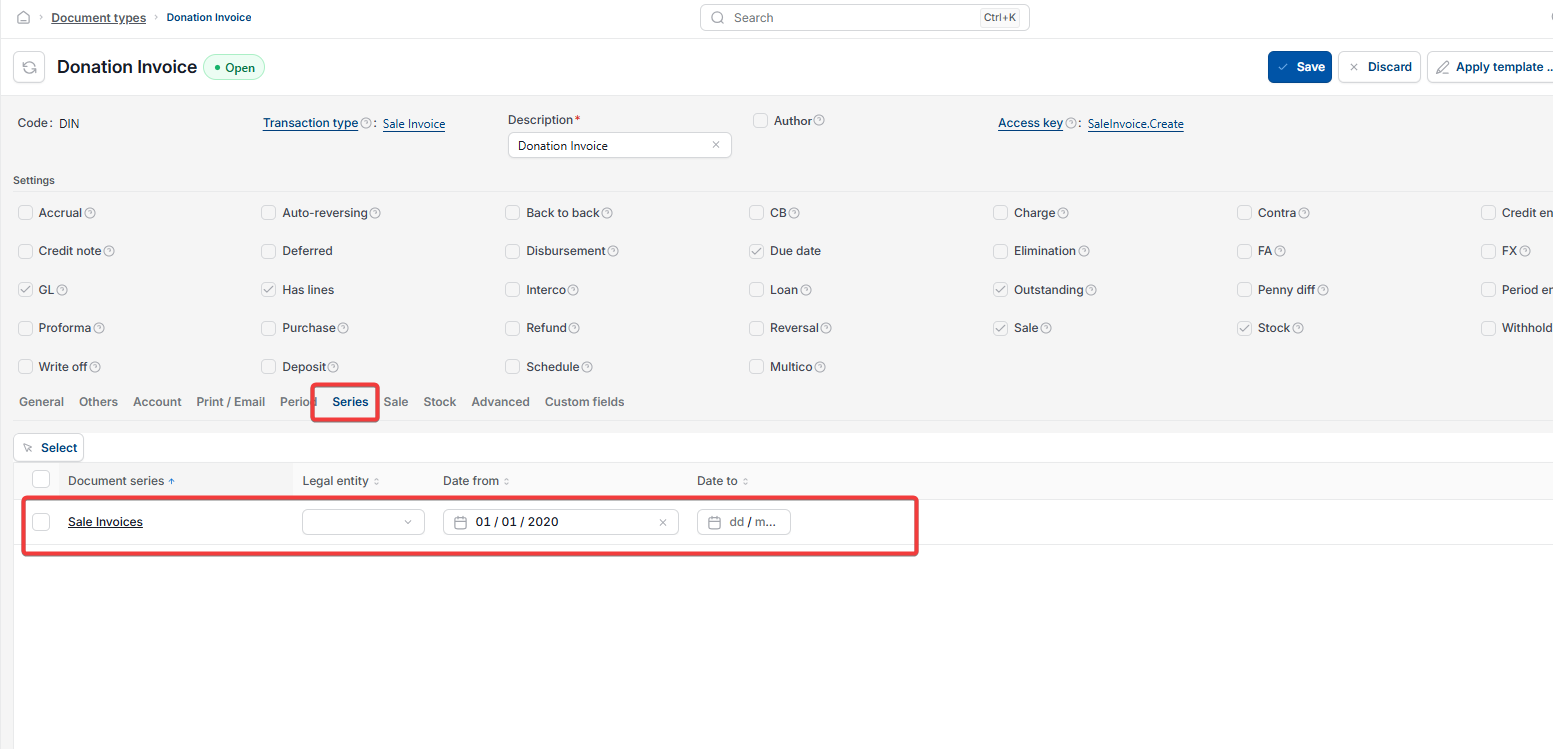
- Open the 'Series' tab on your custom sale invoice type
- Select the new document series (for example, 'Donation Invoice') on the left and move it to the right
- Move 'Sale invoice' from the right back to the left, so only your custom series is active for this type
- Apply the change.
If you're using an existing series, skip this step.
Setting the start date for your custom Sale invoice type
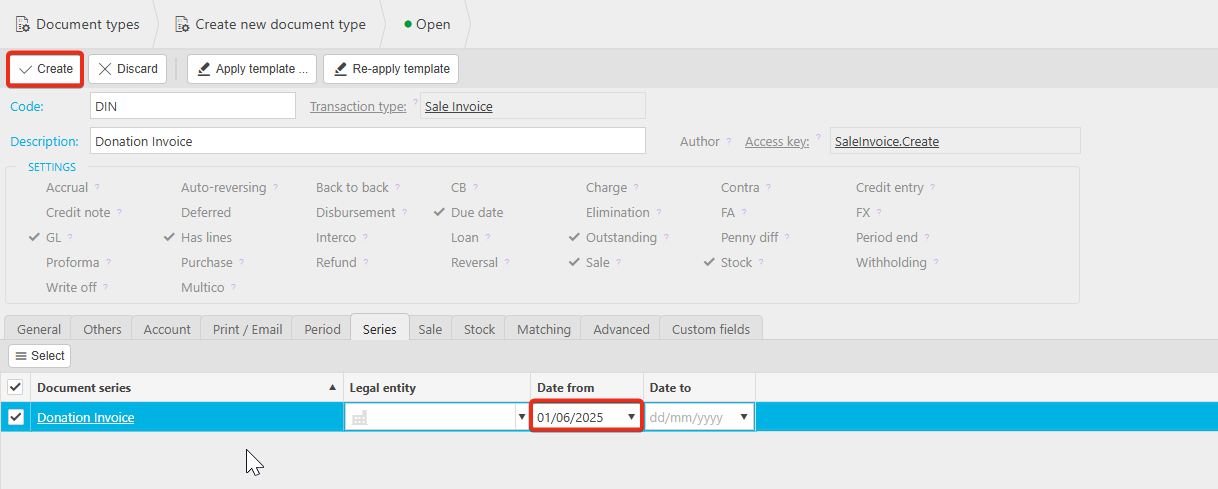
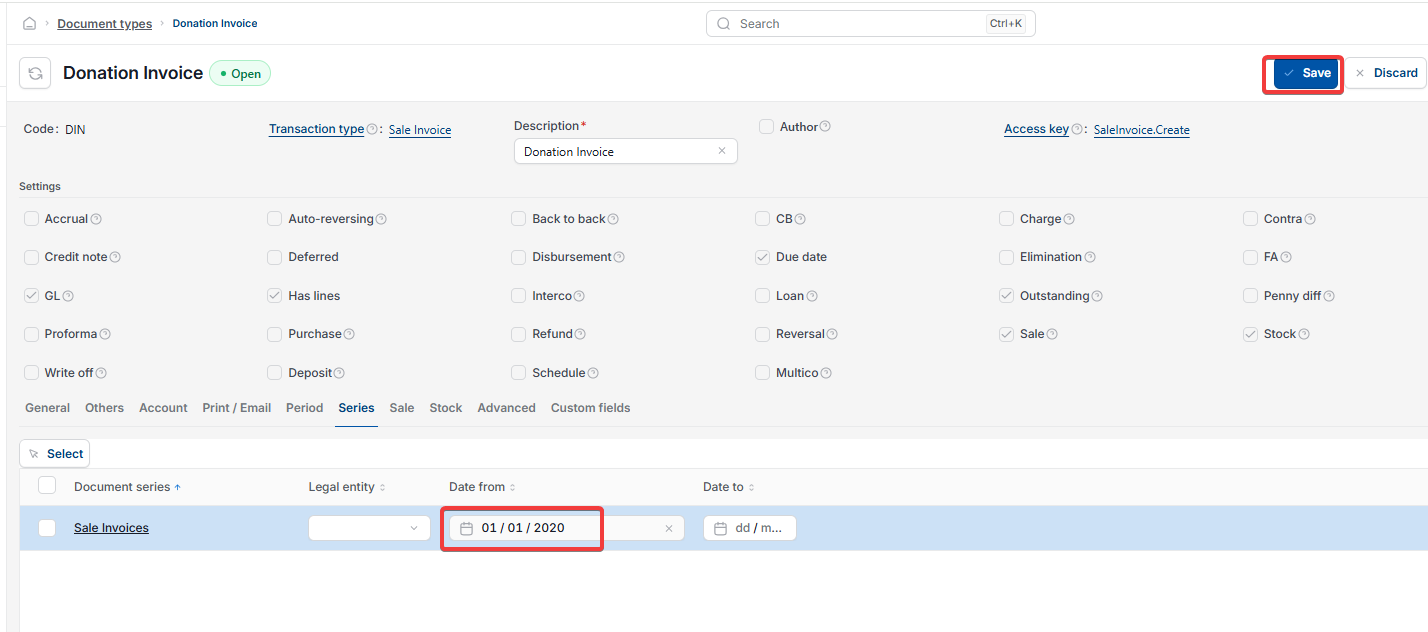
Before creating your custom sale invoice type, set the 'Date from' field to a date earlier than any invoices you'll raise using it. Then select 'Create'.
Using your new Sale invoice type
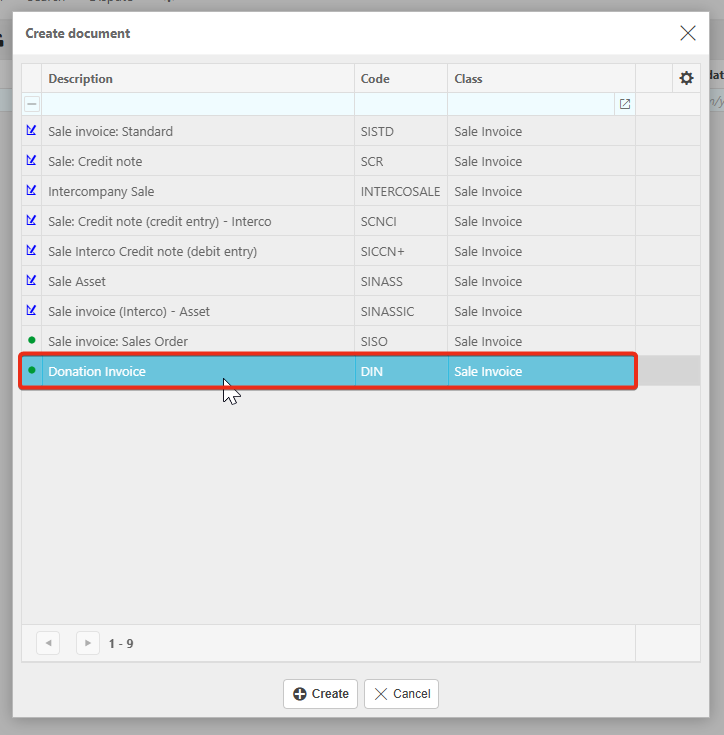
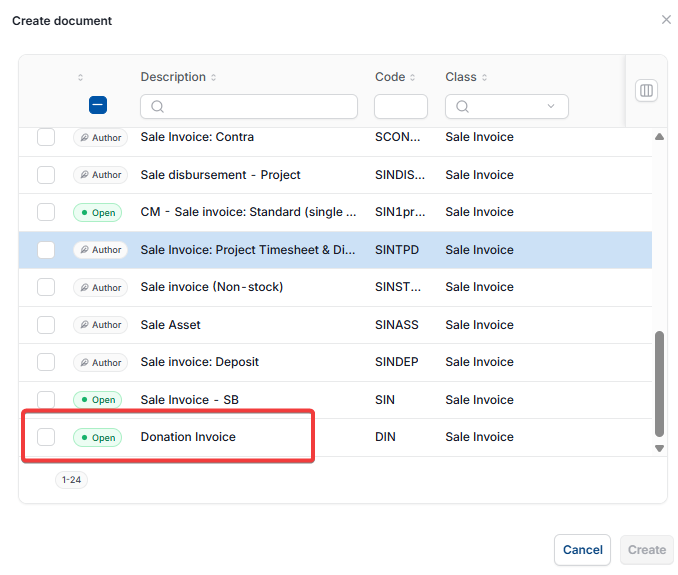
Your custom sale invoice type – for example, Donation invoice – is now available whenever you create a new sale invoice.
Changing the report header for a custom Sale invoice type
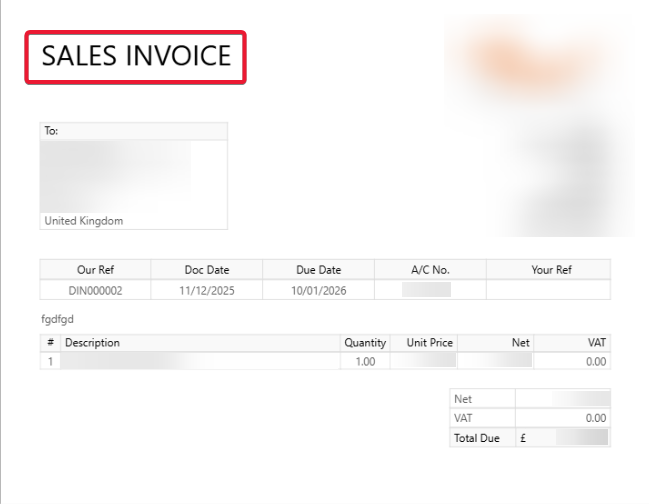
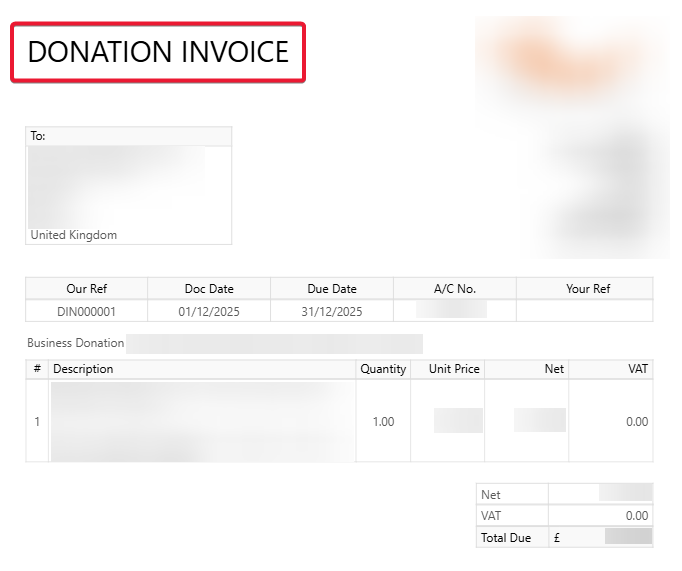
If you'd like the header on generated reports to reflect your custom sale invoice type, contact the iplicit Support team. This isn't something you can amend yourself within the Sales Ledger.
Custom sale invoice
Create invoice type
Donation invoice
Custom document type
Copy document type
Invoice template sale ledger