

This article covers whether prepayments can be used on cash documents in the Purchase Ledger. A standard cashbook journal withdrawal document type does not support prepayments as it does not have a 'Purchase' tab, which is where the prepayment option is enabled. However, a 'Purchase Payment Invoice' (PPI) document type does support prepayments as it shares similar properties to a cash journal but sits within the purchase invoice document class.
Using a Purchase Payment Invoice for prepayments
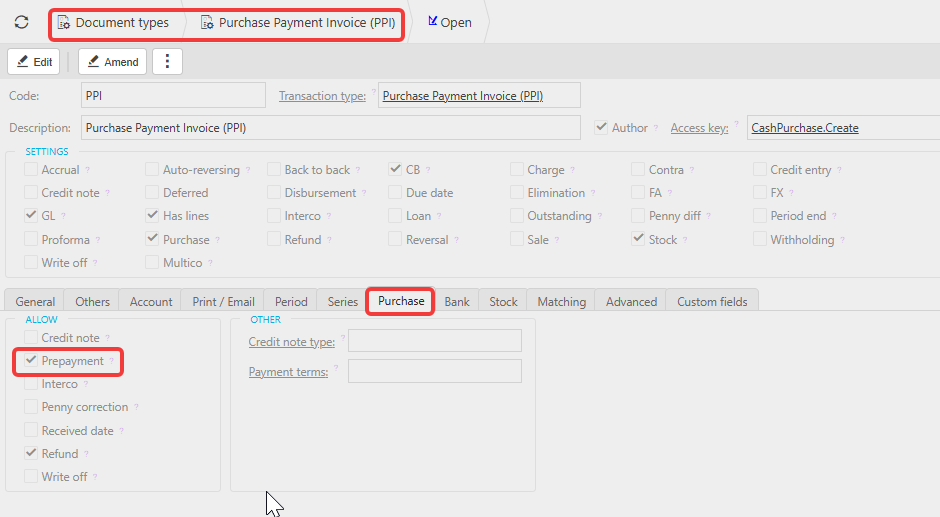
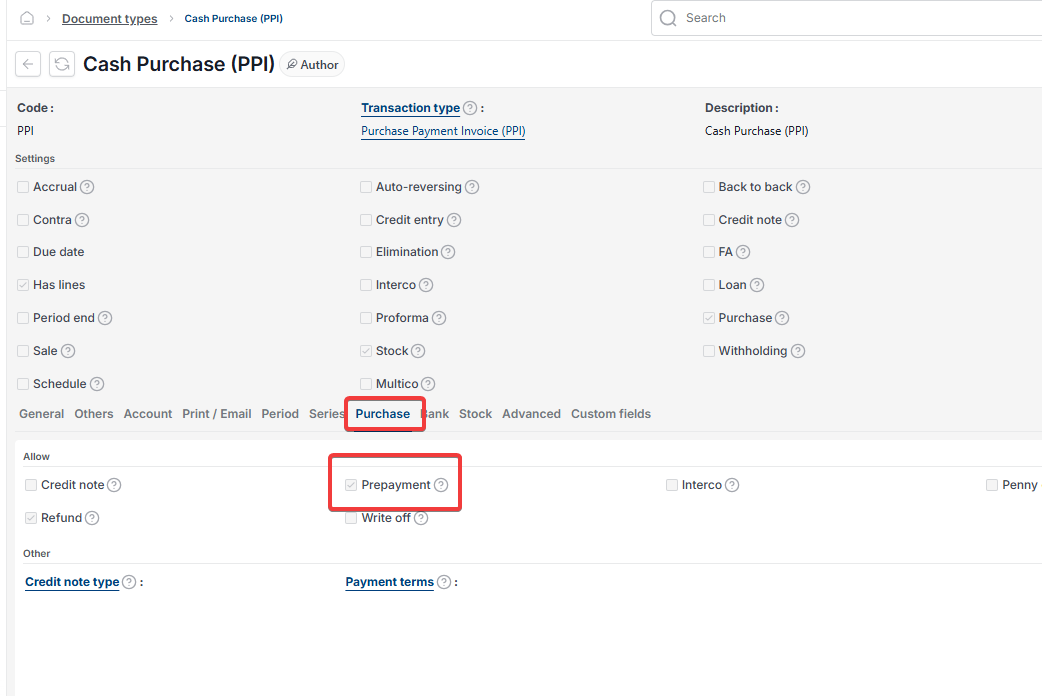
The Purchase Payment Invoice document type has a 'Purchase' tab, which means the prepayment option can be enabled on it. This makes it the correct document type to use when you need prepayment functionality on a cash-style transaction in the Purchase Ledger.
Ensure the following are in place before using this document type for prepayments:
- The 'Prepayment' tick box is enabled on the 'Purchase' tab of the Purchase Payment Invoice document type in 'Document types'
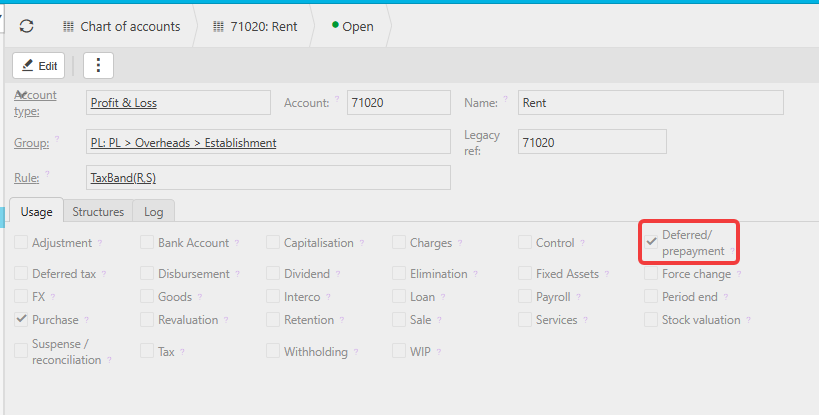
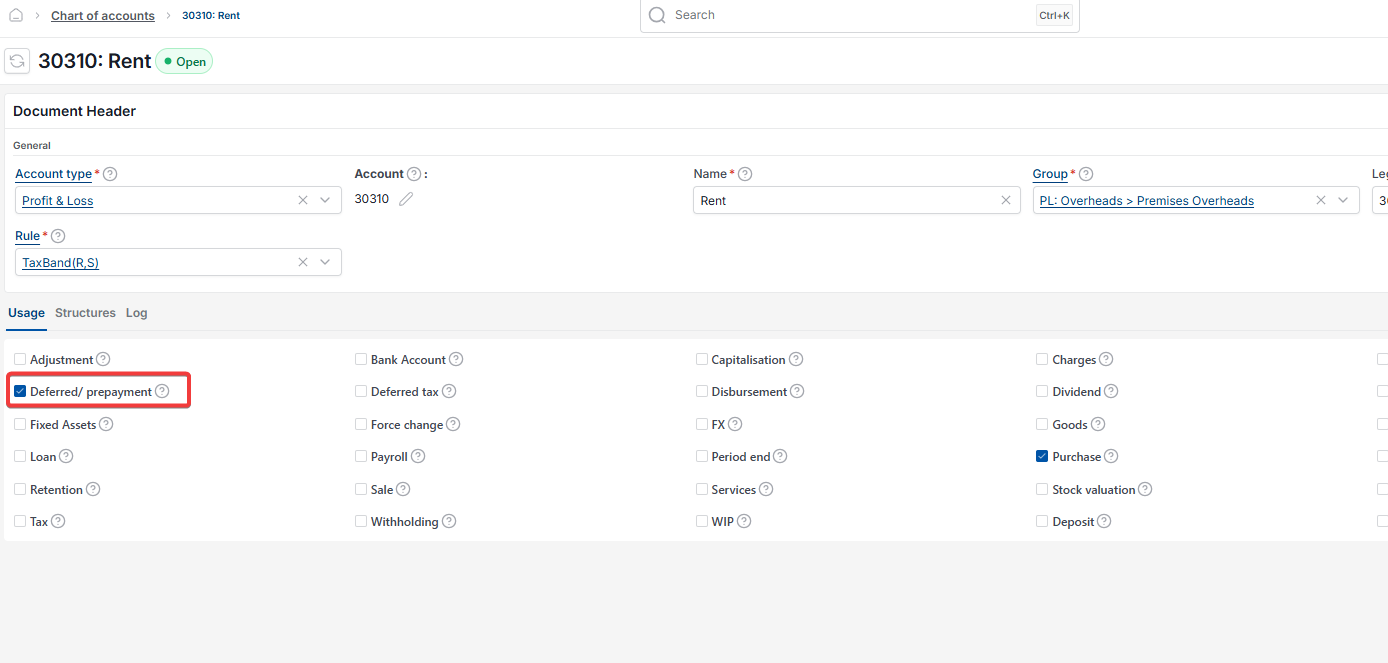
- The General Ledger account you intend to use on the document has 'Deferred/prepayment' ticked on its 'Usage' tab in the chart of accounts.
Creating a prepayment on a Purchase Payment Invoice
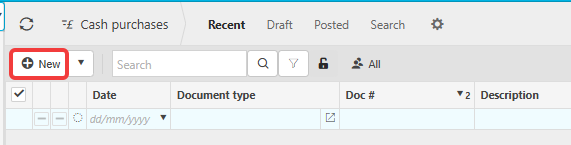
Navigate to 'Cash Purchases' and select 'New'. Select the Purchase Payment Invoice document type.
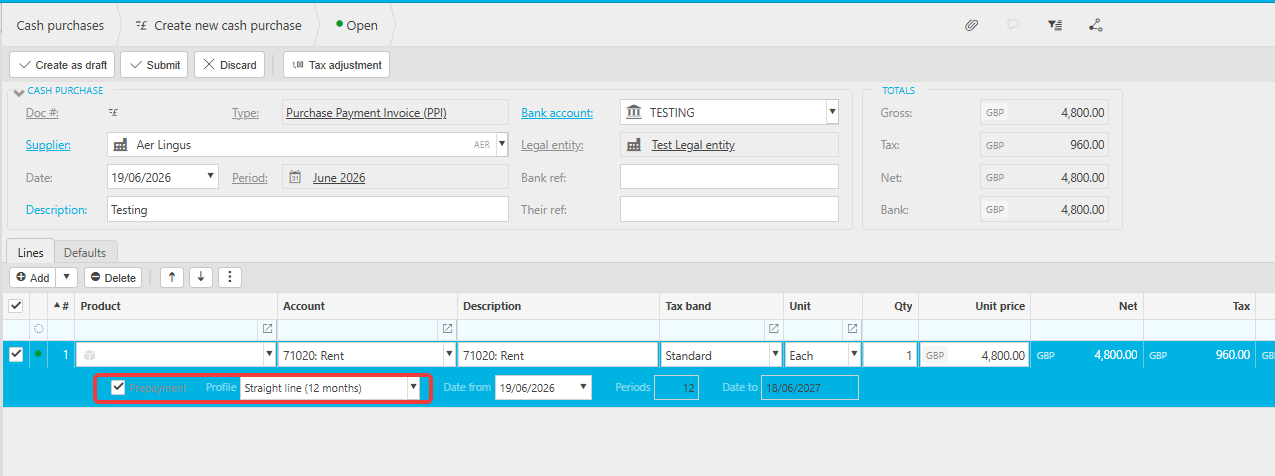
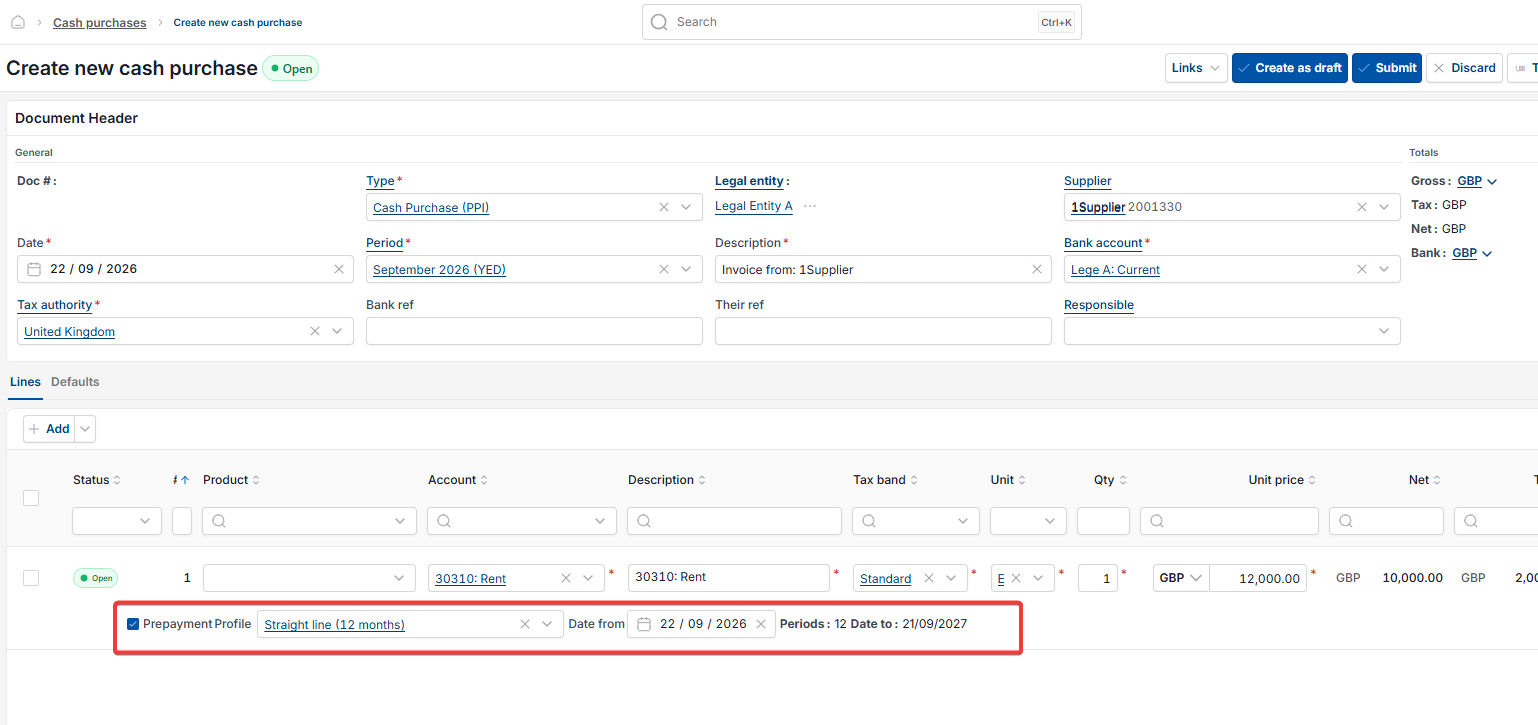
Complete the relevant header details. When you enter the GL account on the line, the prepayment tick will appear automatically alongside the distribution profile selector. Tick the prepayment option, select the distribution profile and enter the start and end date for the spread.
Post the document. iplicit generates the prepayment journals automatically.

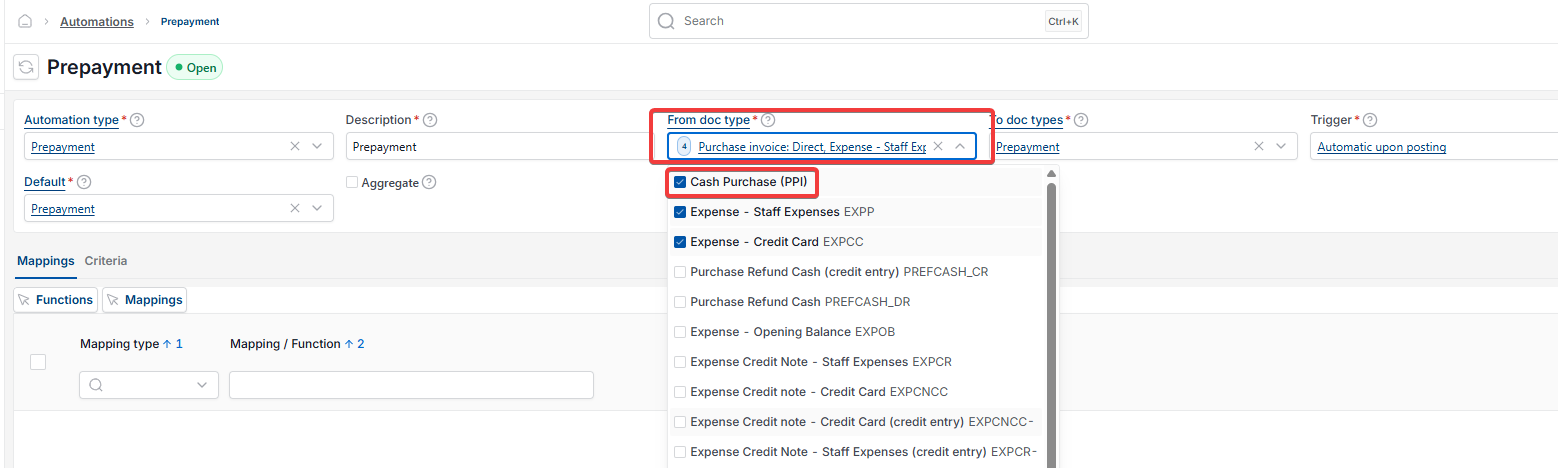
Checking the prepayment automation includes the Purchase Payment Invoice document type
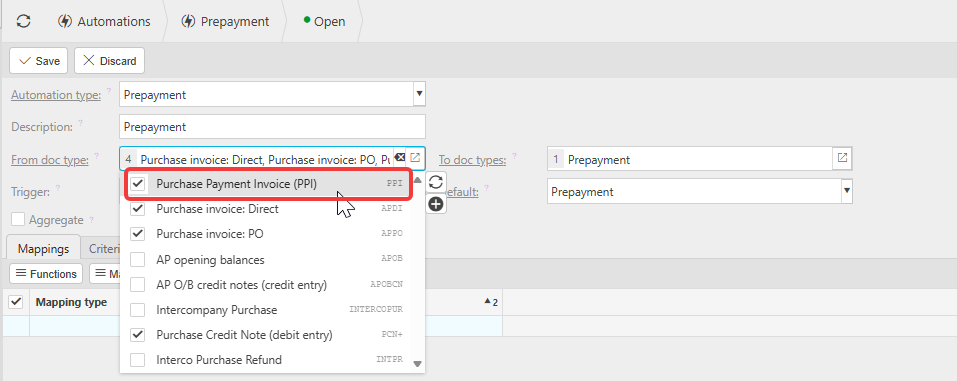
Navigate to 'Automations' and open the prepayment automation. Confirm that the Purchase Payment Invoice document type is included in the 'From doc type' field. If it is not listed, add it. Without this the automation will not trigger for documents posted using this document type.
See 'How to set up prepayments and deferred income in iplicit' for full automation setup steps.
Prepayments cash journal
Use prepayments on cash journal
Cash journal prepayment
Prepayment not available cash journal
Purchase payment invoice prepayment
PPI prepayment
Cash prepayment iplicit
Prepayment cash document