

This article covers legal entity selection during the year-end rollover process in iplicit. You can run the rollover for all entities simultaneously or target specific ones depending on your requirements.
Running the year-end rollover for multiple legal entities
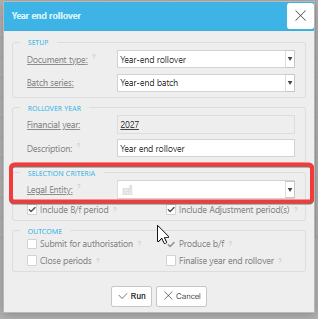
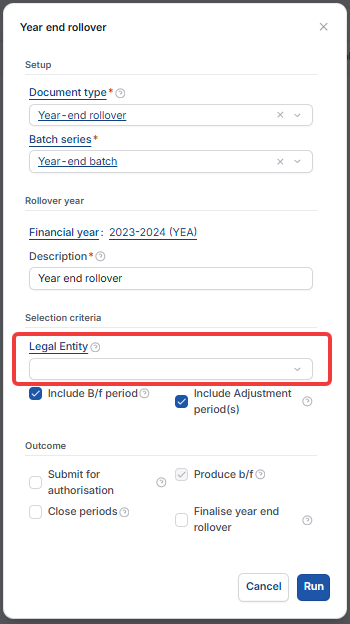
When you initiate the year-end rollover, iplicit displays a selection window where you control which legal entities are included.
- To run the rollover for all legal entities, leave the 'Legal Entity' field blank
- To run it for specific legal entities, select them individually from the list.
iplicit generates one rollover journal per legal entity based on your selection.
If you need to rerun the rollover
You can rerun the year-end rollover at any time if adjustments are needed. See 'Why are the brought-forward figures doubling up after the year-end rollover?'
Run YERO for multiple entities
YERO multiple legal entities
Year end for all entities
Single entity year end process