

This article covers preventing new documents from posting into a period you want to run a VAT return for, using the 'Period calculation min.' setting on Document types and the 'Default period' on Financial year groups. By default, documents post to the nearest open period, which can pull transactions into a period you're trying to close off for VAT.
Why documents keep posting into the wrong period
On the 'Period' tab of a document type, the 'Period calculation min.' setting controls which period a new document defaults to. If this is set to 'Open periods', iplicit posts new documents to the nearest open period automatically, even if that's the period you're trying to run a VAT return for.
How to stop postings into a period using document types
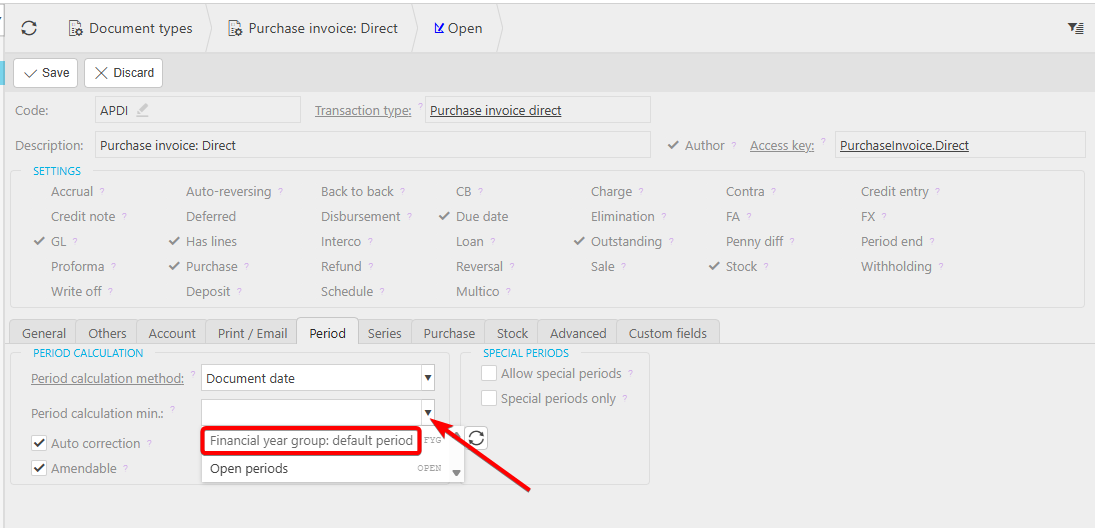
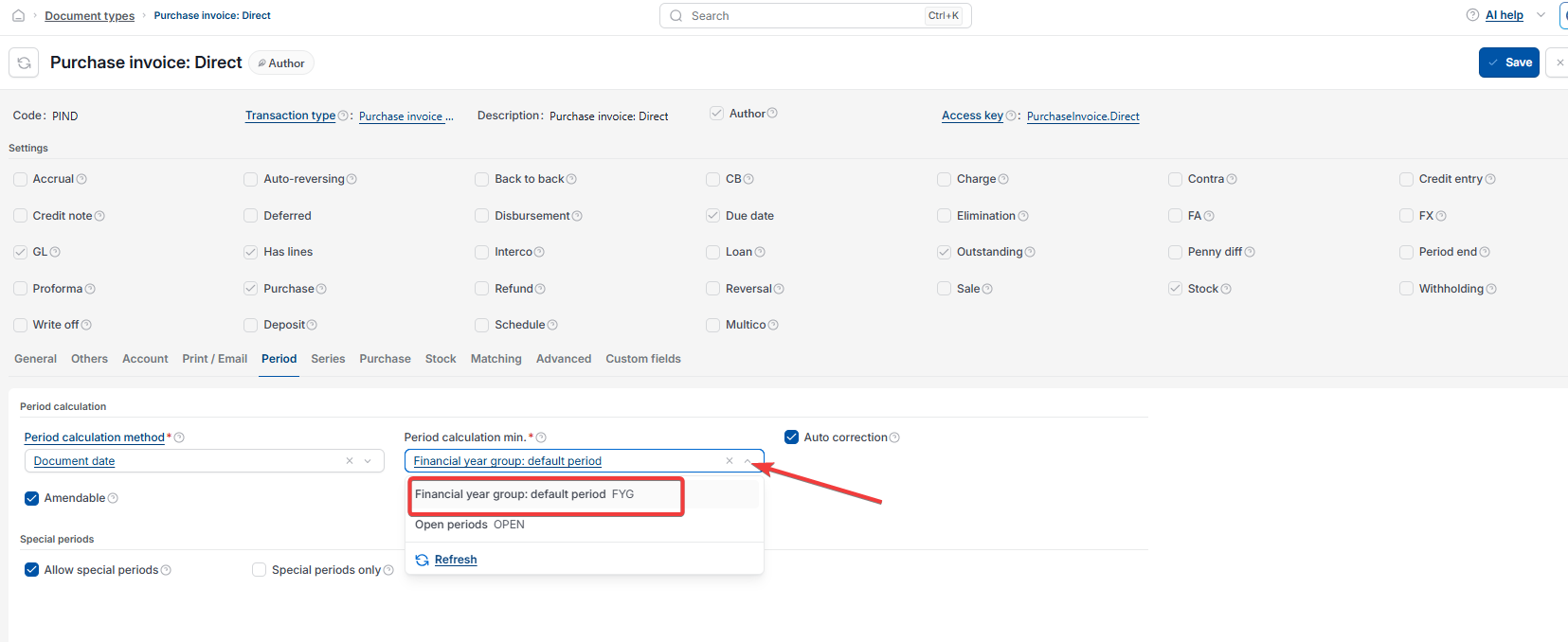
- Go to 'Document types' and open the relevant document type, for example 'Purchase invoice: Direct'
- Select the 'Period' tab
- Under 'Period calculation min.', change the setting from 'Open periods' to 'Financial year group: default period'
- Save the document type.
Repeat this for each document type you want to restrict. For a broader way to set default posting periods across the Sales Ledger and Purchase Ledger, see 'How to set default posting periods for the Sales Ledger and Purchase Ledger'.
How the financial year group default period controls this
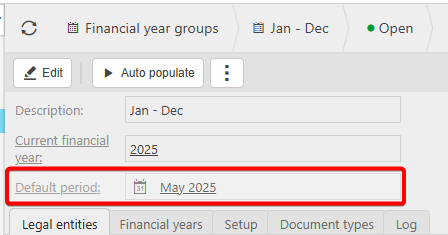
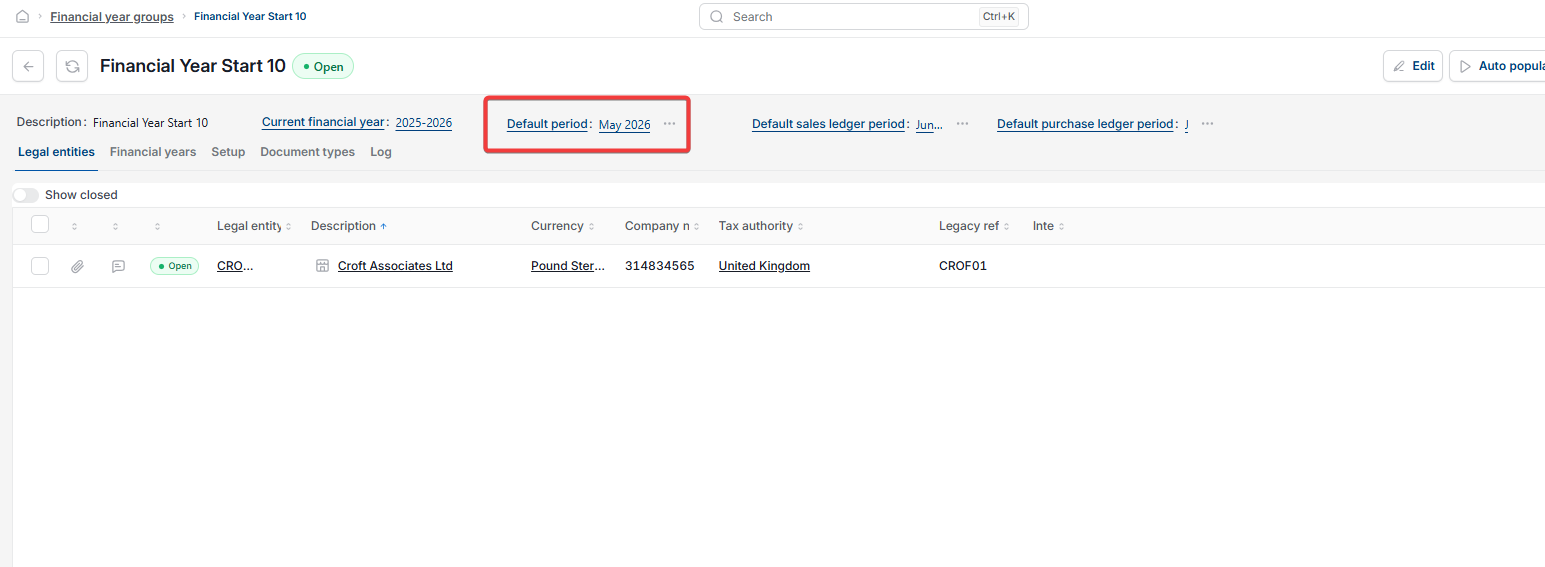
Once a document type is set to 'Financial year group: default period', it takes its default period from the 'Default period' field on the relevant financial year group, rather than the nearest open period. For example, on a financial year group covering January to December, if 'Default period' is set to a specific month, new documents on that document type default to that month regardless of which periods are open.
Keeping the default period up to date
The financial year group's default period needs updating each month. If it isn't updated and the set default period becomes locked, iplicit moves the default on to the next available open period in the sequence, so documents may start posting to a period you didn't intend.
If you need to stop postings into a ledger entirely rather than restricting a period, see 'Can I close the Sales Ledger or Purchase Ledger separately from the Nominal Ledger?'
PLACEHOLDER — search terms still need confirming for this article