

This article covers creating a template for the 'Sale: Credit note' document type. Templates aren't available by default – you first need to enable them on the document type itself, then create the template from the 'Sale transaction templates' screen.
How to enable templates for Sale: Credit note
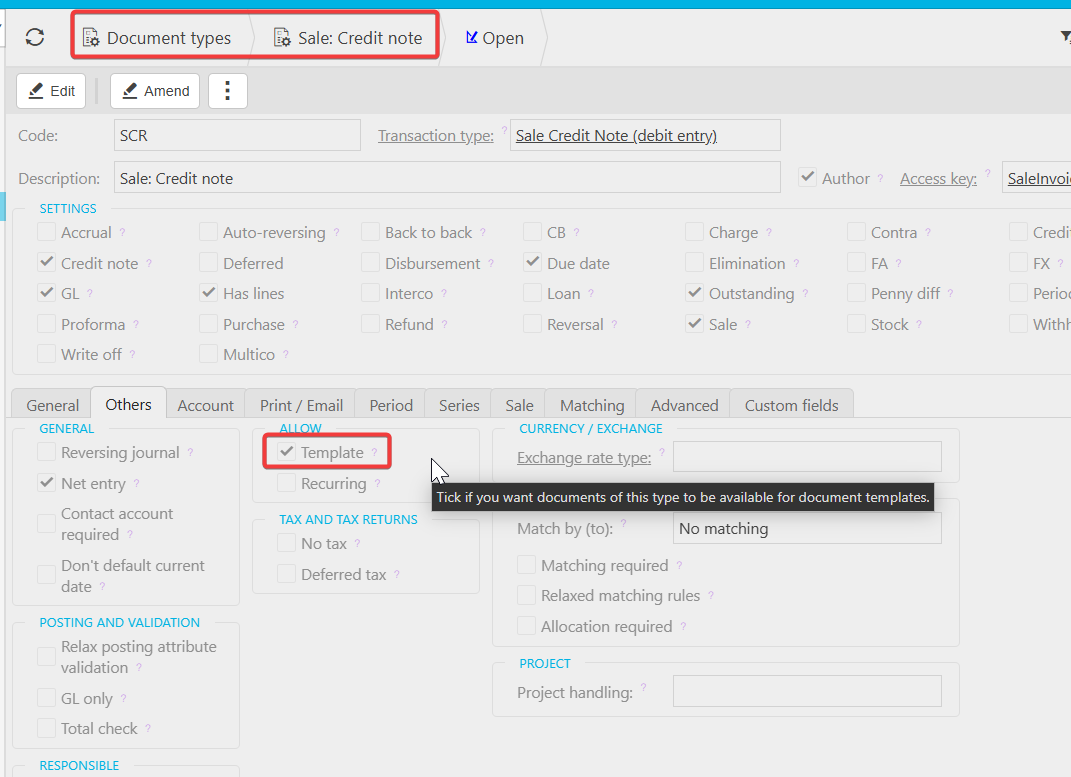
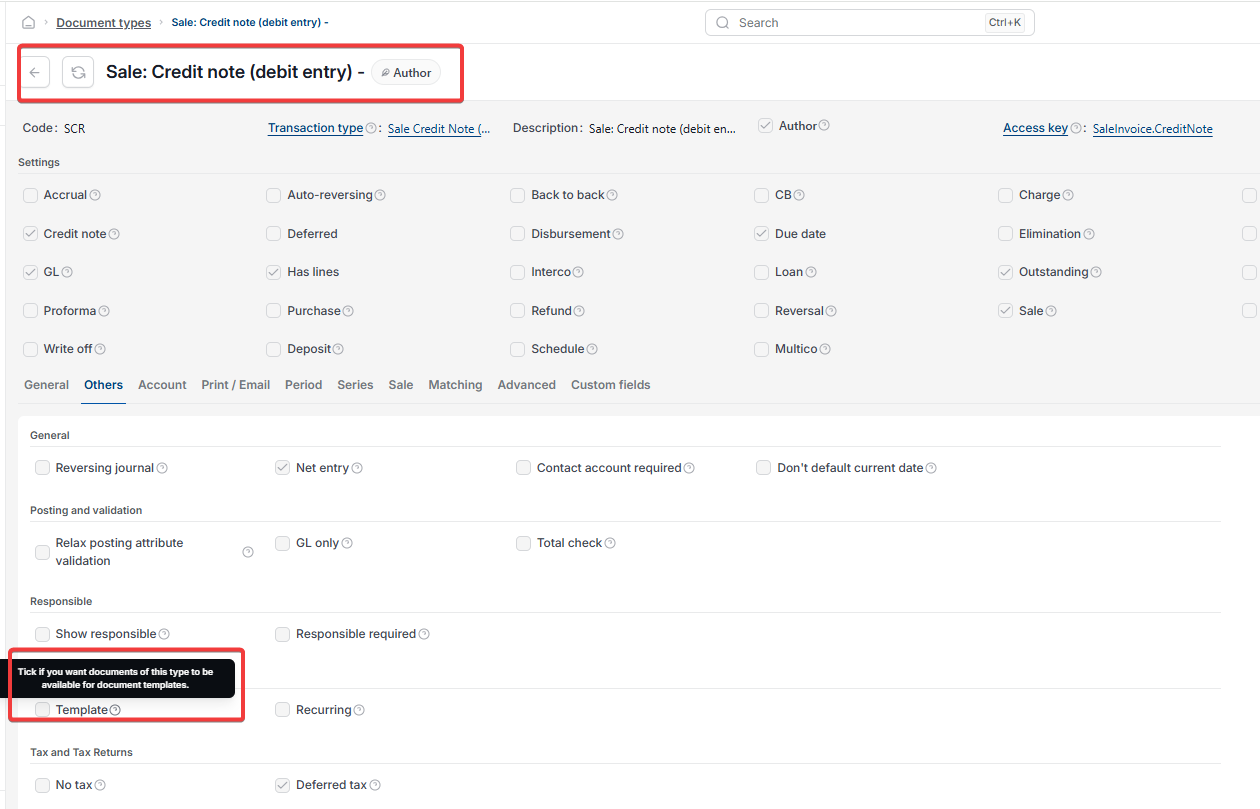
- Open 'Document types', then open 'Sale: Credit note'
- Select the 'Others' tab
- Tick 'Template' under 'Allow'. This makes documents of this type available for document templates
- Save the document type, then reload iplicit.
Screenshots for Legacy UI (before October 2026)
Screenshots for New UI (post October 2026)
How to create the sales credit note template
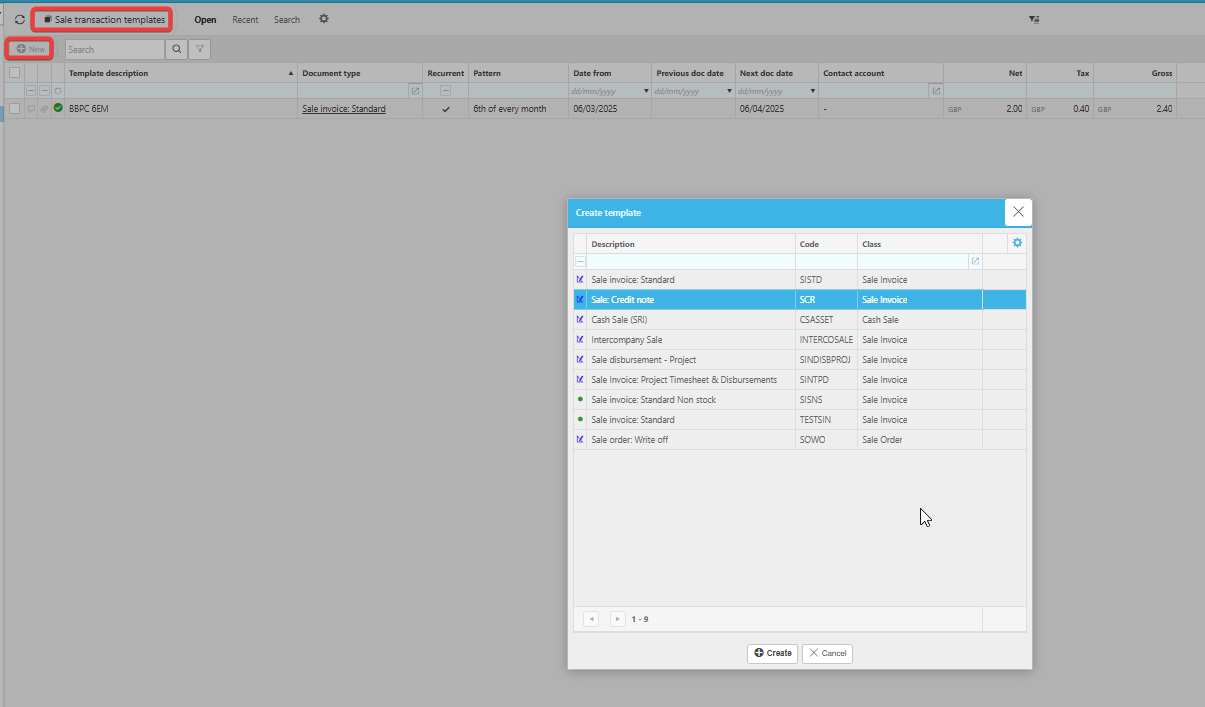
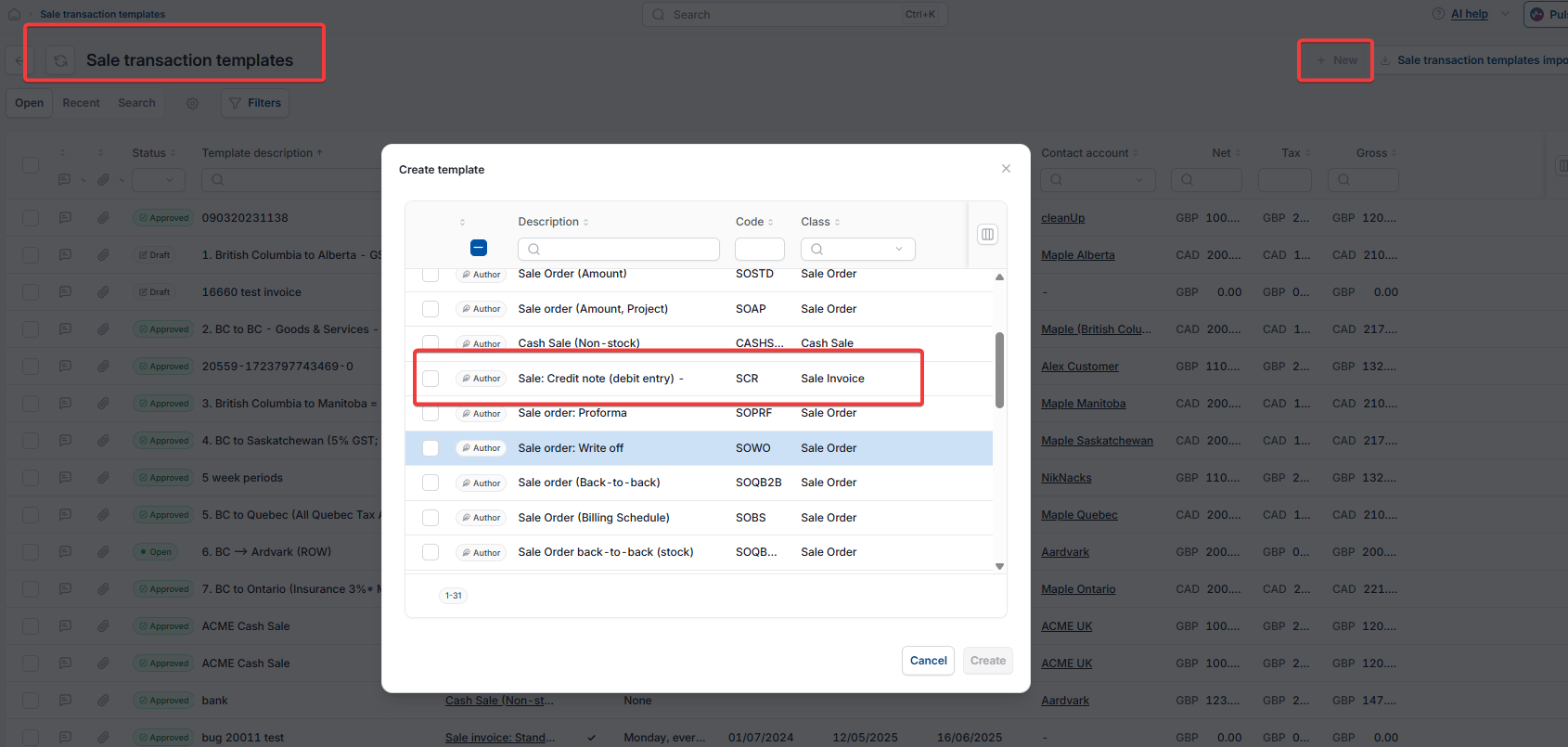
- Go to 'Sale transaction templates'
- Select 'New'
- In the 'Create template' window, select 'Sale: Credit note' from the list of document types
- Select 'Create'
- Complete and save the template.
Once created, the template appears alongside your other sale transaction templates and can be reused whenever you raise a new sales credit note.
Screenshots for Legacy UI (before October 2026)
Screenshots for New UI (post October 2026)
Customer search terms
Sales credit note template
Create credit note template
Allow Template document type
Sale credit note template not available
Sale transaction templates