

This article covers the Budgets module in iplicit, specifically why income can display as a negative value within a budget and how to correct it using the 'Reverse sign' option on the budget structure.
Why income shows as negative in a budget
Income accounts often use the opposite sign convention to expenditure accounts. If the sign on an income account group is not aligned with how your organisation reports income, the values will display as negative within the budget rather than positive.
How to reverse the sign for an income account group in a budget
- Open the relevant budget and enter edit mode
- Open the 'Structure' tab, then the 'Accounts' sub-tab
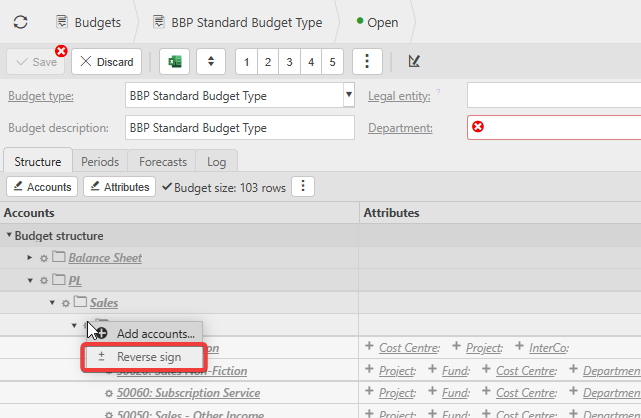
- Expand the tree to find the income account group showing negative values, for example under 'PL' > 'Sales'
- Depending on your screen, right-click or select the account group
- Select 'Reverse sign' from the menu
- Check for the icon iplicit displays next to the group to confirm the sign has been reversed
- Save your changes and reload the screen.
Once saved, the income values in that budget will display as positive rather than negative.
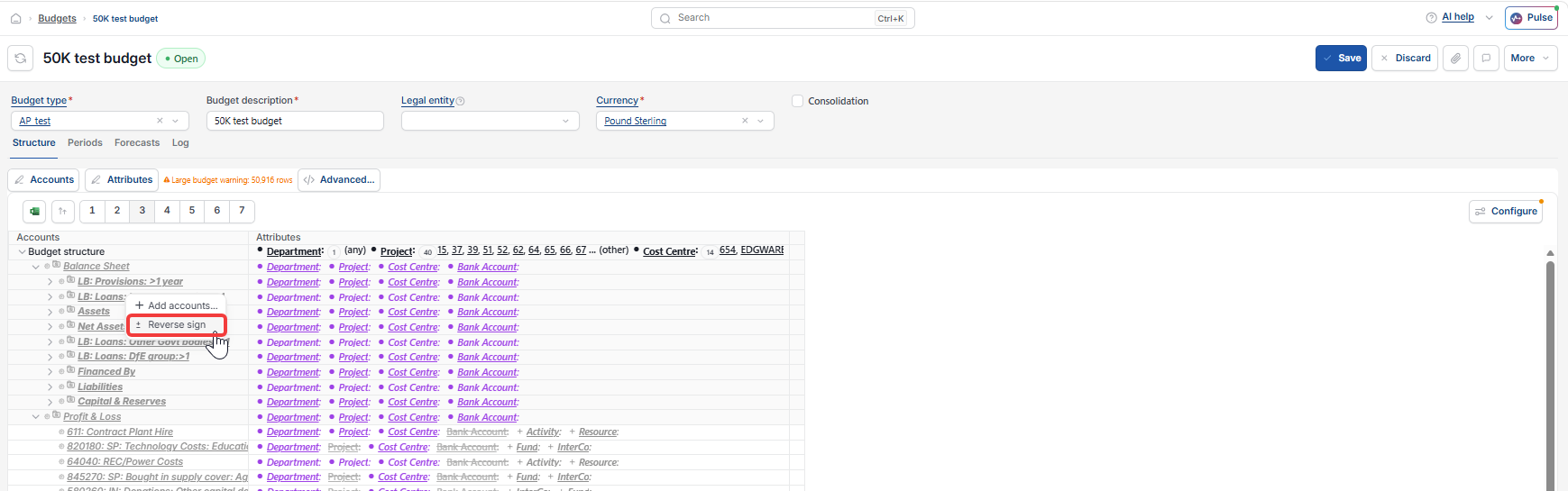
Checking the reversed sign on the budget
Reversing the sign on the income account group keeps your budget vs actual comparison consistent, so income appears the same way across both. If income still shows as negative after reversing the sign and reloading, check that you selected the correct account group in the 'Structure' tab rather than an expenditure group by mistake.
Income showing negative on budget
Reverse income sign in budget
Budget actuals showing wrong sign
Income appears as minus value
Fix budget sign issue in iplicit