

iplicit allows you to record expenses in different currencies within the same expense document. Follow the steps below to add multiple currencies to individual expense lines.
1. Create a New Expense Document
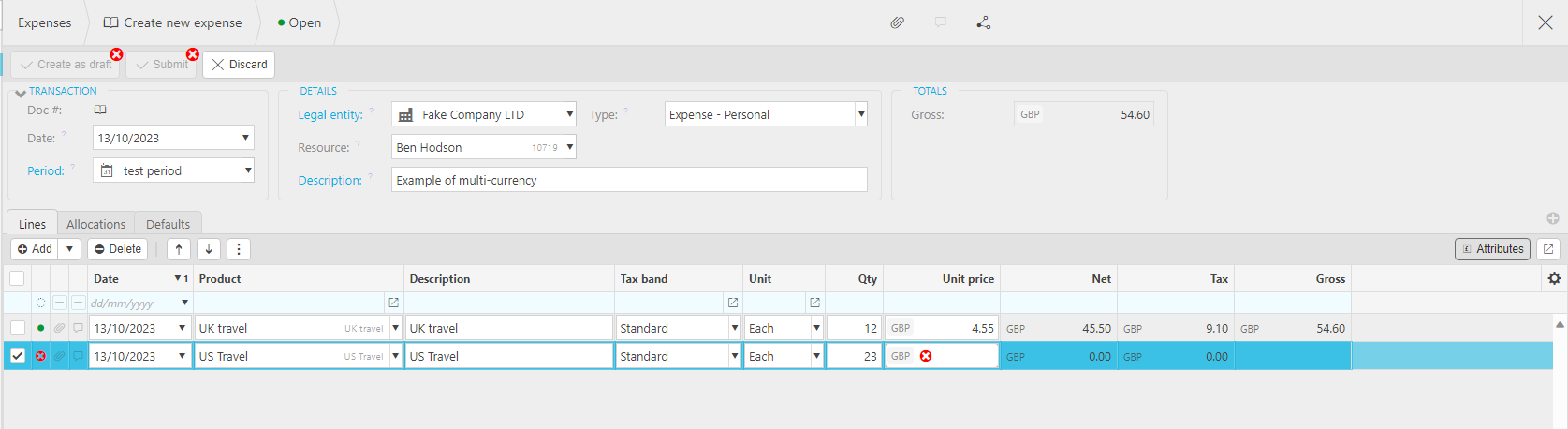
Start by opening a new expense document and complete the header fields as required.
2. Enter Your Line Details
Add your expense lines as normal.
When you reach a line that needs to be recorded in a different currency:
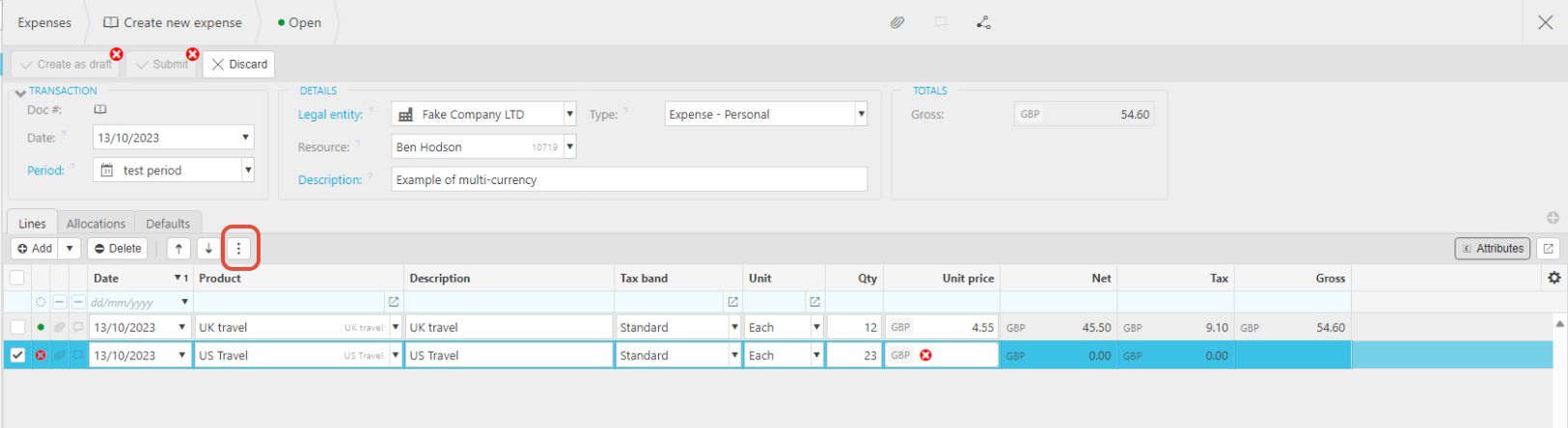
- Highlight the line.
- Click the three‑dot menu on the right side of the line.
3. Amend the Currency
From the drop‑down menu:
- Select Amend Currency.
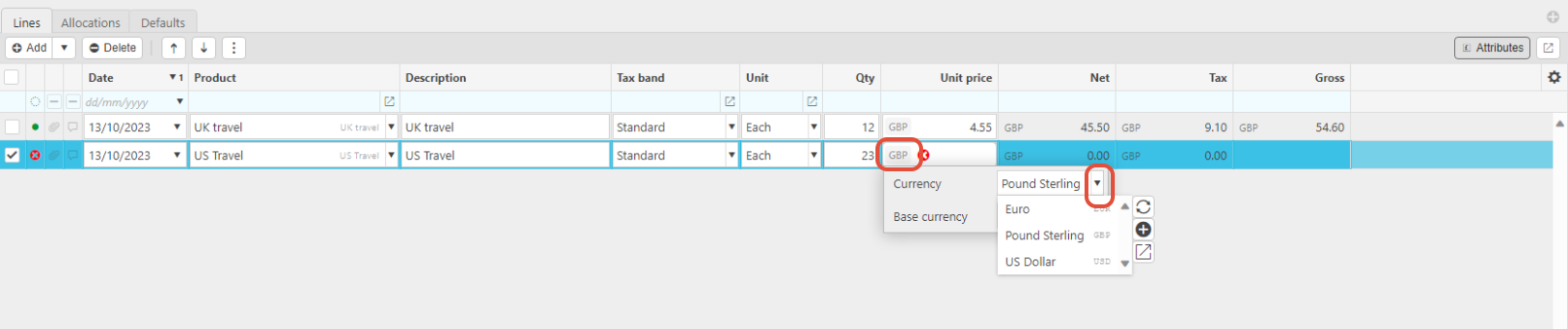
A currency selector will appear.

4. Choose the Required Currency
Click the currency field and select the appropriate currency from the drop‑down list.
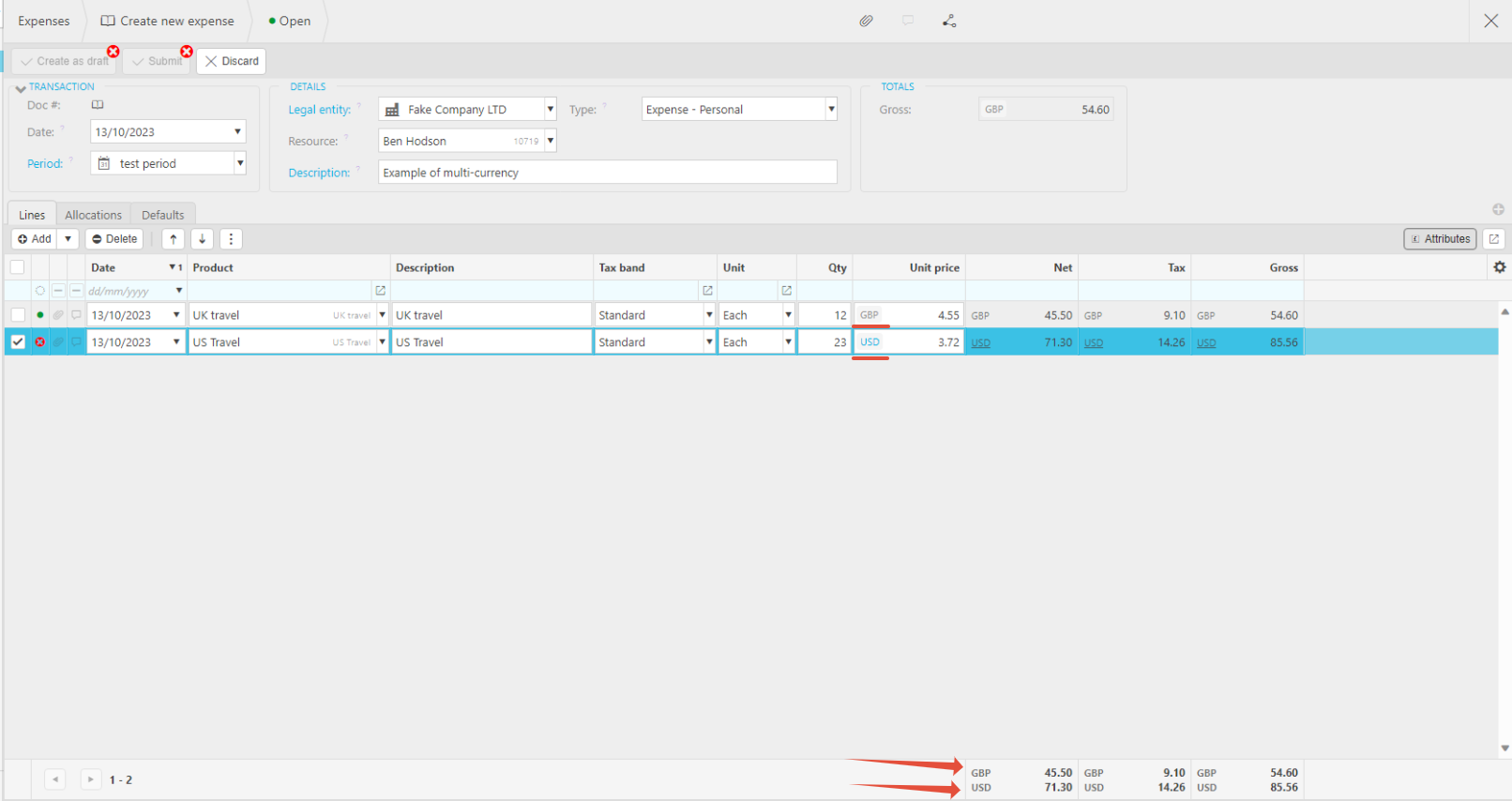
The selected line will now use the new currency, while other lines can remain in their original currency.
5. Multiple Currencies Applied
Repeat the process for any additional lines that require different currencies.
Your expense document can now contain multiple currencies across different lines.
Currencies on Expenses
Multiple country Expense
_______________________________________________________________________________________