

When creating a Bulk Payment, it is not possible to change a supplier's bank account within the payment itself.
If a supplier has multiple bank accounts, the Payments tab will display a warning symbol against the supplier record, with an option to Amend.
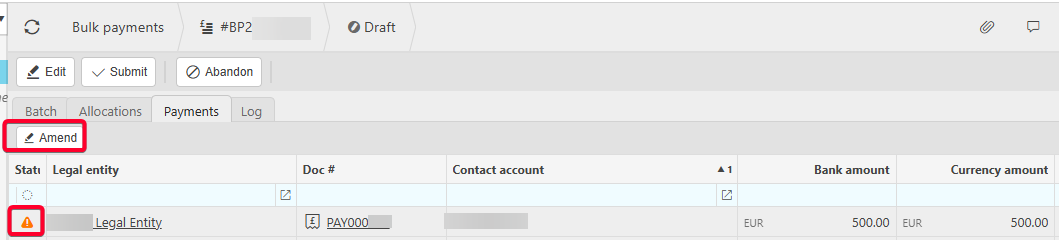
Using the Amend option will only allow changes to the bank account set as the Default on the supplier record.
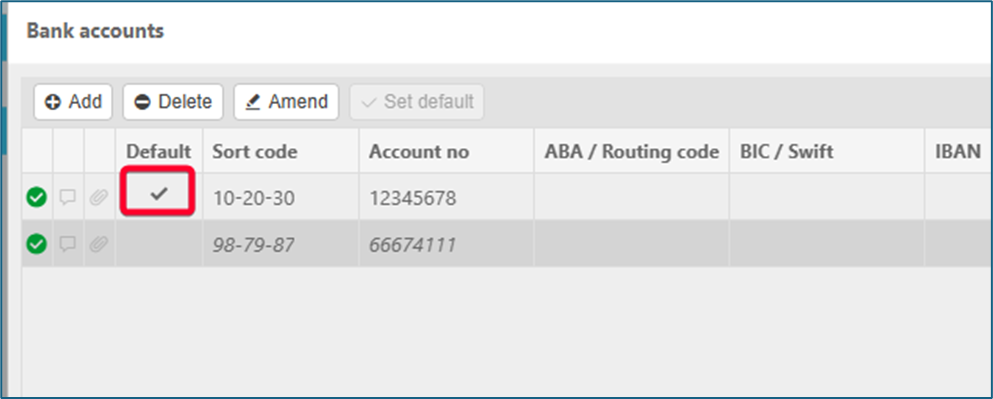
If you wish to use a different bank account than the Default, you will need to open the supplier record and change which bank account is set as the Default.
Supplier multiple bank accounts
Wrong bank account bulk payment
Change supplier bank account bulk payment
Select different bank account bulk payment
_______________________________________________________________________________________