

This article covers changing a posting attribute – such as 'Fund' or 'Department' – across multiple lines of a posted document at once, using 'Corrections' > 'Posting Attribute'. This works when every line needing the update shares the same change, since a single value replaces the existing one across all matching lines.
Opening the Posting Attribute correction tool
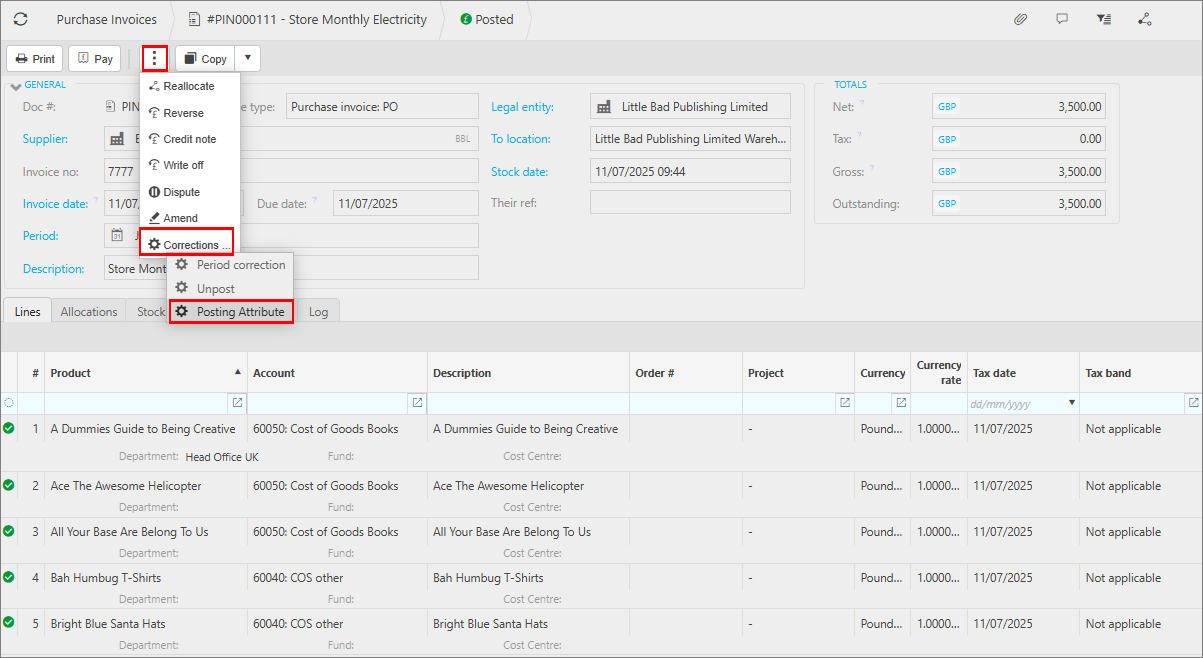
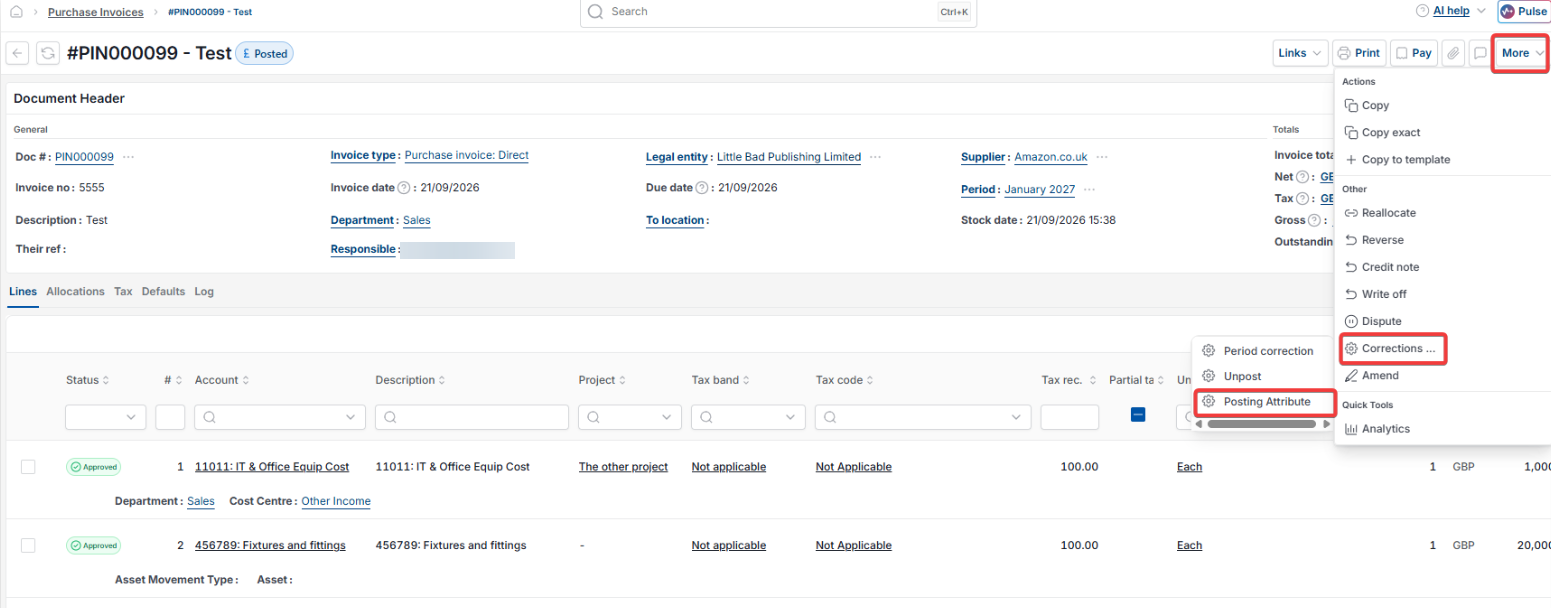
- Open the posted document you want to correct – for example, a 'Purchase invoice: PO'
- Depending on your screen, select the ellipsis button (…) or the 'More' button at the top of the document
- Select 'Corrections'
- Select 'Posting Attribute'.
Applying a posting attribute correction across multiple lines
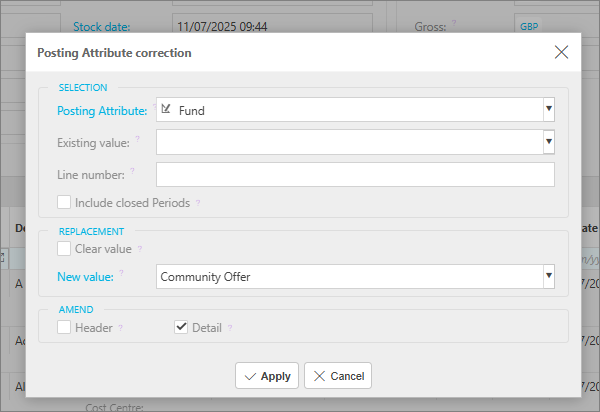
In this example, the 'Fund' posting attribute is being updated on every line from blank to 'Community Offer'.
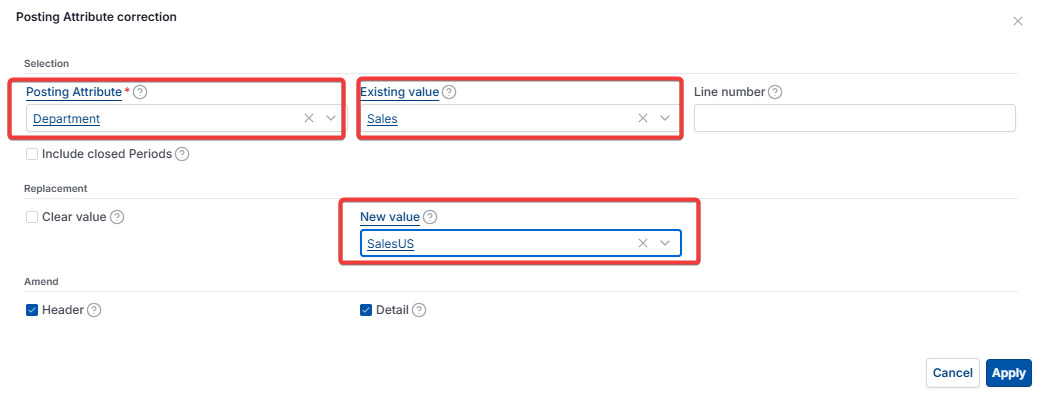
- Under 'Selection', set 'Posting Attribute' to the attribute you want to change – for example, 'Fund' or 'Department'
- Leave 'Existing value' blank if the lines you want to update currently have no value set for this attribute, or select the current value if you're replacing one specific value with another
- Leave 'Line number' blank to apply the change to every line where this attribute is present, rather than a single line
- Under 'Replacement', set 'New value' to the value you want applied – for example, 'Community Offer'
- Under 'Amend', tick 'Detail' to apply the change to the document's lines
- Select 'Apply'.
Change posting attribute multiple lines
Bulk edit transaction lines
Update all lines with same posting attribute
Change blank posting attribute to a value
Correct a posting attribute on a document
Posting attribute correction