

iplicit does not have a dedicated Capital Goods Scheme (CGS) module. The annual CGS calculation itself is completed outside iplicit, in line with your accountant's advice. However, iplicit supports the end-to-end CGS workflow through the Fixed Assets module, its multi-dimensional analysis, and manual VAT journals – giving you a full audit trail for your adjustments.
This article explains how each part of the workflow fits together in iplicit.
Step one – Record the asset in Fixed Assets
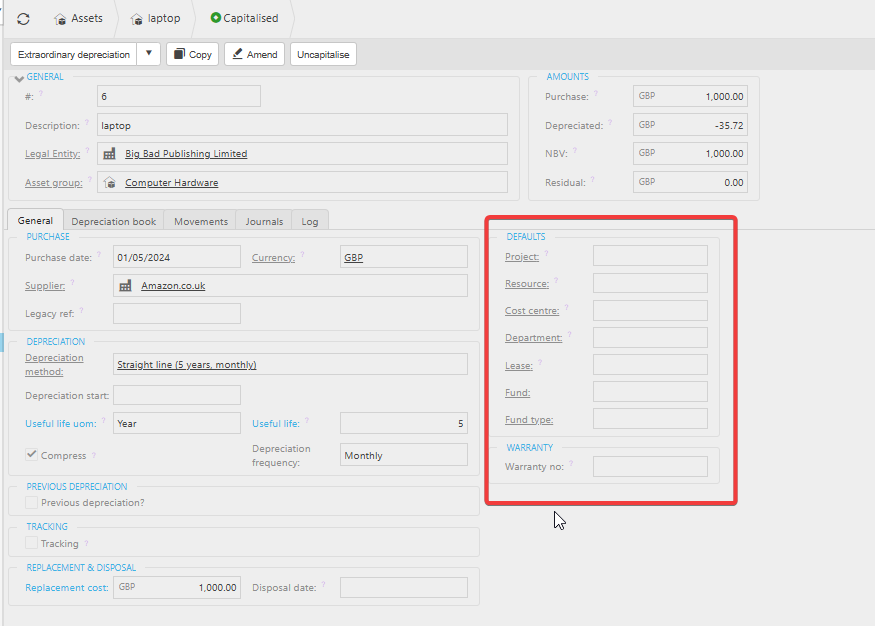
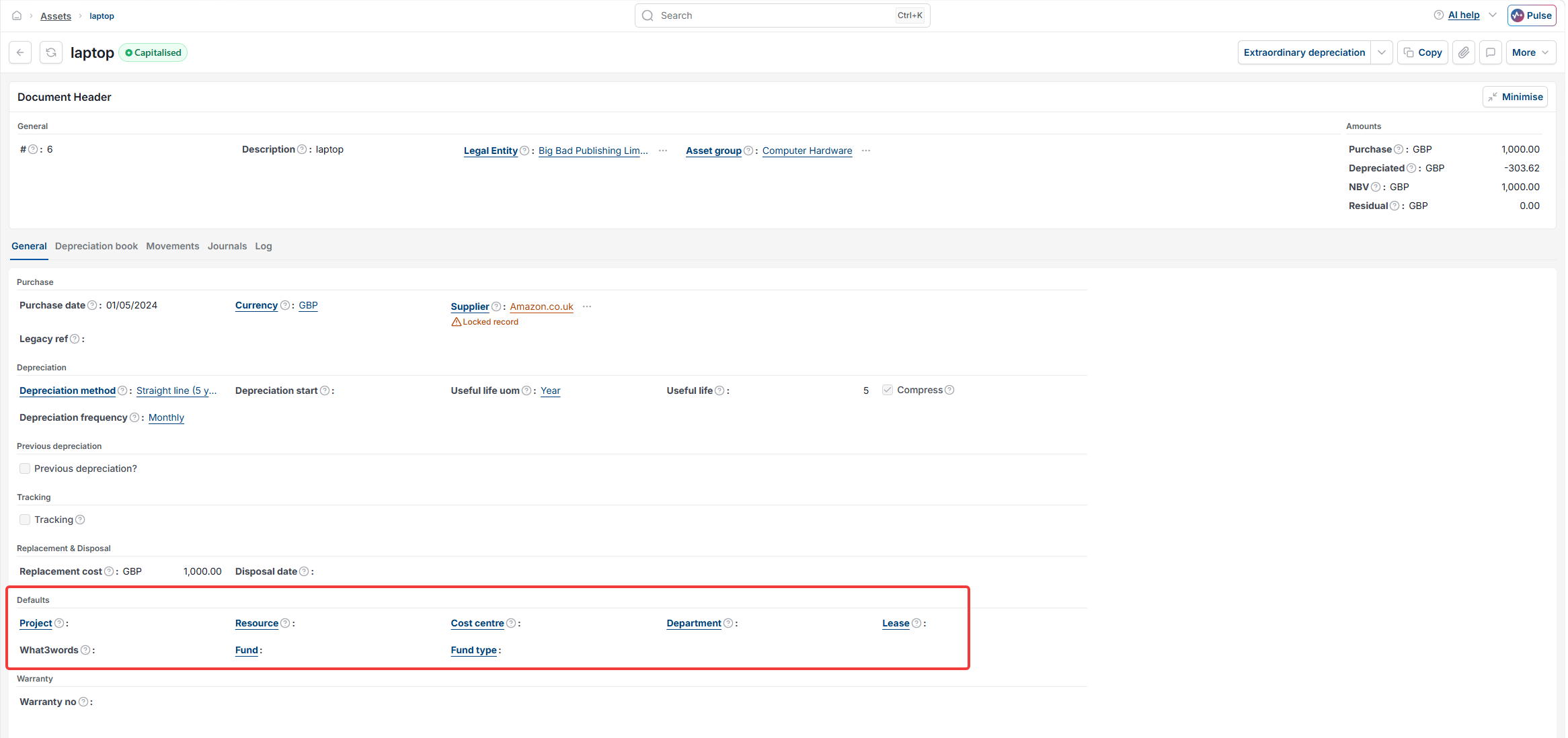
Add the asset to iplicit using the standard asset creation process in the Fixed Assets module. Capture the key details – category, location, cost centre, and depreciation settings – so the asset is tracked accurately throughout its life. For the CGS adjustment period to be traceable, make sure the acquisition date and cost are recorded correctly, as these form the basis of the CGS calculation outside the system.
For more on setting up and depreciating an asset, see the Fixed Assets user guide.
Step two – Track how the asset is used
iplicit's multi-dimensional structure means you can track activity against the asset to departments, projects, funds, or other analysis codes. This supports the CGS calculation because it helps you understand how much of the asset's use relates to taxable, exempt, or non-business activity – the information your accountant needs to calculate the annual adjustment percentage.
Step three – Perform the CGS calculation externally
The Capital Goods Scheme requires an annual percentage calculation based on your partial exemption position, which sits outside iplicit's scope. This part is completed in a spreadsheet or by your accountant, in line with HMRC's CGS rules and your organisation's partial exemption method.
Step four – Post the annual VAT adjustment journal in iplicit
Once your CGS calculation is complete, post a VAT journal in iplicit to increase or decrease the VAT originally reclaimed on the asset. The journal should reflect the adjustment amount calculated in step three. iplicit's journal and reporting tools give you a full audit trail linking the adjustment back to the asset and period it relates to.
Step five – Report and review CGS adjustments
Use iplicit's reporting to evidence your CGS calculations:
- Fixed Assets and dimensional analysis reporting let you see which assets are subject to CGS adjustments
- VAT journal reporting gives you the audit trail for the adjustments posted.
Things to know about the Capital Goods Scheme in iplicit
- CGS itself is an HMRC VAT scheme. iplicit supports the workflow but does not perform the CGS calculation. Speak to your accountant or tax advisor for guidance on whether CGS applies to a particular asset and how to calculate the adjustment
- Tracking CGS assets through a consistent dimension (such as a 'CGS' custom attribute or a project code) makes it much easier to pull out the relevant assets each year for the adjustment calculation
- Keeping the VAT journals clearly labelled (for example 'CGS adjustment Year 1 of 10') helps future auditors and finance staff trace the history of each adjustment.
Capital Goods Scheme
CGS
CGS adjustment
VAT partial exemption asset
CGS VAT journal
Fixed asset VAT adjustment
Does iplicit support CGS