

When someone leaves the company, blocking and then locking their account prevents login whilst preserving every action that user has taken in iplicit.
We do not recommend deleting user accounts. Locking preserves the account and all of its history, including captured documents and authorisations, which remain attached to the locked account for audit purposes - something deleting does not do.
Blocking a user account
Blocking prevents a user from logging in to iplicit. The account remains active and the user can be unblocked at any time. Blocked user accounts continue to be included in billing.
A user can be blocked in two ways:
- Manually, by an administrator. For example, to pause access while an employee is on extended leave, while a security concern is being investigated, or as the first step when someone has left the company
- Automatically, by iplicit. For example, after too many failed login attempts.
To block a user manually:
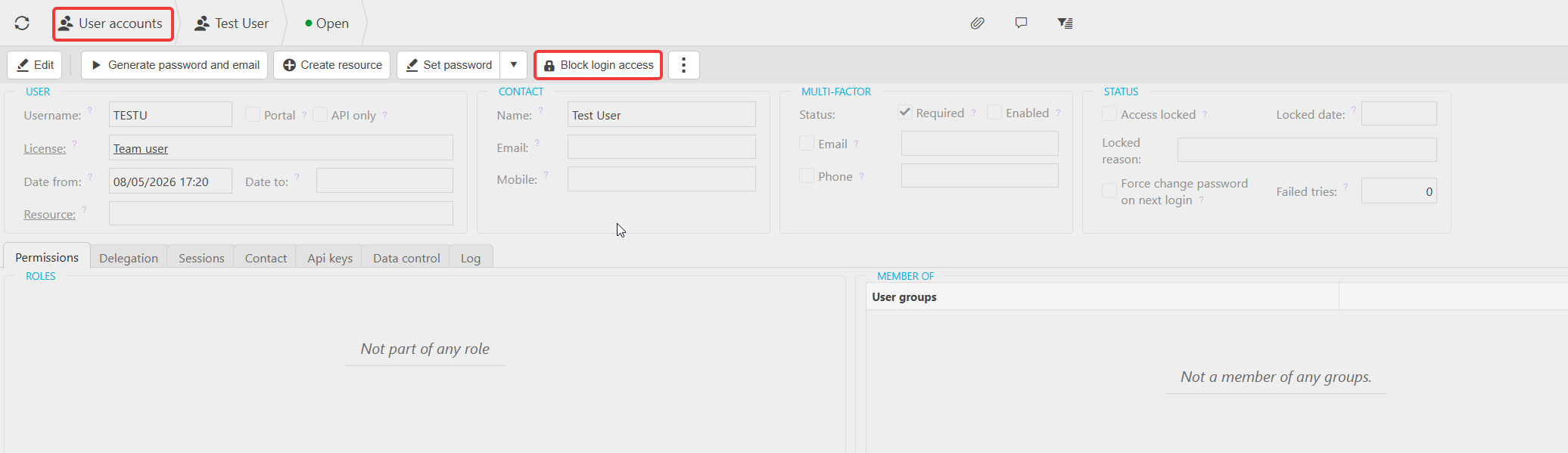
- Navigate to the User Accounts screen
- Double-click into the relevant user
- Select 'Block login access'
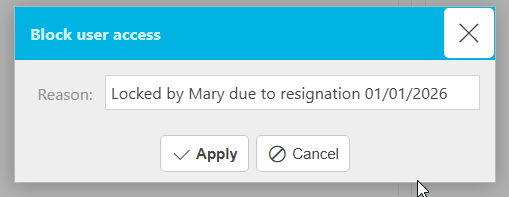
- Enter a brief, meaningful reason (for example: Locked by Mary due to resignation 01/01/2026)
- Select 'Apply'.
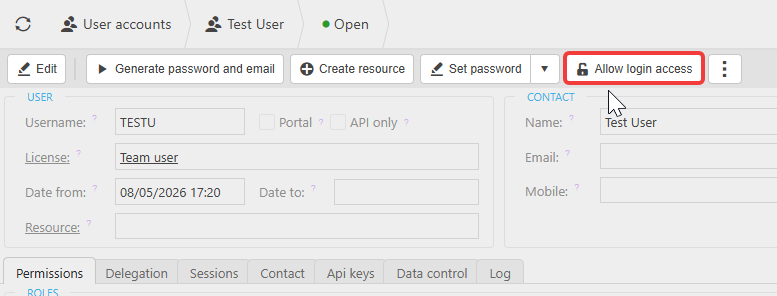
To restore access, select 'Allow login access' on the same user.
Locking a user account
Locking is used when someone has left the company and is no longer an active user. We recommend blocking the account first, then locking it.
Locking moves the account to an inactive state, which means:
- The user can no longer log in (blocked access)
- The user account no longer counts towards your billing
- The user account no longer appears in selection menus throughout iplicit
- The user account is removed from the default User Accounts view.
To lock a user:
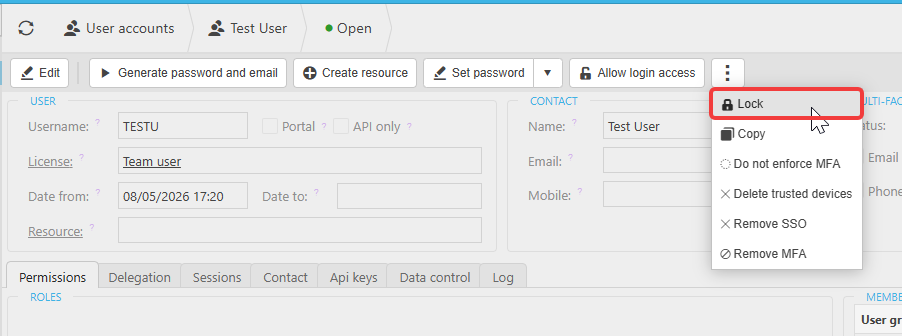
- Select the three-dot menu within the user account
- Select 'Lock'.
Once the user account has been locked:
Please notify our accounts team at accounts@iplicit.com so we can update your records.
Only locked accounts are excluded from your active user count for billing purposes.
Why we do not recommend deleting user accounts
We do not recommend deleting user accounts when someone leaves, because deleting an account breaks the link between the user and everything they did in the system.
The following is retained against a locked user:
- Documents captured or uploaded
- Authorisations made
- Communication logs
- Audit trail entries
- Any other actions taken while the account was active
Reports, audit history, and approval records remain complete and accurate after the user has left.
Watch: blocking and locking a user account
The video below walks through the full process of blocking and locking a user account in iplicit, including where to find the options and what each action looks like in the User Accounts view.
Related user guide: User Account | iplicit
Block a user accounts access
Remove a user
User leaves company
Disable a user account
Delete user
Employee left organisation