

This article covers how to produce a single customer statement that consolidates a parent customer account with its subsidiary accounts. This is useful when a customer trades with you across multiple legal entities or under multiple accounts but wants one combined statement (sometimes called a consolidated statement or group statement) rather than several separate ones.
The setting is applied at the point of sending the statement, not on the customer record itself.
Producing a consolidated customer statement covering subsidiaries
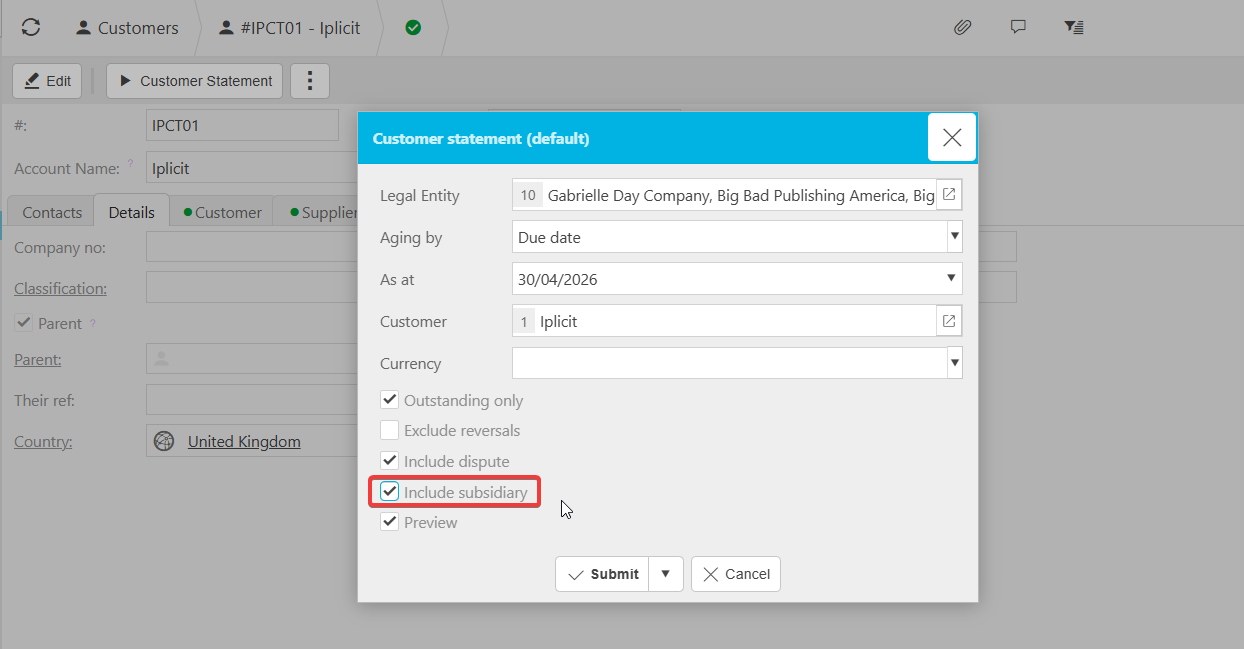
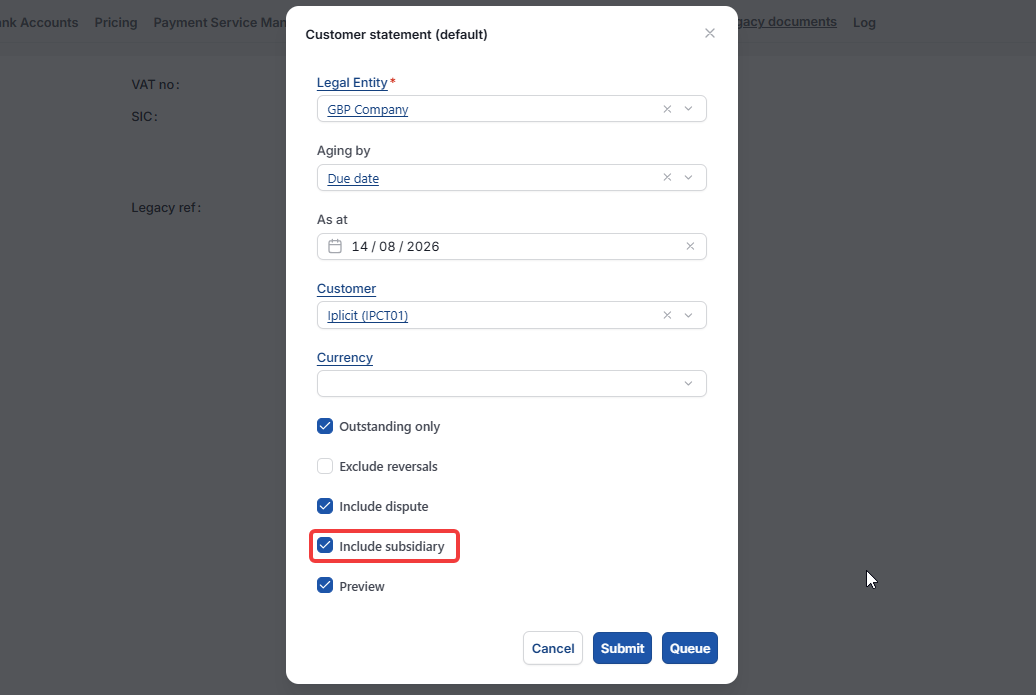
The 'Include subsidiaries' option appears in the pop-up that opens when you select 'Customer Statement'. You will not see it on the customer record or in customer statement settings.
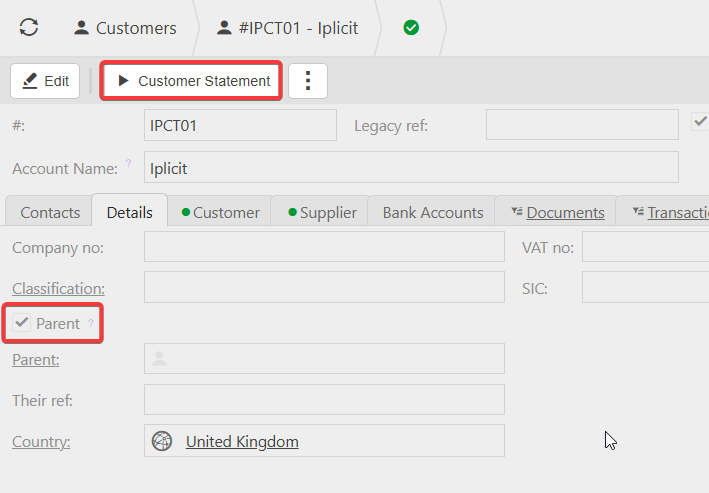
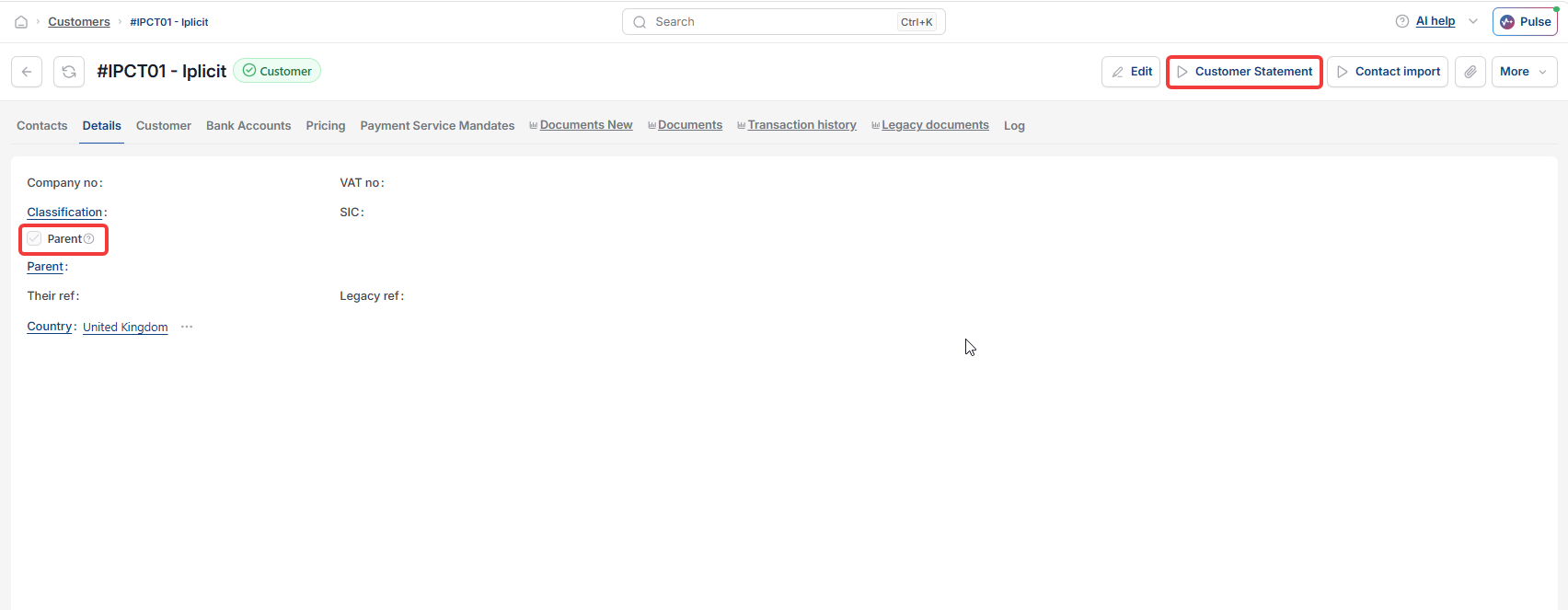
- Open the parent customer account
- Select 'Customer Statement' to open the customer statement pop-up
- Tick the 'Include subsidiaries' box
- Set any remaining options as required
- Generate or send the statement.
The resulting customer statement will combine transactions from the parent account and all its linked subsidiary accounts into one document.
When the subsidiary box does not appear or has no effect
If the 'Include subsidiaries' option is missing from the customer statement pop-up, or it produces a statement covering only the parent account, the most common causes are:
- You are running the statement from a subsidiary account rather than the parent. Run it from the parent customer account instead
- The subsidiary relationships have not been configured on the customer accounts. Check that the subsidiaries are linked to the parent customer record
- Your user permissions or Data Access Control settings restrict visibility of one or more of the subsidiary accounts.
Consolidated customer statement
Group statement
Statement for group of companies
Include subsidiaries
Combined statement