

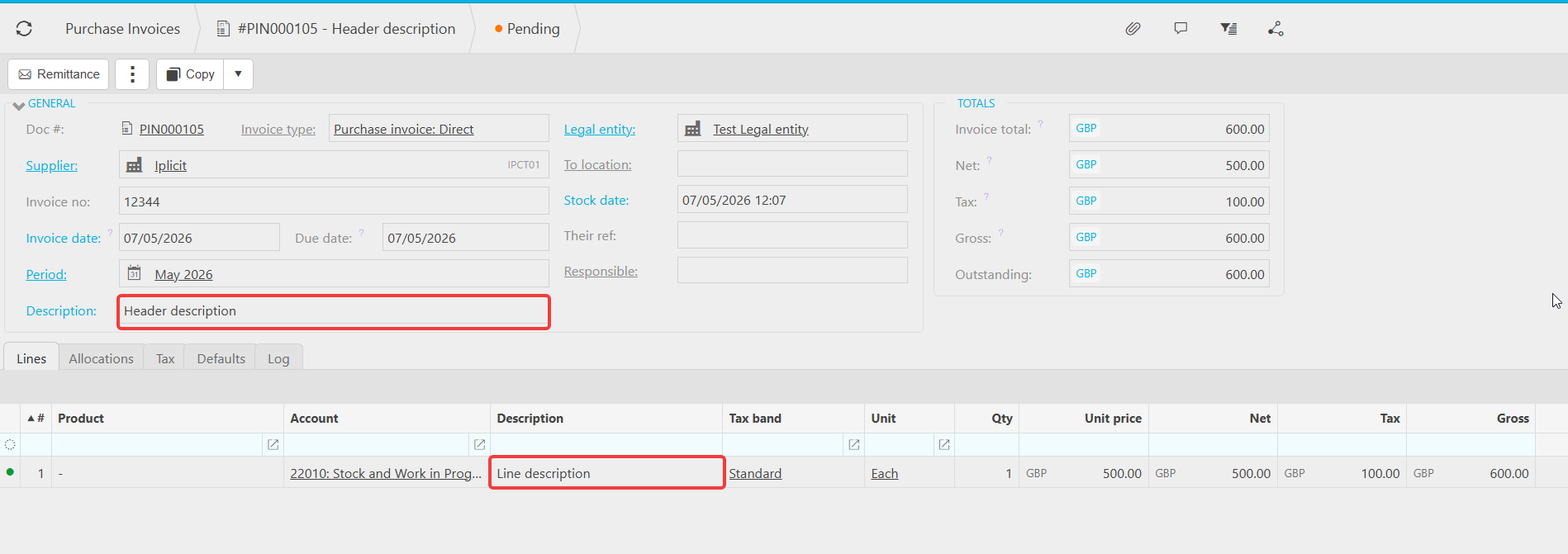
This article covers how to change a description on a posted or draft document. There are two types of description on a document, and they behave differently. The header description can be amended at any time. Line detail descriptions can only be edited while the document is in draft, because line-level data affects the General Ledger (GL).
If you're not sure which description you're trying to change, see 'Which description am I changing?' below.
Which description am I changing on the document?
Documents in iplicit have two description fields, and the rules for editing them are different:
- Header description - the description shown at the top of the document, applied to the document as a whole
- Line detail description - the description on each individual line of the document, which forms part of the financial data posted to the General Ledger
Identify which one you need to change before following the steps below.
Changing the header description on a document
The header description can be amended at any time, regardless of whether the document has been posted.
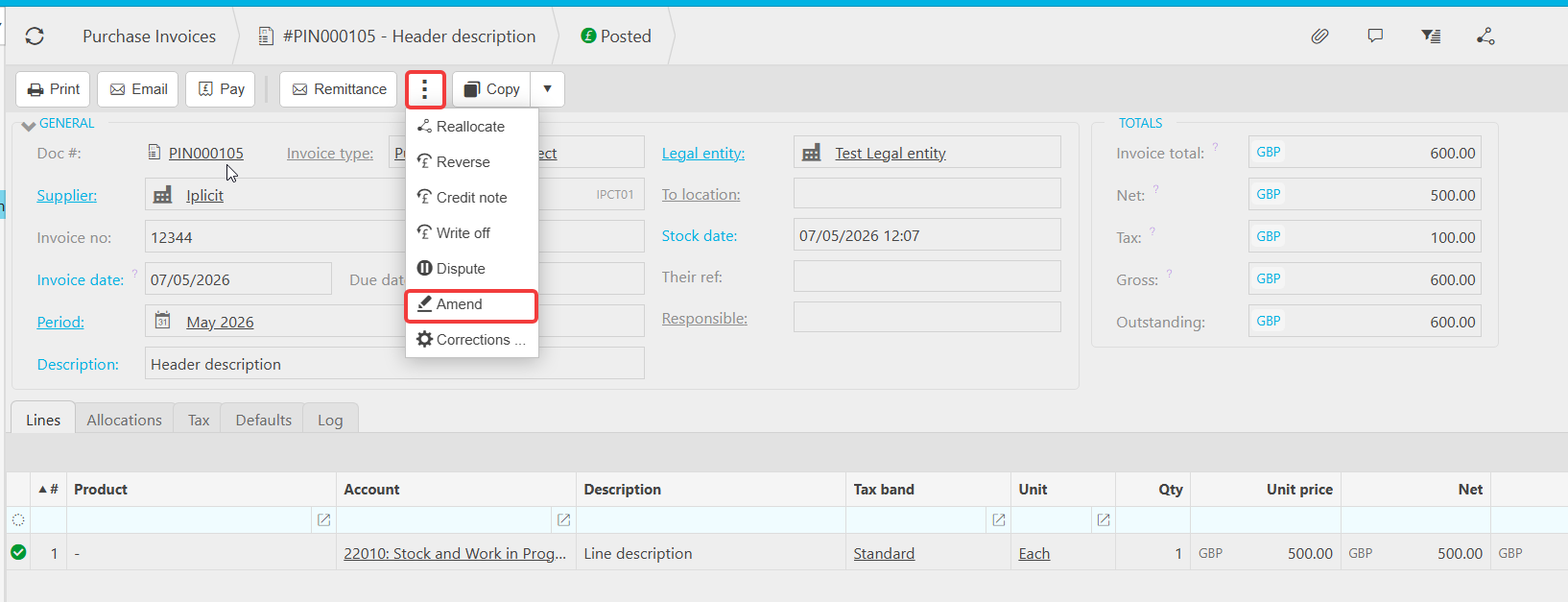
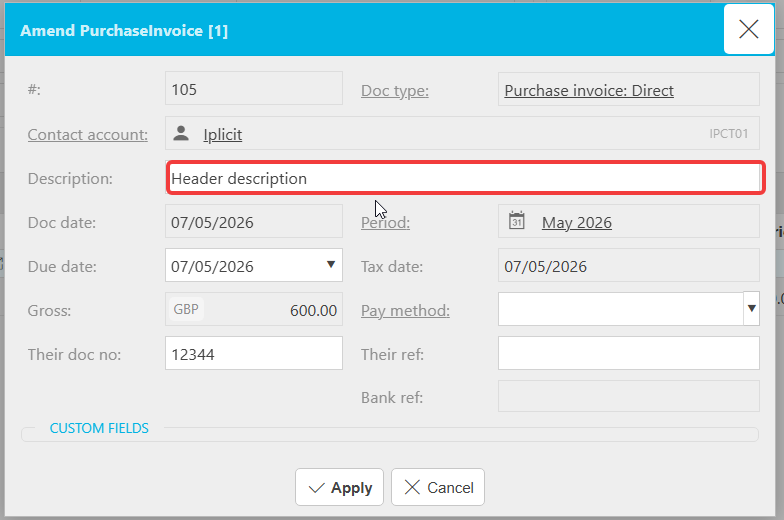
To change the header description on a document:
- Open the document
- Select 'Amend' from within the three dots
- Update the header description
- Save the change
This works on both draft and posted documents because the header description does not affect the General Ledger.
Changing a line detail description on a document
Line detail descriptions can only be edited while the document is in a draft, editable state. This is because line-level data is the financial detail that affects the General Ledger, so changes after posting are restricted.
If the document is in draft
- Open the document
- Edit the line detail description directly
- Save the document
If the document has been posted
You will need to unpost the document before the line detail description can be amended:
- Unpost the document
- Edit the line detail description
- Repost the document
If the document cannot be unposted
In some cases a document cannot be unposted (for example, it is matched in a bank reconciliation or included on a VAT return). If you need to change a line detail description in this situation, you will need to:
- Reverse the original document
- Create a copy of the document with the corrected line detail description
- Post the copy
This preserves the audit trail while giving you the correct line-level detail in the General Ledger.
Change description
Edit description
Change description of a line item
Posted documents description changes