

This article covers whether an administrator can force open user sessions to reload immediately after a settings change, so users pick up the change without waiting.
In most cases, no force action is needed. iplicit picks up changed settings as users navigate - when a user reloads or opens an area affected by the change, the latest settings apply automatically.
Where a change must apply to every user regardless of their open work, an administrator can terminate all open user sessions. This signs every user out immediately and forces them to log back in. It is disruptive and should be used sparingly.
How settings changes apply to users without admin intervention
iplicit picks up settings changes naturally as users move around the system. A force reload is rarely required.
- When a user reloads their current session, recently changed settings are applied
- When a user opens an area that has been affected by a settings change, the latest settings apply at that point
- If the area a user is currently working in is not affected by the change, their session continues unaffected. The new settings apply when they next navigate into an affected area
- Settings changes also apply at the user's next login.
For most configuration updates, this means no admin action is needed. Users pick up the change in the normal course of their work.
When to terminate all open user sessions
Terminating all sessions is the only way to force every user to pick up a settings change immediately, regardless of where they are working in iplicit. Use it only when this guarantee genuinely matters.
Appropriate scenarios include:
- Security-related changes that must take effect immediately, such as revoking access for a leaver or responding to a suspected incident
- Major permission or Data Access Control changes where stale sessions could give users access they should no longer have
- Critical configuration changes that must apply uniformly across all users from a defined point in time.
For routine settings changes, allow users to pick up the change naturally as they reload or navigate. There is no benefit to terminating sessions in those cases, and there is real cost.
What happens when an administrator terminates all sessions
Terminate-all signs every signed-in user out at once. The impact on users in the middle of work is significant.
- Every user is signed out immediately, not a selected subset
- All pages the user has open will be closed
- Any work in progress that has not been saved as draft will be lost
- Users must re-authenticate to log back in, including any MFA or SSO steps required by your environment
- On re-login, users pick up the latest settings.
This is why terminate-all should be reserved for changes that justify the disruption. For non-urgent changes, the cost of lost work outweighs the benefit of immediate application.
Before terminating all sessions
A small amount of preparation reduces the impact.
- Where possible, communicate the planned action to users so they can save their work as draft before being signed out
- Time the action outside of peak working hours where practical
- Confirm the settings change has been saved before terminating sessions, so users pick up the intended state on re-login.
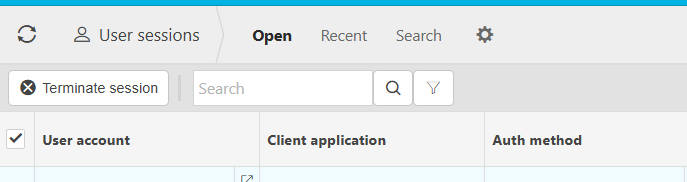

Force reload
Terminate all user sessions
Log everyone out of iplicit
End all sessions
Sign out all users