

This article explains how to create a purchase order from an approved requisition in iplicit's Purchase Ledger. If you need to raise a purchase order directly without a requisition, see 'How to create a purchase order' in our user guide.
Requisitions must complete authorisation before they can be converted into purchase orders. Once approved, iplicit links the two documents automatically.
Create a purchase order from a requisition in the Purchase Ledger
- Navigate to Purchases > Requisitions and open the requisition you want to convert
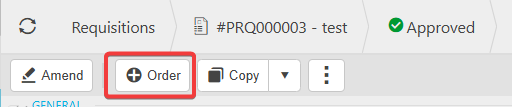
- Confirm the requisition status shows 'Approved' – the 'Order' button only appears for fully authorised requisitions
- Select 'Order' to generate the purchase order – iplicit creates the PO and matches it to the originating requisition automatically
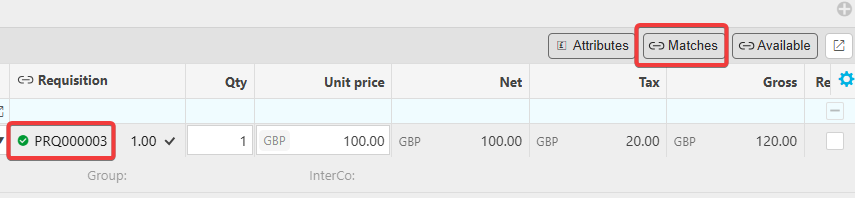
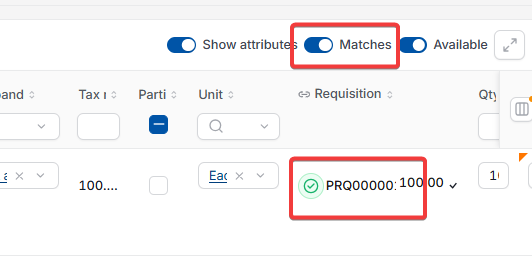
- Review the matching details by selecting 'Matches' on either document
- Select 'Submit' to route the purchase order through your configured workflow
- Once submitted, depending on your screen, select 'Links' or the molecule (share) icon at the top of the document to view linked documents – the requisition and purchase order now appear as matched records.
The purchase order is now ready for the next stage of processing, whether that's further authorisation, sending to the supplier or goods receipt.

If the 'Order' button is not appearing on the requisition document
This means the requisition document type has not been configured to allow conversion to purchase orders.
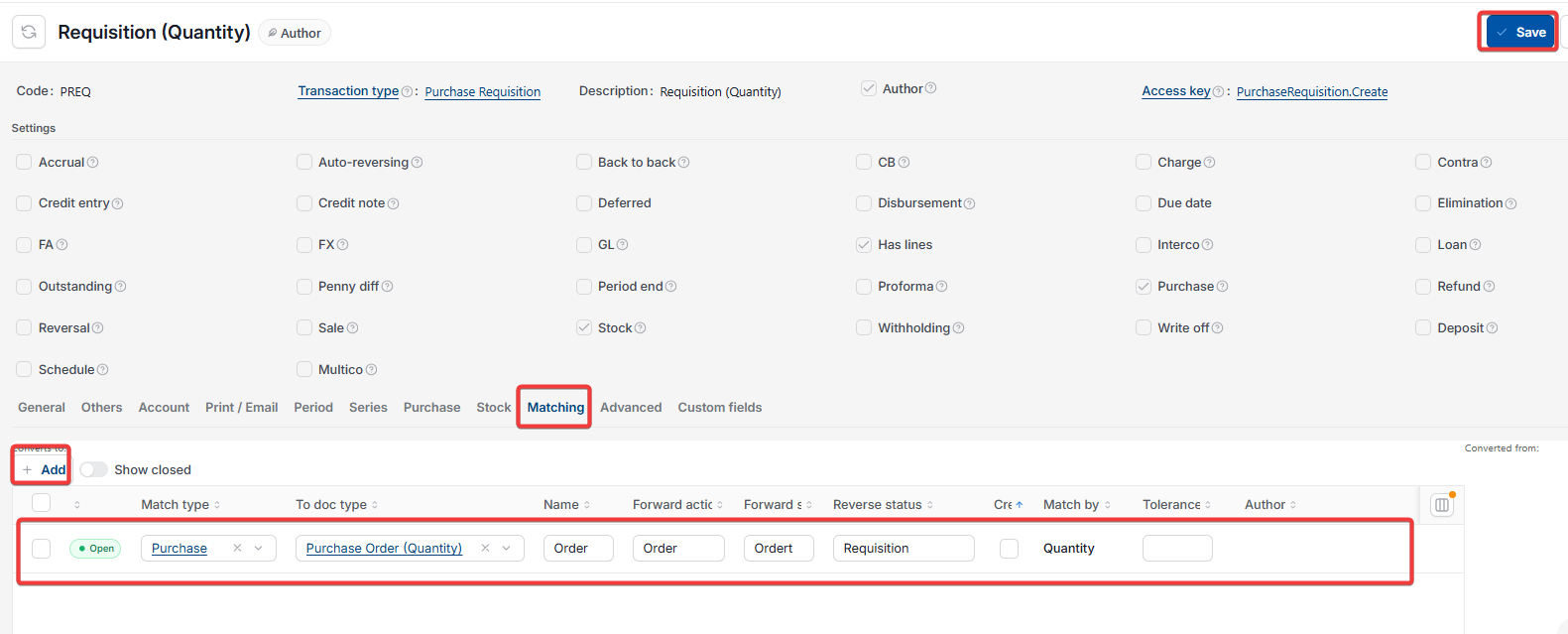
To enable requisition-to-purchase order conversion:
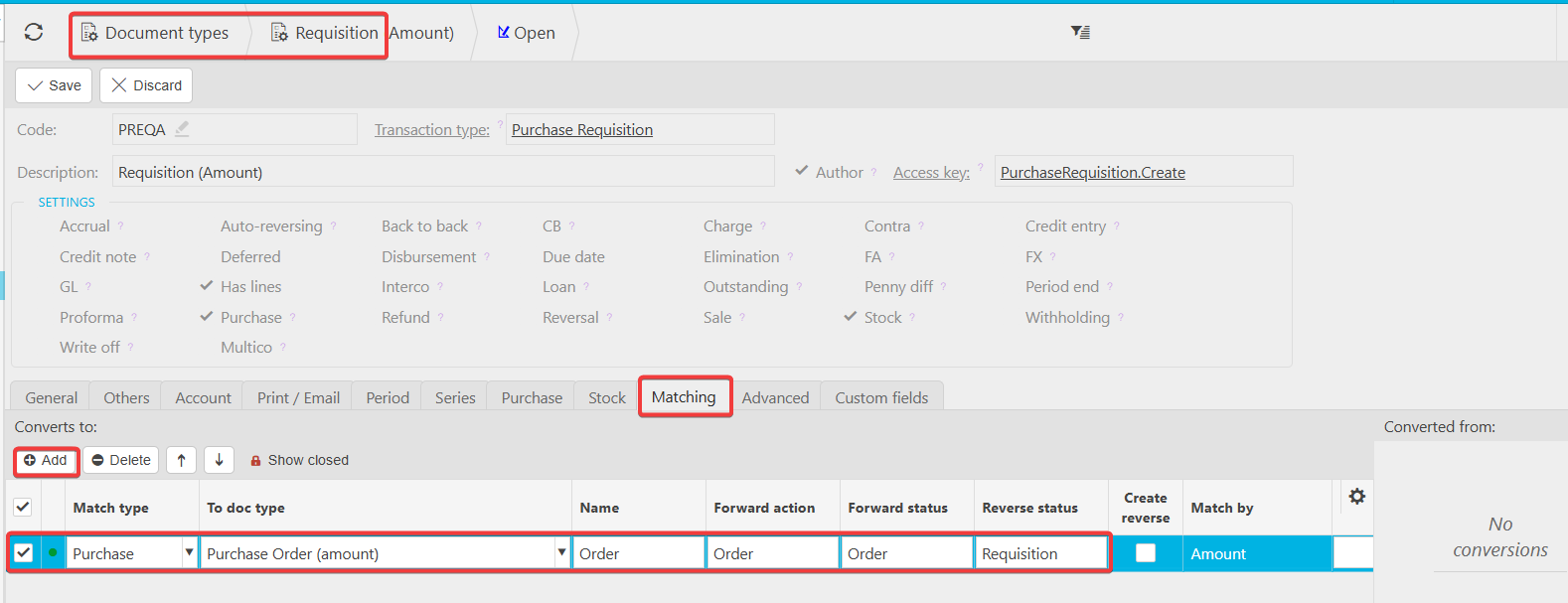
- Navigate to 'Document types'
- Open the Requisition document type
- Select the 'Matching' tab
- Add 'Convert to purchase order' to the matching options
- Save the document type configuration.
The 'Order' button now appears on approved requisitions, allowing users to convert them into purchase orders.
What's the difference between creating a purchase order from a requisition and raising a PO directly?
Creating a purchase order from a requisition uses iplicit's requisition workflow, where requests are submitted and authorised before a formal purchase order exists. This workflow suits organisations that require pre-approval before committing to purchases.
Raising a purchase order directly bypasses the requisition step entirely. If your organisation doesn't use requisitions, see 'How to create a purchase order' for the direct method.
Convert REQ to PO
Create PO from a REQ
Create order from requisition document
Add order button to document